
Summary :
TeraBox offers 1TB of free cloud storage, but you’ll be pushed toward installing the app or waiting behind a throttled connection when you need to download shared files. So, how to download from TeraBox quickly? We tested seven TeraBox downloader tools, including TeraBox downloader online tools, a Firefox extension, a GitHub desktop app, and a TeraBox downloader Telegram bot. Some work well. Others have limitations. Let’s check more details in this best TeraBox downloader 2026 guide on JOPDF.
Why TeraBox Makes Downloading So Difficult
TeraBox is a free cloud storage service best known for offering 1024GB (1TB) of storage to anyone who creates an account. The generous free tier makes TeraBox links show up everywhere, like Telegram channels, Reddit threads, and forum posts, whenever someone needs to share a file too large for normal attachments.
However, during the free TeraBox download process, you may run into some problems:
- TeraBox free download is deliberately designed to create friction, like app install prompts and a login wall.
- Free-tier download speeds are also throttled. CloudsLinker provides specific figures: free downloads are capped at approximately 200–800 KB/s, with only one file downloadable at a time.
- TeraBox’s own web player presents shared videos through streamed segments rather than delivering a single finished file.
- Share links can also expire. Once a link expires, no TeraBox downloader can retrieve the file – the only solution is to request a fresh link from the sender.
More file and image resource download methods are covered here:
- MEGA Downloader Free: Download from MEGA Without Limits
- Best Course Hero Downloader Free in 2026 – Download PDFs from Course Hero
- Shutterstock Downloader: Best Tools & Legal Ways to Download Images & Videos
TeraBox Downloader Online Tools Compared
Here is a clear comparison table of the seven free TeraBox downloader tools, showing which tools support folders, batch downloads, and other features. All seven TeraBox downloader tools require no account.
- For users who want a TeraBox downloader online free option, GetinDevice, Tera Downloader, iTeraPlay, and LINKPLAY all work without payment.
- Trauso and the Telegram Bot are also free but require installation or Telegram.
| Tool | Type | Platform | Folder Support | Batch Download | Best For |
| GetinDevice | Web tool | Browser | Yes | No | Videos, archives, PDFs |
| Tera Downloader | Web tool | Browser | No | No | Single files |
| iTeraPlay | Web player | Browser | No | No | Streaming first |
| LINKPLAY | Web tool | Browser | No | No | Stream + download |
| Firefox Extension | Extension | Firefox | No | No | One-click downloads |
| Trauso | Desktop app | Windows | Yes | Yes (5 parallel) | Batch downloads |
| Telegram Bot | Bot | Telegram | No | No | Mobile convenience |
Tool 1: GetinDevice TeraBox Downloader
GetinDevice is a browser-based TeraBox video downloader that works without installing an app or creating an account. Paste a share link, and it fetches the file directly from TeraBox’s servers.
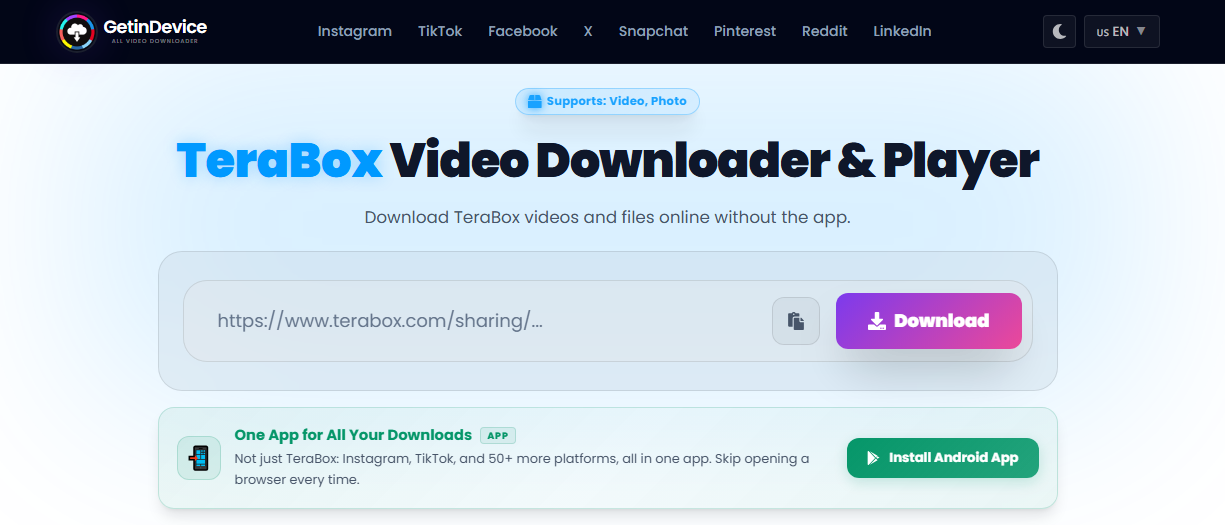
This TeraBox link downloader supports two types of downloads:
- For TeraBox video downloads, it reconstructs the HLS stream by fetching segments in parallel and reassembling them into a single playable file.
- For TeraBox file downloads, like ZIP, RAR, PDF, APK, it fetches the file directly and labels it with the correct extension.
What Makes It Different:
- Supports multiple TeraBox domains: terabox.com, 1024terabox.com, nephobox.com, dubox.com, and others
- Handles folder links – every file inside gets its own Save button
- Works with password-protected links if you have the extraction code
- No re-encoding: videos come back at their original resolution and bitrate
What It Can’t Do:
- Cannot access private, unshared files
- Cannot bypass password protection without the code
- Cannot recover deleted or expired links
Pros
- No app or account required
- Supports videos, archives, PDFs, and APKs
- Folder links return individual files
- No re-compression – original quality preserved
Cons
- No batch download option
- Large files may interrupt mid-download
- No resume support
Community/Test Feedback:
We’ve checked the GetinDevice TeraBox downloader online site where its troubleshooting section covers the most common issues users report, including link expiry, password prompts, and download interruptions on large files.
This TeraBox online downloader is actively maintained, with recent updates fixing mirror domain resolution and adding proper MP4 container conversion. As a TeraBox file downloader that handles multiple file types, it’s the most versatile browser-based option.
Tool 2: Tera Downloader
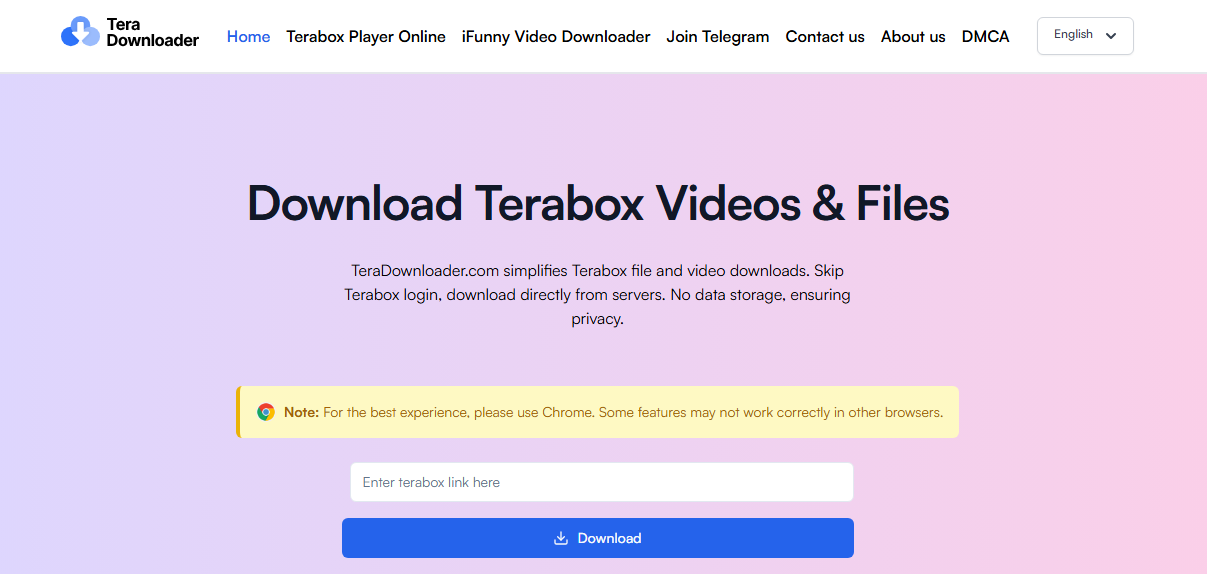
Tera Downloader is a straightforward online tool that generates direct download links from TeraBox share URLs. According to its TeraBox link downloader online free site, it uses TeraBox’s CDN to create direct links without storing any files. However, this TeraBox downloader explicitly states that it does not support folder links, only individual files. It also recommends using Chrome, noting that some features may not work in other browsers.
Pros
- Simple three-step process
- No account required
- Works on mobile and desktop
Cons
- No folder support
- Chrome recommended (other browsers may have issues)
- No batch downloads
Tool 3: iTeraPlay
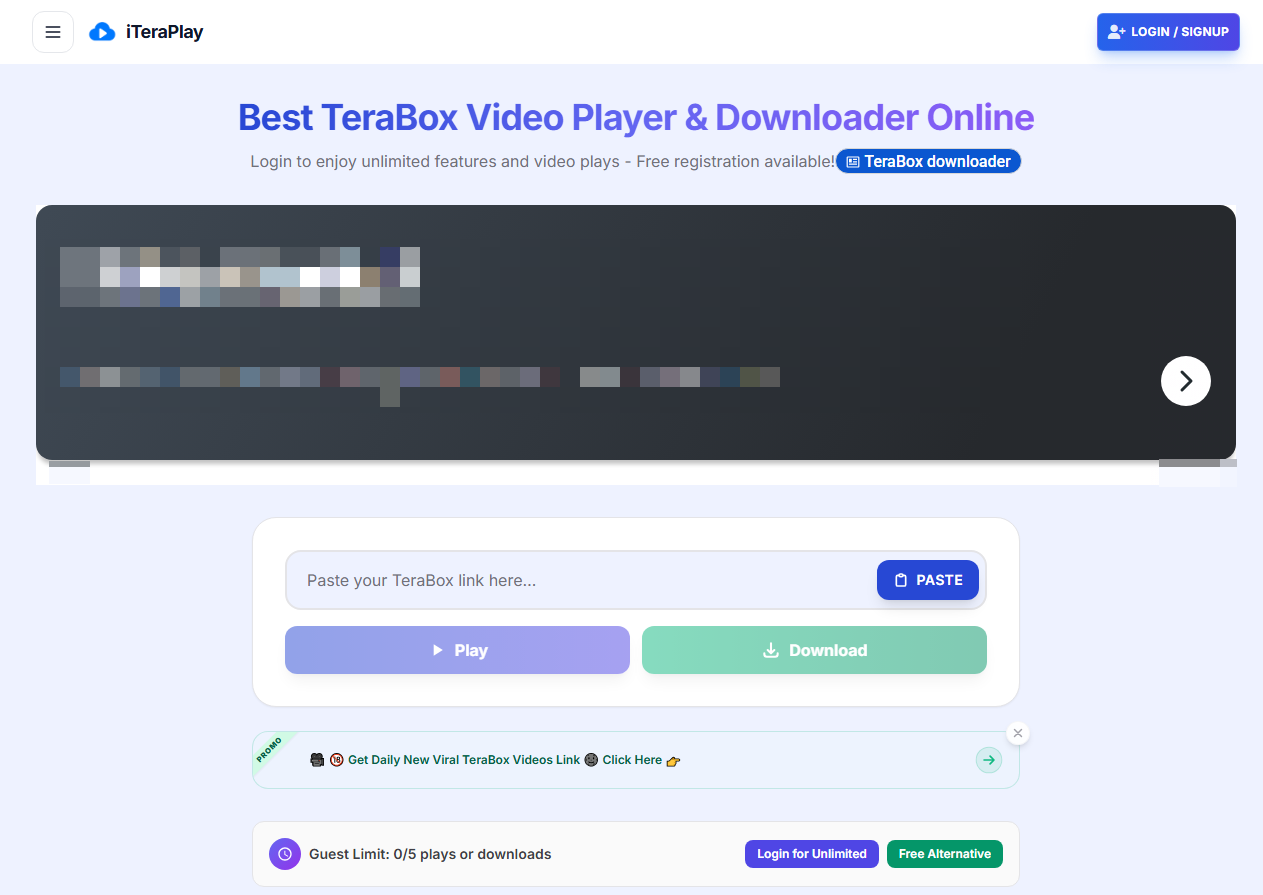
iTeraPlay positions itself as both a TeraBox online video downloader and a streaming player. The TeraBox downloader emphasizes speed, claiming links process in 2-3 seconds, and a clean interface without ads.
How to download from TeraBox Quickly?
Step 1: Paste a TeraBox link and click Play.
Step 2: Then the video streams directly in your browser, and you can click the download option available for saving files offline.
Limitations we learned from its FAQ and feature descriptions as a TeraBox downloader:
- Its introduction heavily focuses on streaming rather than downloading.
- The TeraBox downloader online site mentions “free play credits” and ad-watching to reset credits, which suggests a monetization model that may limit free usage.
- Folder support is not mentioned.
Pros
- Fast link processing (2-3 seconds claimed)
- Clean interface, no pop-ups
- Stream or download options
Cons
- Credit-based system for free usage
- No folder support mentioned
- Streaming-first design, download secondary
Community/Test Feedback:
The site’s own copy reads more like a personal project than a polished product – “I got tired of ads on random sites, so I built this.” That authenticity is appealing, but the credit system and lack of folder support limit its utility for heavy users. If you need a TeraBox video downloader that also lets you preview before saving, iTeraPlay works, but expect to watch ads for credits.
Tool 4: LINKPLAY TeraBox Downloader Online
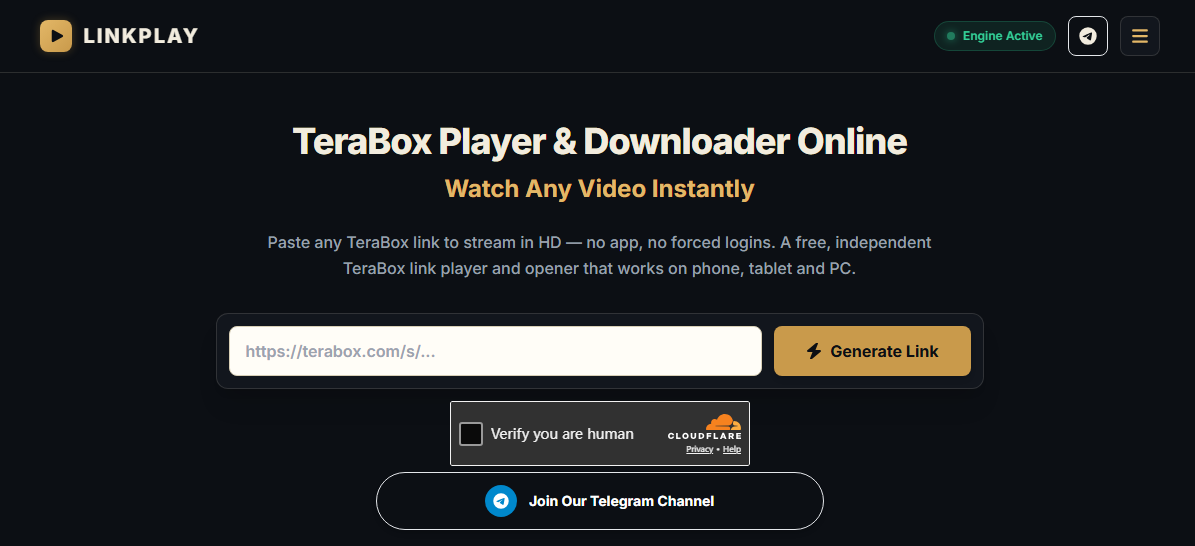
LINKPLAY is a browser-based TeraBox link downloader online that doubles as a video player. It supports 17 TeraBox domains and promises HD streaming without login. Just paste a link, and LINKPLAY resolves it into a playable video with a download button. The TeraBox online downloader displays the file name, size, and format before you commit to downloading.
What Makes It Different:
- Supports 17 domains (terabox.com, 1024terabox.com, nephobox.com, and more)
- Shows file details before downloading
- No account required
- Claims no forced ads or redirects
Limitations notified from the LINKPLAY page:
LINKPLAY explicitly states that folder links are not supported. It also notes that some networks, VPNs, or ad-blockers may interrupt video streams.
Pros
- 17 domain support
- File details displayed before download
- Clean interface
- No login required
Cons
- No folder support
- Streaming may be interrupted by VPNs or ad-blockers
- No batch downloads
Community/Test Feedback:
LINKPLAY’s FAQ is detailed and honest about limitations. The tool claims to have tested downloads as large as 4GB. For single-file downloads, it’s a solid TeraBox link downloader online free option. For folders, you’ll need a different tool.
Tool 5: TeraBox Downloader Firefox Extension
The TeraBox Downloader is a Firefox extension available on Mozilla’s official add-on store. It has 635 users and a 3.3 rating from 14 reviewers. Plus, it supports videos, documents, and large files across multiple TeraBox mirror domains.
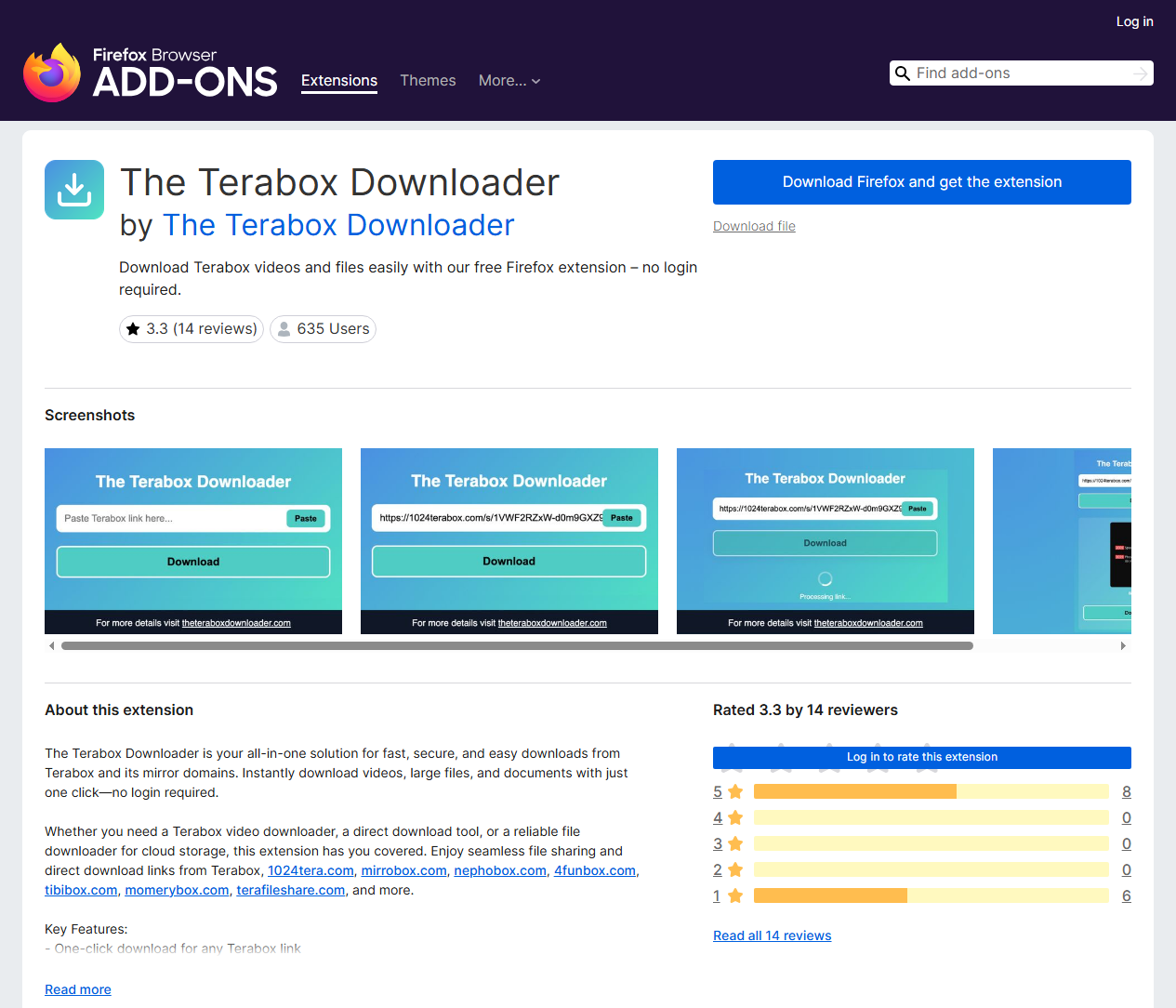
How to download from TeraBox with a Firefox extension?
There are three steps: Install the extension, navigate to a TeraBox link, and click the extension icon to download.
What Makes It Different:
- One-click download directly from the browser
- No login or registration required
- Supports terabox.com, 1024tera.com, mirrobox.com, nephobox.com, 4funbox.com, tibibox.com, momerybox.com, and terafileshare.com
- No ads or pop-ups
Limitations:
The extension requires broad permissions, including clipboard access, download history, browser tabs, and data access for eight TeraBox domains. The developer states no data collection, but users should review permissions before installing.
Pros
- One-click convenience
- Supports multiple TeraBox domains
- No login required
- Free with no ads
Cons
- Requires broad browser permissions
- Rating suggests mixed user experiences
- No folder support mentioned
- Firefox only
Community/Test Feedback:
The 3.3 rating and 14 reviews suggest the extension works but isn’t flawless. The permissions list is extensive, which may concern privacy-conscious users. For Firefox users who frequently download from TeraBox, it’s a convenient TeraBox downloader, but review the permissions first.
Tool 6: Trauso (GitHub Desktop App)
Trauso is a desktop TeraBox file downloader built with Tauri v2 (Rust + React). It’s lightweight (~13MB), fast, and designed for users who want queue management and parallel downloads. For TeraBox for PC users, it’s the most capable option in this list.
Different from other TeraBox downloaders, this tool requires extra installation from GitHub Releases. Then you can paste a TeraBox link, click Fetch, select files, add to queue, and start downloading. The app uses aria2 for multi-connection optimization.
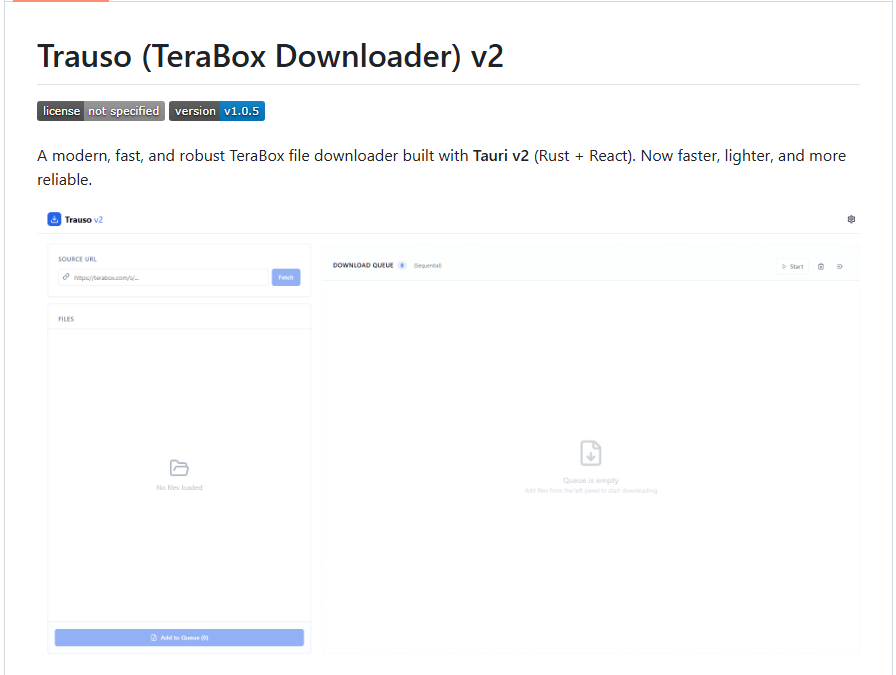
What Makes It Different:
- Sequential or parallel downloads (up to 5 files simultaneously)
- Auto server switching between Server 1 and Server 2
- Pause/resume/cancel individual downloads
- Background process management
- Auto-update from GitHub Releases
Pros
- Lightweight (~13MB)
- Parallel downloads (up to 5 files)
- Queue management
- Pause/resume support
- No Python or external dependencies
Cons
- Windows only
- No password-protected link support
- Requires installation
Community/Test Feedback:
The GitHub repository shows active development, with recent commits adding bandwidth control and fixing bugs. The troubleshooting section acknowledges that Cloudflare may block requests and suggests changing IP/VPN. For TeraBox for PC users who need batch downloads, Trauso is the best option in this list.
Also See: Pngtree Downloader Free Online Without Watermark – 4K & HD
Tool 7: TeraBox Downloader Telegram Bot
The TeraBox downloader Telegram bot (MN-BOTS/MN-TeraBox-Downloader-Bot) is a Python-based bot that downloads TeraBox files directly into your Telegram chat.
How to download from TeraBox with this Telegram Bot?
You need to start the bot, send a TeraBox public share link, and the bot fetches file info, downloads the file, and uploads it back to Telegram. It supports quality selection when multiple download URLs are available.
What Makes It Different:
- Works entirely within Telegram
- Supports quality selection
- Caches previously downloaded files (re-sends without re-downloading)
- Files auto-delete after 12 hours to save space
- Optional verification system
Limitations: The bot requires setup if you’re self-hosting (environment variables, MongoDB, API keys). Using an existing bot is simpler but depends on the operator’s server availability.
Pros
- Works within Telegram (no browser needed)
- Quality selection supported
- Cached files re-sent instantly
- Auto-delete after 12 hours
Cons
- Depends on the bot operator’s server
- Files expire after 12 hours
- Self-hosting requires technical setup
Community/Test Feedback:
The GitHub repository is actively maintained, with recent commits adding API-based downloads and caching. The README is detailed and includes deployment instructions for Koyeb, Render, and Railway. For Telegram users who want a TeraBox downloader Telegram bot, this is a functional option, but it’s not a permanent storage solution.
Common Problems Reddit Users Face with TeraBox Downloaders
Reddit and forum discussions reveal recurring issues. Here’s what users report and how to address them.
#1. “Download stops halfway through”
Large files are more likely to interrupt. Re-paste the link, click Download again, and try Save once more. Most interruptions are transient network issues, not file problems. If you’re using a TeraBox downloader online free tool, switching to a desktop app with resume support (Trauso) may help.
#2. “Link invalid or file not found”
The uploader may have deleted the file, TeraBox may have removed it for policy violations, or the share expired. Links created without the uploader being logged in can expire in as little as 24 hours. Ask for a fresh link.
#3. “It’s asking for a password I don’t have”
The link has an extraction code attached. There is no legitimate way to bypass this—ask the sender for the code directly.
#4. “File won’t open after downloading”
Match the extension to the right app. Unusual video codecs may need VLC. RAR files need an archive tool. APK files only install on Android.
#5. “Folder link only shows one file”
Double-check that the link points to the shared folder itself, not a single file inside it. Some TeraBox link downloader online tools don’t support folder links at all.
#6. “ndus cookie required—is it safe?”
Some tools require the ndus cookie from your TeraBox account. This cookie is an authentication credential—treat it like a password. Never share it with third parties.
Also See: VSCO Downloader – Download VSCO Photos & Images HD Online
How to Download from TeraBox Officially
If you want guaranteed access without third-party tools, the official TeraBox download method works, but it requires an account and app installation. Here’s how to download from TeraBox officially.
Step 1: Create a TeraBox account at terabox.com (or via the app). You can download it from the official website.
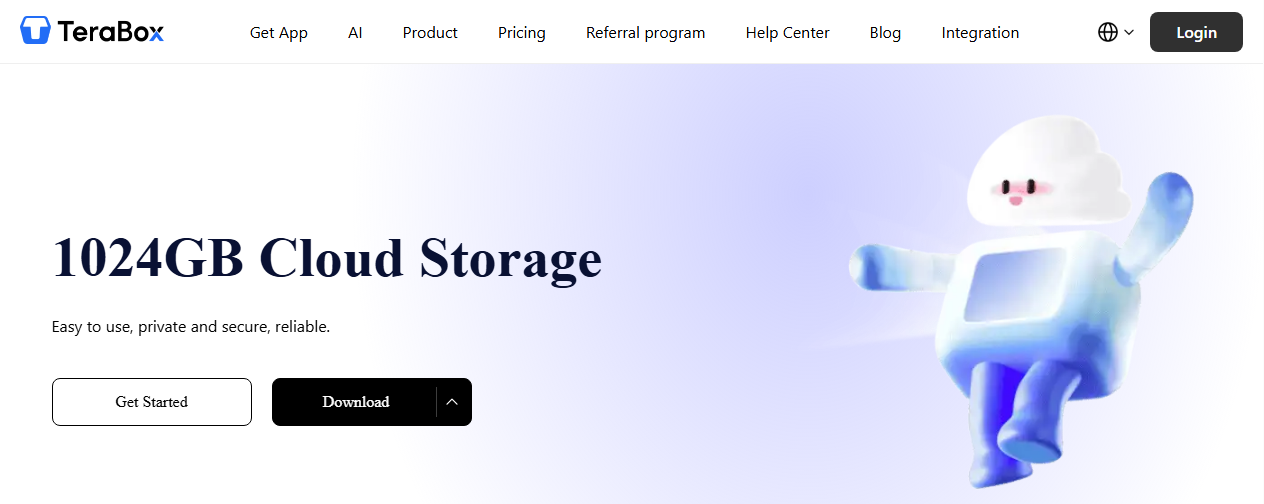
Step 2: Log in with your credentials and open the share link you received.
Step 3: Select the file(s) you want to download and save it to your device.
Free Account Limitations:
- Ads and pop-ups inside the app
- Download speed throttled
- No parallel downloads
Premium Benefits:
- 2TB storage
- High-speed downloads
- No ads
- Parallel downloads
Is It Safe to Use Third-Party TeraBox Downloaders?
TeraBox’s Official Position: Unauthorized tools may violate TeraBox’s terms of service. TeraBox does not endorse or support third-party online TeraBox downloaders.
Here are some potential third-party risks:
- Cookie theft: Tools requiring ndus cookies can expose your account if the tool is malicious.
- Malware: Some TeraBox downloader free sites bundle adware or redirect to malicious pages.
- Incomplete downloads: Free TeraBox file downloader tools may fail on large files.
Safety Recommendations when downloading from TeraBox:
- Prefer open-source tools (Trauso, Telegram Bot on GitHub) whose code is inspectable.
- Avoid entering your TeraBox password into any third-party site.
- Never share your ndus cookie.
- Test with small files before committing to large TeraBox file downloads.
Legal Note: Only download file content you have the right to access. TeraBox is a legitimate platform, but the content shared on it may be copyrighted.
How to View and Edit TeraBox Files?
Once your TeraBox downloader completes its job, you may need to open or edit the files. What you do next depends on the file type.
- For Videos: Use VLC Media Player if the file won’t play in your default app. VLC handles almost every codec. On mobile, MX Player is a reliable alternative.
- For PDFs: JOPDF is a free desktop PDF editor for Windows and Mac that handles PDF viewing, editing, and conversion. If your TeraBox download includes PDF documents, SwifDoo lets you merge multiple PDFs, compress large files, convert to Word/Excel/images, and extract text with OCR.
- For Archives (ZIP, RAR): Windows and macOS include basic ZIP support. For RAR files, you’ll need 7-Zip (Windows) or The Unarchiver (Mac).
- For APKs: APK files only install on Android. On iOS, they won’t work, no matter which tool you used to download them.
How to Process TeraBox Files with JOPDF:
Step 1: Download and install JOPDF (free, no registration).
Step 2: Launch JOPDF and open your downloaded PDF files by clicking Open PDF. Alternatively, you can choose the wanted PDF tool from the main page and then choose your TeraBox file.
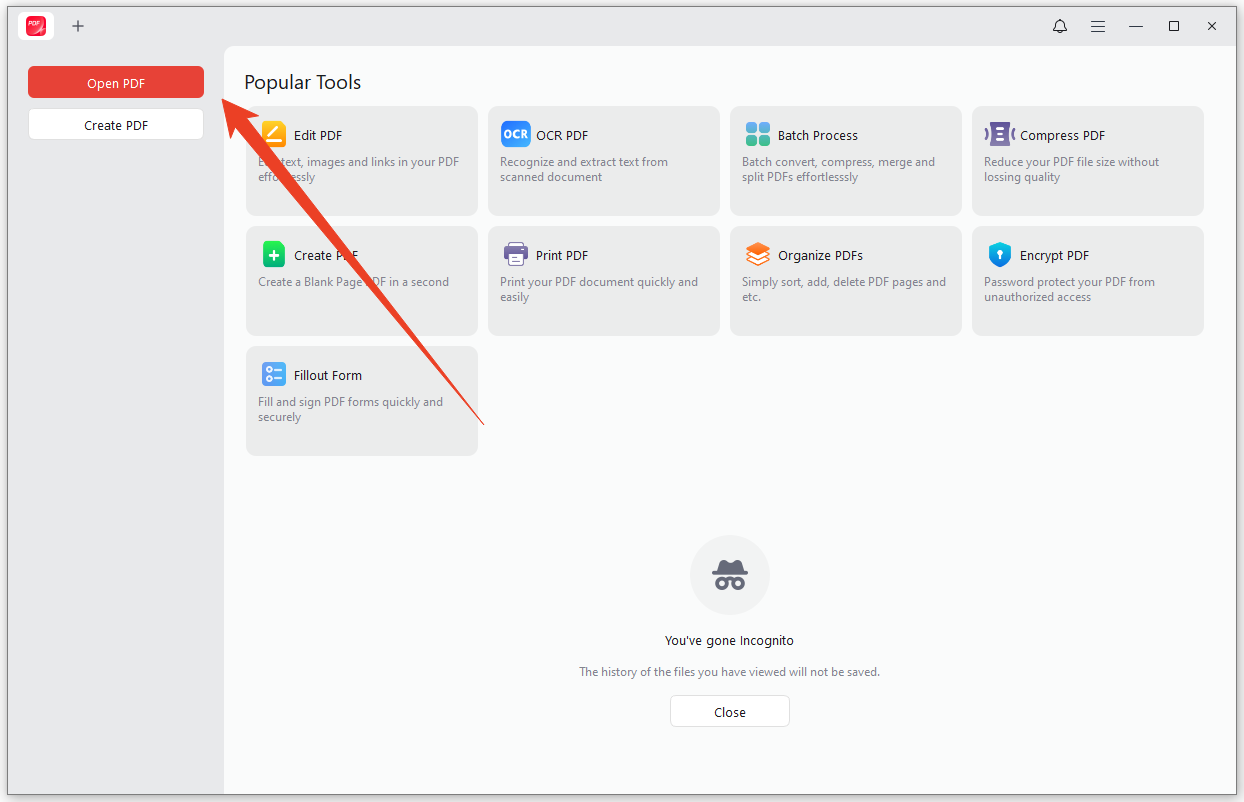
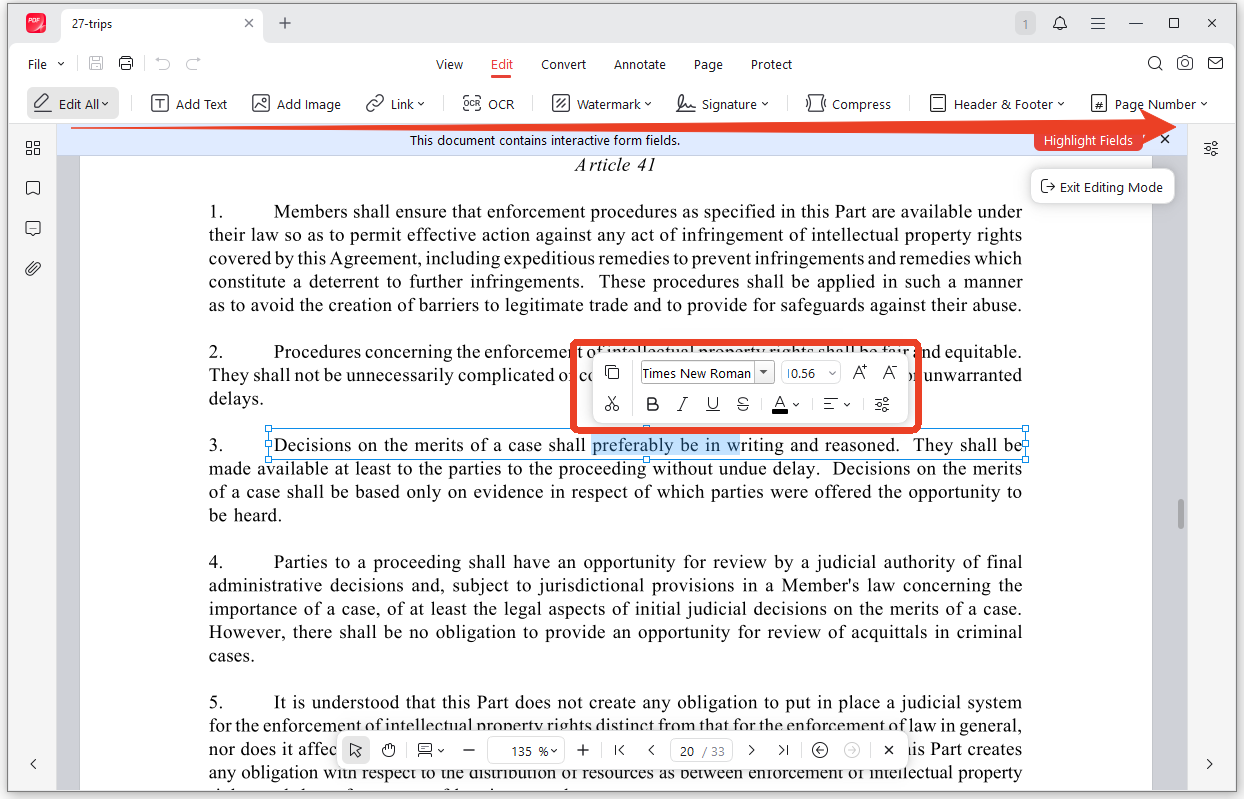
Step 3: To edit the TeraBox file, go to the Edit tab and select the position to modify the text. Other PDF editing tools include watermark, signature, compression, and OCR.
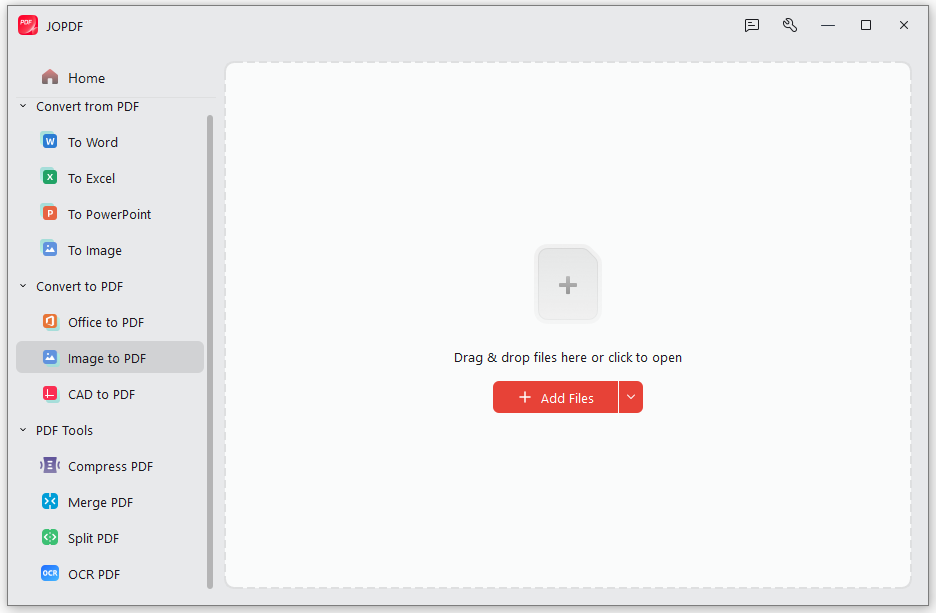
Step 4: To convert a PDF, you can go to the Convert tab and choose the dedicated tool. Then you’ll be prompted to the JOPDF converter interface. Just upload your file and click Start.
Step 5: When you finish the work, click Save to store the edited files.
Conclusion
This article has introduced several useful TeraBox downloader online tools with different strengths. The best TeraBox downloader 2026 depends on your specific needs – there’s no single winner for every scenario.
Download JOPDF and manage your downloaded PDFs without limits.
FAQs
Table of Contents

Your Best Free PDF Expert in PDF editing, compressing, converting, annotating, protect, organizing, and more.
Free DownloadWindows · macOS · Linux

Anna
Editor
“Anna, Editor-in-Chief and PDF expert, delivers deep insights into PDF document technology trends. She is dedicated to helping readers optimize their digital lives. When not writing, Anna loves exploring local cafes and reading, blending her technical expertise with a love for storytelling.”