How to find the best free offline PDF editor? This guide on JOPDF focuses exclusively on PDF editors that operate without internet connection. We have concluded major features, pros & cons of every option and provide the best PDF editor offline free download. Continue your reading and find which one is more suitable for you.
Summary :
Quick Picks: Best Free Offline PDF Editors at a Glance
| Category | Editor | Key Strength |
| Best Overall | JOPDF | Full editing suite, no feature paywalls, verified offline |
| Best for Native Windows | Foxit PDF Reader | Deep OS integration, ribbon-style interface |
| Best Lightweight | PDF24 Creator | Under 50MB install, fast on older PCs |
| Best Open Source | LibreOffice Draw | Community-driven, fully transparent |
| Best for Quick Annotation | LynxPDF | Streamlined markup tools, minimal learning curve |
Related Article:
- 10 Best OceanofPDF Alternatives for Free eBooks & PDF Downloads (2026)
- ISBN to PDF: How to Download PDF Books Using ISBN for Free (2026)
- Mobilism Alternatives: Best Sites for Free eBooks, Audiobooks & Apps
JOPDF — Best Overall Free Offline PDF Editor
Specifications:
- Platform: Windows, Mac, Linux
- Plan: Free
- Features include:
- Text and image editing
- Batch compression
- Link editing
- Annotations
- Page management
Reasons to Try:
+100% free with no account registration required
+Word-like text editing directly in PDFs
+Cross-platform support on Windows, Mac, and Linux
+Batch conversion between PDF, Word, Excel, PowerPoint, and image formats
+No watermarks on exported files
Reasons to avoid:
-Not suitable for heavy business or legal document processing
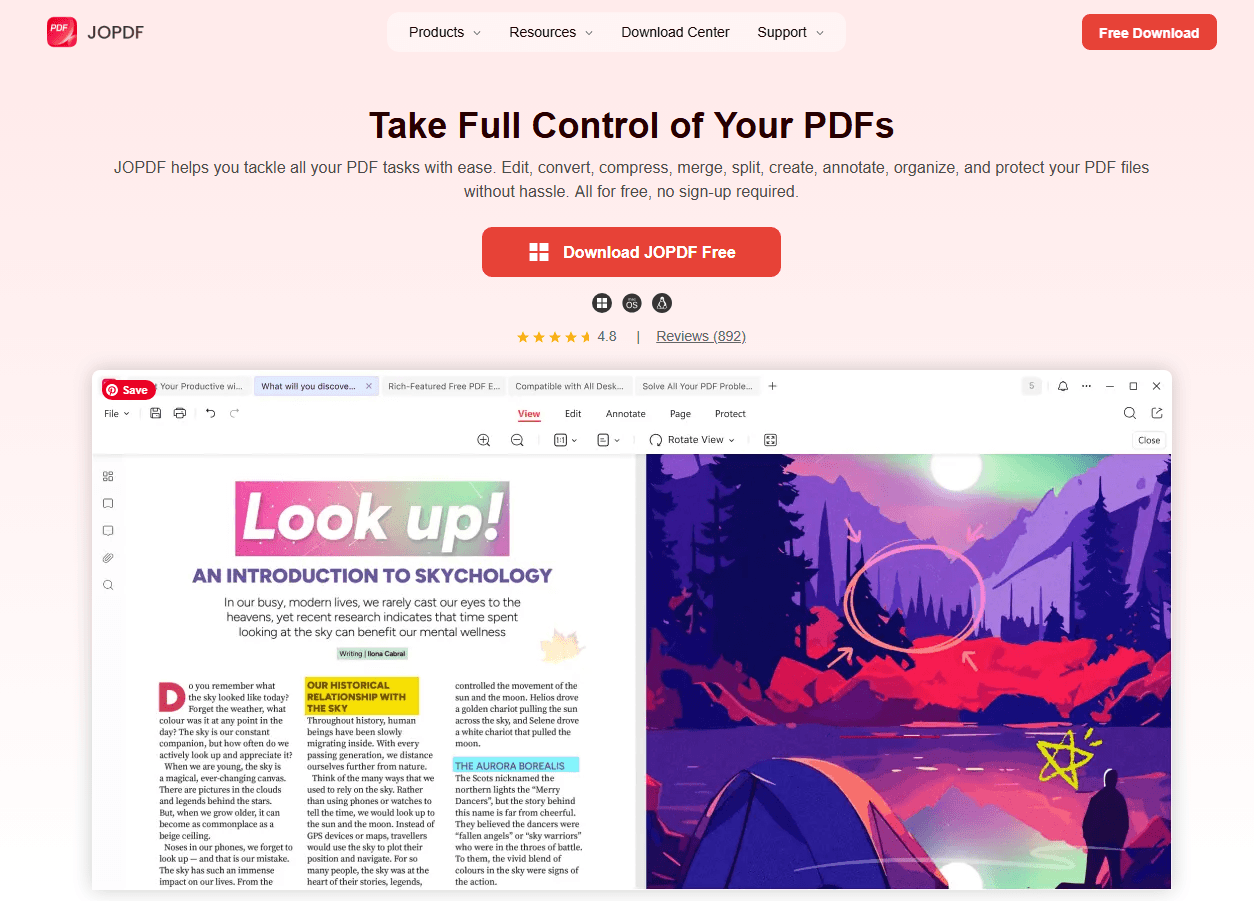
JOPDF is a free, cross-platform PDF editor that installs natively on Windows, Mac, and Linux with full offline functionality. Unlike many free tools that restrict editing features behind a paywall or demand account creation, JOPDF provides its toolkit without requiring registration or an internet connection.
The interface will feel familiar to anyone who has used a word processor – click on text to edit it directly, adjust fonts and colors, insert images, and add hyperlinks, all within a straightforward editing environment.
Where JOPDF genuinely impresses is in its batch processing capabilities. Once the plugin is installed, converting multiple PDFs to Word or Excel format, compressing large files, and merging documents happen quickly and locally.
We tested converting 20 PDF files to Word format, and the entire process took less than four minutes. The results showed better format preservation than some of the online conversion tools we’ve tested.
Notably, we successfully used JOPDF to compress a 45MB document to 12MB with no noticeable loss in quality. These features, combined with the fact that it’s free and requires no registration, make JOPDF an ideal choice for users whose PDF work doesn’t involve scanned documents.
For users seeking a best free offline PDF editor for pc that handles standard PDF editing tasks without cost, JOPDF delivers a clean, accessible experience.
For editing native PDFs, annotating, converting formats, and compressing files, JOPDF provides a genuinely free, offline-capable solution that outperforms many competitors in its feature breadth.
How to Edit PDF Offline with JOPDF?
Step 1: Click the button to download and install the best free offline PDF editor and launch the app.
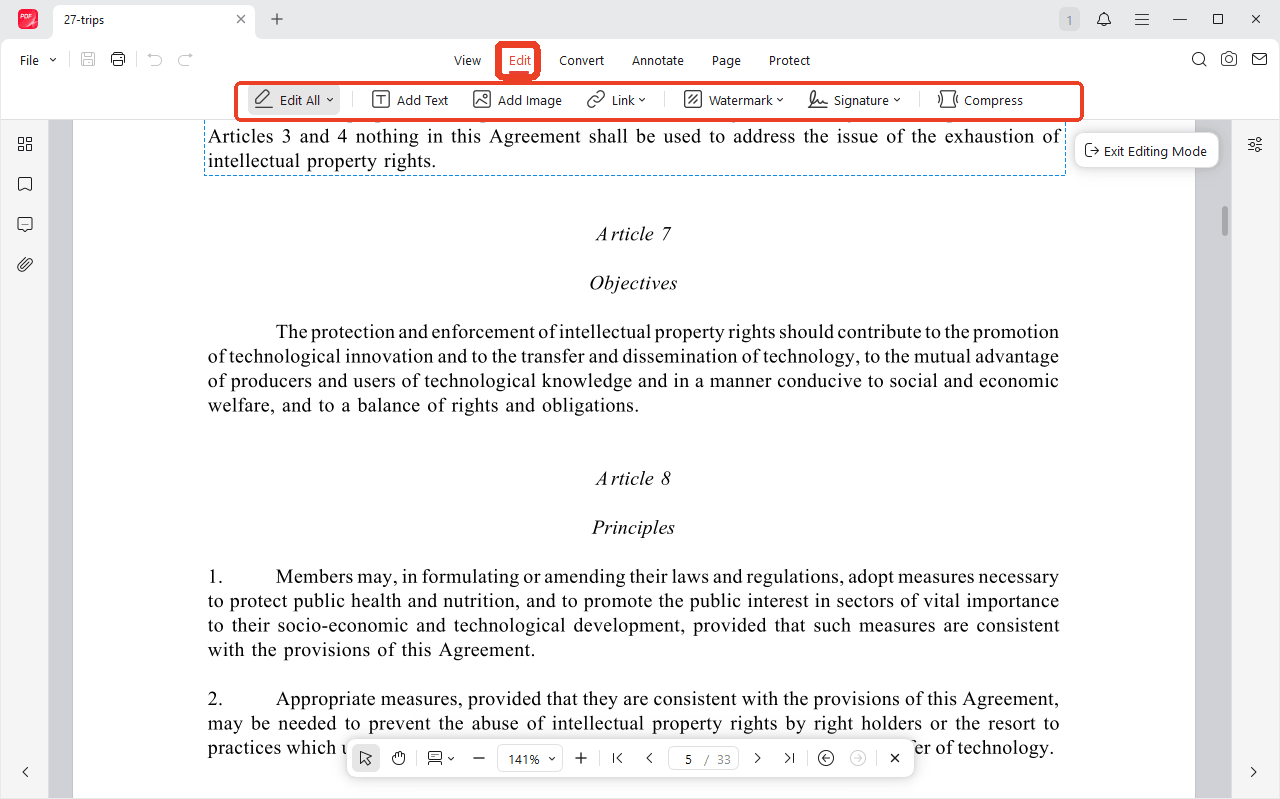
Step 2: Clic Open PDF to choose your file that needs to edit and switch to the Edit tab. Under this tab, you can use multiple tools which allows you to edit offline PDFs as you want, including images, links, and any annotations.
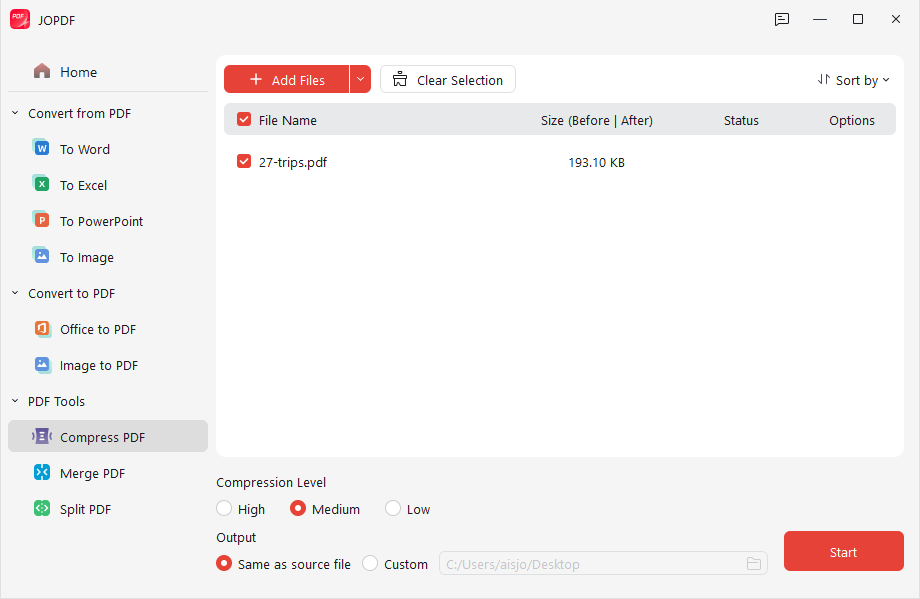
Step 3: To compress or convert PDF file, you can click the Compress option and a new window will pop up. Here, you can choose to convert, compress, merge, or split PDF.
Foxit PDF Reader — Best for Native Windows Integration
Specifications
- Platform: Windows, Mac, Android, iOS
- Plan: Free, Paid (Foxit PDF Editor Pro)
- Features include:
- Reading
- Annotation
- Form filling
- Basic editing
- Page management
Reasons to Try:
+Ribbon-style interface familiar to Microsoft Office users
+Deep Windows integration with context menu support
+Connected PDF capability for limited collaboration
Reasons to avoid:
-Advanced editing requires paid upgrade
-Free installer may bundle additional software; custom installation recommended
-Connected features phone home periodically
-OCR functionality inconsistent across versions
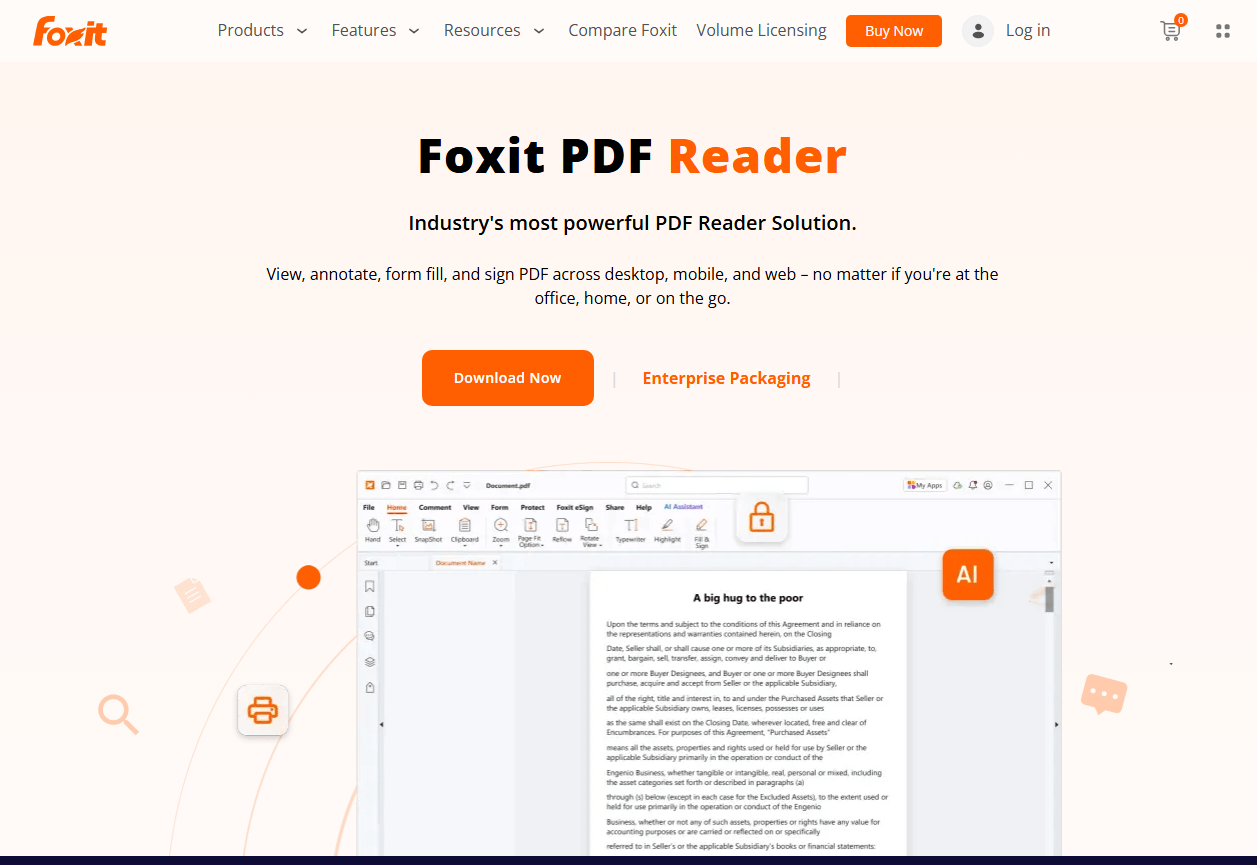
Foxit PDF Reader has long positioned itself as the primary alternative to Adobe Acrobat Reader, and its free version brings a ribbon-style interface that Windows users will find immediately familiar.
The tool installs as a native Windows application and integrates deeply with the operating system. Right-click a PDF in File Explorer, and Foxit options appear in the context menu. For users seeking a best free offline PDF editor for Windows 10, this OS-level integration reduces friction in daily use.
A stumbling point surfaced during privacy testing. While Foxit’s core reading, annotation, and form-filling tools function without an internet connection, the application periodically attempts license verification calls. When the firewall blocked these calls, the free version continued to operate, but a notification bar appeared recommending the paid upgrade.
This does not disable offline editing, but it does mean the tool is not fully silent in its network behavior. It’s a distinction worth noting for users with strict privacy requirements.
The typewriter tool, which allows placing text anywhere on a page, proved useful for filling non-interactive forms, a common scenario for users dealing with scanned paperwork. The connected PDF feature also allows limited collaboration when online access is available, though this falls outside the offline scope.
For users who need to edit existing text or convert scanned pages to searchable PDFs, the paid Foxit PDF Editor Pro upgrade is required. For readers and annotators working primarily on a single Windows machine, Foxit offers a polished, familiar experience that earns its place as a best free offline PDF editor for Windows 11 option for annotation-focused users.
PDF24 Creator — Best Lightweight Editor for Older PCs
Specifications
- Platform: Windows
- Plan: Free
- Features include:
- PDF creation
- Basic editing
- Page management
- Compression
- Merge and split
Reasons to Try:
+Under 50MB installation footprint
+Fast launch even on older hardware
+No account or registration required
Reasons to avoid:
-Windows only, no Mac or Android support
-No OCR capabilities
-Text editing is limited to basic corrections
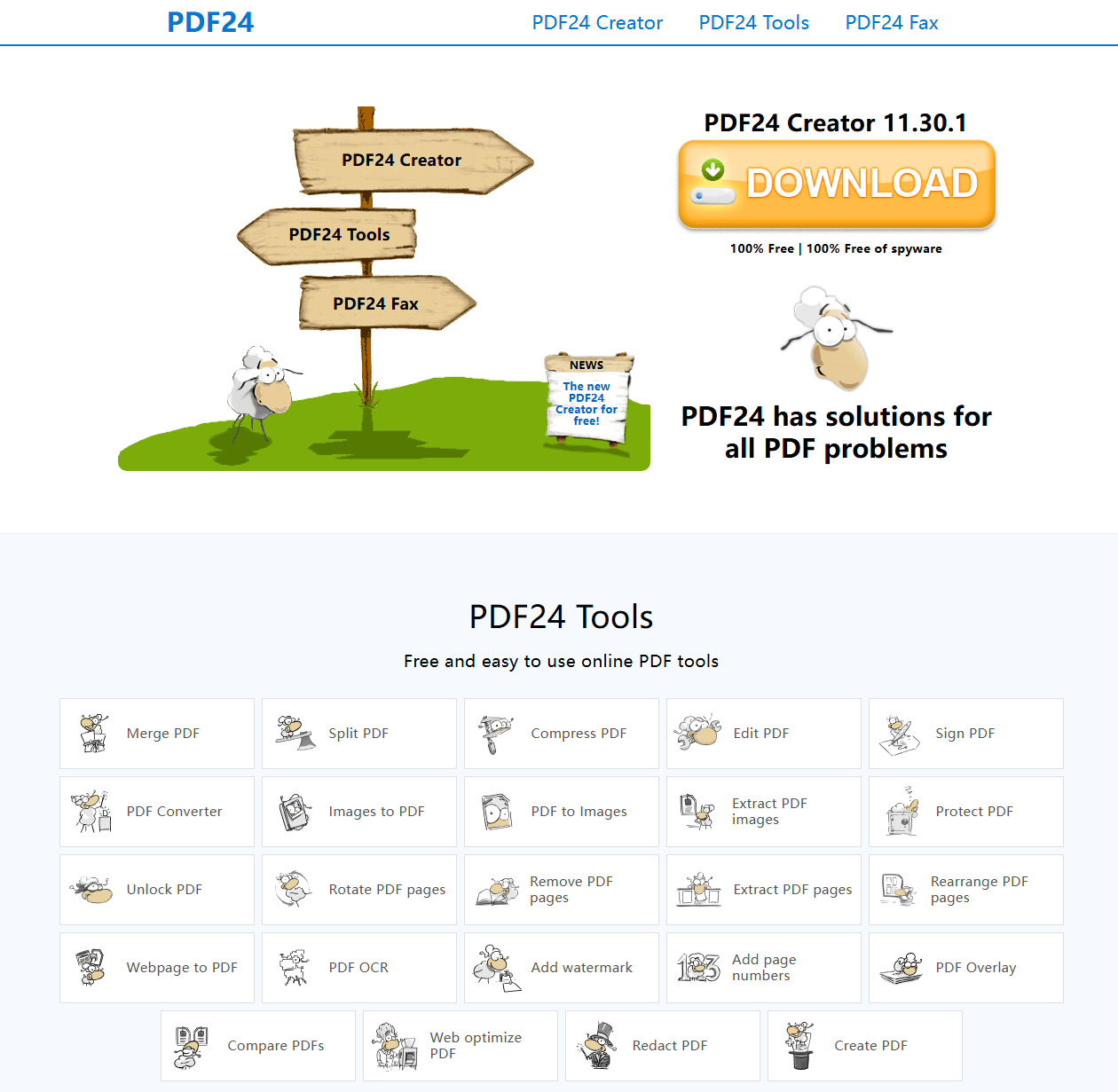
PDF24 Creator is a lightweight Windows application with a relatively small installation footprint that launches almost instantly. The tool operates as a virtual PDF printer alongside a standalone editor, making it a dual-purpose utility. For users with aging PCs or limited storage space, this efficiency positions PDF24 as a practical choice among free offline editors.
When tested on a Windows 10 machine with 4GB of RAM, PDF24 launched in under two seconds, and when opening a 45-page document, it did not show any scrolling lag common in other resource-intensive editors. This performance on resource-constrained hardware is precisely the tool’s core strength.
However, this lightweight design comes with trade-offs: PDF24 struggles when handling image-heavy product catalogs, and noticeable compression artifacts appear when saving edited versions of pages rich in images.
An unexpected highlight is its PDF printer functionality. When testing the “Print to PDF” workflow from Word and Excel, the output files generated by PDF24 were clearer and smaller in size than those produced by Microsoft’s built-in “Print to PDF” driver.
The tool handles the offline PDF editing efficiently. It also includes a merge tool for combining multiple documents and a compression tool for reducing file size. For basic PDF tasks on older Windows machines, PDF24 delivers reliable offline performance without the overhead of larger suites.
LynxPDF — Best for Quick Annotation and Markup
Specifications
- Platform: Windows, Mac, Web
- Plan: Free, Paid (LynxPDF Pro)
- Features include:
- Annotation
- Markup
- Form filling
- Page management
- Basic editing
Reasons to Try:
+Free built-in OCR for making scanned documents searchable and editable
+Word-like text editing directly in PDFs
+Clean annotation tools with comment reply threads
+Cross-platform Windows and Mac support with local deployment option
Reasons to avoid:
-Advanced batch processing requires Pro upgrade
-Cloud features require account for online collaboration
-Less suitable for complex vector graphics editing
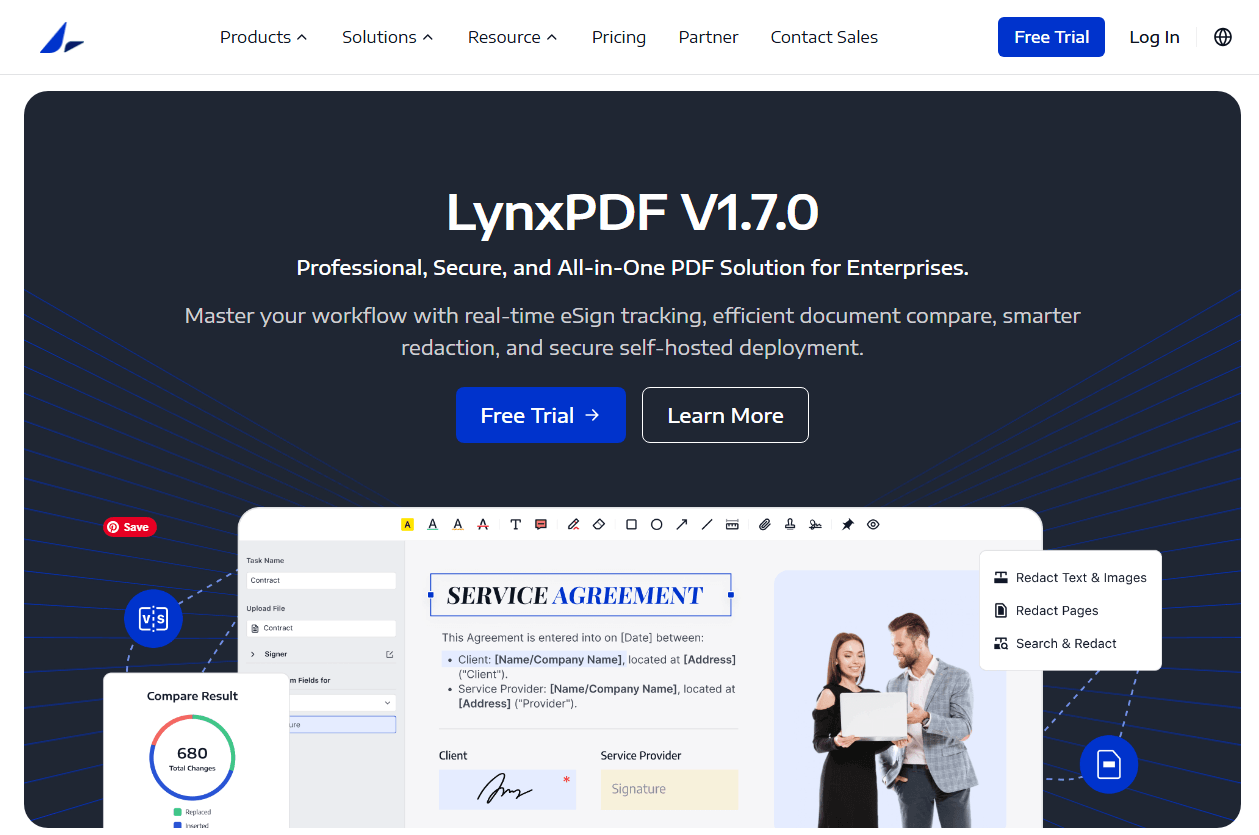
LynxPDF takes a balanced approach to free PDF editing, offering two capabilities that are rare in free offline tools: built-in OCR and direct text editing that feels as natural as working in a word processor.
The interface is clean and uncluttered, with editing, annotation, and page management tools organized into logical tabs that minimize the learning curve for new users. The built-in OCR capability is the standout feature at this price point.
Opening a scanned contract PDF, LynxPDF recognized the page images and offered to make them searchable and editable. For users who regularly work with scanned documents, this offline OCR functionality eliminates the need for a separate tool or cloud service, a capability that several other editors in this review lack entirely.
Text editing was the strongest among the free tools tested. In a standard PDF, clicking any block of text immediately switches to edit mode, and in a single-column document, the surrounding layout adjusts automatically. Hyperlinks can be added or edited by selecting any text or icon and assigning a web link or email destination.
LynxPDF shows its limitations when handling complex multi-column layouts. When editing text in a three-column contract document, column boundaries are not always strictly maintained, occasionally causing text to spill over into adjacent columns.
This behavior is consistent with most free PDF editors; however, in our testing, JOPDF proved to be more reliable in handling this specific scenario. For standard business documents, letters, and forms, the editing process is smooth and the results are predictable.

JOPDF – The Best Free PDF Editor
 User Rating: 4.8
JOPDF Is a 100% free POF editor for Windows, macOS, and Linux. Edit text, add images, annotate, sign, and more. No limits, no ads, no subscriptions, Fast, simple, and powerful, take full control of your PDFs in seconds!
The entire process to edit PDF is completed offline. For users who need OCR and text editing in a free offline package, LynxPDF delivers capabilities that typically require a paid subscription elsewhere.
LibreOffice Draw — Best Open Source Offline PDF Editor
Specifications
- Platform: Windows, Mac, Linux
- Plan: Free (Open Source)
- Features include:
- Full text and image editing
- Vector graphics
- Page management
- Format conversion
Reasons to buy:
+Complete transparency with open source code
+Powerful vector editing capabilities
+No commercial agenda or upselling
Reasons to avoid:
-Steep learning curve for PDF-specific tasks
-Interface not designed primarily for PDF work
-Limited annotation tools compared to dedicated editors
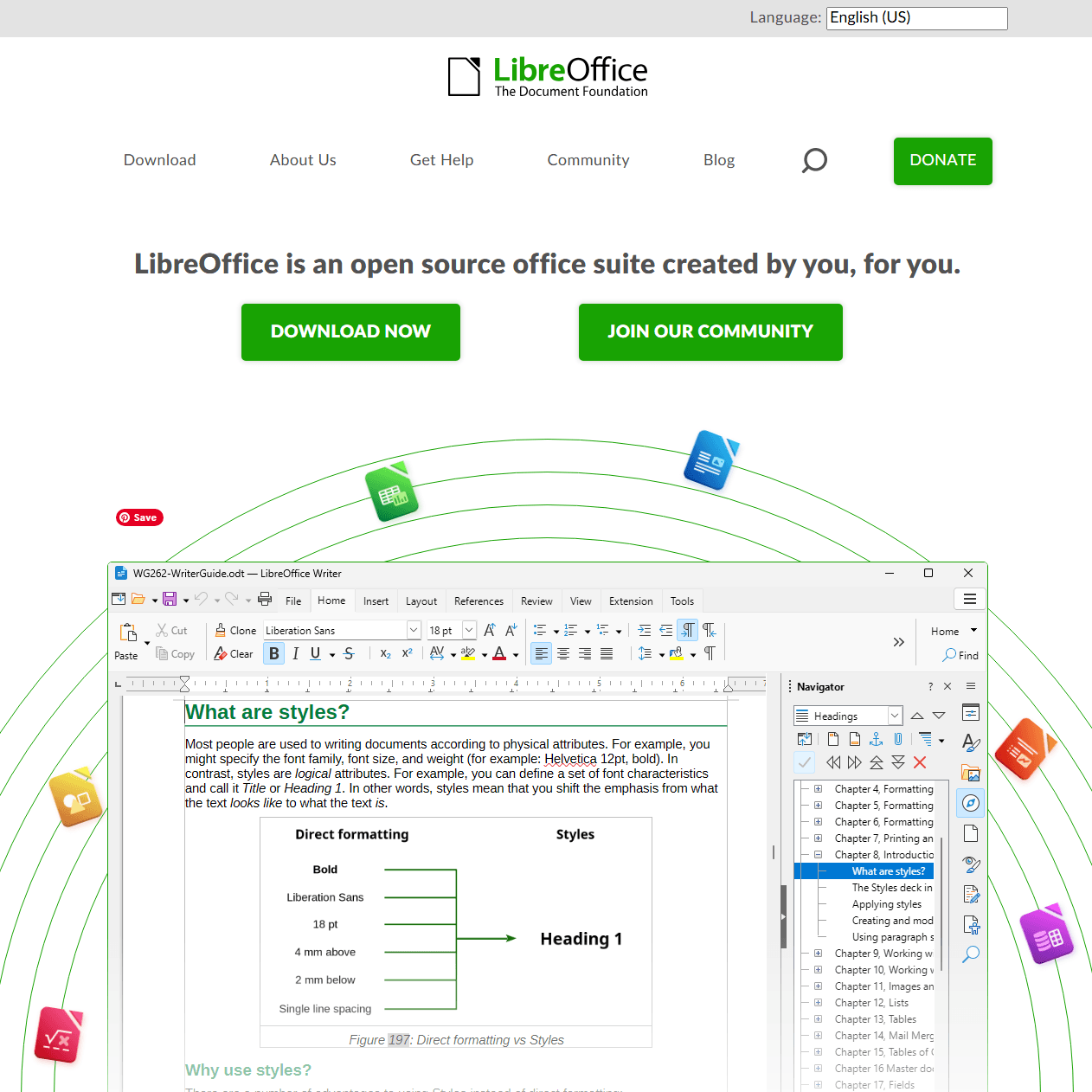
LibreOffice Draw is the vector graphics component of the LibreOffice suite, and it opens PDF files as editable documents with a level of control that no other free offline tool in this review matches.
Every element on a PDF page, like text blocks, images, vector shapes, lines, becomes individually selectable and modifiable. The learning curve is the primary obstacle. Opening the 12-page product catalog, text elements appeared in separate bounding boxes that did not initially match the visual layout.
This is not a tool that a first-time user can launch and immediately use effectively for PDF editing. However, for users already familiar with LibreOffice or those willing to invest learning time, the payoff is substantial.
This single-page design draft, which includes vector graphics, offers unexpected advantages. LibreOffice Draw not only preserves all vector elements but also allows them to be edited. For users working with design assets, technical drawings, or vector-heavy PDFs, this capability is unmatched in the free offline category.
Head-to-Head Comparison Table
| Feature | JOPDF | Foxit PDF Reader | PDF24 Creator | LynxPDF | LibreOffice Draw |
| Text Editing | Full, single-column best | Basic (add text only) | Basic corrections | Full, Word-like | Full, granular |
| Image Editing | Insert, replace, resize | Insert only | Insert only | Insert, replace | Full vector editing |
| Form Creation | Yes | No | No | No | Via design tools |
| Batch Processing | Via plugin | No | Merge, compress | Pro only | Via macro |
| Link Editing | Full link creation/repair | No | No | Full link creation | Full hyperlink support |
| Annotation Tools | Full suite | Excellent | Basic | Full suite with replies | Limited |
| Installation Size | ~30-50MB (core) + 180MB plugin | ~200MB (beware bundled software) | Lightweight | Moderate | ~500MB (full suite) |
| Windows Support | Yes | Yes | Windows only | Yes | Yes |
| Mac Support | Yes | Yes | No | Yes | Yes |
| Truly Offline | Yes, verified | Partial (periodic checks) | Yes, verified | Yes, verified | Yes, verified |
| Privacy Verified | Zero network activity | License check calls | Zero network activity | Zero network activity | Zero network activity |
How to Choose the Best Free Offline PDF Editor for Your Needs
For the Privacy-Focused Professional:
If a document contains sensitive customer data, legal information, or proprietary business content, the top priority is a proven zero-trace solution that also offers full editing capabilities. JOPDF is the top choice thanks to its reliable privacy verification mechanism and comprehensive feature set. For users who value open-source transparency and are willing to invest time in learning the software, LibreOffice Draw is a good option.
For the Casual Windows User:
If your primary needs involve reading, annotating, and occasionally filling out forms on a single Windows computer, Foxit PDF Reader offers the most comprehensive solution that closely mimics the Office experience. Its ribbon interface lowers the learning curve, while the integration of context menus simplifies daily use. If your hardware is older or storage space is limited, PDF24 Creator is a better choice.
For the Annotation-Heavy Reviewer:
If most of your PDF usage involves annotating documents, LynxPDF offers the fastest and most responsive annotation experience. The trade-off is the lack of text editing capabilities, but for a pure review workflow, speed is more important than feature breadth.
For the Budget-Conscious Power User:
If you have high standards for every feature but a zero budget, JOPDF offers a fully-featured, all-in-one solution that requires no configuration. LibreOffice Draw provides deeper editing control but has a steeper learning curve. Both programs are truly free.
Conclusion
We have compared these five best free offline PDF editors for their features, pros & cons. We even tested every product from their efficiency and stability. According to this post, you can grasp the main information from our real experience. Hope this article can help you.
FAQs
Not necessarily. JOPDF provides text and image editing, OCR, form creation, and batch processing all offline. Online tools may offer collaboration features, but for individual document work, offline editors are comparably equipped.
Yes, if the editor includes an offline OCR engine. JOPDF processes OCR locally on the device, converting scanned pages into searchable, editable text without uploading files to any server.
Safety depends on the source. Editors downloaded from official websites or verified app stores are generally safe.
Table of Contents
Your Best Free PDF Expert in PDF editing, compressing, converting, annotating, protect, organizing, and more.
Free DownloadWindows · macOS · Linux

Anna
Editor
“Anna, Editor-in-Chief and PDF expert, delivers deep insights into PDF document technology trends. She is dedicated to helping readers optimize their digital lives. When not writing, Anna loves exploring local cafes and reading, blending her technical expertise with a love for storytelling.”