
Looking for fake error messages to copy and paste? Whether you want to prank a friend or just have a laugh, we have the best collection of text templates. From “you have been blocked message” to “undeliverable text message error,” these fake alerts look real enough to confuse anyone. In this guide on JOPDF, you will find the best fake error message text copy and paste templates for every situation, plus tips on how to make your pranks more effective and responsible.
Summary :
Fake error messages are prank texts that look like real system alerts from phone carriers, iMessage, or social media platforms. They work because people trust official-looking notifications. When someone receives a “blocked number message” or an “SMS error message,” they react quickly without thinking. This element of surprise is what makes fake error messages to copy and paste so popular for harmless jokes.
These fake error message text copy and paste templates work in chat apps like WhatsApp, iMessage, and Instagram. Whether you want to send a you have been blocked text message or a funny system alert, we have you covered.
Also See: How to Fix Copying and Pasting Text Turns to Gibberish (6 Solutions)
#1. Fake Blocked Number Text Messages
These blocked number message templates make it look like your friend has been blocked. They work because they mimic real carrier alerts. It triggers immediate confusion because the recipient never actually blocked you, but the message suggests otherwise.
The blocked number message template works best when you have an ongoing conversation and suddenly drop it in. The abrupt shift from normal chat to an automated-looking error creates maximum effect. Just copy, paste, and send.
Best fake blocked number messages to copy and paste:
- Blocked Contact Alert: This number cannot receive your messages.
- Message Blocked: This recipient has added your number to their block list.
- Failed SMS Delivery: Your number is blocked in the recipient’s settings.
- Blocked Number: This message could not be delivered.
- Contact Restriction: This user has blocked incoming messages from your number.
- SMS ERROR: The phone number you are trying to reach is no longer in service.
- T-Mobile SMS ERROR: The subscriber you are trying to reach has blocked incoming text messages from this number.
Here are templates that mimic what carriers actually send when a number is blocked.
Template 1: Standard Carrier Block
Message Failed to Send
The recipient has blocked incoming messages from this number. Your message could not be delivered.
Error Code: 7721
Template 2: Generic Undeliverable
Free Msg: Receiver unable to receive message. This number has been restricted by the recipient’s carrier settings. Message not delivered.
Template 3: Short Block Notification
This message was not delivered. The recipient has blocked this number. [Error: BLK_004]
These messages suggest a deliberate action rather than a technical problem. If you are looking for “fake error message text copy and paste blocked” templates, these are the best options. Use them with friends who have a good sense of humor.
#2. Fake Number Disconnected Text Messages
These make it look like your phone number has been disconnected or is no longer in service. The “number you are trying to reach” text templates are perfect for confusing friends who try to call or text you. The recipient might panic, thinking your phone service got cut off or you’ve disappeared entirely.
Best the number you are trying to reach text templates:
- Service Disconnected: The number you have dialed is not in service anymore.
- Network Message: The subscriber you are calling is not available or has traveled outside the coverage area.
- Carrier Alert: This number has been temporarily suspended. Service will resume shortly.
- System Notice: The phone number you are trying to reach has been disconnected or is no longer in service.
- Alert: You’ve reached a number that has been disconnected or no longer in service.
- We’re Sorry, You Have Reached A Number That Has Been Disconnected Or Is No Longer In Service.
Template 1: Carrier Disconnect
The number you are trying to reach has been disconnected or is no longer in service. Please check the number and try again. Msg 2110
Template 2: Verizon-Style Notice
VZW Free Msg: The wireless number you are calling is not in service. Please verify the number and try again. Message 4128
Template 3: Short Disconnect
Error: The number you dialed is not reachable. This line has been temporarily suspended. [ERR_DISC]
These undeliverable text message error templates work well because phone carriers sometimes send similar messages. A message undeliverable text alert feels real, especially if you have ever had network issues.
When you use a fake error message text copy and paste iphone template, pay attention to capitalization and spacing — carriers tend to use very specific formatting that your eye recognizes even if your brain doesn’t consciously notice it.
#3. Error 404 Text Message Pranks
“Error 404” messages are recognizable to anyone who has used the internet. Applying it to text messages creates a nerdy, instantly recognizable prank that works especially well with tech-savvy friends. These templates adapt the concept for mobile text messages.
Best Error 404 text templates:
- ERROR 404: Love Not Found.
- ERROR 404: Motivation Missing.
- ERROR 404: Brain Not Found.
- ERROR 404: Social Life Not Found.
- Error 404: This phone number does not exist. Please check the number and try again.
- ERROR 404: THIS NUMBER IS FORBIDDEN.
These are great for friends who appreciate tech humor. They are less threatening than blocked messages but still entertaining.
Template 1: HTTP 404 SMS
Error 404: Message Not Found
The requested message could not be located on the recipient’s device. The message may have been deleted or never existed.
Template 2: Page Not Found Style
404 – Contact Not Available
The person you are trying to reach cannot be located. Please refresh your contact list and try again.
Template 3: Server Error
504 Gateway Timeout
The message gateway did not receive a timely response. Please try sending your message again later.
Ref: 0x80072EE7
These SMS error message templates blend web terminology with texting, creating something that feels both familiar and wrong. Tech friends will appreciate the joke immediately. Less technical friends might actually Google the error code.
#4. “You Have Been Blocked” Notifications
These are more direct. A “you have been blocked message” triggers an immediate reaction. The recipient will wonder what they did wrong before realizing it is a joke. This is one of the most effective fake error messages to copy and paste for creating a moment of panic.
Best you have been blocked text message templates:
- Message Error: The recipient has blocked all incoming messages from your phone number.
- Alert: The person you’re trying to reach has blocked messages from this number.
- SMS Error: Message delivery is not successful. The next set of messages to this number will be charged to your account.
- Error 19245: The recipient of this message has blocked you from contact through SMS.
- SMS SERVICE ERROR 202: The message sent to [your number] could not be delivered because you were blocked.
- Error 20002: You have been blocked by the intended recipient of your message.
- Service Error 409: The subscriber [Your Phone Number] has blocked all incoming text messages from [Insert Friend’s Number].
The “this user has blocked you” template is one of the most searched fake error messages to copy and paste because it’s simple and devastating. These “you have been blocked message” templates are powerful because they create real confusion.
When you send a “you have been blocked” text message, your friend might panic for a second before realizing it is a joke. That moment of panic is exactly what makes these fake error message text copy and paste pranks so memorable.
For a more elaborate prank, combine this with the you’ve been blocked message format and follow up minutes later with a casual text as if nothing happened.
Also See: Perlego to PDF Downloader Free: Download Book from Perlego
#5. Funny and Obviously Fake Text Messages
Not every prank needs to be convincing. Sometimes the funniest approach is making the error so ridiculous that the recipient catches on immediately — and laughs with you.
Template 1: Toaster Error
ERROR: Your message was intercepted by a household appliance. Please unplug your toaster and try again.
Template 2: Cat Interference
Delivery Failed: A cat is sitting on the cell tower. Technicians have been dispatched with treats. Please wait.
Template 3: Low Budget SMS
Your text ran out of money mid-delivery and is currently stranded at a cell tower in Nebraska. Send more characters to continue.
Template 4: Alien Interception
Signal Lost: Your message was intercepted by an unidentified flying object. The aliens say “we come in peace” and also “please resend.”
These are the safest fake error messages to copy and paste because no one could possibly mistake them for real errors. They work great in group chats and with friends who appreciate absurd humor.
#6. Spam Text Prank Ideas (Funny & Absurd)
Spam texts are already annoying in real life, which makes fake spam texts a perfect prank format. These are obviously fake but still funny to send. They combine authoritative system language with absurd humor.
Funny spam text templates:
- Spam Filter: Message rejected for containing multiple laughing emojis.
- System Alert: Message blocked because of the excessive use of the word “then.”
- Security Warning: Your message contains too many threats. The message is moved to spam.
- System Error: The message is too boring. Add some excitement and send again.
- Verizon Message Center: Message blocked for containing too much sarcasm. The universe is not happy right now. Resend later.
These work best with people who appreciate absurd humor. The balance between believable system language and obvious fake texts creates the comedy.
These templates work especially well when sent during a normal conversation. Your friend will wonder if your phone got hacked or if you’re genuinely trying to scam them. The reveal moment is always worth it.
Template 1: Prize Winner
CONGRATULATIONS! You’ve won our random number drawing! Reply YES to claim your prize: 1 slightly used paperclip. Standard rates apply. Text STOP to never hear from us again.
Template 2: IRS Scam Parody
URGENT: The IRS has detected suspicious activity on your Netflix account. Please send 3 gift cards to resolve this matter immediately. Do not contact your bank. They are in on it.
Template 3: Extended Warranty Joke
We’ve been trying to reach you about your car’s extended warranty. Your vehicle is now emotionally distressed. Please call immediately to reassure it. This is our final attempt (probably).
#7. iPhone-Style Error Messages
iPhone error messages have a distinct visual style. Apple uses clean fonts, specific wording patterns, and recognizable formatting. For friends using iPhones, these templates mimic iOS system notifications. The fake error message text copy and paste iphone templates look like real Apple alerts.
Best fake error message text copy and paste iphone templates:
- iOS Alert: iMessage could not be delivered. This phone number is not registered with iMessage.
- Apple ID Locked: Too many login attempts detected. You have 1 more chance before your account is temporarily blocked.
- iCloud Sync Failed: Unknown error. Give it another trial in a few minutes or contact Apple Support.
- System Update Failed: An error occurred while downloading the latest iOS version. Some apps may not function properly until a successful download.
- iMessage Delivery Failed: Unable to send message. The recipient has disabled iMessage from unknown senders.
These fake error message text copy and paste iphone templates are effective because they mimic the exact language Apple uses for real notifications. iPhone users trust these messages, making the prank more believable.
Template 1: iMessage Delivery Error
Not Delivered
This message could not be sent because the recipient’s iMessage is not activated. Send as Text Message?
Template 2: Apple ID Notification
Apple ID Notification
Your message was blocked by Screen Time settings on the recipient’s device. Contact your account administrator for more information.
Template 3: iCloud Sync Error
iCloud Message Sync Failed
Your message could not be synced across devices. Please verify your Apple ID settings and try again. [Error: IMG_ERR_412]
#8. Android and Samsung Error Messages
Android messages have their own look. Google Messages and Samsung Messages use slightly different formats, and the error codes tend to be more technical-looking.
Template 1: Google Messages Error
Message not sent. Tap to retry.
Error: Could not connect to RCS server. Messages will be sent as SMS when available. [ERR_CONNECTION_RESET]
Template 2: Samsung Messages Warning
Unable to send message. The recipient’s device may be offline or in power saving mode. Message saved in drafts.
Template 3: Generic Android SMS Error
SMS Error: Message delivery failed after multiple attempts. Cause: Radio Interface Resource Shortage. Code: 38
These fake error messages to copy and paste work best when you know what phone your friend uses. A Samsung user will instantly recognize the Samsung format, and an iPhone error won’t fool them nearly as well.
Also See: PDF Missing Text? Here’s Why It Happens & How to Fix It
#9. Fake Account Suspension Text Messages
Account suspension messages trigger a primal fear in 2026. Everyone has accounts everywhere, and the thought of losing access is genuinely alarming, which is exactly why these pranks need to be revealed quickly.
Template 1: Social Media Suspension
[Security Alert] Your account has been temporarily suspended due to unusual activity. Reply CONFIRM to verify your identity and restore access. Ref: SEC_88291
Template 2: Banking Parody (Use With Extreme Caution)
Notice: Unusual activity detected on your account. Your card has NOT been charged. This is a prank. Your actual bank will never text you like this. Call your friend immediately.
Template 3: Gaming Account Lock
Account Alert: Your game account has been locked due to suspicious login attempts from a location identified as “Your Mom’s Basement.” Please verify it’s actually you.
The banking parody template is intentionally transparent; it reveals itself as a prank within the message. This is how you handle sensitive topics responsibly while still having fun.
How to Make Fake Error Messages Look Real (Tips & Tricks)
To make your “fake error message text copy and paste” pranks more convincing, try these tips:
- Replace placeholder text: Change “[Your Number]” or “[Insert Friend’s Number]” to real phone numbers or contact names. This small detail makes the message look authentic.
- Match carrier style: If your friend uses T-Mobile, use T-Mobile-style templates. If they use Verizon, use Verizon-style messages. Matching the carrier increases believability.
- Use anonymous sending tools: Websites like Anonsms let you send messages from a “system” number instead of your personal number. This makes the text look like it came from a carrier or official service.
- Maintain the act: After sending the you have been blocked message, do not reply immediately. If you respond right away, the illusion breaks. Wait a few minutes before revealing it is a joke.
- Keep the tone consistent: If you send a blocked number message, do not send a casual text right after. Stick to the official-sounding tone until you reveal the prank.
- Use square brackets: System messages love brackets. [Error], [Notice], [Ref: 8821] — this formatting signals automated origin to the reader’s brain.
- Add timestamps: Real automated messages often include Sent: [time] or Received: [timestamp] at the bottom. Adding this detail makes your fake error message text copy and paste template noticeably more convincing.
How to Make Your Prank Text More Effective
These strategies will help you get the most out of your fake error messages to copy and paste:
- Flood them with messages: Every time they respond, send the same sms error message again. This makes it seem like a system glitch.
- Choose the right timing: Send the prank out of nowhere rather than during a normal conversation. Unexpected timing adds to the confusion.
- Screenshot mode: For iPhone pranks, take a screenshot of the error displayed in your Messages app. Send the screenshot instead of the text. This bypasses the obvious “this is just a text you typed” problem and makes the fake error message text copy and paste iphone prank significantly harder to detect.
- Act like a bot: Pretend to be an automated system. Ignore their questions and keep repeating your fake error message text copy and paste template.
- Start a countdown: Send a text that says “24 hours left.” When they ask what is happening, just reply “You will see…” and keep sending countdown updates.
- Reveal the joke at the right moment: Let the confusion build for a few minutes, then send a message like “Gotcha!” or “Pranked you!” This turns the confusion into laughter.
Risks and Precautions to Copy and Paste Fake Error Messages
Sending fake error messages to copy and paste can be fun, but you need to prank responsibly. Here are important precautions:
- Know your audience: Only prank friends who have a good sense of humor and will not be easily upset. Some people may not find a “you have been blocked” message funny.
- Avoid sensitive themes: Do not send messages about emergencies, health issues, or finances. These can cause real panic and are not appropriate for a prank.
- Limit your pranks: One or two messages are enough. Sending too many undeliverable text message error alerts can become annoying or confusing.
- Respect platform rules: Sending too many messages or imitating official services could violate terms of service. This might lead to account restrictions.
- Clarify when needed: If your friend seems genuinely worried about the number you are trying to reach text you sent, tell them it is a joke right away. Do not let them stay concerned.
- The Legal Line: Prank texts are protected speech between friends. Prank texts that impersonate banks, government agencies, or law enforcement are not. Never cross into impersonating official institutions. The message undeliverable text templates in this guide simulate carrier errors, which is fine between friends, but don’t take it further.
Next-Level Play: Make Your Fake Notice Look Like a Real Document
Plain text screenshots won’t fool your friends anymore. What you need is a PDF that looks undeniably official. Imagine this: you create a fake “Account Suspension Warning,” then use JOPDF to format it into a professional notice complete with a stamp and barcode. A PDF carries far more “official weight” than a web page or text screenshot.

JOPDF – The Best Free PDF Editor
 User Rating: 4.8
JOPDF Is a 100% free POF editor for Windows, macOS, and Linux. Edit text, add images, annotate, sign, and more. No limits, no ads, no subscriptions, Fast, simple, and powerful, take full control of your PDFs in seconds!
With JOPDF, you can also edit text and images directly, adjust the layout of your notice, and safely convert any prank PDF templates you download online. This kind of prank is harmless fun because you control the file content completely — no hackers involved.
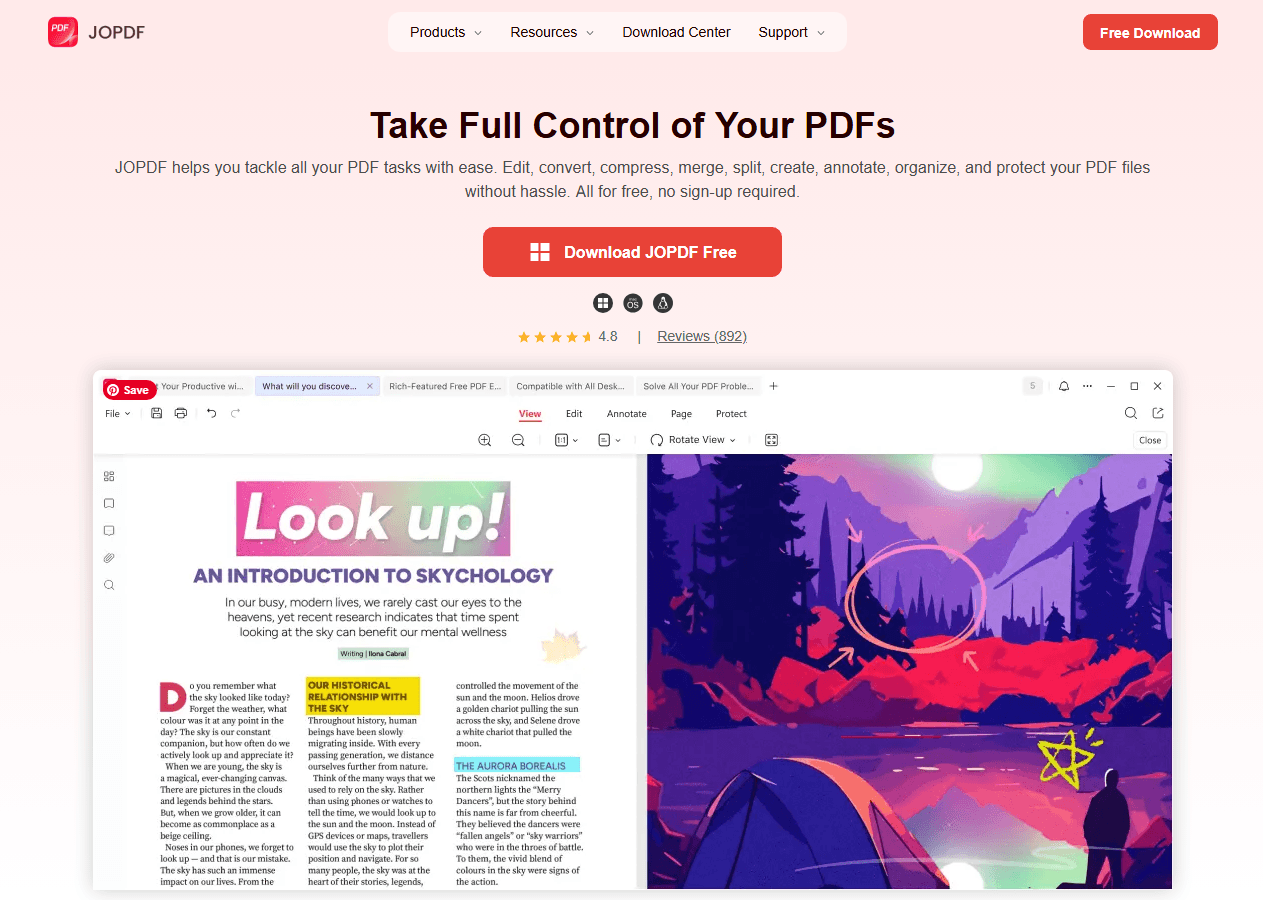
The next time you send a fake “number disconnected” text, snap a screenshot of your friend’s confused face and turn it into a PDF keepsake. Just as you trust your prank partner not to actually block you, you can always trust a secure, local editing tool when you need to convert, compress, or edit any real document. Let JOPDF handle your actual PDFs, and keep your digital life both productive and fun.
Final Thoughts
Fake error messages to copy and paste are a simple and funny way to prank your friends. With just a copy and paste, you can create confusion, laughter, and memorable moments. Whether you choose a blocked number message, a you have been blocked text message, or a funny sms error message, the key is to prank responsibly.
Now go ahead and try one of these fake error message text copy and paste templates on your friends. Just make sure they have a good sense of humor first. Happy pranking!
FAQs
Fake error messages are prank texts that look like real system alerts. You can copy and paste them to prank friends. They include blocked number message, undeliverable text message error, and you have been blocked message templates.
No, sending fake error messages as harmless pranks is not illegal. However, impersonating official services or using them for scams can be against the law.
Yes, websites like Anonsms let you send messages without revealing your real number. This makes your fake error message text copy and paste prank more convincing.
Some online tools can generate fake error messages to copy and paste, but many contain malware. Using the templates in this guide is safer and more effective.
If you receive a strange PDF attachment that claims to be a security alert or invoice, avoid clicking on links inside it. Use a tool like JOPDF to inspect the file safely before opening.
Table of Contents

Your Best Free PDF Expert in PDF editing, compressing, converting, annotating, protect, organizing, and more.
Free DownloadWindows · macOS · Linux

Anna
Editor
“Anna, Editor-in-Chief and PDF expert, delivers deep insights into PDF document technology trends. She is dedicated to helping readers optimize their digital lives. When not writing, Anna loves exploring local cafes and reading, blending her technical expertise with a love for storytelling.”


![8 Best Manga Reading Sites to Read Manga Online [Full Review]](https://b.jopdf.com/wp-content/uploads/2026/09/best-manga-reading-sites.png)
