
Summary :
If you regularly work with scanned documents, images, or technical drawings, you’re going to love this update. Following up on our 2.3.0 release (which brought form-filling and page numbering), JOPDF 2.4.0 delivers one of our most requested features: full OCR support.
We didn’t just stop at text recognition, either. This release is packed with workflow enhancements designed to make your daily tasks faster, cleaner, and entirely hassle-free. Let’s dive straight into the highlights!
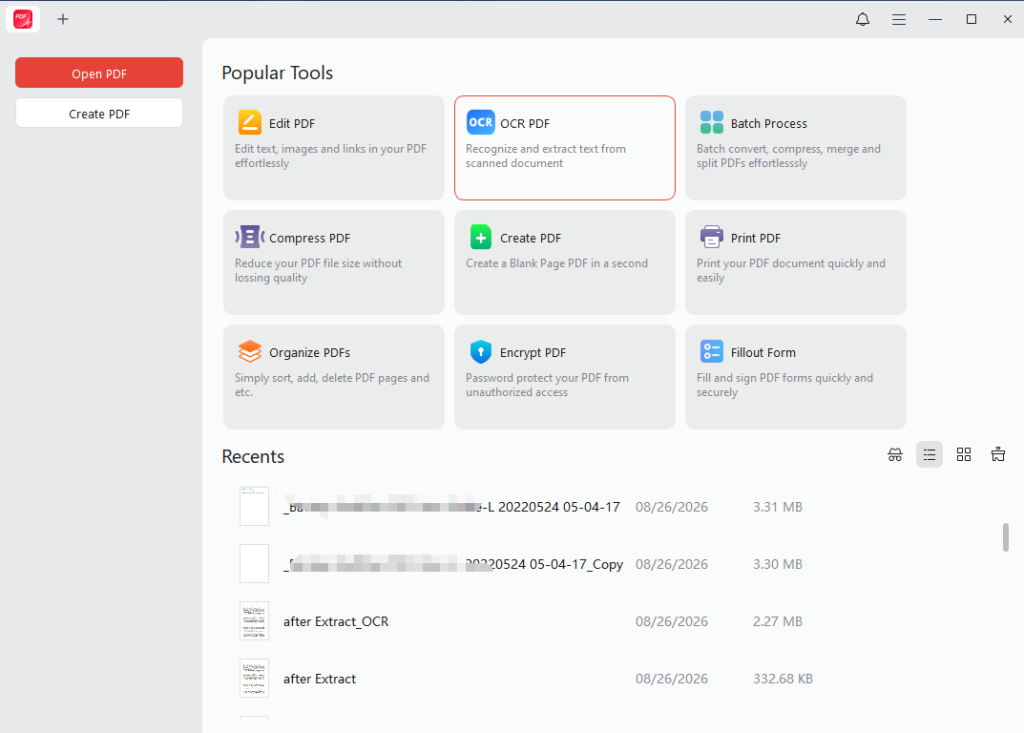
The Big One: Turn Scanned Documents & Images into Searchable, Editable Text
OCR allows JOPDF to recognize text in scanned documents and convert it into searchable and editable content.
This is especially useful when working with scanned contracts, receipts, reports, books, forms, and other documents where the original PDF contains images instead of selectable text.
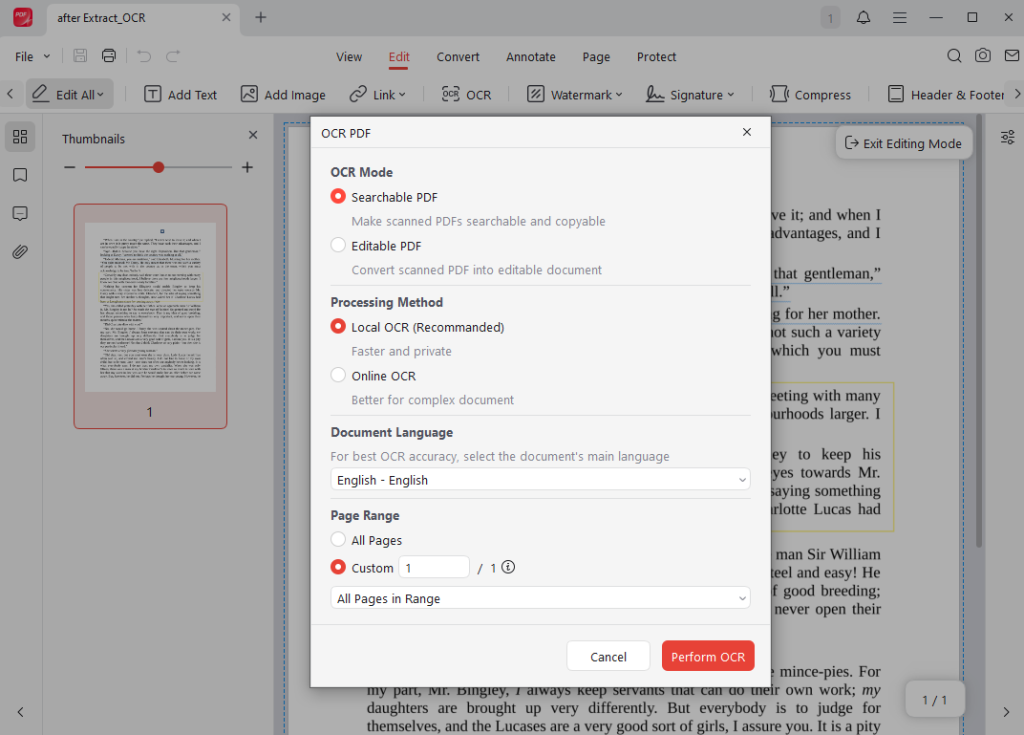
Two Flexible Processing Modes Built for Your Needs:
- Local OCR: Perfect for everyday tasks and privacy-conscious users. It processes documents right on your local machine, meaning your sensitive data never leaves your computer. It is lightning-fast and supports 29 languages.
- Online OCR: When you are dealing with complex, multi-layered documents that require advanced recognition capabilities, our cloud-assisted engine steps in. It supports 26 languages and allows you to select multiple languages simultaneously, making multilingual contracts and reports a breeze.
Choose the Output That Fits Your Workflow:
- Searchable PDF: Leaves the original appearance of your scan completely untouched while mapping invisible, selectable text underneath so you can easily search, highlight, and copy.
- Editable PDF: Transforms rigid scanned images into fully editable documents, allowing you to modify text, fix typos, and update content on the fly.
Direct Image Export & Expanded CAD Support
Moving content between different file formats shouldn’t feel like a chore. JOPDF 2.4.0 brings major upgrades to how you export and convert your files:
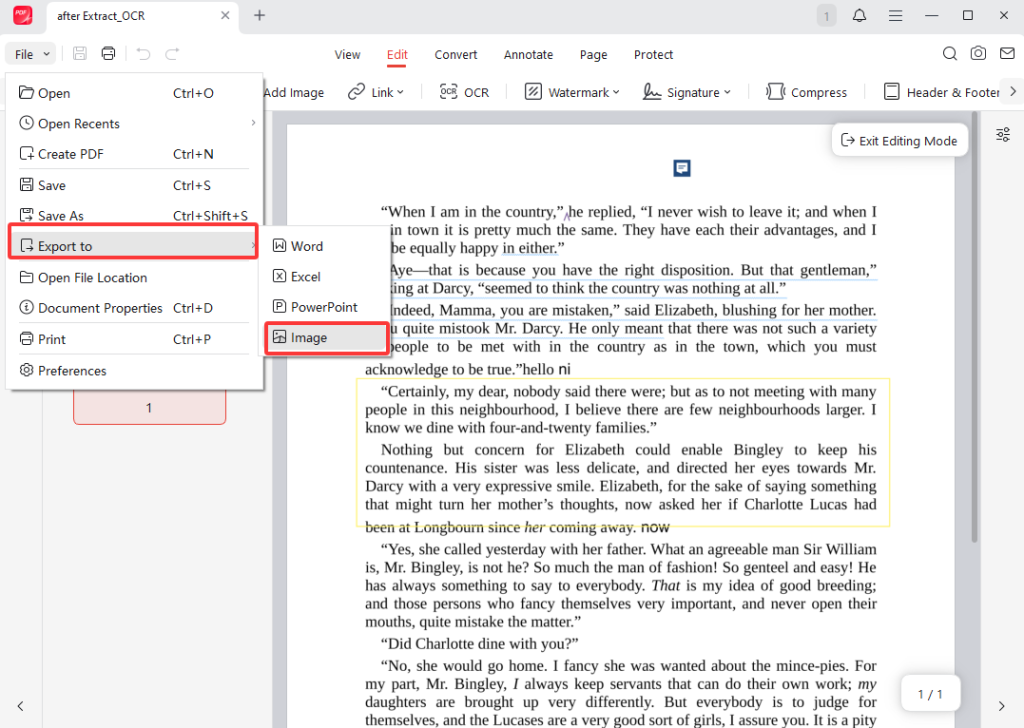
- Export PDF Pages Directly as Images (No Plugins Required): Need to drop a specific page into a PowerPoint presentation, attach a single report page to an email, or share a visual snapshot with a colleague? JOPDF now features a built-in “Export to Image” tool. Because it is handled directly by the main application without relying on external plugins, it gives you a fast, rock-solid, and reliable way to turn any PDF page into a high-quality image file.
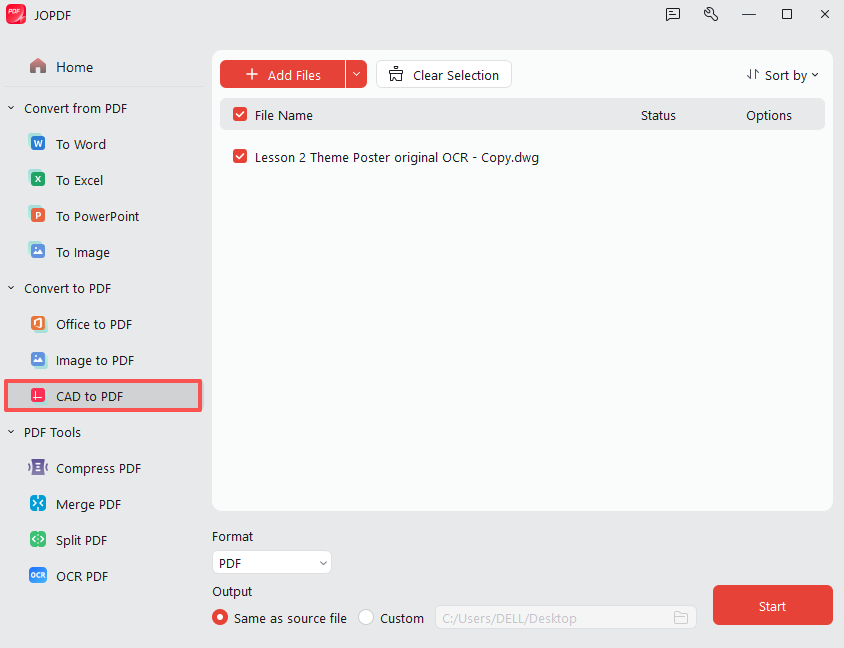
- Expanded CAD Conversions for Professionals: If you work in engineering, architecture, or design, managing technical drawings can be messy. JOPDF 2.4.0 expands its conversion toolset to fully support CAD files. You can now effortlessly convert CAD files into PDF formats all in one centralized place—saving you from jumping back and forth between heavy specialized software just to view or share your designs.
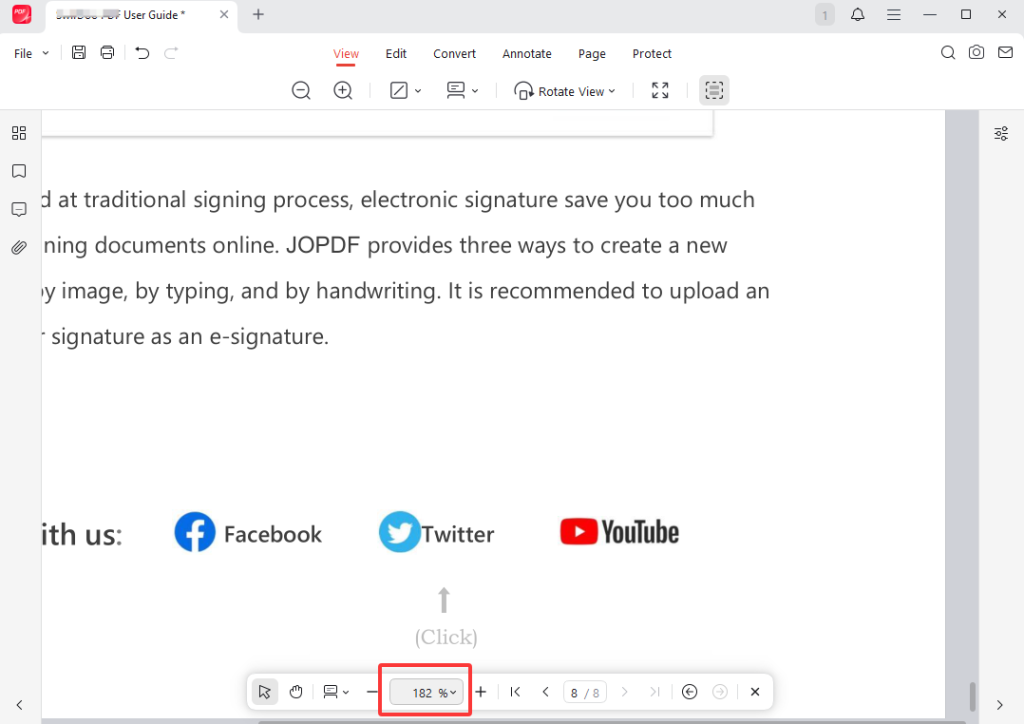
Every monitor is different, and every reading habit is unique. Previously, you were often stuck navigating through rigid, predefined zoom percentages that never quite hit the mark.
JOPDF 2.4.0 introduces fully customizable page zoom levels. Whether you are reading on a massive desktop ultra-wide monitor, a compact laptop screen, or trying to inspect fine print on a technical schematic, you can now dial in the exact zoom percentage that treats your eyes right.
Customize Your Zoom Levels
Everyday Usability Improvements You’ll Notice Right Away
Big features are great, but the little things make or break your daily experience. We’ve polished dozens of subtle UI and navigation interactions to make JOPDF feel like second nature:
- Middle-Click to Close Tabs: Just like your favorite web browser, you can now press your mouse’s middle button on any open file tab to instantly close it. Managing multiple documents has never felt more natural.
- Faster, Butter-Smooth Mouse-Wheel Navigation: We’ve completely optimized the scrolling mechanics. Flipping through massive 500-page reports or dense academic papers is now buttery smooth and significantly faster.
- Remember Your Toolbar State: Tired of collapsing or expanding your top toolbar every time you launch the app? JOPDF now remembers your preference. Once you set it, the app will keep your workspace personalized just the way you like it.
- Smoother Plugin Downloads: Background download pipelines for conversion tools and features have been streamlined to prevent unexpected hiccups or lag.
Ready to Transform Your PDF Workflow?
JOPDF 2.4.0 is a massive step forward—especially for anyone who regularly wrangles scanned paperwork, image-based archives, and technical blueprints. From powerful local and online OCR to direct image export and refined daily navigation, this release puts total control back in your hands.
Stop fighting with inflexible documents and start working smarter.
Free Download JOPDF 2.4.0 Today and Experience the Ultimate PDF Upgrade
FAQs
Table of Contents
Your Best Free PDF Expert in PDF editing, compressing, converting, annotating, protect, organizing, and more.
Free DownloadWindows · macOS · Linux

Queena
Editor
“As a staff editor for JOPDF, Queena excels at guiding users to the optimal tools and solutions. When she's not analyzing the latest PDF solutions, she enjoys spending her free time playing with her four cats.”
