
Introduction :
JOPDF is pleased to announce its latest update, which includes advanced new PDF tools and expanded language support. This version update is designed to help users handle PDF forms, organize documents, and manage multilingual workflows more efficiently, while providing a more modern user experience
Whether you’re managing business documents, academic papers, contracts, or multilingual content, the newest version of JOPDF introduces features designed to simplify everyday PDF tasks.
What’s New in JOPDF 2.3.0
This release introduces several highly requested features and enhancements:
- PDF page extraction
- Headers, footers, and page numbers
- Automatic PDF form recognition and filling
- Support for 10+ new languages
- Frosted visual effect
Let’s take a closer look at each improvement.
Work with PDF Forms More Easily Than Ever
Intelligent PDF Form Recognition and Filling
In this release, one of the biggest additions is the ability to recognize standard PDF forms automatically. Then, you can fill PDF forms efficiently.
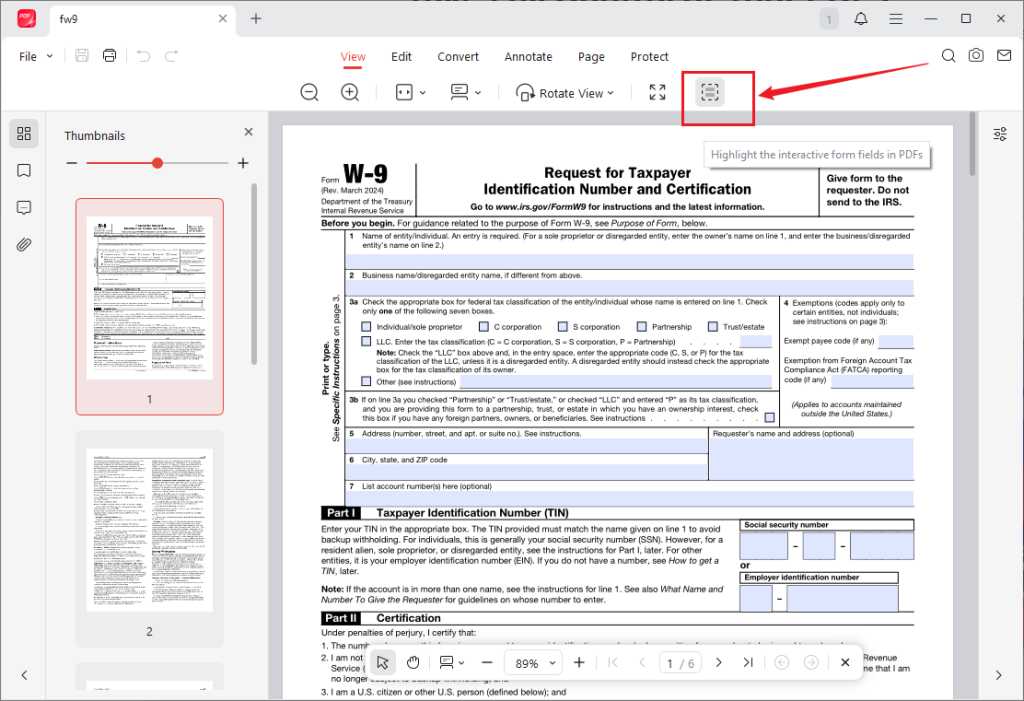
Previously, filling non-interactive PDF forms could be tedious and time-consuming. Now, you can use JOPDF to work with application forms, contracts, surveys, registration documents, and government paperwork efficiently and effortlessly.
With the new form recognition technology, JOPDF can:
- Detect standard form fields automatically
- Identify text boxes, checkboxes, and selection fields
- Allow users to complete forms directly inside the PDF
This feature significantly reduces manual editing and helps users complete documents faster and more accurately.
✨Why It Matters
Why is the PDF form-filling feature important? That’s because it has several benefits, such as improving workflow efficiency, reducing data-entry errors, fast document completion, and offering a better experience when handling official forms.
For professionals who regularly process forms, this feature can save substantial time.
Add Professional Headers, Footers, and Page Numbers to PDFs
Create Better Organized Documents
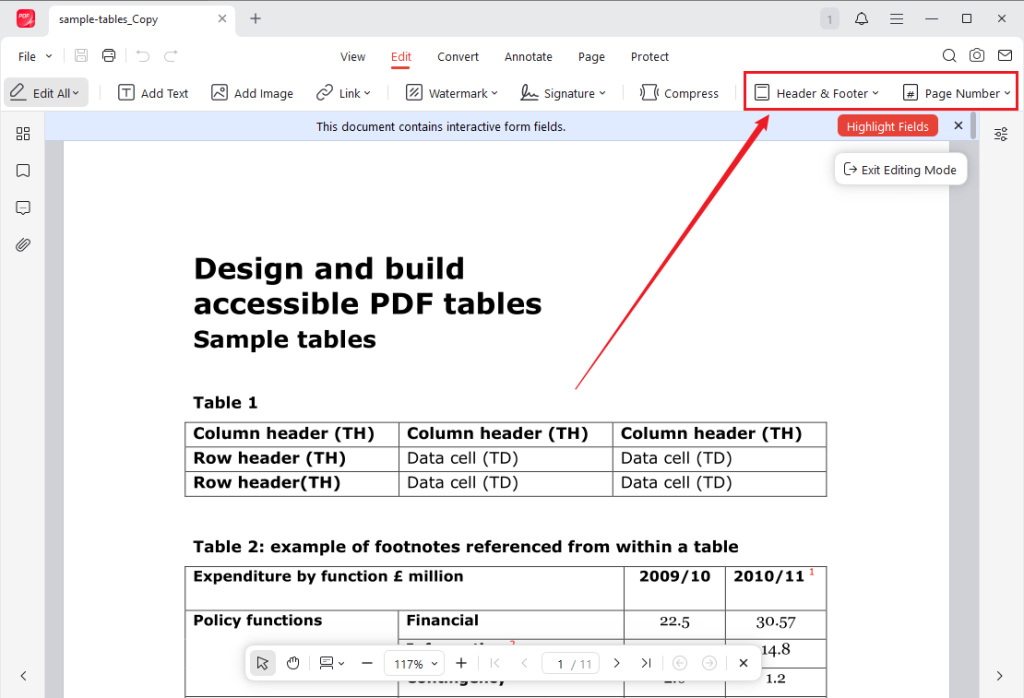
Another major enhancement is the ability to add headers, footers, and page numbers to PDF files. With this new feature, you can:
- Insert page numbers automatically
- Add custom headers
- Add custom footers
- Apply changes to single pages or entire documents
- Maintain consistent formatting across large PDFs
🎊Ideal Use Cases
For reports, manuals, research papers, legal documents, and business proposals, proper document structure is essential. Hence, this feature is especially useful for:
- Academic papers
- Business reports or proposals
- Technical documentation
- Training materials
- Legal contracts
Reach More Users with Expanded Language Support
Support for More Than 10 New Languages
Additionally, this release dramatically expands JOPDF’s global accessibility by introducing support for more than 10 additional languages, including:
- Arabic
- Turkish
- Dutch
- Hebrew
- Greek
- Vietnamese
- And several others
This update enables more users worldwide to work with JOPDF in their preferred language.
Arabic Interface Language Support
Arabic is one of the most important new language additions in this release. JOPDF now supports an Arabic user interface, allowing Arabic-speaking users to navigate menus, dialogs, and settings in their native language.
This update provides:
- An Arabic interface for a more familiar user experience
- Improved accessibility for Arabic-speaking users
- Better localization for users in Arabic-speaking regions
This expansion demonstrates JOPDF’s commitment to serving a truly global user base.
Extract PDF Pages in Seconds
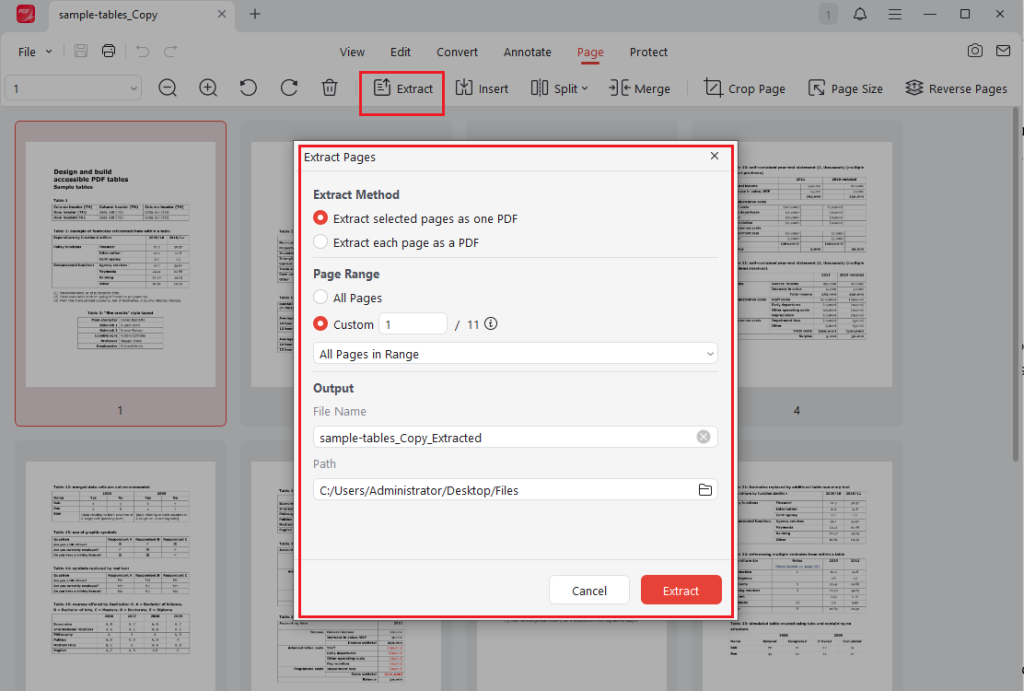
The new PDF page extraction feature gives users greater control over document organization. Instead of splitting an entire PDF manually, users can now extract specific pages and save them as separate documents. You can choose to extract all selected pages as one PDF or extract each page as a PDF.
The common use cases include:
- Share selected PDF pages
- Create document excerpts
- Separate chapters from large PDFs
- Send only relevant information to clients or colleagues
Enjoy a More Modern Interface with the New Frosted Effect
This version of JOPDF introduces a frosted effect that can enhance the application’s overall appearance.
The updated visual design creates:
- A cleaner interface
- Better visual hierarchy
- A modern desktop experience
- Improved focus on content
Update to JOPDF 2.3.0 Today
What new improvement in JOPDF 2.3.0? The latest version of JOPDF delivers practical improvements that users can benefit from immediately. From intelligent form filling and professional document formatting to expanded language support and modern performance enhancements, this release represents an important step forward for users worldwide.
Update to JOPDF 2.3.0 today and discover a faster, smarter, and more globally accessible PDF experience!
FAQs
Table of Contents

Your Best Free PDF Expert in PDF editing, compressing, converting, annotating, protect, organizing, and more.
Free DownloadWindows · macOS · Linux

Olivia
“Olivia is an editor at JOPDF, where she writes practical guides and insightful articles on managing PDFs—covering topics like editing, annotating, converting, and organizing files efficiently. Passionate about clear communication and digital productivity, Olivia enjoys spending her free time cooking, watching movies, and hiking to unwind and find inspiration for her writing.”
