Can you download Perlego to PDF? Officially, no, but you can save Perlego books via the Perlego’s official download button and the manual desktop snapshot trick. More than that, we will evaluate some Perlego downloaders that still work. In this guide on JOPDF, you can learn how to manage your textbook reading lists cleanly on multiple devices and study your course materials when you are away from an active internet connection.
Summary :
Can You Download From Perlego?
Before chasing third-party Perlego downloaders, understand what Perlego officially permits. The question “Can you download from Perlego” has two answers depending on what you mean by “download.” Yes, you can read Perlego books offline through the official mobile app. No, you cannot export full textbooks as standalone PDF files.
To download from Perlego officially: Use the Perlego mobile app for iOS or Android. Perlego offers a feature called Perlego offline reading, available through their mobile and desktop applications. This is not a Perlego PDF download. It’s a cached copy stored inside the Perlego app, protected by their digital rights management.
According to Perlego’s official help documentation on offline downloads, here’s what the feature provides:
- Full book access without internet connection — once you download Perlego, books open inside the Perlego app regardless of connectivity.
- Unlimited downloads — subscribers can download as many Perlego books as their device storage allows.
- Cross-device sync — notes, highlights, and bookmarks sync automatically when you reconnect.
- Updates included — if a publisher releases a new edition, Perlego updates the offline copy.
Perlego books are available in EPUB format through the app, not PDF. This is an intentional design choice: Perlego EPUB allows reflowable text, better accessibility features, and more robust DRM protection than PDF. That’s why Perlego doesn’t offer a built-in Perlego to PDF converter.
Tips
Important Legal Note: Perlego books are protected by DRM (Digital Rights Management) technology. We do not endorse or encourage any Perlego PDF downloader free tools that circumvent DRM protections. This guide is designed to help you use the platform to its fullest potential within legal boundaries. Any mention of tools to download Perlego PDF is for informational purposes only.
Related Reading:
- 5 Free Yumpu Downloaders: How to Download Yumpu to PDFs Free
- The Best Free Scribd Downloaders in 2026: Save Public Documents Offline
- How to Download Flipsnack to PDF Free: The 2026 Guide
How to Save Perlego with the Official Perlego Download?
For users who want to download book from Perlego, we recommend the offline Perlego downloader feature. You can save books directly inside the app and read them without an internet connection. This method fully supports authors and publishers, and it keeps your account safe from any terms of service violations. Here is how to download books from Perlego.
How to Set Up Perlego Offline Reading on Desktop (Windows/Mac):
Step 1: Download the Perlego desktop application from Perlego’s website.
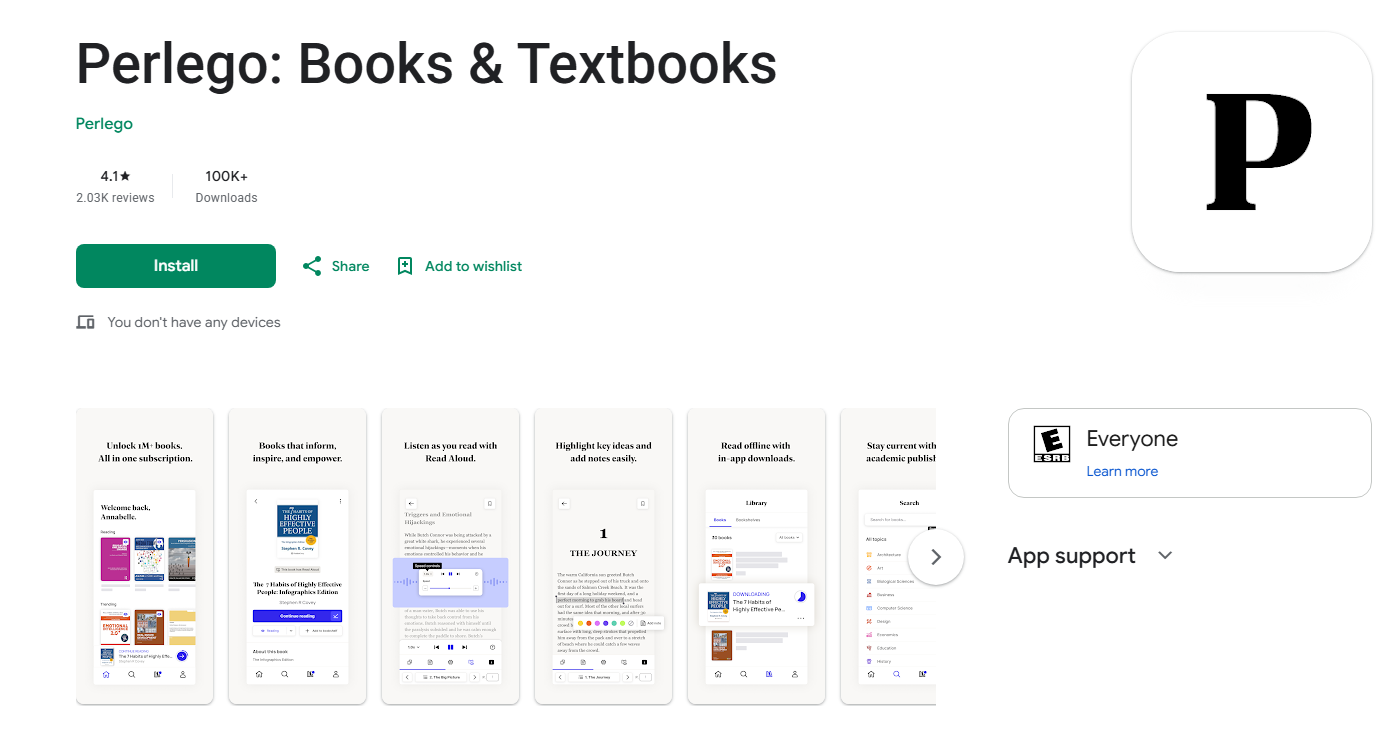
Step 2: Open the Perlego app and log into your student or professional account profile.
Step 3: Use the search bar to locate your required textbook and click on the title to open its main directory page.
Step 4: Tap the downward-facing arrow icon located right next to the book cover, or or toggle the “Available Offline” switch.
The book will be saved to your device’s local storage for reading without Wi-Fi. Offline books appear in the “Downloaded” section of your library.
How to Set Up Perlego Offline Reading on Mobile (iOS/Android):
Step 1: Download the Perlego app from the App Store or Google Play and log into your Perlego account.
Step 2: Search for the book you want to read offline.
Step 3: On the book’s information page, tap the Download icon (downward arrow).
Step 4: Wait for the download to complete. A checkmark confirms offline availability.
Step 5: Then you can access downloaded books from your Library tab under the “Downloaded” section.
Important Notes:
-
Offline books remain accessible only within the Perlego app — you won’t find them in your device’s file system.
-
You need an active Perlego subscription to access offline content. Downloads expire when your subscription lapses.
-
Reconnect to the internet periodically (at least every 30 days) to maintain offline access and sync your reading progress.
Is There a Perlego PDF Downloader That Works?
Many Perlego downloaders claim to grab the full book for you and promise a quick download from Perlego in PDF or EPUB format. However, a Perlego downloader online always comes with ads intervention and malicious links. Knowing how to identify a Perlego free downloader with a low risk is quite important.
If you still want to explore what’s out there, we’ve looked at three Perlego downloaders people often discuss. We are listing them for informational awareness only.
YouDebrid
YouDebrid is another cloud-based multi-host platform that aims to fetch files from popular public file lockers. Some students check out this tool when looking for a generic Perlego downloader free trick to bypass download queues on shared student folders.
However, because it is designed for standard file-sharing sites, it completely fails to process secure textbook streams. We find that using it for an encrypted book search will only lead to error messages and heavy ad pop-ups.
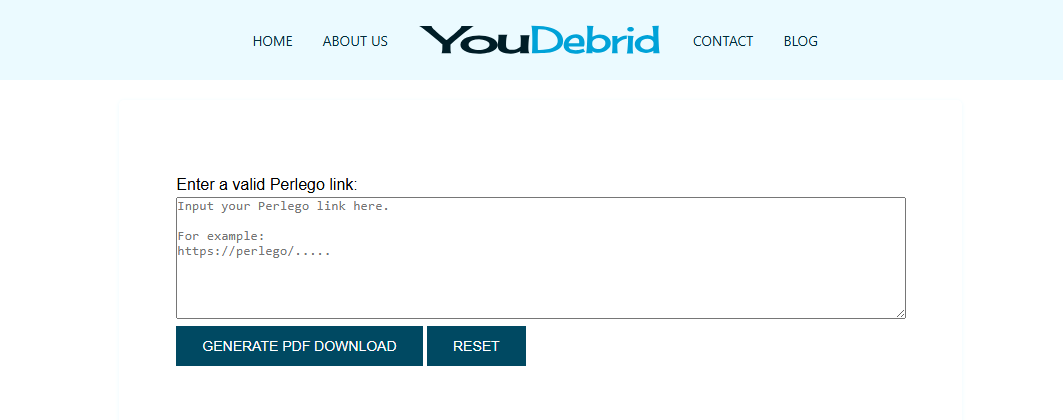
- Pros: It works entirely online through standard desktop browsers without forcing you to set up a paid profile.
- Cons: The platform is heavily packed with aggressive redirect advertisements, and it cannot perform a direct download book from perlego action.
HotDebrid
HotDebrid is a similar online utility that acts as a bridge to unrestrict public data packages from third-party cloud hosting servers. Many researchers discuss it on forum boards when trying to locate a Perlego downloader online alternative for shared lecture notes.
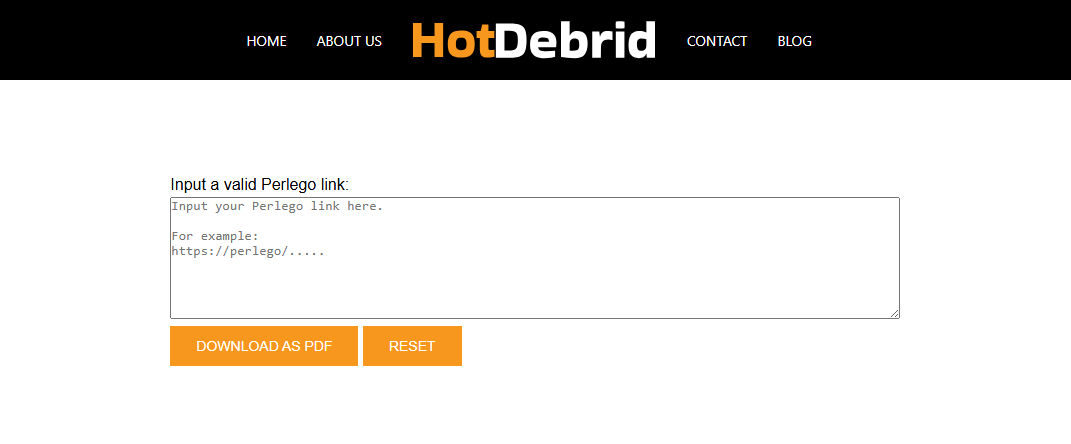
Just like its sister platforms, it struggles heavily with digital rights management layers. Trying to handle a Perlego download path here will not yield a readable textbook file.
- Pros: It is free to use for basic open-access files and requires zero desktop configuration.
- Cons: You have to navigate through multiple tricky ad layers to find the real download button, and it is completely ineffective for secure Perlego PDF download needs.
OkDebrid
OkDebrid is a cloud-based link processor that some advanced researchers test when looking for quick document retrieval solutions across open libraries. It works by collecting data packets from various unencrypted file lockers and trying to compile them into a downloadable stream.
While some students attempt to use it as a Perlego downloader online workaround for open-access materials, it cannot read encrypted textbook nodes. We find it works best as a generic backup choice when you are trying to grab uncompressed public document packages.
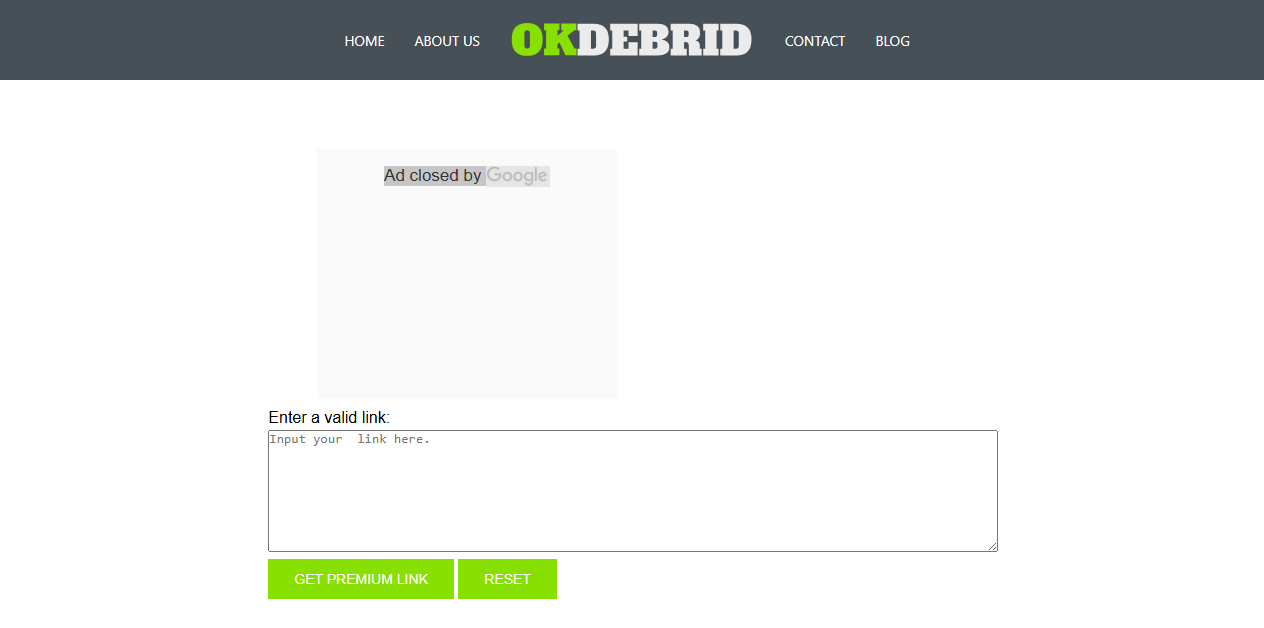
- Pros: It processes regular open-access file transfers quickly without requiring a desktop software installation.
- Cons: The web interface contains multiple misleading redirect advertisements, and it fails completely when attempting a direct Perlego download due to platform encryption.
How to Download Perlego to PDF via GitHub?
If you’re looking for Perlego downloader free tools, you can see the results: GitHub repositories, forum threads, and websites claiming to offer a working Perlego to PDF converter. They exist. Some even work, at least temporarily. But using them carries risks you need to understand.
Several GitHub projects offer Perlego downloader scripts. The technical approach is well-documented, and for users with programming experience, these scripts can produce a Perlego download PDF output. Virtually every Perlego downloader project on GitHub includes warnings that deserve attention:
- “For personal use only.” This is the most common disclaimer. It acknowledges that the tool exists in a legal gray area and that the developer is distancing themselves from misuse.
- “Educational purposes only.” Many projects frame their code as a proof of concept rather than a tool intended for regular use.
- “Use at your own risk.” This refers both to account security and to the possibility of the tool breaking when Perlego updates its API.
If you accept the risks and want to attempt a download book from Perlego via GitHub, here’s how to download PDF from Perlego for the most popular Perlego-downloader:
Prerequisites:
- Python 3.8 or later installed on your system
- A Perlego account with an active subscription
- Basic comfort with command-line interfaces
Steps to download Perlego to PDF:
Step 1: Go to the Perlego-downloader repository on GitHub and clone the repository.
Step 2: Open a terminal in the project folder and run pip install -r requirements.txt to install dependencies.
Step 3: Run the script with python perlego_downloader.py and enter your Perlego login credentials.
Step 4: Provide the URL or ID of the book you want to download and select your preferred output format.
Step 5: Wait for the script to process each page. For a 300-page textbook, this typically takes 10–30 minutes depending on Perlego’s rate limiting. Then, you can find the completed PDF in the script’s output folder.
What Can Go Wrong:
- Perlego’s API rate limits may cause the script to fail mid-book. Restarting sometimes resolves this.
- Books with heavy DRM or unusual formatting may produce garbled output.
- If Perlego has updated its authentication system since the script was last maintained, the tool simply won’t work.
If you want to avoid risks from those Perlego downloader online free tools, we’ll give some other manual tricks to download Perlego to PDF.
How to Download Books from Perlego Manually?
Fix 1: Use the Manual Web Snapshot Trick
If you prefer studying on a larger monitor or need to compile specific textbook charts into your private study guides, you can use the basic snapshot tool to download Perlego to PDF. However, this method requires you to gain a free trial offered by Perlego. Here are some tips to get a 7-day or 14-day trial.
- Sign up on their website to receive a 7-day or 14-day trial, depending on current promotions. Enter valid credit card or payment details to activate the trial.
- Check your university library portal. Many institutions set up special institutional trial codes or ongoing free access partnerships for their students.
Tips
If you don’t want to pay for the next billing, remember to cancel before the 7-day trial period ends.
To download Perlego to PDF, follow the next steps:
Step 1: Open your target Perlego textbook chapter and adjust your monitor zoom settings so the text fills the workspace comfortably.
Step 2: Use your system’s built-in snipping shortcut (Win + Shift + S on Windows or Cmd + Shift + 4 on Mac) to activate the capture frame.
Step 3: Capture a high-resolution snapshot of each page layout and save the individual images sequentially into a dedicated desktop folder.
How to Manage Your Perlego PDF Images with JOPDF?
When you have screenshot Perlego book pages as images, you will likely end up with a messy folder full of separate image files. Dealing with hundreds of unorganized graphics can make studying for your finals incredibly difficult.
With JOPDF’s powerful Image-to-PDF engine, you can simply drag an entire folder of screenshots and drop them straight into the workspace. JOPDF preserves the original visual clarity of your charts and diagrams, transforming a cluttered desktop folder into a clean digital textbook layout in just a few seconds.
Step 1: Download and install the lightweight JOPDF and launch the PDF converter locally.
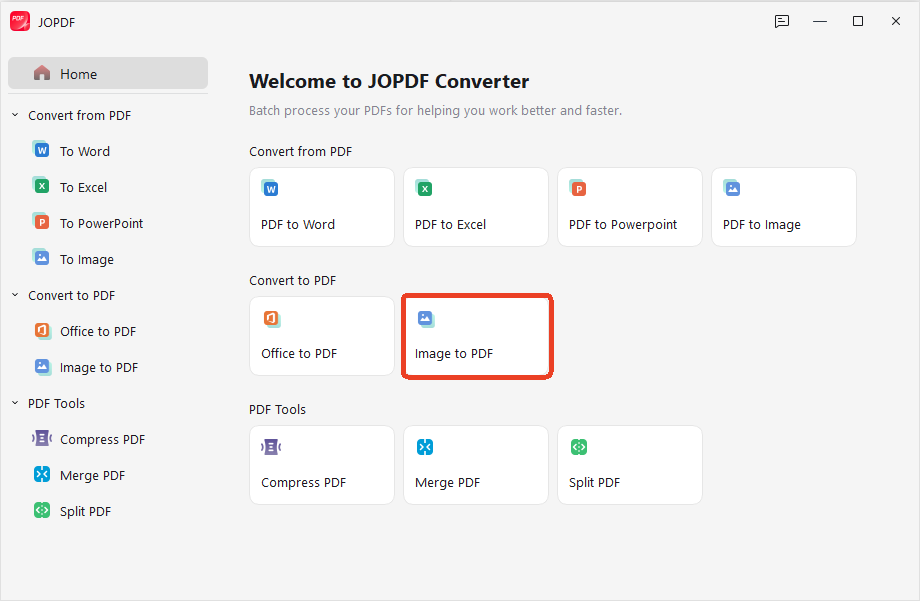
Step 2: Choose Batch Process and click Image to PDF.
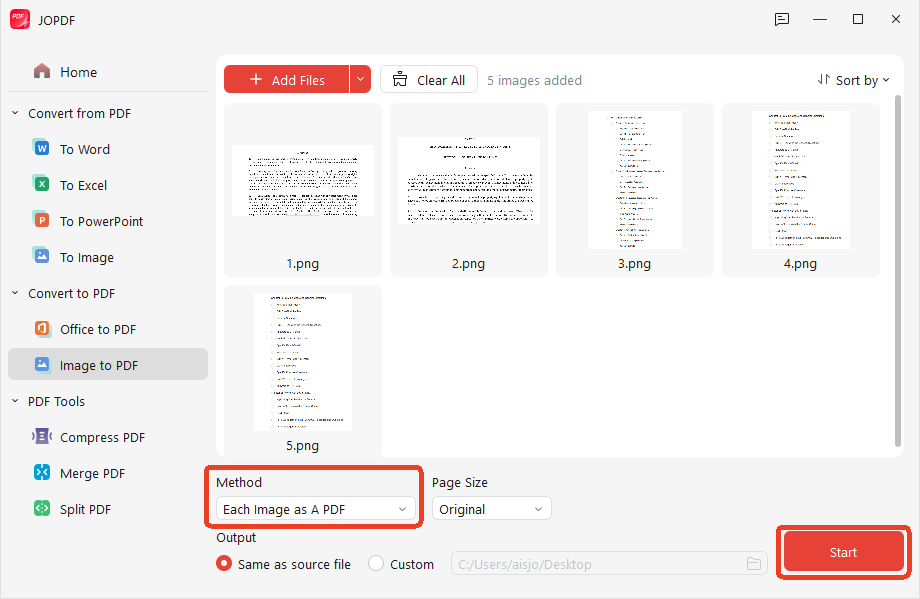
Step 3: Drag your folder of loose screenshot images straight into the window and click Each Image as A PDF > Start.
Tips
When you download from Perlego to PDF, you may find your Perlego PDF downloads too large, it is recommended to use JOPDF compressor to shrink your large files. Besides, if your Perlego study guides are split across separate chapters or fragments, you can use JOPDF to combine them into an integrated book framework. You can also extract specific diagram pages if you only want to review a small section of a lecture.
Fix 2: Use the Web Built-In Print-to-PDF
Some students also use their browser’s built-in print menu by pressing Ctrl + P on open-access reference pages to generate a local copy. These manual habits help you manage your download Perlego PDF tasks safely without modifying the website’s background code, ensuring that your data stays secure on your personal hard drive.
Step 1: Open your Perlego book chapter on the browser and adjust your browser’s layout zoom settings so that the reading text fills your computer monitor comfortably.
Step 2: Press Ctrl + P on your keyboard if you are using Windows, or Cmd + P if you are working on a Mac layout.
Step 3: Check the configuration settings inside the print dialog window and change your output destination to Save as PDF.
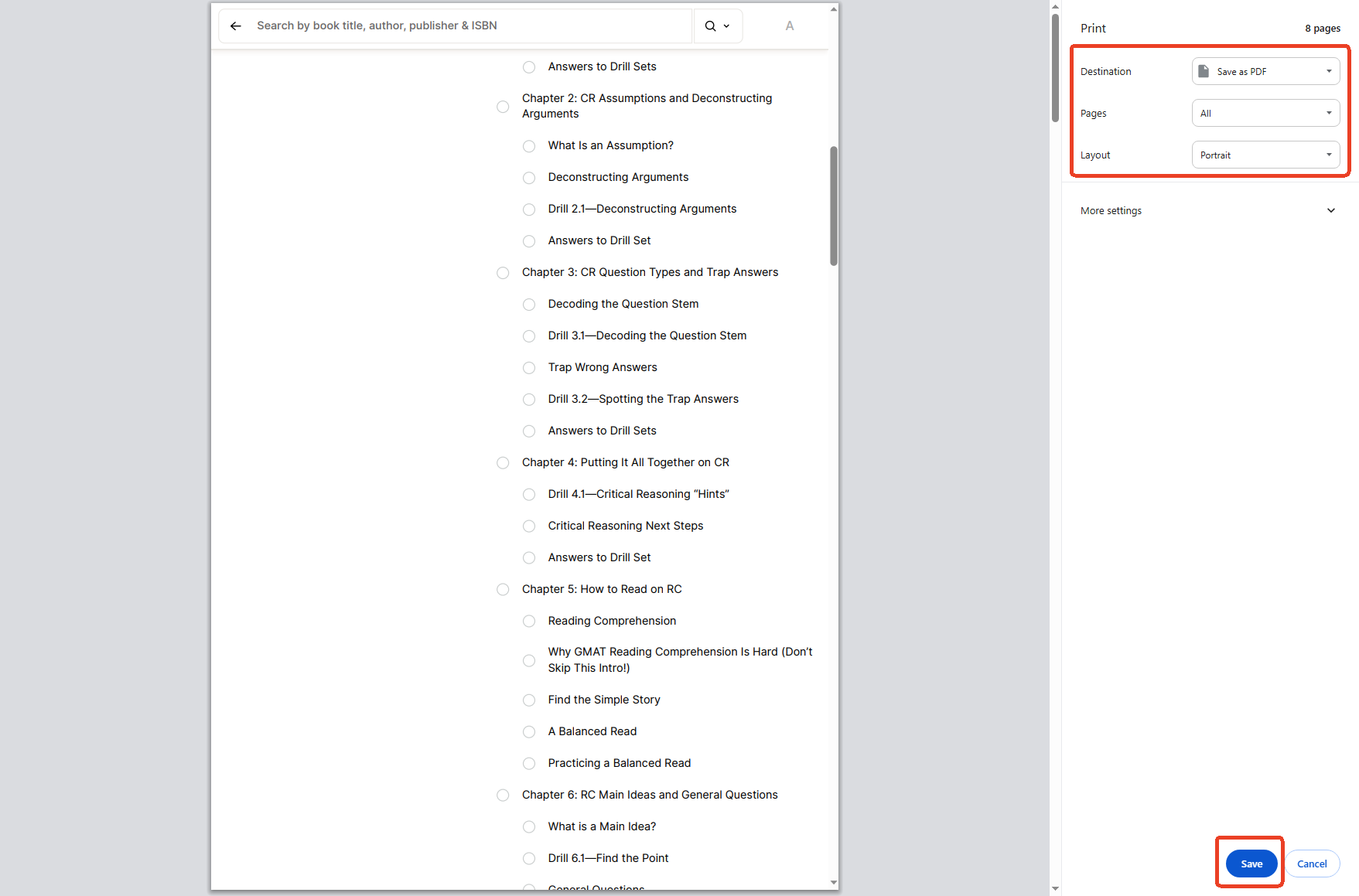
Step 4: Click the Start button to generate a Perlego download copy directly onto your local hard drive.
Also See: Microsoft Print to PDF Not Working? Find the Causes and Fixes!
Conclusion
Getting a Perlego book into a usable PDF format isn’t a one-click job, and frankly, the full Perlego pdf download solutions you see advertised usually carry serious risks. We believe the smart Perlego to PDF combines official app usage for general reading with limited page saving for specific study needs.
When you do save those important pages, JOPDF steps in to merge, compress, crop, and polish your files. You get a smooth study experience without violating terms or risking your account. Support the creators, stay safe online, and let JOPDF handle the document management side of things.
FAQs
The platform doesn't offer a direct export button for full books. The official mobile app allows offline reading within the app itself, but the files stay locked inside Perlego's secure environment. This supports authors and keeps the subscription model working for everyone.
Most tools claiming to be a Perlego free downloader fail to work reliably because of Perlego's DRM protection. We cannot recommend any unauthorized tool because of the security risks and terms of service violations involved. Your best bet is the browser print function for saving small portions under fair use guidelines.
Perlego doesn't natively support Kindle devices. If you've saved limited study pages as PDF through the print method, you can use JOPDF to compress and format them, then transfer those files to your Kindle via USB or the Send-to-Kindle email feature.
Perlego offers a 14-day free trial for new users. After the trial, a paid subscription is required for continued access. Some users ask is Perlego free hoping for a permanent free tier; the answer is no. The platform operates on a subscription model similar to streaming services.
Through the official app, Perlego allows unlimited offline downloads. The only limitation is your device's storage capacity. This applies to Perlego download through the app, not third-party PDF extraction.
Table of Contents

Your Best Free PDF Expert in PDF editing, compressing, converting, annotating, protect, organizing, and more.
Free DownloadWindows · macOS · Linux

Anna
Editor
“Anna, Editor-in-Chief and PDF expert, delivers deep insights into PDF document technology trends. She is dedicated to helping readers optimize their digital lives. When not writing, Anna loves exploring local cafes and reading, blending her technical expertise with a love for storytelling.”