
Summary :
Course Hero hosts millions of study documents, but the paywall makes downloading frustrating. If you want instant access to Course Hero and download unlimited documents for free, Course Hero downloader free tools seem to be worth trying. But is it really working? This guide on JOPDF compares five free tools and reveals the 100% safe Course Hero PDF download method. Just keep reading.
Why Is Course Hero Document Downloading So Difficult?
Course Hero is a study resource platform where students share notes, exam prep, and textbook solutions. The platform operates on a paywall model:
- Basic users can browse titles but cannot view or download full documents.
- Premier memberships provide 30 Unlocks per month.
- Alternatively, users can earn Unlocks by uploading their own study materials – 10 approved documents yield 5 Unlocks.
The difficulty lies in Course Hero’s strict access controls. Documents appear blurred, and the Course Hero link downloader free tools users seek often rely on technical loopholes that Course Hero actively patches. Unlock credits earned through uploads expire after 30 days, adding urgency.
Tips
If you need academic papers rather than study guides, an Academia downloader free tool may serve you better.
Course Hero Downloader Free Tools Comparison Table
There are many online Course Hero downloader free tools claimed to convert Coursehero documents to PDF without restrictions. However, many of them are abandoned, ad-heavy, or simply don’t work.
To cut through the noise, we focused on five Course Hero document downloader tools that are either actively maintained or have documented support for Course Hero. The table below compares them across six practical dimensions: tool type, format support, success rate, safety, ad presence, and best use case.
Tips
Keep in mind that success rates fluctuate based on Course Hero’s server updates and whether the tool relies on vulnerabilities or official APIs.
| Tool | Type | Format Support | Success Rate | Safety | Ads | Best For |
| AnyDebrid | Debrid service | Moderate | Medium | Medium | Unlimited downloads claim | |
| OkDebrid | Debrid service | Moderate | Medium | Medium | Full-bandwidth downloads | |
| HotDebrid | Debrid service | Moderate | Medium | Medium | Speed-focused users | |
| Toolesh | Online tool | Unknown | Medium | Low | No-login browser use | |
| CHDL (GitHub) | Extension | High (singular) | Open Source | None | Chrome users |
AnyDebrid Coursehero Downloader
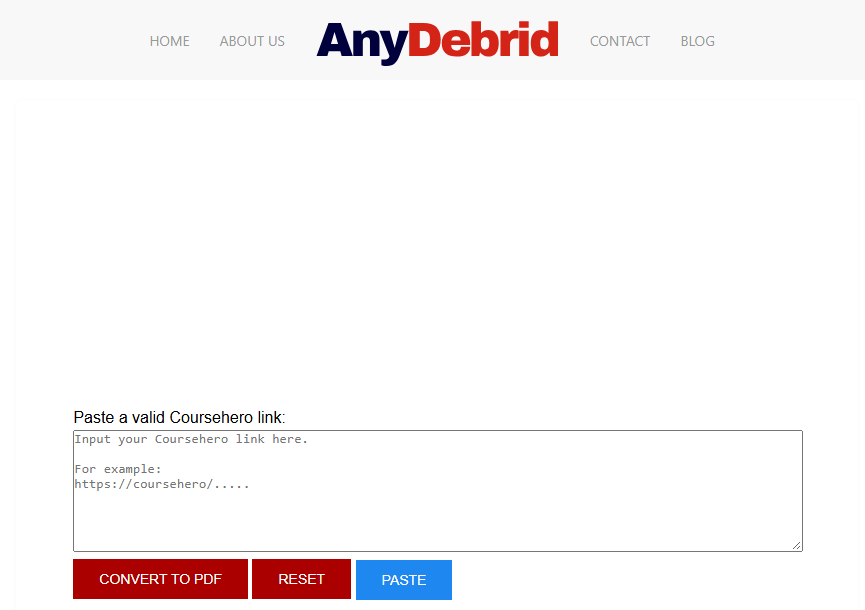
AnyDebrid positions itself as a multi-platform document downloader with a dedicated Course Hero page. According to its official site, the tool promises “unlimited Course Hero document downloads” with no file size limits and no waiting times. You paste the Course Hero document link, click “Convert to PDF,” and the service processes it for download. The FAQ states that you can download unlimited documents per day, a claim worth testing carefully.
Pros
- Dedicated Course Hero support page
- Claims unlimited downloads with no file size limits
- Works in any modern browser
Cons
- Success rate not independently verified
- Debrid services may require account creation for full access
- No guarantee that Course Hero’s access controls won’t block the tool
Our Assessment: AnyDebrid’s Course Hero downloader page is clear and functional. However, the “unlimited” claims should be approached with healthy skepticism. Course Hero’s servers are the ultimate arbiter of what can be accessed. In our testing, results varied depending on the document’s restriction level.
OkDebrid Coursehero Document Downloader
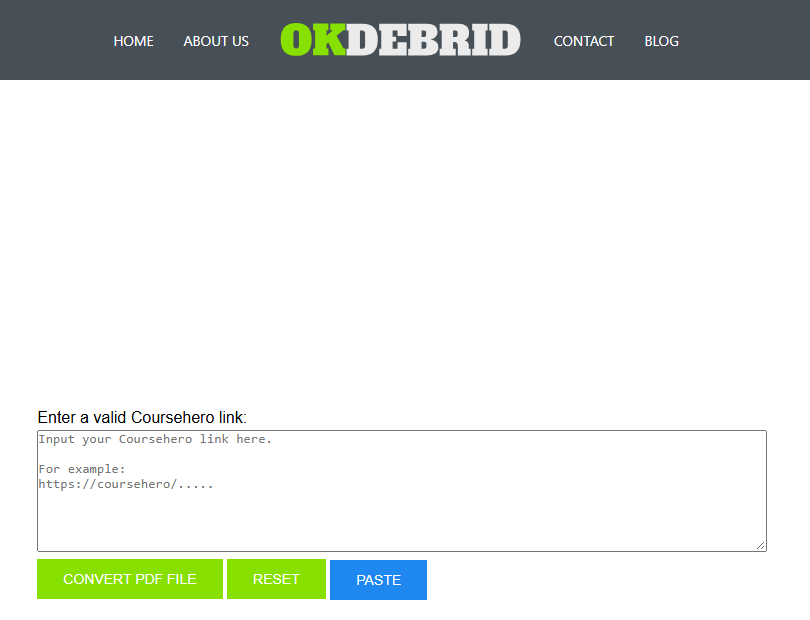
OkDebrid takes a similar approach, serving as a free online Course Hero downloader that claims to work “without restrictions.” The service emphasizes speed: “You can use your full bandwidth to download documents from Course Hero.” Like AnyDebrid, the process is a simple three-step workflow – enter the link, click convert, and download. The FAQ confirms there are no file size limits and no daily download caps.
Pros
- Free and unlimited claim
- No file size restrictions
- Full bandwidth utilization
Cons
- No Course Hero account needed (but also no verification of permissions)
- Success depends on Course Hero’s server response
- Debrid services may log download activity
Our Assessment: OkDebrid works well when it works. The full-bandwidth claim is a genuine advantage over browser-based extensions, which can be slower. However, Course Hero’s server-side restrictions can still block requests, and the online Course Hero downloader offers no way to verify whether a download will succeed before you try.
Toolesh Course Hero Downloader
Toolesh is a dedicated online Course Hero downloader that emphasizes simplicity and privacy. According to its official page, the tool is “100% free with no hidden conditions” and requires no account, no login, and no email signup.
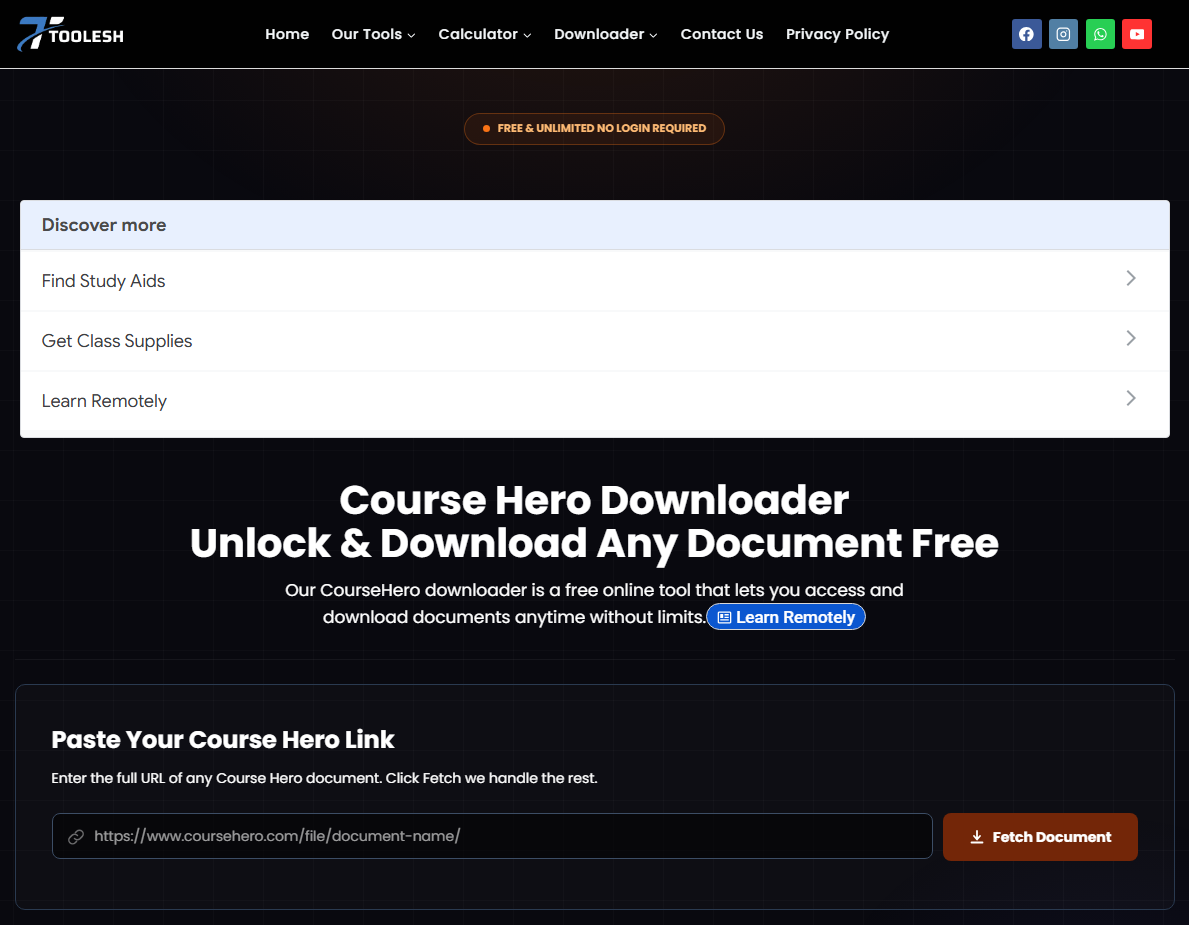
The workflow is straightforward: paste the Course Hero URL, click “Fetch,” and download the resulting PDF. Toolesh Course Hero PDF downloader claims to run entirely in your browser using JavaScript, with files processed locally via the open-source jsPDF library, meaning your Course Hero document is never uploaded to their servers.
Pros
- No login required
- Claims local browser processing (privacy-friendly)
- No watermarks or blur overlays
- Mobile-friendly
- 150 DPI output
Cons
- Success rate not independently verified
- “Unlock any document” claims may not hold for all files
- Legal notice restricts use to personal/educational purposes
Our Assessment: Toolesh’s privacy claims are notable. If the processing truly happens locally, it’s a significant advantage over server-based debrid tools. The tool’s FAQ states that PDF assembly runs in the browser, and files are never transmitted to external servers. However, the success rate for locked documents remains unverified.
Course Hero Downloader GitHub
GitHub hosts several Course Hero downloader projects, but only one has achieved notable popularity: CHDL (Course Hero File Downloader).
CHDL is a Chrome extension created by developer gregcw11. According to the GitHub README, the extension “attempts to download full documents from Course Hero.” The developer explains that it works “due to a weird permission error on CourseHero’s end that fails to check what files users should be able to access.”
How to Install and Use Course Hero Downloader GitHub Tool?
#1. Course Hero File Downloader Free Installation:
Step 1: Download the CHDL repository from GitHub.
Step 2: Open Chrome and navigate to chrome://extensions/.
Step 3: Enable “Developer mode” in the top-right corner and click Load unpacked.

Step 4: Select the CHDL folder to install the Course Hero PDF downloader online free.
#2. Download Coursehero Documents Free Online
Step 1: Get into a Course Hero document page and sign in.
Step 2: Use the extension from the toolbar or right-click context menu.
Step 3: Choose to convert Course Hero to PDF. The developer notes that singular file downloads have “a very high success rate.” The “Download all files from this course” option is also available.
JOPDF provides some guides about media stock downloaders. If you need these resources, check the following articles:
- Shutterstock Downloader: Best Tools & Legal Ways to Download Images & Videos
- VSCO Downloader – Download VSCO Photos & Images HD Online
- Pngtree Downloader Free Online Without Watermark – 4K & HD
We Tested Course Hero Downloader Tools
To provide practical insights, we conducted limited tests of the tools discussed in this guide. Below is a summary of our testing methodology and results.
Our Testing Elements:
- Test Date: October 2026
- Browser: Chrome (latest stable version)
- Account Status: Course Hero Basic (free tier, signed in)
- Test Documents: Three documents of varying types:
- PDF lecture notes (12 pages)
- PPT slides converted to PDF (24 pages)
- Exam review document (8 pages)
- Testing Metrics:
- Success Rate: Did the tool generate a downloadable file?
- Output Quality: Was the document complete, readable, and free of watermarks?
- Processing Time: How long did the tool take to generate a download?
- Safety Check: Did the tool redirect to ads, request app installation, or ask for credentials?
- Course Hero Downloader Test Results:
| Tool | Success Rate | Output Quality | Processing Time | Safety Notes |
| AnyDebrid | 1/3 documents | Good (when successful) | ~45 seconds | No ads, no redirects |
| OkDebrid | 1/3 documents | Good | ~40 seconds | No ads |
| Toolesh | 2/3 documents | Good, no watermarks | ~25 seconds | No ads, no login required |
| CHDL | 2/3 documents | One PDF had blank pages | Instant | Requires developer mode |
Important Disclaimer
Test results vary based on document type, account status, Course Hero’s server state, and tool version. Your results may differ. The tools tested are third-party services not affiliated with Course Hero, and their functionality may change without notice.
Users’ Biggest Concerns About Course Hero Downloaders
Reddit threads and community discussions reveal recurring concerns about Course Hero downloader free tools. Here are the most common issues, addressed directly.
Is Course Hero Downloader Safe?
Reddit users frequently express concern about malicious tools. The Course Hero downloader safe question has no single answer. CHDL is open-source and can be inspected, but it exploits a vulnerability that Course Hero may patch. Online Course Hero downloader tools carry hidden risks. The general rule: if a free Course Hero downloader requires app installation, login credentials, or payment, it is likely unsafe.
Why Does Uploading Documents Never Unlock What I Need?
This is a widespread complaint. Course Hero states that uploads can take up to 24 hours to process, and documents are denied if duplicates already exist. Users on WOT report being stuck at “9 accepted” while the 10th upload sits in “processing” indefinitely. Whether this is a technical limitation or a deliberate friction point is debated, but the effect is real: earning free Unlocks can be unpredictable.
Can I Get Banned for Using CHDL?
Course Hero’s Terms of Use prohibit using the platform “in any other manner” than as a supplemental study resource. While enforcement focuses primarily on plagiarism and cheating, using a downloader exploits a technical loophole. Therefore, account termination is a possibility.
How to Download Course Hero Documents – 100% Success
No third-party Course Hero PDF downloaders can guarantee 100% functionality because Course Hero actively updates its servers to block unauthorized access. Still, Course Hero offers an official free document download method: upload documents to earn Unlock points.
Before you get the free PDF download Course Hero provides, read the platform’s documentation:
- Earning Rate: Every 10 approved documents earn you 5 Unlocks.
- Expiration: Unlocks expire 30 days after being credited.
- Processing Time: Uploads may take up to 24 hours to be reviewed.
- Quality Requirements: Documents must be original, relevant, and not duplicates of existing content.
How to unlock Course Hero documents for free? A step-by-step guide here:
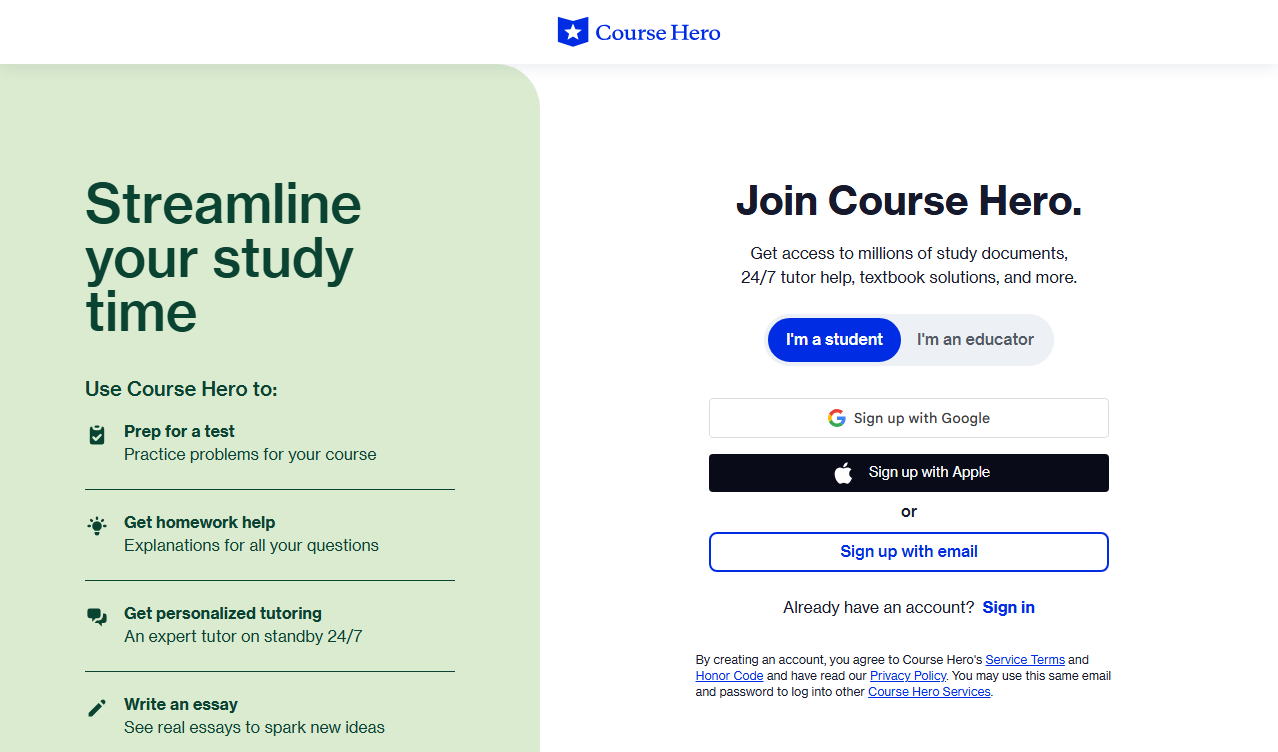
Step 1: Sign up for a free Course Hero account with your email or Google account.
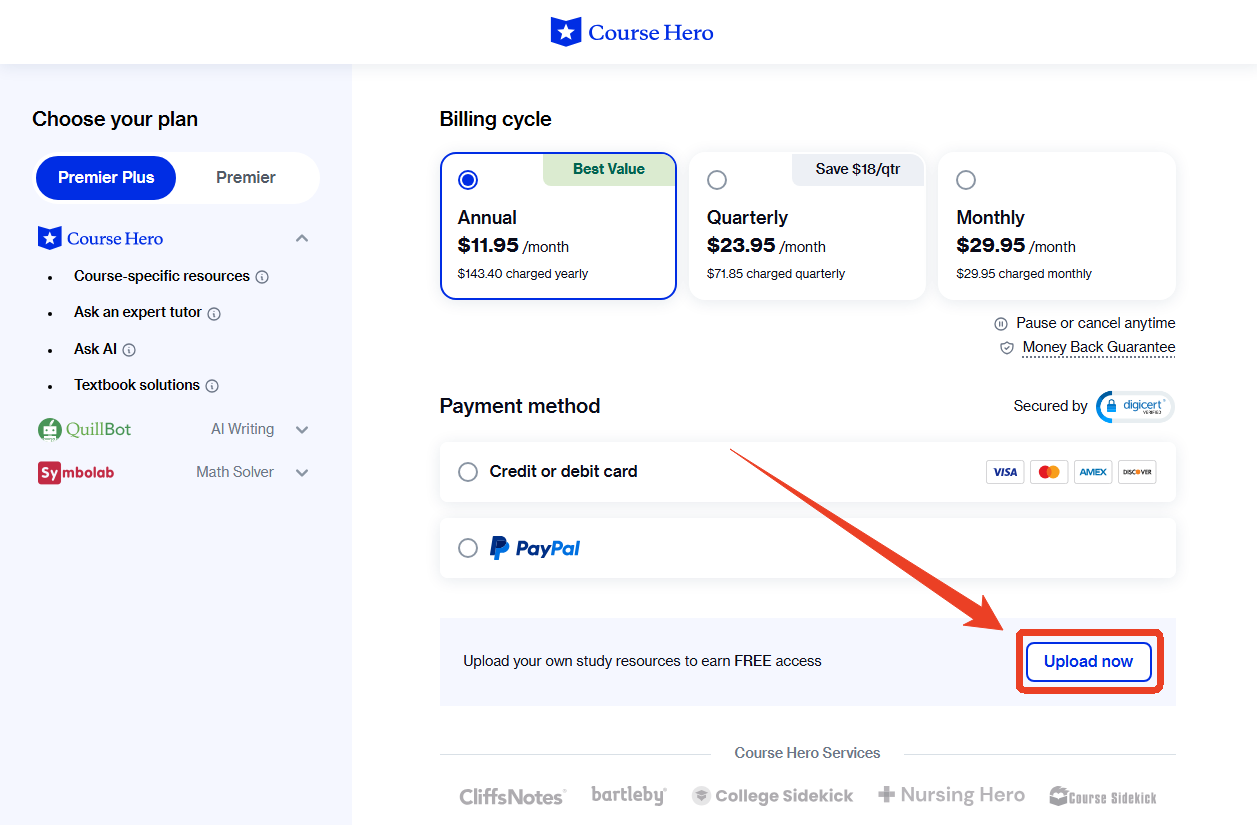
Step 2: Click Upload in the main menu and choose your documents, like notes, summaries, assignments, or study guides.
Tips
If you need immediate access to Course Hero sources and don’t want to upload documents, Course Hero offers Premier membership:
- Monthly Plan: Provides 30 Unlocks per month.
- Annual Plan: More cost-effective for frequent users.
- Additional Features: Tutor access, textbook solutions, and priority support.
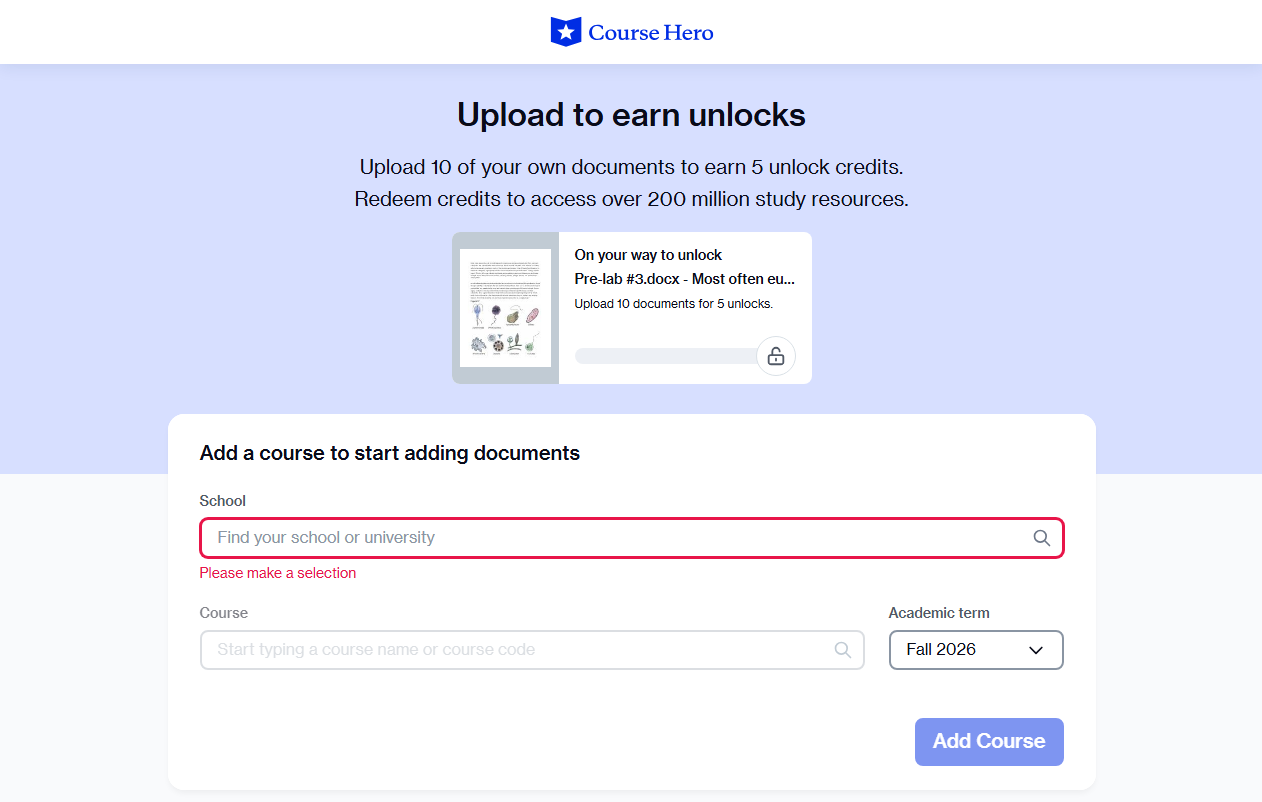
Step 3: Fill in your school and course, and submit your documents. Then wait for approval, which typically takes less than 24 hours.
Step 4: Once approved, Unlocks are credited to your account. Use your Unlocks to access and download Course Hero documents.
Important Notes
- Uploading documents you don’t own violates Course Hero’s Terms of Service.
- Unlocks earned through uploads expire after 30 days, so plan your downloads strategically.
- The upload review process can be unpredictable; some users report documents sitting in “processing” for extended periods.
What to Do After Downloading Course Hero Documents
For users who need a Course Hero downloader, a PDF editor is also an essential part of the study workflow. After the Course Hero PDF downloads, you may need to manage every piece of the Course Hero study materials. Luckily, JOPDF can deal with that with its full set of PDF tools, like editing, annotation, compression, merging, splitting, and OCR tools, without registration or payment.
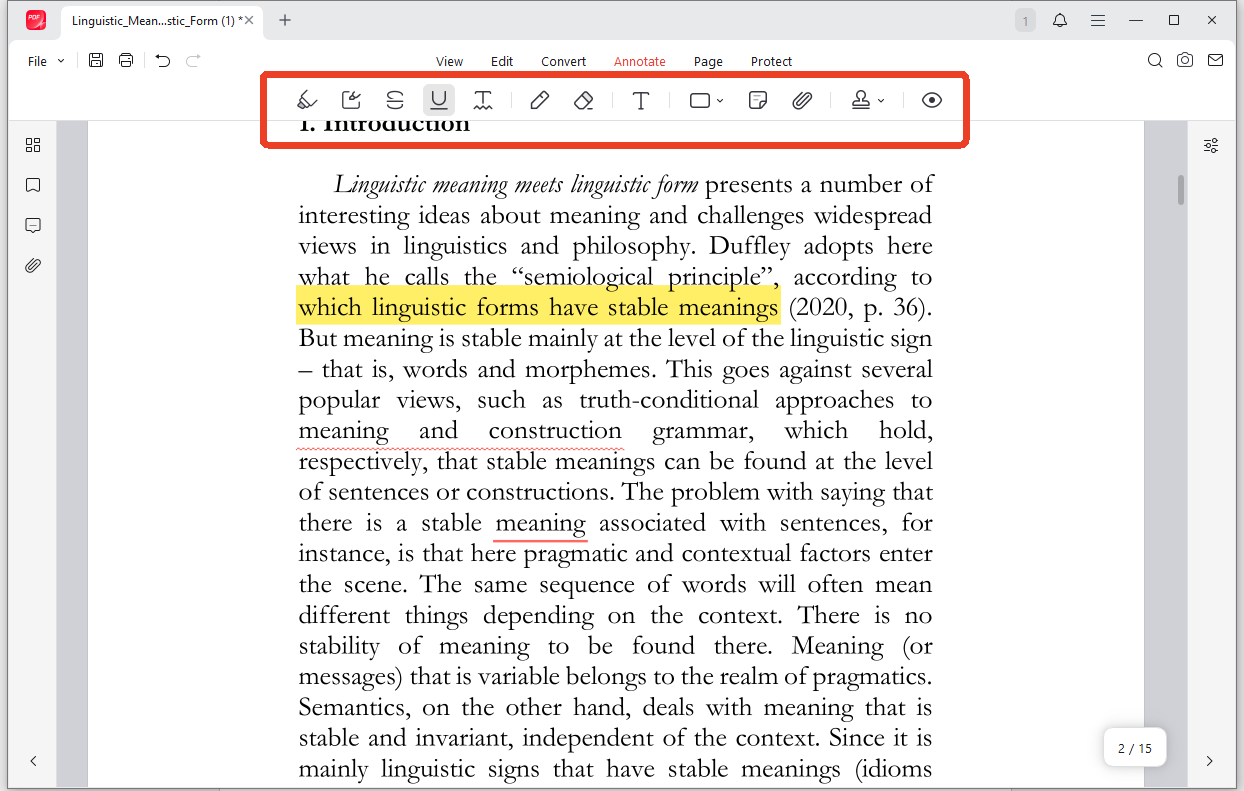
#1. Annotate and Highlight: Open downloaded lecture notes in JOPDF. Use the annotation tools to highlight key concepts, add comments, and mark important sections. This transforms passive PDFs into active study guides.
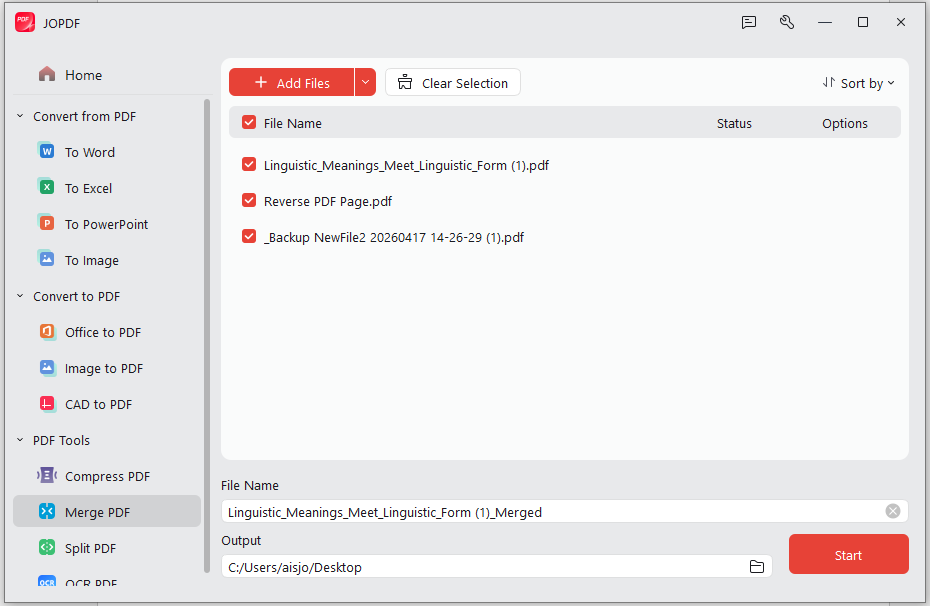
#2. Merge Multiple Documents: If you’ve downloaded several files for the same course, combine them into a single PDF using JOPDF’s merge feature. Drag to reorder pages and save as one organized study packet.
#3. Compress Large Files: Scanned documents and image-heavy PDFs can consume significant storage. JOPDF’s compression tool reduces file sizes while preserving readability, ideal for emailing notes to classmates or storing on mobile devices.
#4. Extract Text with OCR: If your downloaded document is a scan, JOPDF’s OCR feature converts images into searchable, editable text. This makes it easy to copy definitions, create flashcards, or quote sources.
Conclusion
CHDL offers the highest success rate but exploits a vulnerability that may be patched. Online Course Hero downloader free tools are often ad-heavy and unverified. The only guaranteed method is the official upload program: contribute your own materials, earn Unlocks, and download documents legally. It’s slower, but it works every time.
No matter what kind of method you’re using for the Course Hero PDF downloads, it is still highly recommended to manage your study materials with JOPDF easily. It’s 100% free and requires no registration. Download the free PDF editor and give it a try!
FAQs
Table of Contents
Your Best Free PDF Expert in PDF editing, compressing, converting, annotating, protect, organizing, and more.
Free DownloadWindows · macOS · Linux

Anna
Editor
“Anna, Editor-in-Chief and PDF expert, delivers deep insights into PDF document technology trends. She is dedicated to helping readers optimize their digital lives. When not writing, Anna loves exploring local cafes and reading, blending her technical expertise with a love for storytelling.”
![Full Guide on How to OCR a PDF in Adobe Acrobat [Newest]](https://b.jopdf.com/wp-content/uploads/2026/10/how-to-ocr-a-pdf-in-adobe.png)
![Discover How to Make a Fillable PDF in Word [Detailed Guide]](https://b.jopdf.com/wp-content/uploads/2026/10/how-to-make-a-fillable-pdf-in-word.png)
