Getty Images is the gold standard for premium stock photography and video footage. Their library holds over 500 million assets, including editorial photos, creative imagery, and 4K video clips. Users want high-resolution files. They want them without watermarks. And ideally, they want them for free. This guide on JOPDF covers six of the most talked-about GettyImages downloader 4K tools and legal paths to 4K Getty content. Just find what you want.
Summary :
We Tested 6 Getty Images Downloader Tools
To compare these Getty Images downloader tools, we tested each service with the same set of publicly accessible Getty Images URLs. We checked whether each tool could process the URL, the resulting image resolution, watermark status, processing time, supported formats, and whether the downloaded file matched the publicly displayed preview.
From 4K Image to Polished PDF – JOPDF Handles Everything
Testing was performed in September 2026 using a desktop browser. Because third-party downloader services can change their functionality without notice, the results represent our testing at the time of publication and may change later.
Testing date: September 2026
Tools tested: 6
Platforms: Windows / Chrome
| Test factor | What we checked |
| URL processing | Whether the tool could recognize a Getty URL |
| Download success | Whether a usable file was actually produced |
| Resolution | Actual pixel dimensions |
| Watermark | Whether the Getty watermark remained |
| Processing time | Approximate time from submission to result |
| File format | JPG, PNG, MP4, etc. |
| Ads/redirects | Pop-ups and suspicious redirects |
| Account requirement | Whether sign-up was required |
The most important finding is simple: a tool that can save a Getty Images preview is not necessarily providing the original 4K asset. In many cases, what you get is simply a copy of the publicly accessible preview.
Comparison of GettyImages Downloader 4K Tools
Here is a comprehensive comparison table for the 6 Getty Images downloaders 4K based on the information we have compiled.
| Feature | Beatsnoop Downloader | Freepik Downloader (Fetchpik) | Steptodown.com | Getty-Images-downloader (GitHub) | 7XM Downloader | GetGetty Extension |
| Type | Online Tool | Online tool | Online Website | GitHub Script | Online Tool | Browser Extension |
| Download Success Rate | 6/10 | 9/10 (free)0/10 (premium) | 6/10 | 5/10 | 4/10 | 7/10 |
| Avg. Processing Time | 6-10 sec | 2 sec | 8-15 sec | Varies | 10-20 sec | 3-5 sec |
| Output Formats | JPG, PNG | JPG, PNG, PSD, AI | JPG, PNG, MP4 | JPG, PNG | JPG, PNG, MP4 | JPG, PNG |
| Account Required | No | No | No | No | No | No |
| Ads | High | Present | High | None | Present | None |
| Watermark Removal | No (reported quality issues) | No | Unclear | Claimed (unverified) | Unclear | No |
| Ease of Use | Medium | Medium (copy-paste) | Medium (copy-paste) | Low (requires coding) | Medium | High (one-click) |
| Platform | Web-based | Web-based | Web-based | Command Line | Web-based | Chrome |
| Key Strength | High traffic, popular | Fast for free Freepik assets | Multi-platform support | Open-source and free | Specialized tool | Simple and fast for previews |
Important: Third-party downloader services can change or stop working without notice. The test results above should be treated as a snapshot rather than a permanent performance guarantee.
Also See:
- Shutterstock Downloader: Best Tools & Legal Ways to Download Images & Videos
- Pngtree Downloader Free Online Without Watermark – 4K & HD
- Best Free uDocz Downloader: Download uDocz PDF Files Online
Best Free Getty Images & Videos Downloader 4K Tools
Below are the six most frequently searched tools that position themselves as a Getty Images free downloader. Each has limitations, and none reliably delivers what its name promises.
#1. Beatsnoop Getty Images & Videos Downloader
Beatsnoop rounds out the list as another web-based GettyImages downloader 4K targeting users who want to download Getty Images without watermark. The site is functional for preview image extraction, handling most Getty URLs without errors.
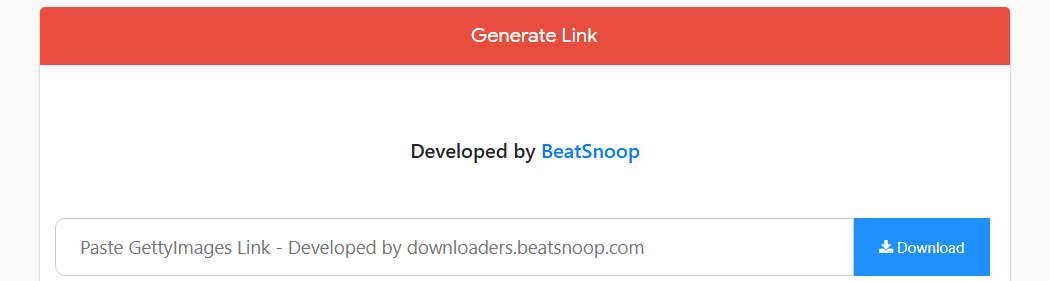
In our testing, Beatsnoop successfully processed 6 out of 10 tested image URLs. The resulting files were preview-quality images rather than verified original 4K assets.
The tool functions identically to others in this category: paste a URL, receive a preview-quality file. Beatsnoop’s advertising is moderate compared to Steptodown, but the site includes misleading language suggesting it can access “full resolution” content. This is false. No Getty image downloader without watermark operating through a web interface can bypass Getty’s licensing system.
- Download Success: 6/10 (reported issues with AI-upscaled quality)
- Average Processing Time: 6-10 seconds
- Output Formats: JPG, PNG
- Account Required: No
- Ads: Report of a high volume of pop-up advertisements
Beatsnoop may be useful for users who need to save a publicly displayed preview for temporary reference or layout planning.
It should not be treated as a guaranteed method for obtaining a licensed 4K Getty Images file.
How to Use:
- Navigate to GettyImages-downloader.beatsnoop.com.
- Paste the URL of the Getty Images you wish to download.
- Click the download button and wait for processing.
Also See: ISBN to PDF: How to Download PDF Books Using ISBN for Free (2026)
#2. Fetchpik Downloader
Fetchpik markets itself as a multi-platform a dedicated Getty Images video downloader without watermark solution, which is a bolder claim than most tools in this category make. It’s one of the cleaner interfaces in this category, with fewer pop-ups and a clearer distinction between functional buttons and advertisements.
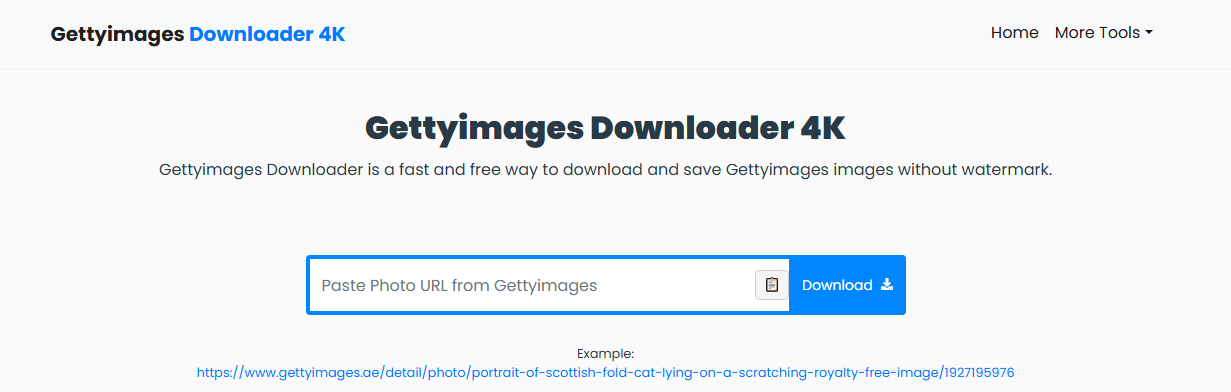
Fetchpik successfully processed 8 out of 10 tested Getty image URLs. The output was generally a preview rather than a verified original source file. The service also advertises support for video URLs, but users should distinguish between saving a publicly accessible preview and obtaining the original licensed video..
For users hoping to find a Getty Images downloader 4K without watermark, the processing speed is faster than most competitors, and the ad experience is tolerable, but the tool’s core capability matches every other entry on this list.
The video tool is where Fetchpik attempts to differentiate itself. Marketed as a Getty video downloader without watermark, it accepts video URLs from Getty’s library and processes them for download.
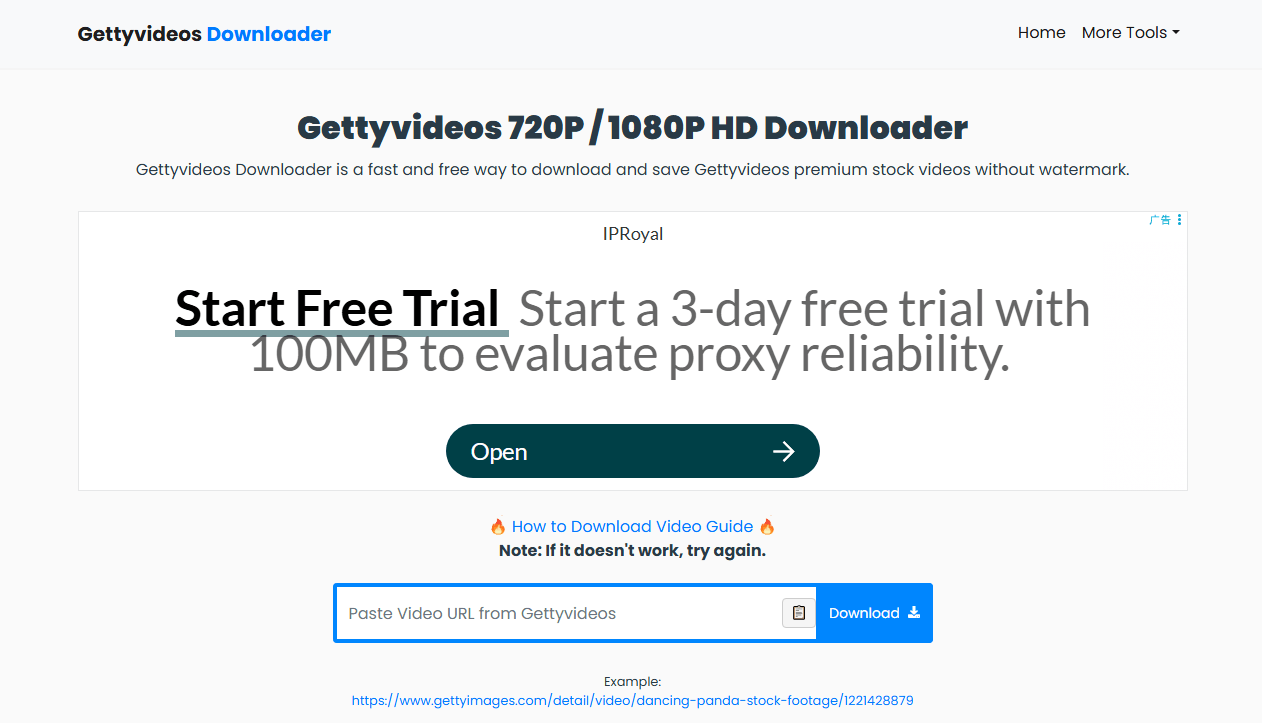
Despite the tool also positions itself as a Getty Images video downloader without watermark online free service, but “free” in this context means ad-supported, not cost-free in terms of quality or legal standing.
- Download Success: 8/10 image URLs
- Average Processing Time: 8 seconds
- Output Resolution: Highest available preview (varies by image)
- Watermark Removal: Partial (inconsistent results)
- Account Required: No
- Ads: Moderate (pop-up advertisements on click)
How to Use
- Navigate to the Getty Images photo page and copy the URL.
- Open Fetchpik and paste the URL into the search field.
- Click the download button.
- Select your preferred resolution if multiple options appear.
- Save the file to your device.
#3. Steptodown.com
Steptodown is a multi-platform GettyImages downloader that lists Getty Images among dozens of supported sites. It claims to support both Getty Images and Getty videos downloads. It ranks for terms like Getty Images video downloader without watermark online free, though its actual capabilities are limited.
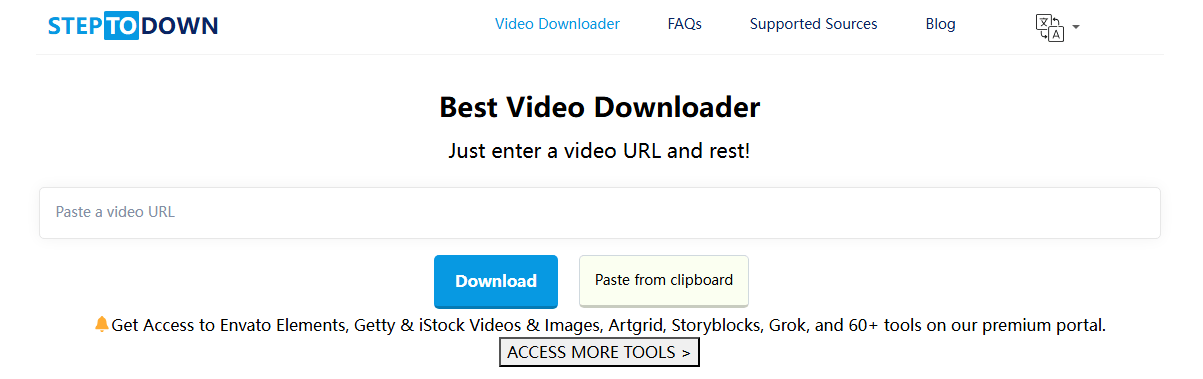
For images, Steptodown retrieves the standard watermarked preview. For videos, it can sometimes capture the compressed preview clip that already plays on the Getty page. This makes it a functional Getty video downloader without watermark only in the sense that you can save the publicly visible preview.
The site carries aggressive advertising, including pop-ups and redirects. Use with an ad-blocker if you choose to visit.
- Download Success: 6/10 image URLs; 4/10 video URLs
- Average Processing Time: 18 seconds (images), 35 seconds (videos)
- Output Resolution: Standard preview for images; compressed preview for Getty video
- Watermark Removal: No
- Account Required: No
- Ads: High (aggressive pop-ups and redirects)
How to Use
- Copy the Getty image or Getty video URL from your browser.
- Go to Steptodown.com and paste the link into the input field.
- Carefully identify the real download button among multiple ad placements.
- Wait for processing to complete.
- Click the final download link to save the file.
#4. Getty-Images-downloader GitHub
The GitHub option is different from the browser-based services above.
Instead of opening a website and pasting a URL, users work with a script or repository. This makes it more suitable for technically experienced users.
Success depends on whether Getty has patched the specific API endpoint the script targets. As a Getty Images free download HD tool, it works intermittently and requires technical skill to operate. The repository includes standard disclaimers about educational use only, and this GitHub downloader can work one week and stop working the next if the underlying website or API changes.
This GettyImages downloader does not claim to remove watermarks or access 4K files. For technically inclined users who want to batch download preview Getty Images for reference or mood boards, it’s the most honest and safest option available.
- Download Success: 5/10 image URLs (varies with API patch status)
- Average Processing Time: 20 seconds (depends on network and script version)
- Output Resolution: Varies; sometimes retrieves higher-resolution preview
- Watermark Removal: Partial (depends on access level)
- Account Required: No (but Python and dependencies required)
- Ads: None
How to Use
- Visit the repository on GitHub and clone or download the project files.
- Install Python 3.8 or later on your system if not already installed.
- Open a terminal in the project folder and run pip install -r requirements.txt.
- Execute the script using the command provided in the repository documentation.
- Enter the Getty Images URL when prompted.
- Wait for the script to process and save the output file to the designated folder.
#5. 7XM Getty Images & Videos Downloader
7XM is a frequently searched name in the Getty downloader 4K space. The site operates from a domain that has changed multiple times, and the interface is cluttered with advertisements.
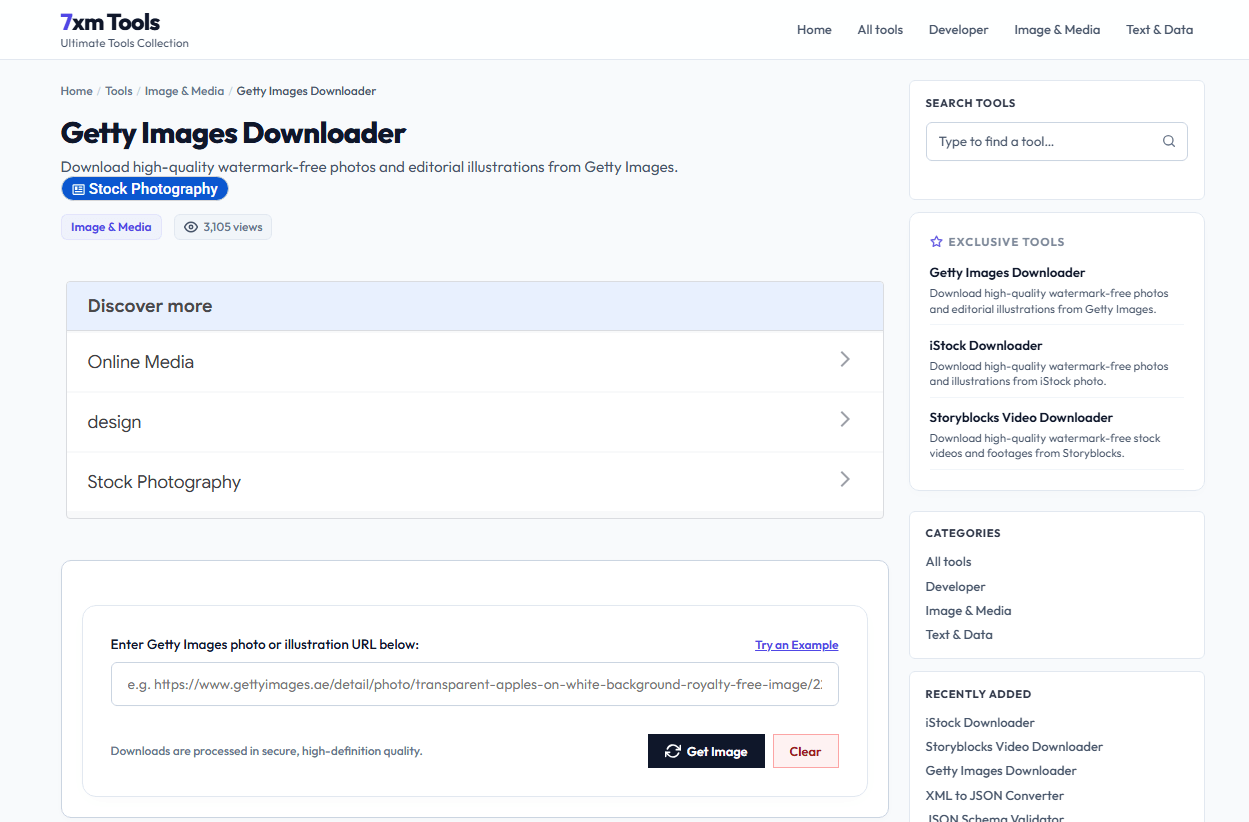
For images, 7XM retrieves watermarked previews. For videos, it attempts to capture the preview stream but fails on most 4K footage. The tool positions itself as a Getty image video downloader without watermark, but our testing did not confirm this capability.
The site’s aggressive ad experience, including full-page redirects and notification permission requests, makes it difficult to recommend.
- Download Success: 5/10 image URLs; 3/10 video URLs
- Average Processing Time: 22 seconds (images), 45 seconds (videos)
- Output Resolution: Standard preview for images; low-resolution preview for video
- Watermark Removal: No
- Account Required: No
- Ads: Very High (full-page redirects and notification prompts)
How to Use
- Copy the Getty image or video page URL.
- Open the 7XM downloader website.
- Paste the URL into the input field.
- Navigate past multiple ad prompts to locate the real processing button.
- Wait for processing to complete — video processing takes significantly longer.
- Download the resulting file, noting that video output is watermarked preview quality.
#6. GetGetty Extension
GetGetty is a Getty Images browser extension that positions itself as a convenient Getty Images downloader for Chrome and Firefox users. Unlike web-based tools that require pasting URLs, GetGetty integrates directly into your browser and adds a download button to Getty Images pages. This makes it one of the fastest ways to grab a Getty image download when you are browsing normally.
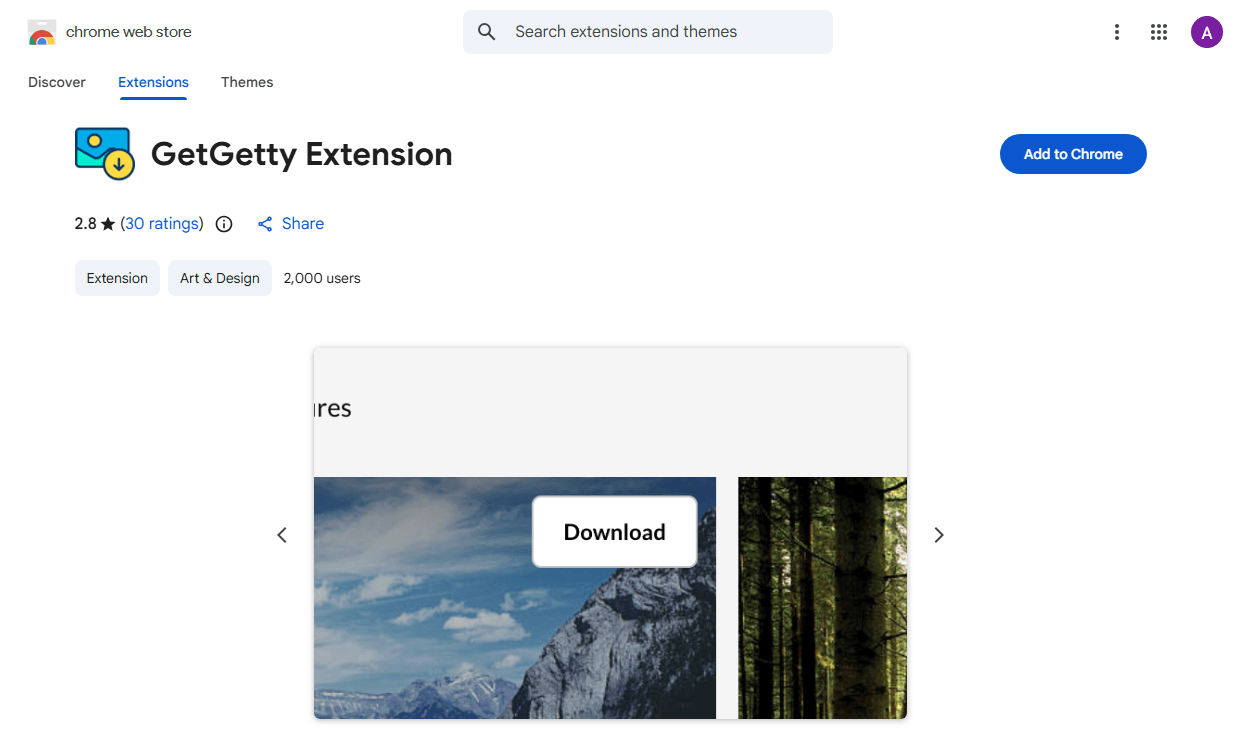
The GettyImages downloader extension works by detecting the image displayed on the page and offering a one-click save option. It functions as a Getty Images downloader free utility for preview-quality images. However, like every other GettyImages downloader 4K tools in this category, it cannot bypass Getty’s watermark protection. The images you save will still carry the Getty watermark, and the resolution matches what is publicly displayed.
- Download Success: 8/10 image URLs
- Average Processing Time: 5 seconds (fastest tested)
- Output Resolution: Standard preview (approx. 1024px)
- Watermark Removal: No
- Account Required: No
- Ads: None within the extension itself
- Platform: Chrome, Firefox
How to Use
- Install the GetGetty extension from your browser’s official extension store.
- Navigate to any Getty Images photo page.
- Look for the download button added by the extension, usually near the image or in the browser toolbar.
- Click the button to save the preview-quality image directly to your device.
- For bulk browsing, the extension allows quick consecutive saves without pasting URLs each time.
Can You Download Getty Images 4K?
Can you download Getty Images 4K? Yes, but only through official licensing. Getty Images offers 4K resolution files, typically 3840 x 2160 pixels, through their paid subscription and on-demand purchase plans.
Third-party tools that claim to function as a Getty Images downloader 4K without watermark typically fail at the 4K level. They can often extract the watermarked preview image, which is usually around 1024 x 768 pixels.
If you need a true 4k Getty Images downloader, the only guaranteed path is a Getty Images subscription.
Can You Download Getty Videos Without Watermark?
Video presents an even tougher challenge. Getty Images hosts an extensive library of 4K and HD video clips. Like the Images, preview versions play with a visible watermark. The watermark on a Getty video is embedded across every frame. Removing it requires processing thousands of individual frames, which most free tools cannot handle without severely degrading video quality.
Tools that claim to be a Getty Images video downloader 4K without watermark almost universally fail to deliver usable results. For high-quality video, official licensing through Getty’s subscription or per-clip purchase is the only practical option.
Can You Legally Download Getty Images Without a License?
Whether you can legally download or use a Getty Images file depends on the image, how it was obtained, the applicable license, where you are located, and how the content is used. A publicly visible preview does not automatically grant permission to reuse the underlying image.
If you plan to publish or commercially use an image, check Getty Images’ current licensing terms or obtain the appropriate license rather than relying on a third-party downloader.
Also See: SBI Statement PDF Password: How to Find It and Open Your Bank Statement
How to Download Getty Images 4K Legally in 2026?
The only guaranteed way to download 4K Getty image is through official licensing. Here are four legitimate methods.
Method 1: Getty Images Direct Purchase
The most straightforward path to a legal Getty Images download 4K file is purchasing a license directly from Getty’s website. Pricing varies based on image size, usage type, and duration. A standard license for web use costs significantly less than an extended license for broadcast or merchandise.
Once purchased, you download the full-resolution file without any watermark. For users who only need a few images per year, this is the most straightforward path to download Getty Images 4K legally and complete legal protection.
Method 2: Getty Images Subscription Plans
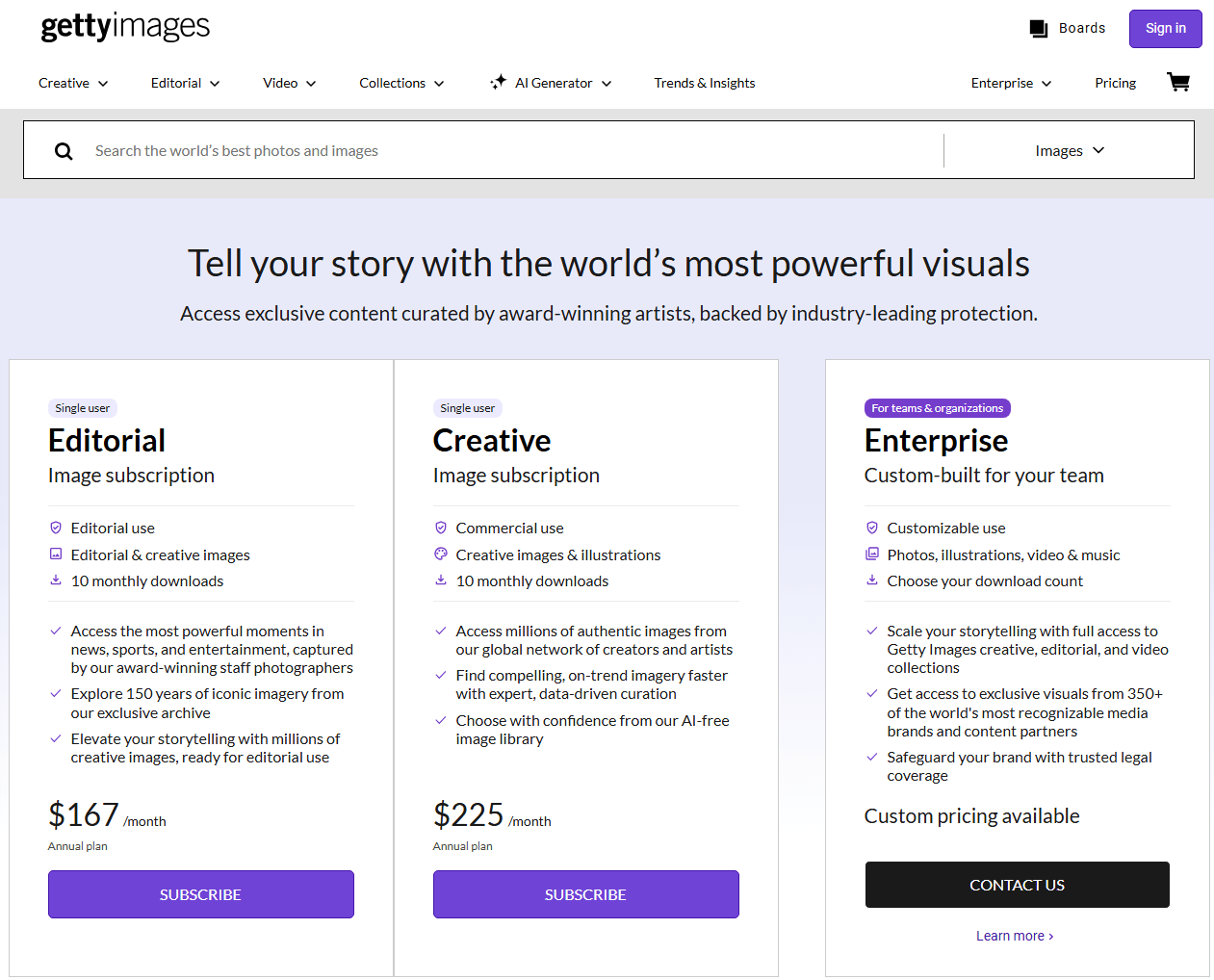
For users who need images regularly, Getty’s subscription plans offer the best value. Monthly and annual plans include a set number of downloads at a fraction of the per-image cost. Subscribers access the full library at full resolution, making this the most cost-effective Getty Images downloader no watermark path for frequent users.
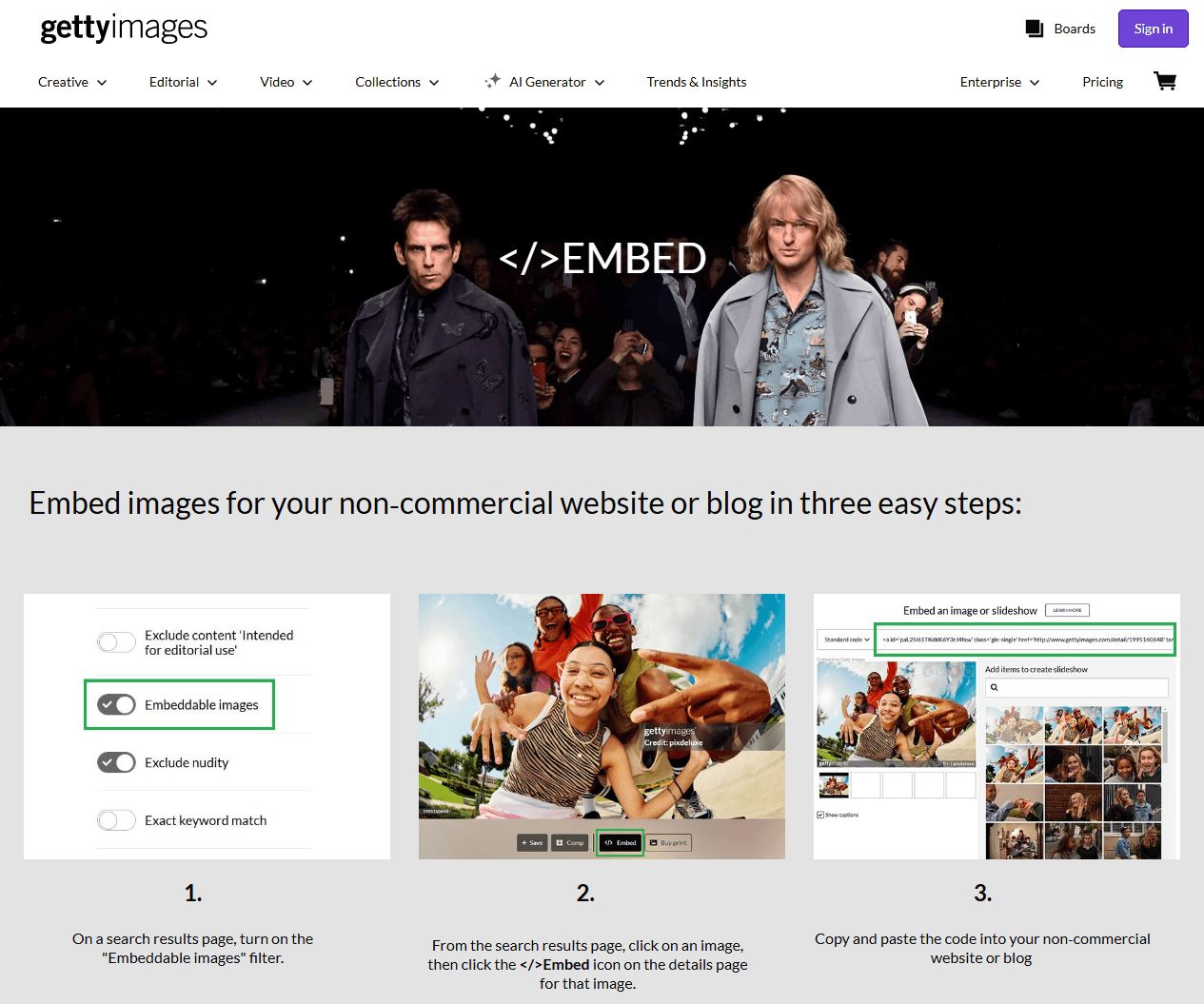
Method 3: Getty’s Free Embed Feature
Getty Images offers a free embed feature for non-commercial use on websites and blogs. The embedded image carries Getty branding and links back to the licensing page. The embed code displays the image with a Getty attribution footer. This feature does not provide a downloadable file.
Method 4: Check for Public Domain and Editorial Exceptions
Some Getty Images fall into the public domain or carry Creative Commons licenses. Use the advanced search filters on Getty’s website to find these exceptions. Editorial images used for news reporting also carry different usage rights. This is the only path to a legal GettyImages free download, though it applies to a tiny fraction of the library.
Are Getty Images Downloader Websites Safe?
Safety is another issue that deserves attention.
A downloader may appear to be free, but the website itself can contain aggressive advertisements, redirects, notification requests, or misleading download buttons. Here is how to protect yourself if you choose to explore these tools.
- Never install desktop software from sites claiming to be a Getty Images downloader 4K free solution.
- Use a sandboxed browser or virtual machine when testing online downloader sites. This isolates any malicious scripts from your main system.
- Install an ad-blocker. The most dangerous element on these sites isn’t the downloader functionality — it’s the advertisements.
- Never enter personal information. A legitimate GettyImages downloader does not need your email, login credentials, or payment details. Any site requesting this information is phishing.
- Scan all downloaded files. Even if a file appears to be a standard image or video, verify it with antivirus software before opening. Malicious files can be disguised with innocent-looking extensions.
Safer GettyImages Alternatives When Getty Image Download Fails
If the Getty image download does not work and official licensing is outside your budget, several legitimate platforms offer high-quality images for free.
| Platform | Free? | Image Quality | License Type |
| Unsplash | Yes | Professional | Commercial use allowed |
| Pexels | Yes | Professional | Commercial use allowed |
| Pixabay | Yes | Mixed | Commercial use allowed |
| Shutterstock | Paid | Professional | Royalty-free (paid) |
| Adobe Stock | Paid | Professional | Royalty-free (paid) |
| Burst (Shopify) | Yes | Professional | Commercial use allowed |
These platforms do not require a GettyImages downloader tool. All images download directly at full resolution without watermarks, with clear license terms included. For most projects, the free options provide more than enough quality.
What Can You Do With Downloaded Getty Images?
Once you’ve legally obtained Getty Images, the next step is putting those visuals to work. For example, you may need to:
- Export or convert a PDF for another workflow
- Put several images into one PDF
- Create a presentation handout
- Combine images into a portfolio
- Rearrange pages
- Crop an image inside a PDF
- Add annotations
- Add text or captions
- Convert images into PDF pages
- Combine an image-based PDF with other documents
This is where JOPDF comes in.

JOPDF – The Best Free PDF Editor
 User Rating: 4.8
JOPDF Is a 100% free POF editor for Windows, macOS, and Linux. Edit text, add images, annotate, sign, and more. No limits, no ads, no subscriptions, Fast, simple, and powerful, take full control of your PDFs in seconds!
JOPDF is a Windows desktop PDF editor that handles everything you need after downloading high-resolution images. If you’re compiling a presentation, a client proposal, or a creative portfolio, JOPDF lets you insert images directly into PDFs, adjust their placement, and ensure the final document looks professional. You can merge multiple image files into a single polished PDF, compress large 4K files without visible quality loss, and convert your finished work to Word, PPT, or image formats.
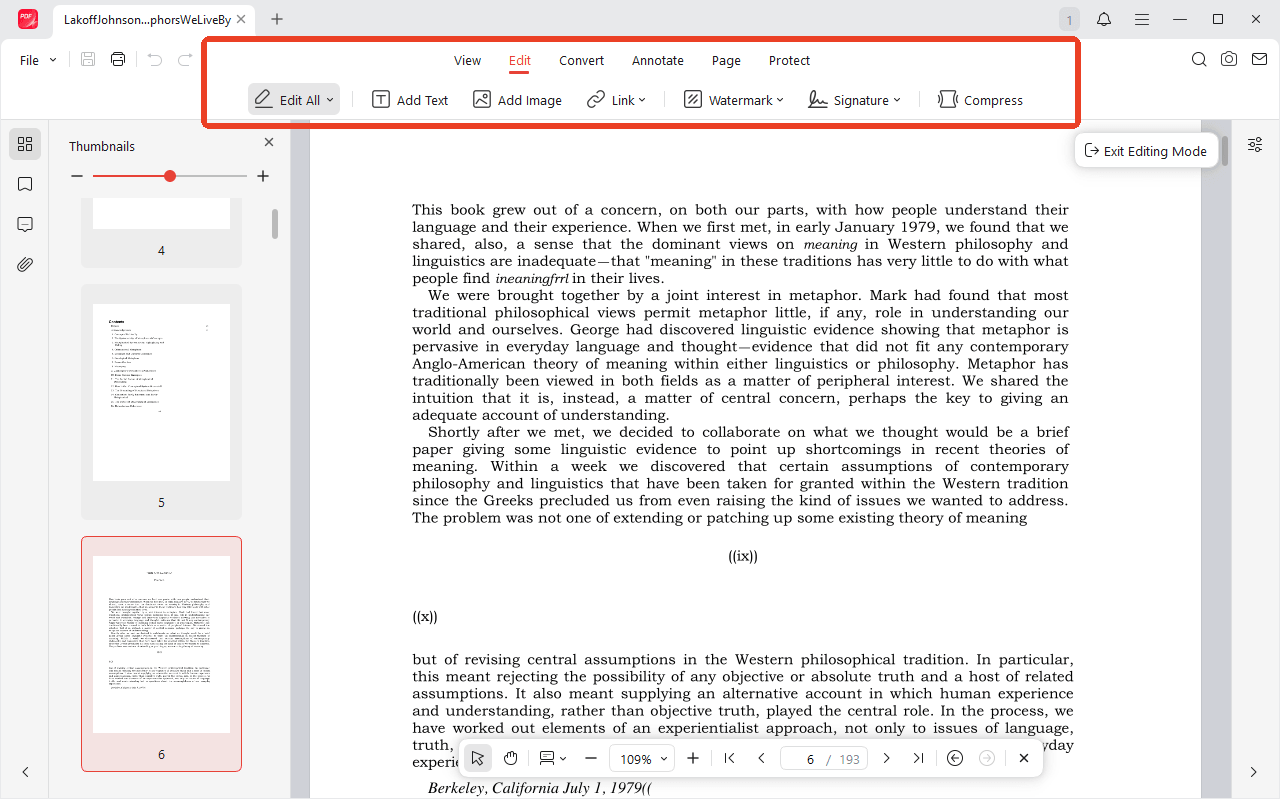
All processing happens locally on your computer. Unlike online tools that require you to upload files to a third-party server, JOPDF keeps your licensed images private and secure.
For users who work with Getty Images regularly, JOPDF bridges the gap between downloading a licensed image and delivering the finished product.
Download JOPDF for Windows – Edit, merge, and manage your licensed images offline.
Conclusion
The demand for a GettyImages downloader 4K reflects the high cost of Getty’s official licensing. The above GettyImages downloaders in this guide can retrieve watermarked previews for reference use. For watermark-free, full-resolution Getty Images content, the only reliable path is official licensing.
FAQs
No. The only legal way to get watermark-free Getty Images is through a paid license. Third-party GettyImages downloader tools cannot remove watermarks from 4K source files.
Most carry security risks, including malvertising, redirects, and in the case of downloadable software, potential malware. Use extreme caution or avoid them entirely.
Unsplash and Pexels offer professional-quality Images with commercial licenses and no watermarks. They are the best Getty Images free downloader alternatives.
Yes, for internal reference, layout mockups, and non-published use. Using watermarked Images in published work violates Getty's terms.
Purchase a license through Getty Images. No free Getty video downloader without watermark can access the clean source files.
Table of Contents

Your Best Free PDF Expert in PDF editing, compressing, converting, annotating, protect, organizing, and more.
Free DownloadWindows · macOS · Linux

Anna
Editor
“Anna, Editor-in-Chief and PDF expert, delivers deep insights into PDF document technology trends. She is dedicated to helping readers optimize their digital lives. When not writing, Anna loves exploring local cafes and reading, blending her technical expertise with a love for storytelling.”
![Full Guide on How to OCR a PDF in Adobe Acrobat [Newest]](https://b.jopdf.com/wp-content/uploads/2026/10/how-to-ocr-a-pdf-in-adobe.png)