Using an ISBN search is the most reliable and easiest way to access digital books. In this guide on JOPDF, we will show you exactly how to get an ISBN to PDF download using free tools and websites. You will learn multiple methods to download PDF by ISBN and manage your digital library efficiently.
Summary :
What Is an ISBN?
Before diving into the ISBN to PDF download methods, let us understand what an ISBN is. ISBN stands for International Standard Book Number. It is a unique numeric identifier assigned to each book edition, typically 10 or 13 digits.
An ISBN has a specific structure:
- Prefix element: Represents the global identifier indicating this is a book
- Publisher code: A unique number assigned to each publisher
- Title code: Identifies the specific content of the book
- Check digit: The last digit used to validate the ISBN
To convert ISBN to PDF, you’ll need to access large digital archives and public indexing platforms. Now let’s check how to download books for free using an ISBN number.
Also See:
- Perlego to PDF Downloader Free: Download Book from Perlego
- How to Download a PDF From pdfFiller for Free (2026 Guide)
- SlideShare Downloader Free: Free PPT & PDF Download 2026 Guide
How to Convert ISBN to PDF Easily?
How to convert ISBN to PDF easily? There are four useful methods to download ISBN as a PDF file. Plus, during this process, JOPDF acts as a reliable PDF manager to help you organize every ISBN free download as you want.
Method 1: Using Google Books Advanced Search
Google Books is an excellent starting point for an ISBN download PDF file. By entering the specific book identifier into the advanced search parameters, you can quickly locate digital previews and full-text copies.
If the material resides in the public domain, you can get a ISBN free download directly from the Google Books player interface. This is a highly safe way to download from ISBN databases without exposing your device to online risks.
How to download ISBN to PDF on Google Books?
Step 1: Open your browser and go to the official Google Book website. Here, you can directly type the book name and search for what you want.
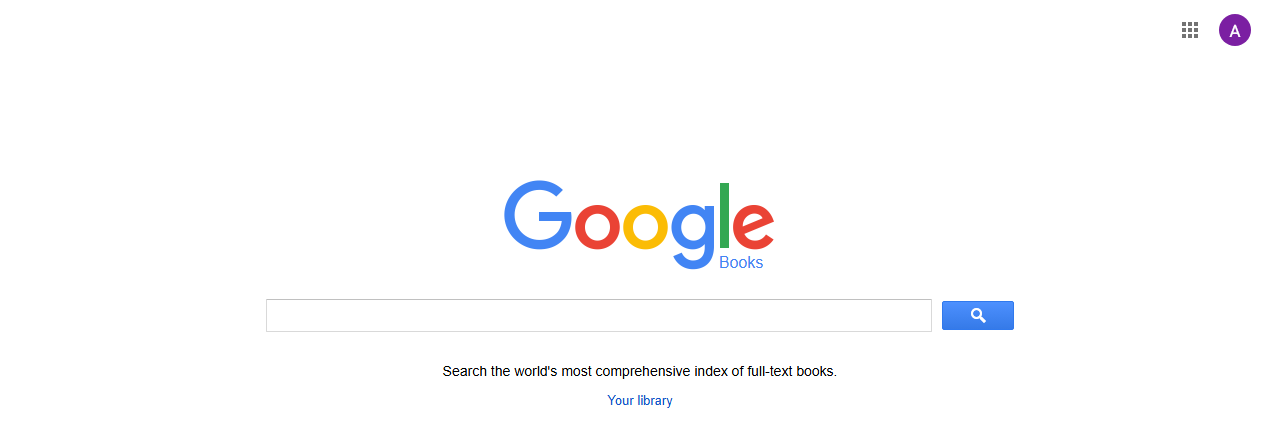
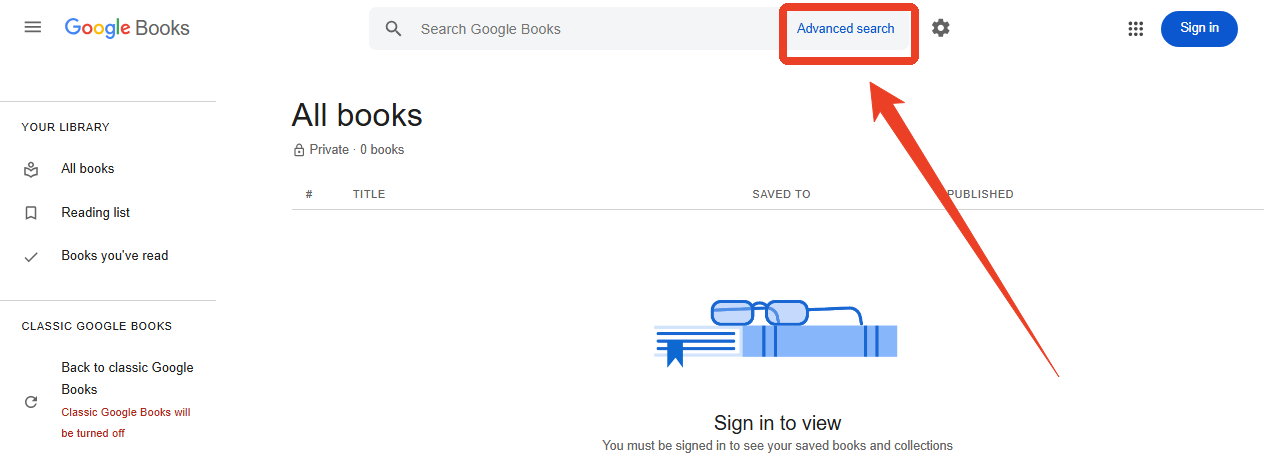
Step 2: Click the Your library link and then the Advanced search link in the top search bar.
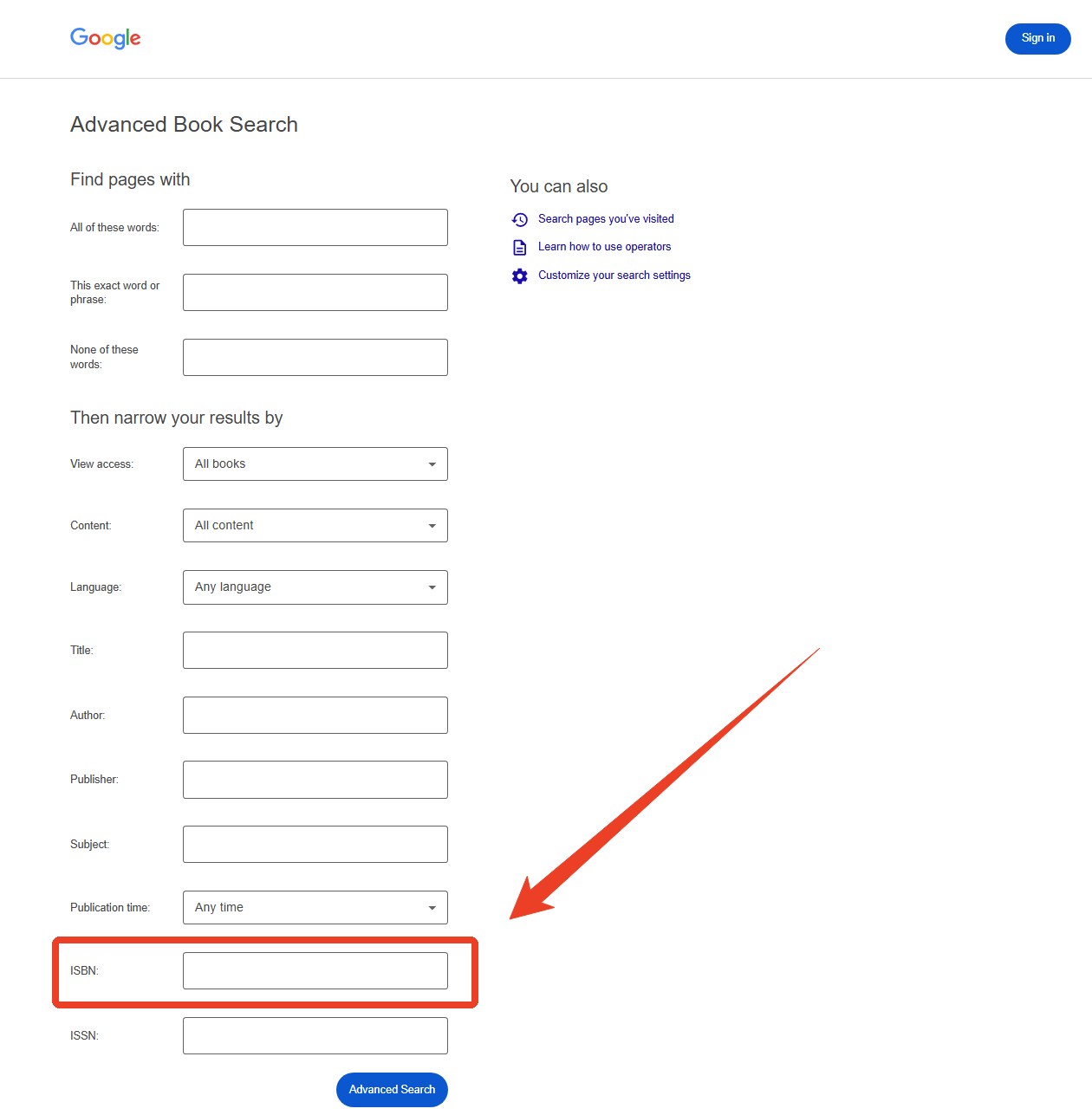
Step 3: Now, you’ll be prompted to the Advanced Book Search page. Type the full 10‑digit or 13‑digit ISBN into the “ISBN” field and click Adavnced Search. You can start an ISBN download that matches only that edition.
Step 4: After you hit search, a single title usually appears. Click on it to open the preview. Check if a Preview label is displayed.
Google Books displays books related to the query and provides brief descriptions, reviews, and publishing information.
Step 5: If the book is free or in the public domain, a Download PDF button will be available. Click it to complete your ISBN PDF download.
Also See: Top 10 Free eBook Download Sites in 2026
Method 2: Using Library Genesis (LibGen) for ISBN Search
You may want an ISBN downloader free web tool for unrestricted service. Library Genesis is a popular alternative to convert ISBN to PDF. To do that, simply copy your 13-digit code, paste it into the search bar, and select the “ISBN” target field.
This platform can be an ISBN book downloader, allowing millions of students to get their wanted book download by ISBN.
However, keep in mind that a direct download ISBN query here might sometimes yield an EPUB or MOBI format instead of a direct PDF by ISBN layout. If the ISBN book download only provides EPUB format, you can use a PDF converter to convert ISBN to PDF.
How to download by ISBN using Library Genesis:
Tips
You may find the LibGen mirror site that’s currently working on its Wiki information page.
Step 1: On the LibGen homepage, locate the search field. Make sure you’ve checked “ISBN” as your search parameter.
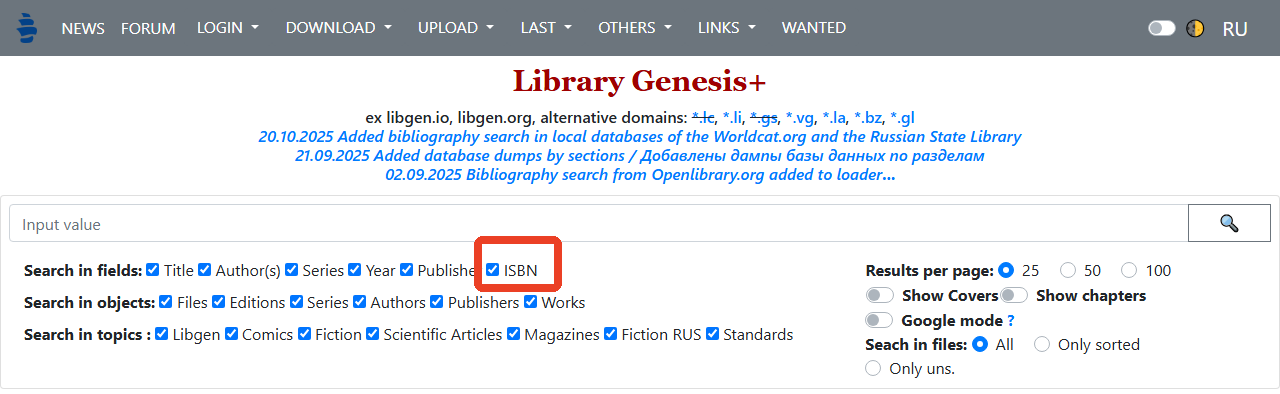
Step 2: Type the 10‑digit or 13‑digit ISBN into the search box. This directs the system to get an exact ISBN book download free lookup.
Step 3: After hitting search, a list of matching records appears. Verify the title, author, and edition. Each entry usually offers multiple downloadable book ISBN links with different file formats.
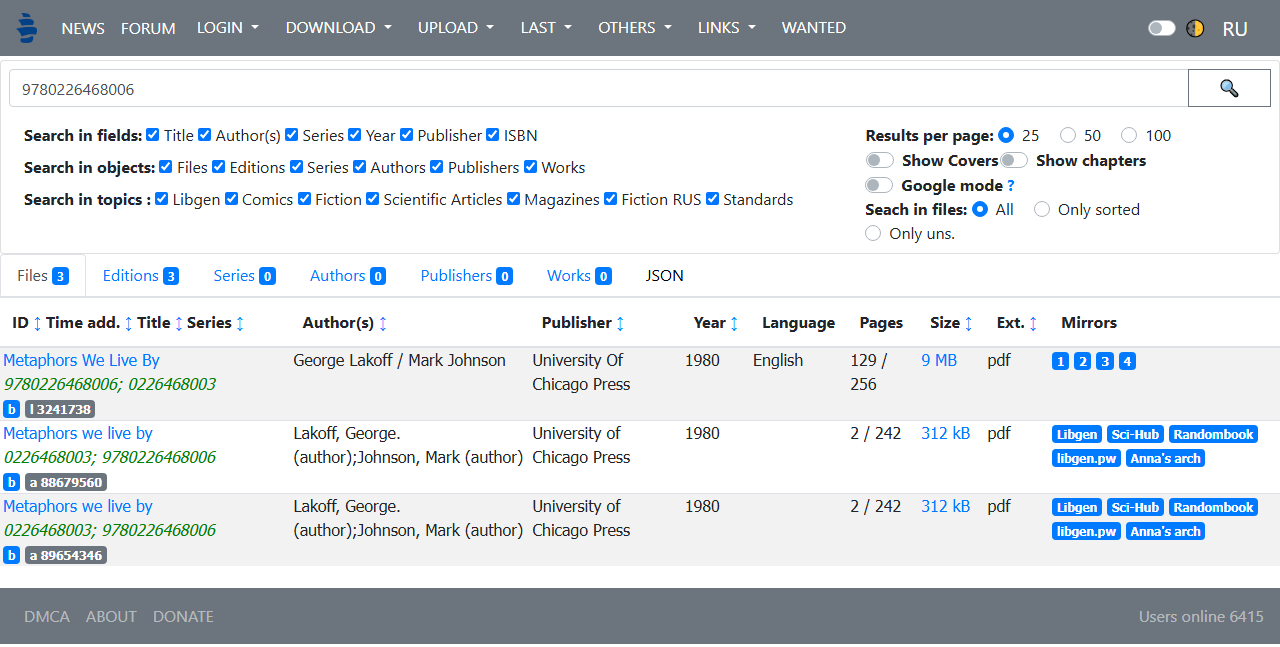
Step 4: Click on the PDF link in the results. Your browser will fetch the file, completing a rapid ISBN to PDF conversion from LibGen’s mirrors.
Tips
LibGen exists in a legal grey area. Use a VPN and an ad‑blocker to stay safe when you download free books by ISBN number through this platform. Because of its massive catalogue, many users consider LibGen the default ISBN number book download free solution. However, always verify your local copyright laws before using this ISBN downloader.
Also See: Is OceanofPDF Safe to Use? 2026 Honest Security Review and Its Alternatives
Method 3: Using Internet Archive & Open Library
The Internet Archive acts as a massive digital repository where you can request a secure ebook ISBN download. By typing your number into their catalog, you can unlock access to thousands of scanned publications and historical texts.
This platform is perfect for a clean ISBN download free process. If you want to download book by ISBN number catalogs securely, Open Library provides a legal path to borrow or view digital versions.
Step 1: Open your browser and visit openlibrary.org or Internet Archive. These two sites are portals for ISBN free download links.
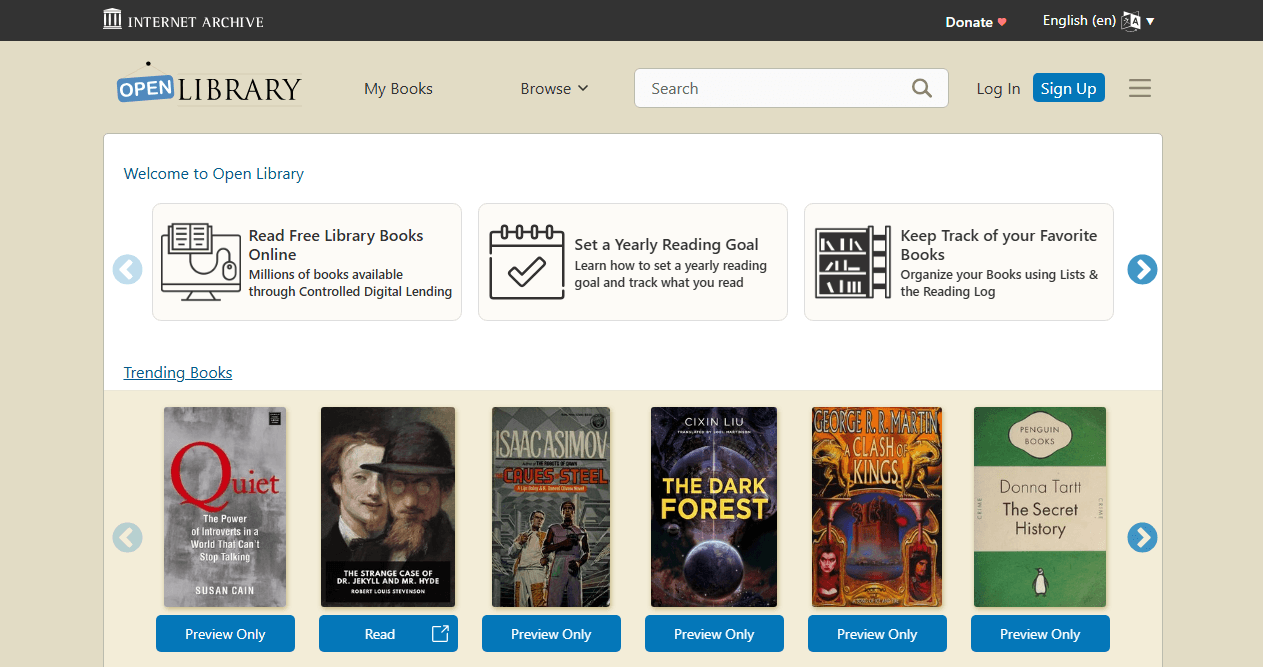
Step 2: In the search bar, enter the full ISBN. Add a filter if needed, but usually the number alone returns the correct title.
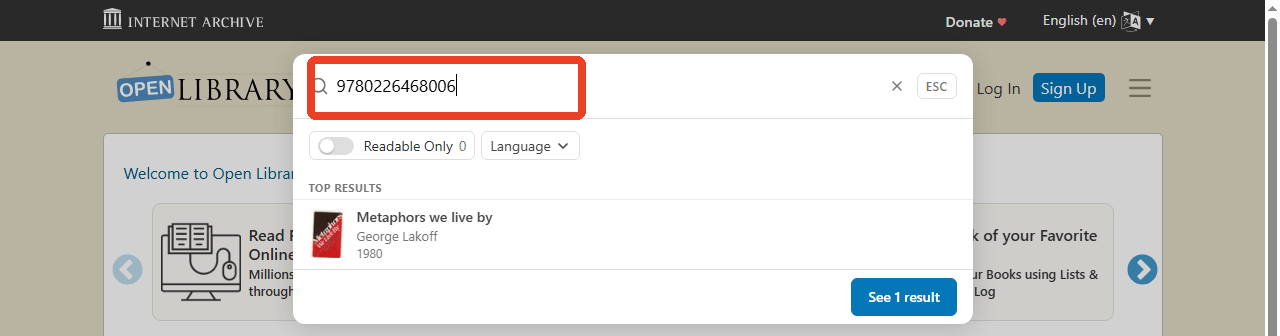
Step 3: Click on the matching work. Scroll down to the “Download” or “Borrow” section. If the book is in the public domain, you will see unrestricted options to download books by ISBN number for free.
For copyrighted books, the Internet Archive offers a controlled digital lending model. To get a ISBN to PDF download, click “Borrow” and choose the PDF format. You can then view the book offline for the loan period.
After borrowing, the encrypted PDF appears in your account. You can read it with Adobe Digital Editions. Public‑domain titles give you a direct ISBN to PDF file with no restrictions.
The Internet Archive remains the safest platform for ebook ISBN download because it respects publisher agreements. When you need to download free books by ISBN number legally, this should be your first stop.
Also See: Z-Library Alternatives 2026: 10 Best Sites for Free eBooks
Method 4: Direct ISBN to PDF Download via ISBN Search Engines
Another effective method for ISBN to PDF download involves using an ISBN search tool to find book details. Dedicated ISBN search engines aggregate listings from multiple stores and libraries. They often surface free digital copies that other platforms miss.
How to download books by ISBN number for free:
Step 1: Open a site like ISBNdb, BookFinder, or ISBN.net. These tools function as an ISBN downloader free hub by scanning dozens of databases simultaneously.
Step 2: Enter or paste the ISBN number into the search box on the ISBN Search website.
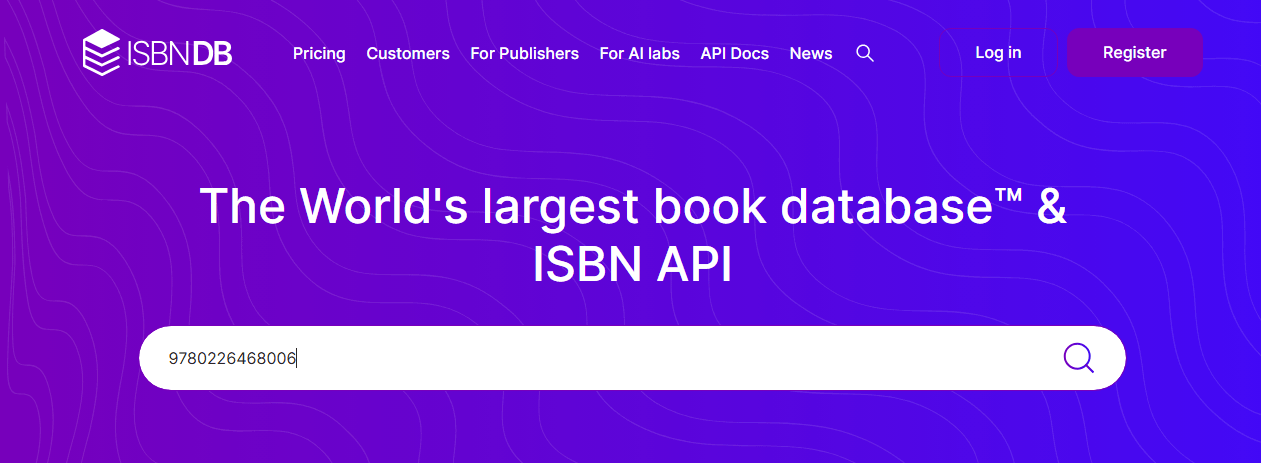
Step 3: Review the list of sellers and digital sources. Look for entries marked “Free,” “Open Access,” or “PDF.”
Step 4: Click the link that points to a PDF file. This performs a direct ISBN to PDF download from a legitimate source. If no direct PDF exists, note the available formats (EPUB, MOBI) for later conversion.
Tips
When you need to download book ISBN and store it as a PDF, having a reliable PDF converter gives you complete control over the final file. JOPDF processes everything locally on your Windows PC, so your downloaded books remain private. Whether you are consolidating research materials or building a personal library, a capable PDF editor makes every ISBN book download more useful.
Comparison of ISBN to PDF Download Methods
To help you choose the best way to get a PDF by ISBN or manage your ISBN number book downloads free, here is a breakdown of the top options:
| Method | Speed | Free Access | File Formats | Legality |
| Google Books | Fast | Limited to free titles | PDF, EPUB | Fully legal |
| Library Genesis (LibGen) | Fast | Nearly all titles | PDF, EPUB, MOBI, DJVU | Grey area |
| Internet Archive & Open Library | Medium (borrow) / Fast (public domain) | Public domain free; others via lending | PDF, EPUB | Legal (lending model) |
| ISBN Search Engines | Fast for discovery, varies for download | Depends on source | Multiple | Depends on source |
For those who want to download book by ISBN number legally, the Internet Archive borrowing system is the best match. Dedicated ISBN engines help you download books with ISBN by casting the widest net. If a book is available at all, one of these four pathways will usually deliver a successful ISBN to PDF result.
How to Read and Manage Your ISBN-Downloaded PDF Books
Once you have completed your ISBN book download free, you need a reliable PDF editor to read and manage your PDF by ISBN files. JOPDF is an excellent, completely free choice for managing your digital library. Available for Windows, macOS, and Linux, it allows you to handle all your ISBN to PDF tasks without any limitations or registration.

JOPDF – The Best Free PDF Editor
 User Rating: 4.8
JOPDF Is a 100% free POF editor for Windows, macOS, and Linux. Edit text, add images, annotate, sign, and more. No limits, no ads, no subscriptions, Fast, simple, and powerful, take full control of your PDFs in seconds!
Key features that make JOPDF great for your ISBN download management include:
- Reading Experience: JOPDF is lightweight and fast, handling even large PDF files smoothly.
- PDF Annotation: JOPDF provides over 15 powerful annotation tools. These tools allow you to mark up your download book by ISBN files just like a physical book, making it perfect for studying or reviewing.
- PDF Page Management: Easily organize your download book from ISBN files.
- PDF Editing: Modify existing text, add new text, insert images, and create links within your ISBN book PDF download files.
- PDF Protection: If your download books by ISBN files contain sensitive information, you can add password protection and set permissions to restrict editing, copying, or printing.
Best of all, JOPDF is 100% free, with no ads and no hidden charges. It processes all files locally on your computer, ensuring your download by ISBN documents remain private and secure.
Legal Considerations of Downloading Books by ISBN
When using any ISBN to PDF method, it is important to be aware of copyright laws:
- Only download open-licensed or public domain books. Downloading copyrighted books without permission may be illegal.
- Sharing PDF books is generally illegal unless the books are open-licensed, in the public domain, or you own the copyright.
- Check the copyright status of the book before downloading. Not all ISBN download methods are legal for all books.
- LibGen’s mission is to encourage reading by providing free access to literature, but it operates in a legal gray area.
Always respect intellectual property rights and use these tools responsibly.
Final Thoughts
Whether you use Google Books, LibGen, the Internet Archive, or a dedicated search engine, a successful ISBN to PDF download depends on choosing the right method for the title you need. Public‑domain works are easiest; copyrighted books require more careful sourcing.
Once you have completed an ISBN download, the next step is making the file work for you. With the right tools, every ISBN book PDF download becomes the start of an organised, searchable, and portable library. Keep these methods in mind the next time you need to download book with ISBN, and you will never be stuck without the right reading material.
FAQs
Both formats work in most ISBN downloader tools. If a site requires ISBN‑13, use an online converter to transform the 10‑digit number before you download PDF by ISBN.
It depends on the book’s copyright status. Public‑domain and openly licenced titles are legal to download from ISBN. Downloading copyrighted books without permission is illegal in most countries.
Library Genesis is a massive free repository. It works as a reliable ISBN book downloader but exists in a legal grey area. Use a VPN and ad‑blocker to stay safe.
Use SwifDoo PDF to convert EPUB, MOBI, and other formats into PDF. This complements any ebook ISBN download workflow by giving you a standardised ISBN to PDF file.
Yes, for public‑domain and freely licenced titles. Google Books can serve as the starting point for a quick ISBN PDF download without any extra software.
Table of Contents
Your Best Free PDF Expert in PDF editing, compressing, converting, annotating, protect, organizing, and more.
Free DownloadWindows · macOS · Linux

Anna
Editor
“Anna, Editor-in-Chief and PDF expert, delivers deep insights into PDF document technology trends. She is dedicated to helping readers optimize their digital lives. When not writing, Anna loves exploring local cafes and reading, blending her technical expertise with a love for storytelling.”