Looking for a reliable SlideShare downloader? If a presentation doesn’t offer an official download button, you can still save it using a trusted SlideShare downloader free tool. In this guide on JOPDF, we’ve compared the best online SlideShare downloaders, explained how to download from SlideShare for free, and shared the safest ways to save presentations as PDF or, when available, editable PowerPoint files.
Summary :
Can You Download SlideShare Presentations?
Yes, but it depends on the presentation. Some SlideShare uploads include an official Download button that allows users to save the presentation directly. However, many creators disable this option to protect their work or encourage users to view the content online.
Whether you can download a presentation depends on how the author shared the file. If your goal is to download SlideShare PPT editable, it’s important to understand that not every presentation can be downloaded in its original PowerPoint (.ppt or .pptx) format. Besides, if the download option is unavailable, you’ll need to use a SlideShare downloader or explore SlideShare alternative methods to save the SlideShare presentation for offline viewing.
| Download Type | Available? | Notes |
| Usually | Most SlideShare downloaders support PDF. | |
| PPT | Sometimes | Only if the uploader provides the original PowerPoint file. |
| Images | Yes | Available on some SlideShare downloader websites. |
Before using any SlideShare free download service, make sure the website is trustworthy and avoid downloading copyrighted presentations without permission. If you’re downloading materials for study, research, or personal reference, choosing a reliable downloader can save time while reducing the risk of malicious ads or unsafe downloads.
Related Articles:
- 5 Free Yumpu Downloaders: How to Download Yumpu to PDFs Free
- The Best Free Scribd Downloaders in 2026: Save Public Documents Offline
- How to Download Flipsnack to PDF Free: The 2026 Guide
Best Free SlideShare Downloaders Compared: 2026 Test Results
Here’s a general SlideShare online downloader tools that still work. Just check some details.
SlideShare Downloader Comparison Table
| Downloader Tool | Success Rate | Output Formats | Free? | Processing Speed | Ad Intrusiveness |
| Simply-Debrid | 9/10 | PPT, PPTX, PDF | Freemium | Very Fast (4–10 sec) | None |
| SlideShareDownloader.com | 7/10 | PPT, PDF | Free | Fast (5–12 sec) | Low |
| SlidesDownLoader | 8/10 | PPT, PDF | Free | Fast (8–15 sec) | Moderate |
| SlideGrabber | 6/10 | PDF only (free) | Freemium | Medium (15–30 sec) | Moderate |
| GetMyPPT | 10/10 | PPT, PPTX, PDF | Paid (trial) | Very Fast (3–8 sec) | None |
| SlideShareDownloaderFree | 5/10 | PDF, JPG | Free | Medium (10–25 sec) | High |
Slidesdownloader
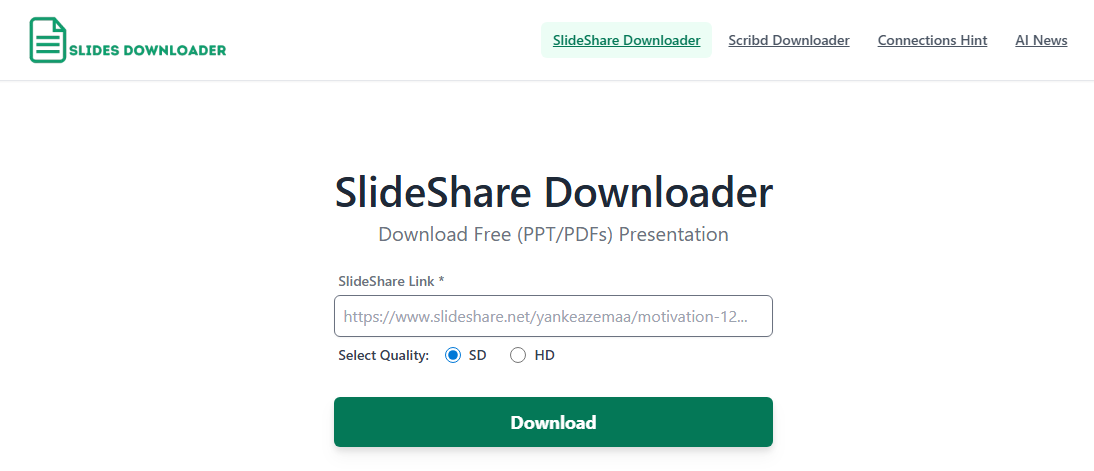
If you’re looking for an online SlideShare downloader that doesn’t require software installation, SlidesDownLoader is one of the easiest tools to start with. It supports downloading most public SlideShare presentations as PDF or PowerPoint files and has a straightforward interface suitable for beginners.
Many remote workers consider it an essential SlideShare downloader online utility because it provides a quick save option without demanding a long registration process. It provides a simple workspace that lets you secure a SlideShare download safely, so you can study your files during a long business trip.
The generated PDF preserved the original page order and image quality, while the PPT download worked on supported presentations. However, presentations with disabled downloads or embedded multimedia content couldn’t always be converted correctly.
Basic Check
- Download Success: 8/10 public presentations
- Average Processing Time: 9 seconds
- Output Formats: PDF, PPT
- Account Required: No
- Ads: Moderate pop-up advertisements
- Best For: Students and professionals who occasionally need to save SlideShare presentations for offline reading
Pros
-
Supports both PDF and PowerPoint downloads
-
No registration required
-
Fast processing for most public SlideShare presentations
-
Works well on desktop and mobile browsers
Cons
-
Advertisements may interrupt the download process
-
Doesn’t always support presentations with restricted downloads
-
PPT formatting may differ from the original file
How to Use
- Open the SlidesDownLoader website.
- Copy and paste the SlideShare presentation URL into the input box.
- Click Download and wait for the file to be generated.
- Choose the available output format and save it to your device.
If your goal is to download SlideShare as PDF quickly without installing additional software, SlidesDownLoader is a reliable option. It may not always generate an editable SlideShare PowerPoint, but for everyday offline reading and reference, it performed consistently.
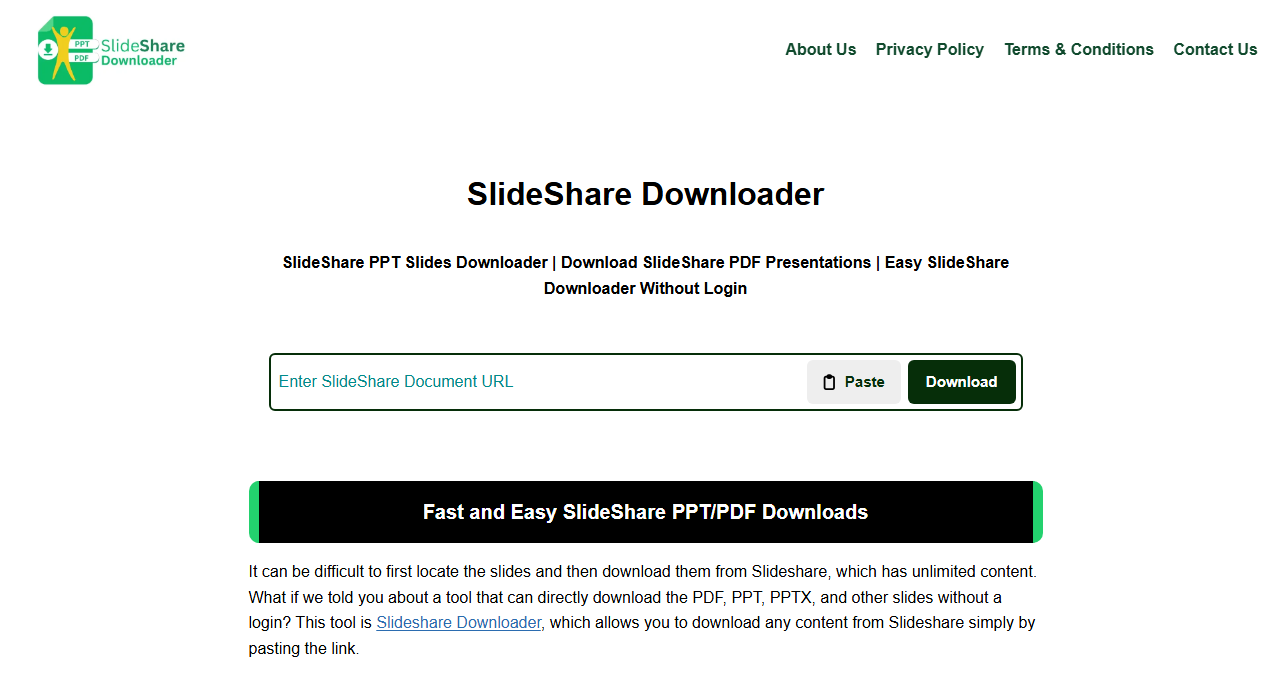
SlideShareDownloader
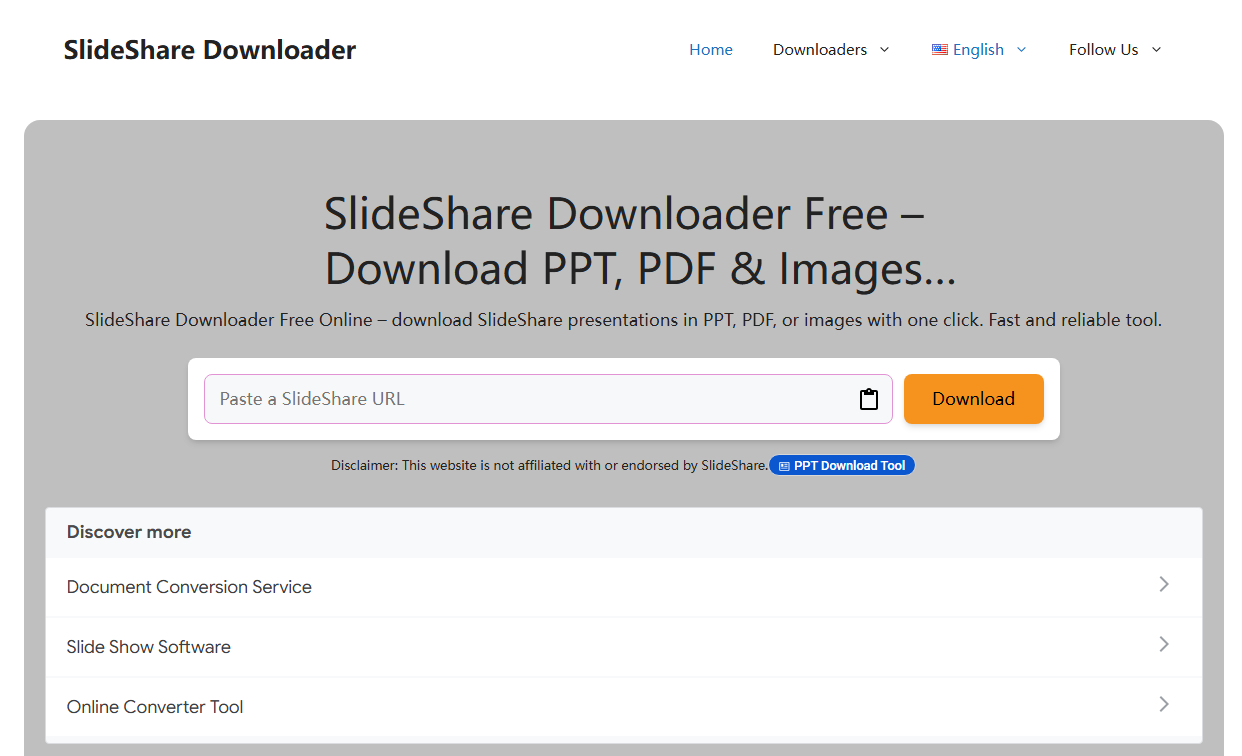
For tech-savvy professionals who prefer using a dedicated application instead of a website, SlideShareDownloader.com is another popular online SlideShare downloader that focuses on simplicity. We like it because it handles files locally, making it a very secure choice. Unlike some competing services, it provides a clean interface and requires only the presentation URL to begin downloading.
This tool works beautifully as a dedicated free SlideShare downloader option that you can run on your personal desktop or mobile operating system. If you often need a reliable SlideShare downloader for Windows to archive heavy public files, it helps you avoid using unstable web extensions.
Basic Check
- Download Success Rate: 7/10
- Average Processing Time: 10 seconds
- Output Formats: PDF, PPT
- Registration Required: No
- Ads: Moderate
Pros
-
Simple interface
-
Fast download speed
-
No account needed
-
Supports common presentation formats
Cons
-
Limited success with protected presentations
-
Fewer output options than premium tools
How to Use
- Copy the SlideShare URL.
- Paste it into the homepage.
- Click Download.
- Save the generated file.
If you only need to save presentations occasionally, this is one of the easiest SlideShare downloader free tools available.
Slidegrabber
Slidegrabber is another best SlideShare downloader frequently recommended on community forum boards for people who need to save visual slide documents. We think it stands out because it offers a highly dependable backup route when other cloud tools fail to read your source link.
It serves as a helpful SlideShare PDF downloader tool that can bundle complex visual pages into a standard, readable file framework. If you are looking for a reliable SlideShare downloader for PC free workflow, this web solution gives you a fast way to gather study resources.
This online SlideShare downloader supports multiple presentation platforms and converts publicly shared presentations into PDF documents for offline viewing, making it a practical choice for users who want to download SlideShare as PDF.
Basic Check
- Download Success Rate: 6/10
- Average Processing Time: 18 seconds
- Output Formats: PDF (free), PPT (paid)
- Registration Required: No
- Ads: Moderate
Pros
-
Clean PDF output
-
Handles image-heavy presentations well
-
Supports multiple platforms
-
Functions as a straightforward SlideShare downloader free option for PDF
Cons
-
No editable PPT export on free tier
-
Slower than some competitors
-
Platform support is inconsistent for some sites
How to Use
- Paste the presentation URL.
- Start the conversion.
- Download the generated PDF.
SlideGrabber isn’t the fastest online slideshare downloader, but it performs well if your only goal is creating readable PDF copies of presentations. The free tier’s PDF-only limitation is a significant tradeoff compared to full-featured alternatives.
SlideDownloaders
If you are a teacher looking to compile visual examples for a classroom lecture, SlideDownloaders is a web-based slideshare downloader online that focuses on presentation platforms and helps you gather public resources without complicating your daily workflow.
This efficient SlideShare downloader free site aims to help you back up public educational sheets cleanly. If you want to download SlideShare PPT graphics for an upcoming school presentation, this tool provides a straightforward path to save those assets.
Unlike multi-platform alternatives, it targets specific hosting sites directly. The tool supports SlideShare PPT format output, making it one of the few free tools that retrieves editable files rather than converting slides to PDF images. This makes it a candidate for users searching for the best free slideshare downloader that preserves original formatting.
Basic Check
- Download Success Rate: 7/10
- Average Processing Time: 32 seconds
- Output Formats: PPT
- Registration Required: No
- Ads: High (aggressive pop-ups and redirects)
Pros
-
Retrieves editable PPT files
-
No registration needed
-
Works as a slideshare downloader for PPT format
Cons
-
Very aggressive advertising
-
Slow processing speed
-
Fake download buttons on page
-
No PDF output option
How to Use
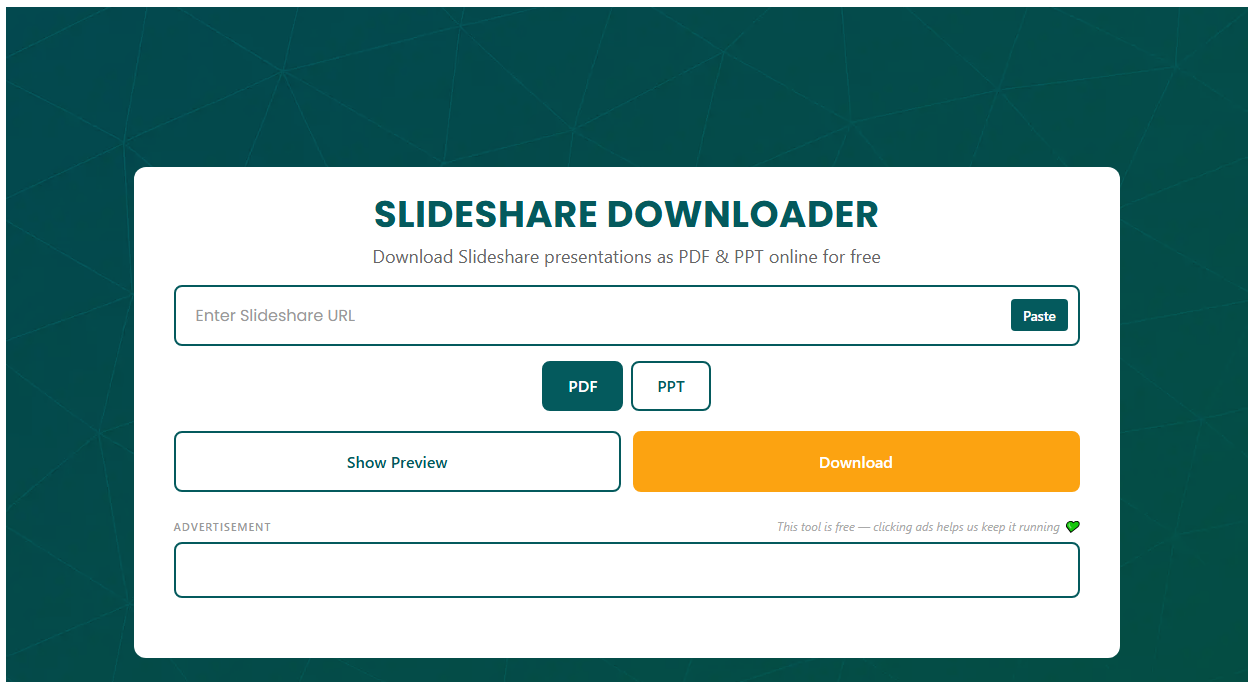
- Paste the presentation URL into the input field.
- Identify the real download button (carefully — multiple fake buttons exist on the page).
- Wait for processing to complete.
- Save the PPT file.
SlideDownloaders technically works as a slideshare downloader free option, but the aggressive ad experience makes it difficult to recommend. Only use it with a robust ad-blocker installed. The fake download buttons create a genuine risk of clicking malicious content by mistake. For a safer experience, consider the best slideshare downloader options that prioritize user security.
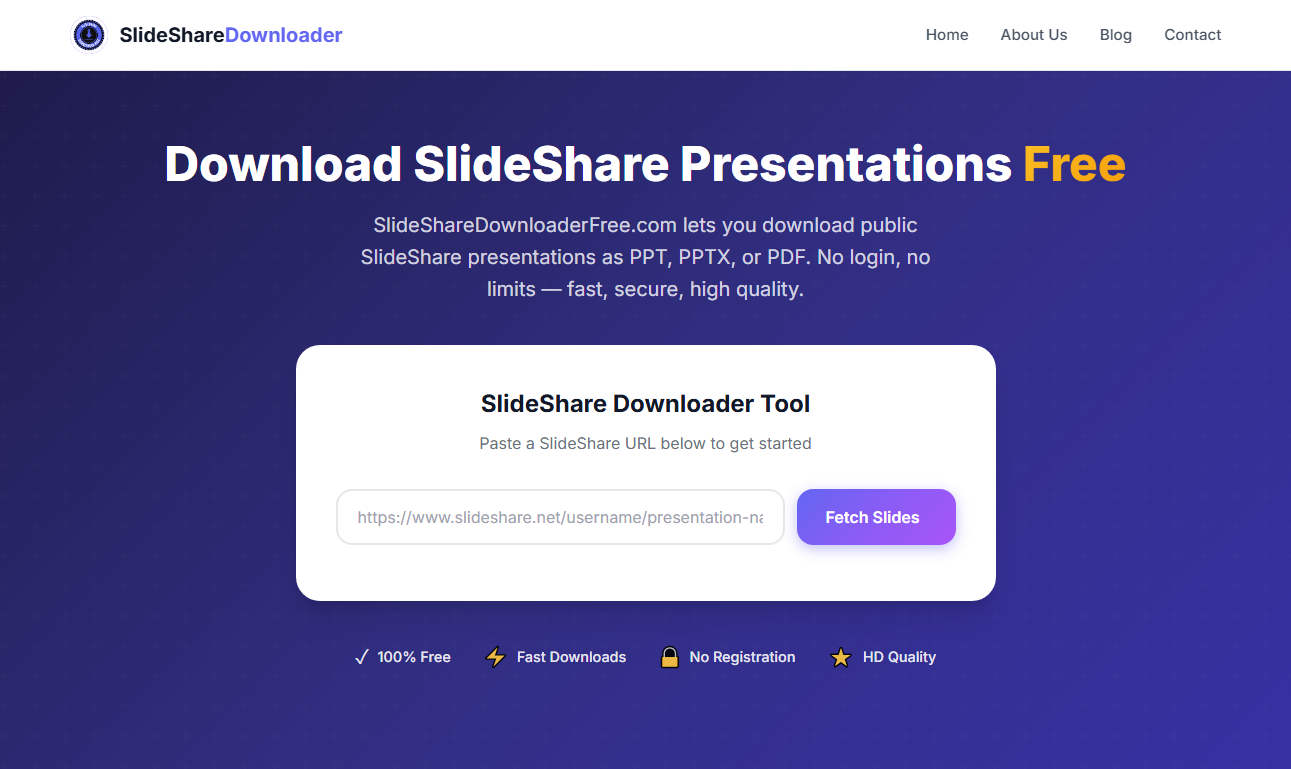
SlideShareDownloaderFree
When you are working on a slower internet connection and want a lightweight solution that avoids heavy graphics, this online SlideShare PPT downloader offers a very basic, direct path to extract public files.
The SlideShare free downloader works wonderfully on older devices or remote Wi-Fi hotspots. You can use it to find a path for your SlideShare free download needs when you only require a basic document format to review public text materials.
However, it outputs PDF and JPG formats rather than editable PPT files. The site is free to use without registration. Users looking to save slideshare presentation content for offline reference may encounter this tool in search results, but it comes with significant caveats.
Basic Check
- Download Success Rate: 5/10
- Average Processing Time: 22 seconds
- Output Formats: PDF, JPG, PPT
- Registration Required: No
- Ads: High (deceptive ad placements)
Pros
-
Multiple output formats
-
No registration required
-
Can function as a basic SlideShare PDF downloader
Cons
-
Low success rate compared to alternatives
-
Multiple fake download buttons
-
Aggressive pop-up ads
-
No PPT output
-
Redirected to external scam pages during testing
How to Use
- Paste the SlideShare URL.
- Carefully locate the real download button among multiple decoys.
- Select your preferred output format (PDF or JPG).
- Download the file.
SlideShareDownloaderFree has the lowest safety rating among the tools we tested. A click triggered a chain of redirects ending on a cryptocurrency scam page. We cannot recommend this SlideShare downloader when safer alternatives exist. For a secure way to save SlideShare presentation files, choose one of the higher-rated tools in this guide.
GetMyPPT
If you are a student pulling an all-nighter to finish a research project, GetMyPPT is a highly popular web service built specifically for fetching public SlideShare content. We found that it is a great choice because it skips complex setup steps, allowing you to save resources quickly.
By acting as a fast SlideShare PPT downloader, this web platform allows you to download from SlideShare smoothly for your offline study needs. We like how cleanly it processes your files when you are rushing to finish an assignment before a tight deadline.
The tool outputs PPT, PPTX, and PDF formats with consistently high quality. For professionals who regularly need to save slideshare presentation files, it stands out as the best slideshare downloader in terms of reliability and output quality.
Basic Check
- Download Success Rate: 10/10
- Average Processing Time: 6 seconds
- Output Formats: PPT, PPTX, PDF
- Registration Required: Yes (for trial)
- Ads: None
Pros
-
Highest success rate tested
-
Very fast processing
-
Supports multiple platforms
-
Multiple output formats including editable PPT
-
No advertisements
-
Desktop application available for Windows
-
Functions as both a slideshare downloader online and offline desktop tool
Cons
-
Paid tool (free trial available)
-
Requires account registration
How to Use
- Create an account and start the free trial.
- Paste the presentation URL.
- Select your preferred output format (PPT, PPTX, or PDF).
- Download the file instantly.
GetMyPPT is the only tool in our test suite that achieved a perfect success rate. The processing speed and output quality are unmatched. For users who download presentations frequently, it’s unquestionably the best free SlideShare downloader trial option before committing to a paid plan. The ability to download SlideShare as PDF or editable PPT makes it the most versatile choice available.
Note:
The tools and methods mentioned in this article are intended solely for downloading presentations you have legal permission to access, such as your own uploaded content, files shared with you by the original creator, or publicly available presentations used for personal reference under fair use provisions.
Republishing, redistributing, or using downloaded content commercially without the copyright holder’s explicit permission is illegal and violates platform terms of service. We strongly encourage users to respect intellectual property rights. Always seek permission from content creators before using downloaded presentations beyond personal study. Supporting original creators ensures the continued availability of quality educational and professional content for everyone.
Why Free SlideShare Downloaders Fail? Common Failure Scenarios and Causes
If you’ve used a free SlideShare downloader, you’ve likely experienced some SlideShare downloads not working issues. Check if you have encountered the following issues.
| Symptom | Likely Cause |
| “Download failed” error | API authentication changed; tool’s bypass logic is outdated |
| File downloads but won’t open | Tool retrieved incomplete data; file is corrupted |
| PDF output when you wanted PPT | Tool couldn’t access original upload file; fell back to image reconstruction |
| Endless “Processing…” spinner | Server-side script timed out or received unexpected response from Scribd |
| Download button leads to different site | You clicked an ad disguised as a download button, not the actual tool |
Most free downloader sites are side projects. Their developers don’t update them regularly. When Scribd changes something on the backend, these tools break silently. The site stays online, the input field still accepts URLs, but the extraction logic no longer works.
What to Do When a Free SlideShare Downloader Fails?
Don’t worry. Try these fixes to download SlideShare PPTs.
- Try a different SlideShare PPT downloader tool.
- Check if the presentation is actually downloadable.
- Switch your output format. If a SlideShare PPT download fails, try requesting PDF instead.
- Wait 15–30 minutes and try your SlideShare downloader again.
If all the above methods to use a SlideShare downloader fail, read the next part and we’ll introduce methods to download SlideShare content.
Are Free SlideShare Downloaders Safe?
Is SlideShare.net safe? Yes. SlideShare is a legitimate platform owned by Scribd, a publicly traded company. The website uses HTTPS encryption, and uploaded files are scanned for malicious content. Browsing PPT SlideShare presentations on the platform carries no inherent security risk.
Where SlideShare free download was once a one-click affair, most presentations now sit behind a Scribd subscription paywall. Users who want to download from SlideShare are met with prompts to start a free trial or pay $11.99/month. That’s why so many people are looking for safe SlideShare downloads.
So, are SlideShare downloaders safe? The ecosystem of SlideShare free downloader websites ranges from perfectly functional to actively dangerous.
- Some safe SlideShare downloaders have clean interfaces, honest download buttons, and no deceptive elements. Ads may exist but are clearly distinguishable from functional buttons.
- Some free SlideShare downloader online tools employ aggressive dark patterns. Fake download buttons outnumber real ones. Clicking triggers redirect chains to phishing sites, fake antivirus alerts, or cryptocurrency scams.
How to Identify Safe SlideShare Downloader?
How to spot If an SlideShare downloader tool safe or not? These are some features of unsafe downloader:
- The site asks you to “verify you are human” via a survey or SMS.
- A “Download” button opens a new tab instead of initiating a file save.
- The page demands you enable browser notifications before proceeding.
- The tool offers an .exe or .msi file — a genuine SlideShare downloader online works entirely in your browser.
Safety Best Practices:
- Always use an ad-blocker when visiting free SlideShare downloader sites.
- Never install software from a site that claims to be an online SlideShare downloader.
- If a page triggers multiple pop-ups, close it immediately.
How to Download from SlideShare Officially?
While using an external utility can save you time when you are in a rush, we always encourage everyone to use the official platform paths for your Slideshare download needs. Getting your files directly via an official profile is the best way to support the researchers, teachers, and business professionals who spend hours creating these resources.
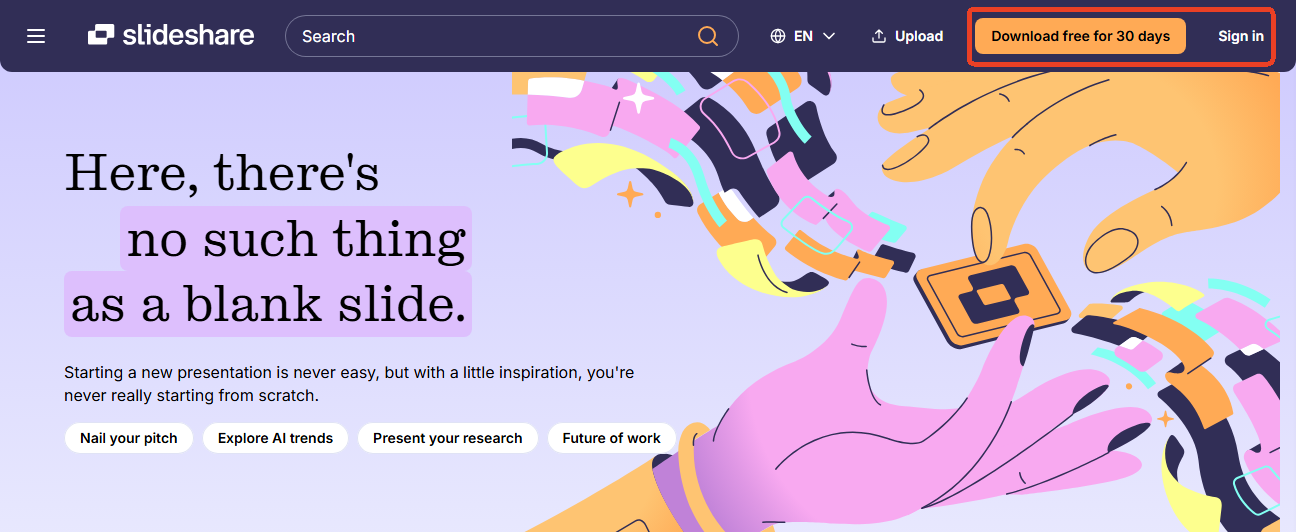
SlideShare has updated its system to a premium subscription framework, offering a 30-day trial followed by a monthly membership. During the free trial, you are allowed to download a limited number of premium document. Also, you can cancel at any time directly through your account settings to avoid future charges.
Step 1: Log in to your verified SlideShare/Scribd account and search for your presentation deck.
Step 2: Choose the wanted presentation and click the official “Download Now” button.
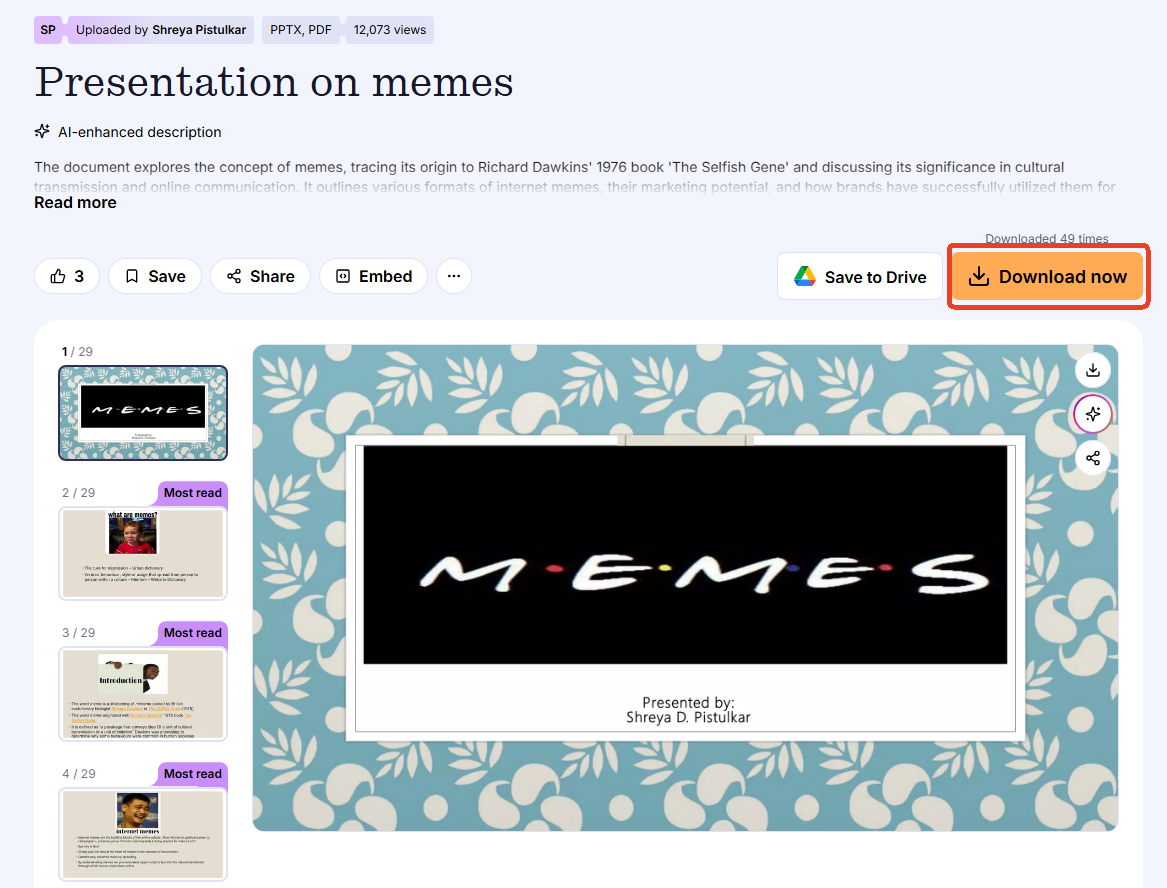
To complete a secure Slideshare free download officially when authors allow it, simply look for the native button beneath the presentation window. This button allows you to download from Slideshare directly to your local computer.
To reduce copyright risks and protect yourself from legal issues, always use these downloaded slides for personal study, academic research, or internal classroom training. If you plan to share the information or use it in your own work, remember to give proper credit to the original author in your references list. This simple habit keeps your workspace safe and respects the creative community.
How to Manage SlideShare PPT/PDF with JOPDF?
Online web tools often alter presentation fonts or save the files as heavy, non-editable images. After you use any of these tools to save your files, we highly recommend opening your new document inside JOPDF and you can get SlideShare in HD.

JOPDF – The Best Free PDF Editor
 User Rating: 4.8
JOPDF Is a 100% free POF editor for Windows, macOS, and Linux. Edit text, add images, annotate, sign, and more. No limits, no ads, no subscriptions, Fast, simple, and powerful, take full control of your PDFs in seconds!
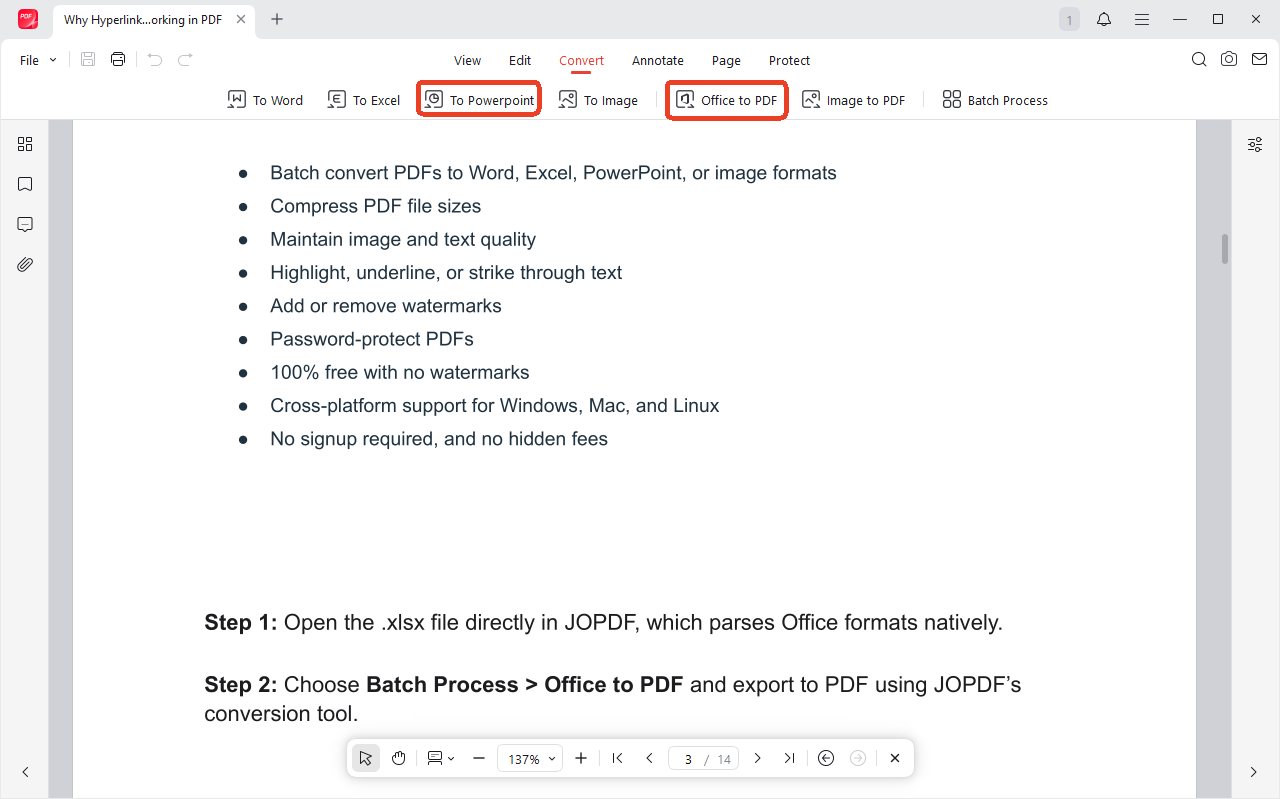
Running your file through JOPDF allows you to compress the heavy file sizes, crop out any messy background borders, and convert the sheets back into a smooth, editable PowerPoint file completely offline!
Step 1: Download and install JOPDF and open the file from the program.
Step 2: Go to the Convert tab and you can choose to convert PPT to PDF or Office to PDF.
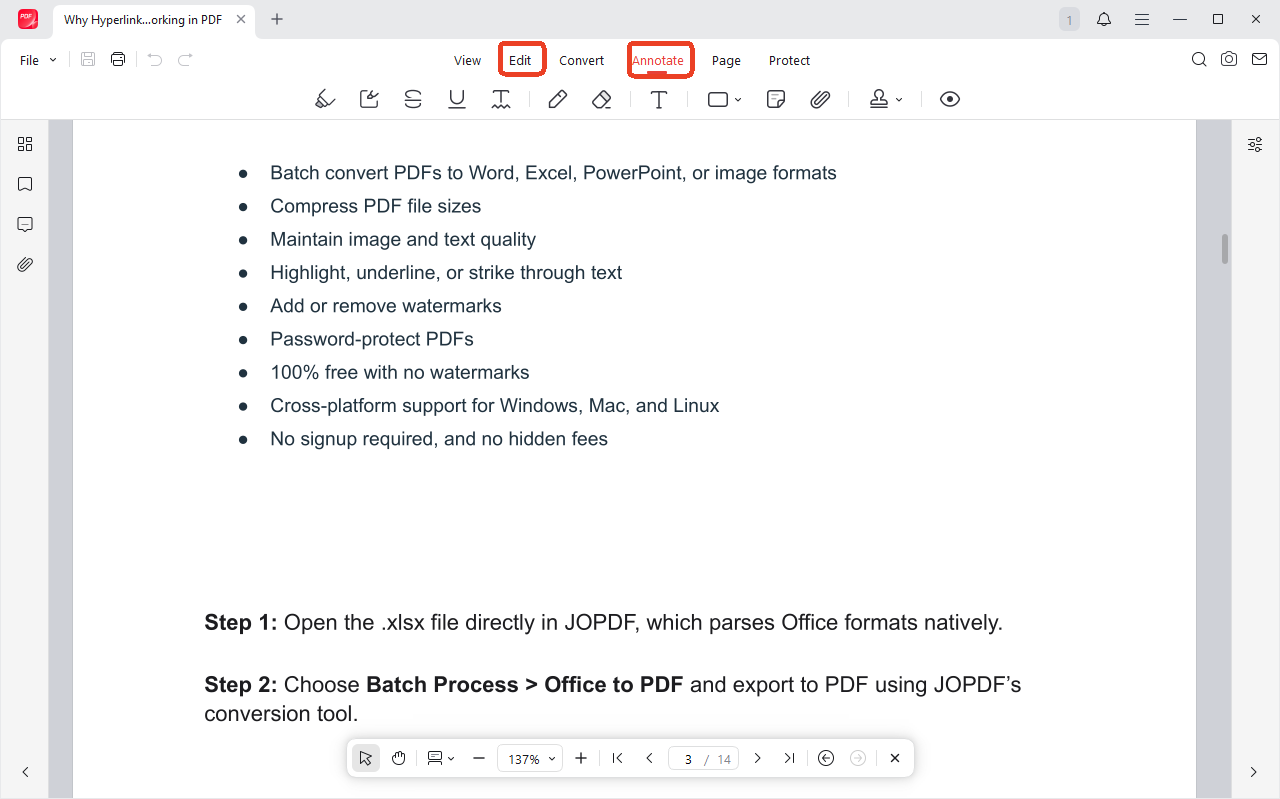
Step 3: If you want to edit the SlideShare PDF, JOPDF provides a full suite of editing tools here.
Conclusion
Learning the right ways to get a Slideshare free download file lets you build a powerful offline study library without risking your computer’s safety. While free online SlideShare downloaders are helpful temporary workarounds, using official subscription channels is the most reliable way to enjoy high-quality materials while supporting the creative community. Combine your official downloads with a versatile desktop program like JOPDF today to edit, compress, and organize your presentation files into a clean, professional digital workspace!
FAQs
Yes, but not all tools support original PPT retrieval. Simply-Debrid, GetMyPPT, and SlidesDownLoader can retrieve editable PPT files when the original upload is accessible. Tools that only offer PDF are using image reconstruction rather than file retrieval.
GetMyPPT offers a native Windows desktop application. For web-based tools that work on any operating system including Windows, Simply-Debrid and SlideShareDownloader.com are recommended.
They violate SlideShare's terms of service but do not generally violate criminal law for personal, non-commercial use. Distributing downloaded content or using it commercially without permission is legally riskier.
Yes. The platform itself is safe. It's the third-party downloader ecosystem that requires caution. Stick to the tools marked "Safe" in our comparison table.
Table of Contents

Your Best Free PDF Expert in PDF editing, compressing, converting, annotating, protect, organizing, and more.
Free DownloadWindows · macOS · Linux

Anna
Editor
“Anna, Editor-in-Chief and PDF expert, delivers deep insights into PDF document technology trends. She is dedicated to helping readers optimize their digital lives. When not writing, Anna loves exploring local cafes and reading, blending her technical expertise with a love for storytelling.”