The Wayback Machine is the internet’s memory. For over two decades, it has archived billions of web pages, letting anyone revisit old versions of websites or recover content that has long since disappeared. But it’s not perfect. This guide on JOPDF covers the 9 best Wayback Machine alternatives for 2026 and you’ll find a suitable alternative to Wayback Machine here. Each option includes what it does best, its limitations, and the use cases where it outperforms the Wayback Machine itself.
Summary :
Top 9 Wayback Machine Alternatives for 2026
Each of these Wayback Machine alternatives serves a distinct purpose. Some focus on speed and simplicity. Others add monitoring, compliance, or academic rigor. All offer something the Wayback Machine doesn’t, or do something the Wayback Machine does, but better.
Also Read:
- Mobilism Alternatives: Best Sites for Free eBooks, Audiobooks & Apps
- ISBN to PDF: How to Download PDF Books Using ISBN for Free (2026)
- SlideShare Downloader Free: Free PPT & PDF Download 2026 Guide
1. Archive.today
Archive.today is the most direct Wayback Machine alternative for users who want instant, reliable snapshots. Unlike the Wayback Machine, which crawls pages on a schedule, Archive.today generates an on-demand snapshot the moment you submit a URL. The process is fast and most snapshots complete within seconds.
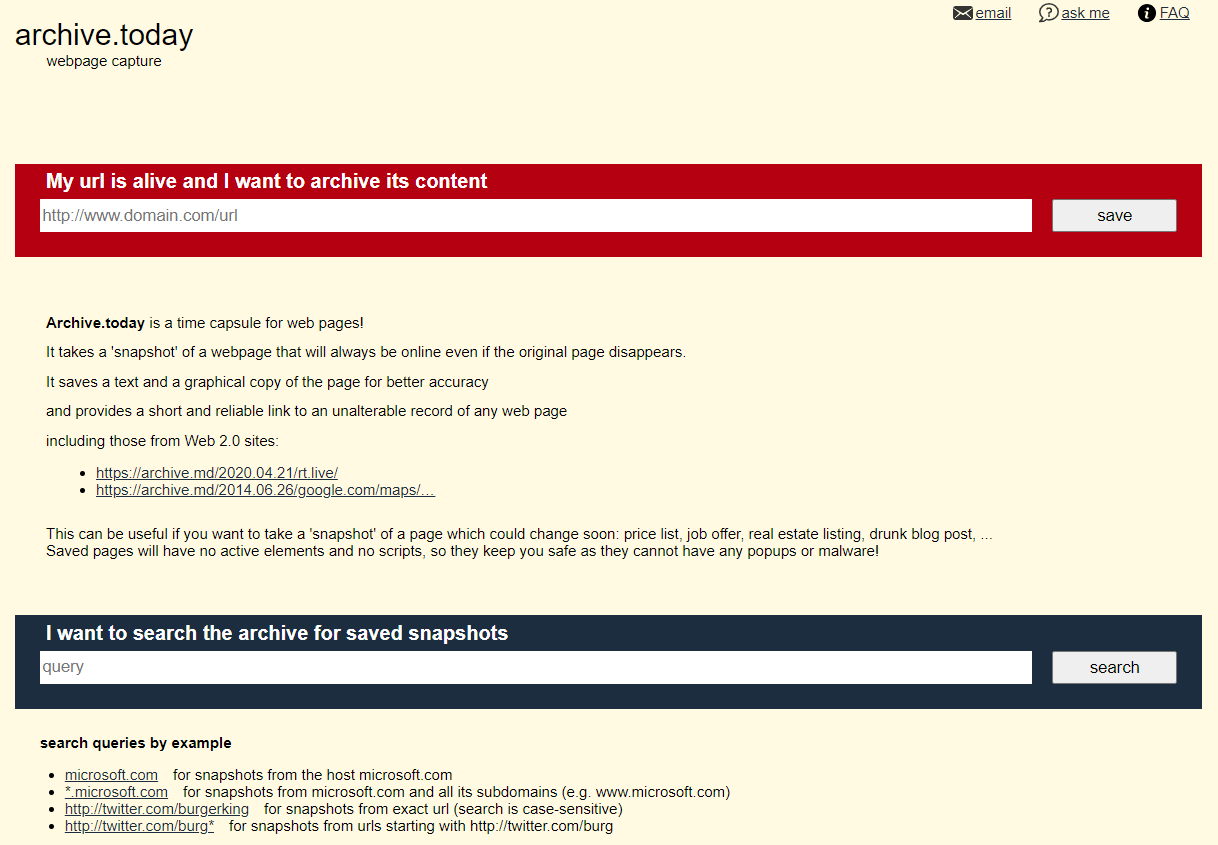
The tool’s standout feature is its ability to archive pages that actively block the Wayback Machine. Many news sites and paywalled content platforms configure their robots.txt to reject Wayback Machine crawlers. Archive.today ignores robots.txt entirely, capturing the page as a user would see it. This makes it the best alternative to Wayback Machine for viewing blocked or restricted content.
Archive.today also offers multi-location snapshots. You can request the page be captured from different geographic servers, which is useful for seeing localized versions of a website. The downside is that Archive.today doesn’t offer the same depth of historical browsing. You get the snapshot you request, and previous snapshots of the same URL are available, but there’s no timeline-based calendar view like the Wayback Machine provides.
For quick, reliable page capture, especially for sites that resist archiving, Archive.today is the strongest Wayback Machine alternative free option available.
Archive.today Features:
- On-demand instant page snapshots
- Multi-location geographic capture (save pages from different country servers)
- Ignores robots.txt restrictions, capturing blocked content
- Generates short permanent links for sharing archived pages
- Supports JavaScript-heavy and dynamic pages
- No registration required
Best For: Quick page capture, blocked content, and users who need a fast Wayback Machine alternative free of heavy server load.
2. Memento Time Travel
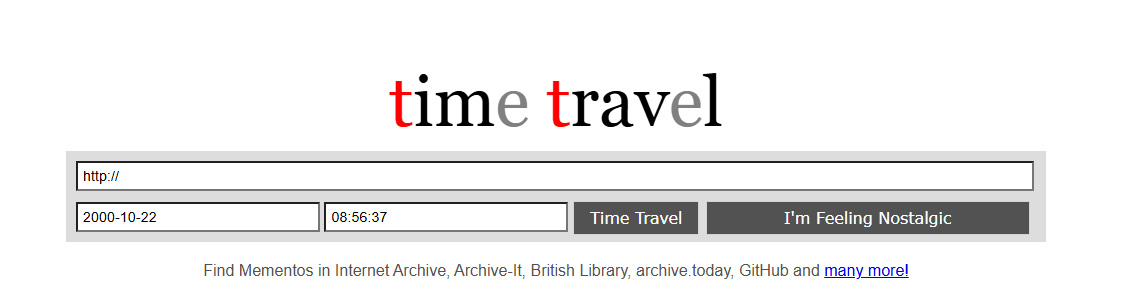
Memento Time Travel is not an archive itself. It’s a meta-search engine that queries multiple web archives simultaneously. Enter a URL and a date, and Memento searches the Wayback Machine, Archive.today, national library archives, and dozens of other websites like the Wayback Machine to find the closest available snapshot.
This makes Memento one of the most powerful alternatives to the Wayback Machine for academic research and investigation. If a page isn’t archived in one source, it might exist in another. Memento finds it. The service is maintained by the Memento Project, a research initiative focused on web archiving interoperability, and is used by universities and research institutions worldwide.
The interface is technical. You need to specify both a URL and a datetime in the proper format. This isn’t a tool for casual browsing. But for researchers, journalists, and legal professionals who need to exhaust every possible archive, Memento Time Travel is an essential Wayback Machine similar site that complements rather than replaces the Wayback Machine.
Memento Time Travel Features:
- Cross-archive search aggregating multiple web archives simultaneously
- Timeline-based browsing across different archive sources
- Access to Wayback Machine, Archive.today, national library archives, and more
- Maintained by academic research institutions
- API access for programmatic queries
- Free and open-source
Best For: Academic researchers, investigative journalists, and anyone who needs exhaustive alternatives to the Wayback Machine across multiple archive sources.
Also Read: 7 Top Free PDF to MIDI Converters – How to Convert Sheet Music to MIDI?
3. CachedPages
CachedPages is the fastest sites like Wayback Machine option for checking the current state of a page. It doesn’t maintain its own archive. Instead, it queries multiple live cache sources — Google Cache, the Wayback Machine, CoralCDN, and several others — and returns whatever is available.
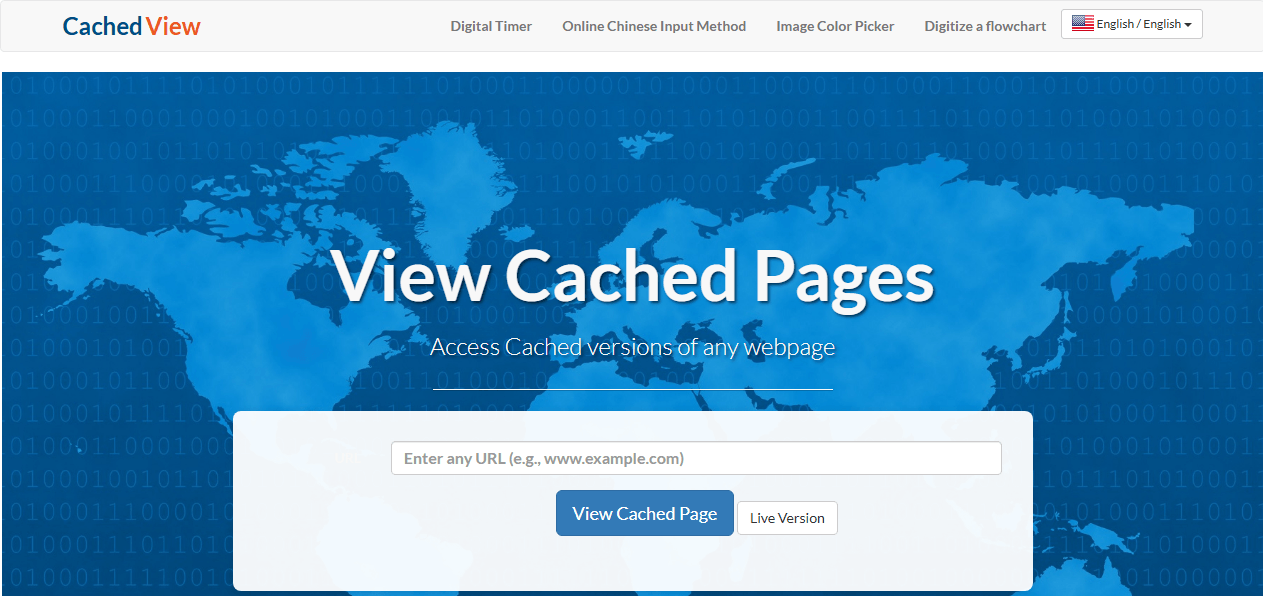
The interface is dead simple. Paste a URL, click a button, and within seconds you can see the most recent cached version from each source. There’s no historical browsing, no date picker, and no monitoring. This is a pure utility tool for when you need to see what a page looked like recently and the live version is down or changed.
For SEO professionals checking whether Google has indexed a page’s latest changes, or for anyone who needs a quick alternative to Wayback Machine without waiting for slow archive servers, CachedPages delivers exactly what its name promises.
CachedPages Features:
- Multi-source cache viewer querying Google Cache, Wayback Machine, CoralCDN simultaneously
- Lightning-fast results without archive server delays
- Simple single-URL interface
- No registration or account required
- Displays most recent cached version from each source
- Lightweight and mobile-friendly
Best For: SEO professionals checking indexed pages, quick current-state page recovery, and users who want the fastest alternative to Wayback Machine for recent content.
4. Pagefreezer
Pagefreezer is an enterprise-grade Wayback Machine alternative designed for legal compliance and regulatory requirements. It doesn’t just take screenshots, it captures entire web pages, social media posts, and enterprise collaboration platforms in forensically sound formats with digital signatures and timestamps.
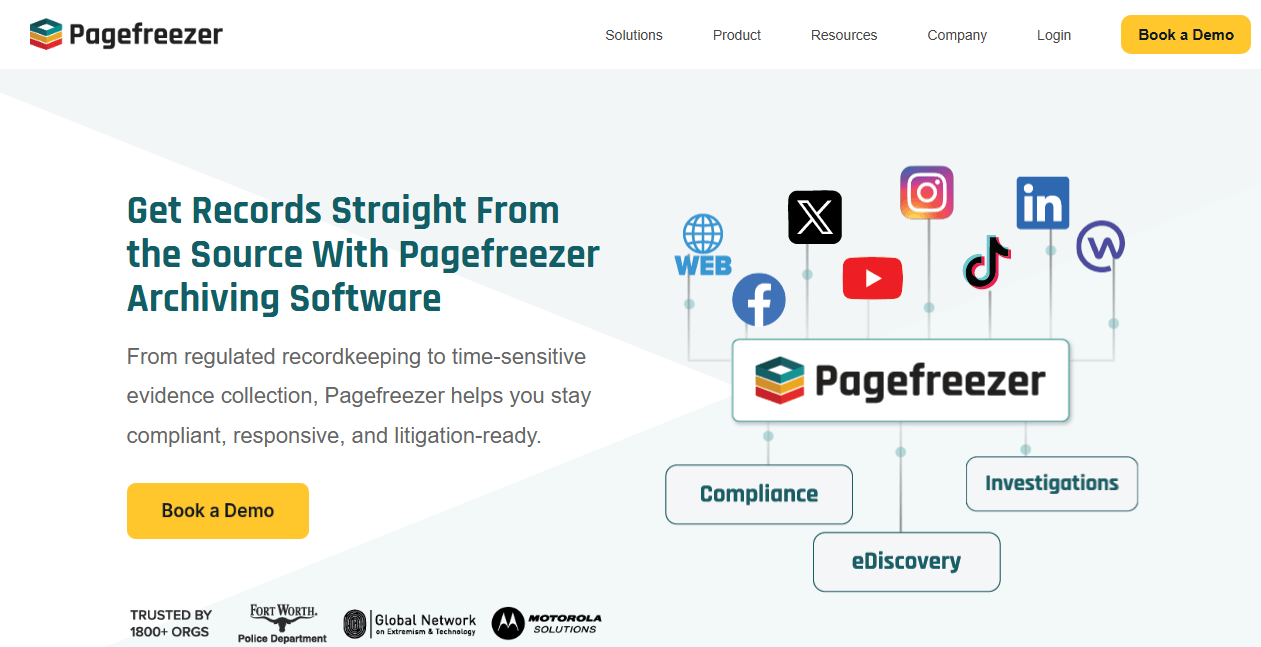
This is the tool that large corporations, law firms, and government agencies use when archived web content needs to stand up in court. Pagefreezer provides a chain of custody for every capture, automated archiving on custom schedules, and real-time monitoring with alerts. It integrates with platforms like Slack, Microsoft Teams, and Facebook Workplace.
Pagefreezer is a paid service with pricing calibrated for organizational budgets. It’s not a Wayback Machine alternative free option for casual users. But for any scenario where archived web content must be defensible as legal evidence, Pagefreezer is the standard among websites similar to Wayback Machine for enterprise use.
Pagefreezer Features:
- Forensically sound web page capture with digital signatures
- Chain of custody documentation for legal evidence
- Automated scheduled archiving at custom intervals
- Social media and enterprise platform monitoring (Slack, Teams, Facebook Workplace)
- Real-time change alerts
- Compliance reporting for regulatory requirements
Best For: Legal professionals, compliance officers, and enterprises that need websites like Wayback Machine with courtroom-admissible documentation.
Also Read: How to Convert PDF to Visio: 4 Reliable Methods
5. Stillio
Stillio automates web page screenshots on a schedule you define. Daily, weekly, or hourly — Stillio captures the page as an image and stores it in your account. You can track multiple pages, compare captures side by side, and receive alerts when significant changes are detected.
This makes Stillio one of the best sites like the Wayback Machine for brand monitoring and competitive intelligence. Marketing teams use it to track competitor pricing pages. SEO teams use it to document title tag and content changes. Legal teams use it to maintain visual records of compliance disclosures.
Stillio is a paid service with tiered pricing based on the number of pages tracked and capture frequency. There’s a free trial, but ongoing use requires a subscription. Unlike the Wayback Machine, Stillio doesn’t offer public access to its archives, which means your captures are private. This privacy makes it attractive for business use but limits its value as a general-purpose wayback alternative.
Stillio Features:
- Automated scheduled web page screenshots (daily, weekly, hourly)
- Side-by-side comparison view for detecting changes
- Private archives accessible only to account holders
- Multiple URL tracking with organized folders
- Email alerts for significant page changes
- Export captures in multiple formats
Best For: Brand managers monitoring competitor sites, marketing teams tracking campaigns, and businesses needing private sites like the Wayback Machine for internal records.
6. Perma.cc
Perma.cc is a web archiving service built specifically for academic citation and legal scholarship. It was developed by the Harvard Library Innovation Lab in response to link rot — the phenomenon where URLs in academic papers and court decisions break over time, rendering citations useless.
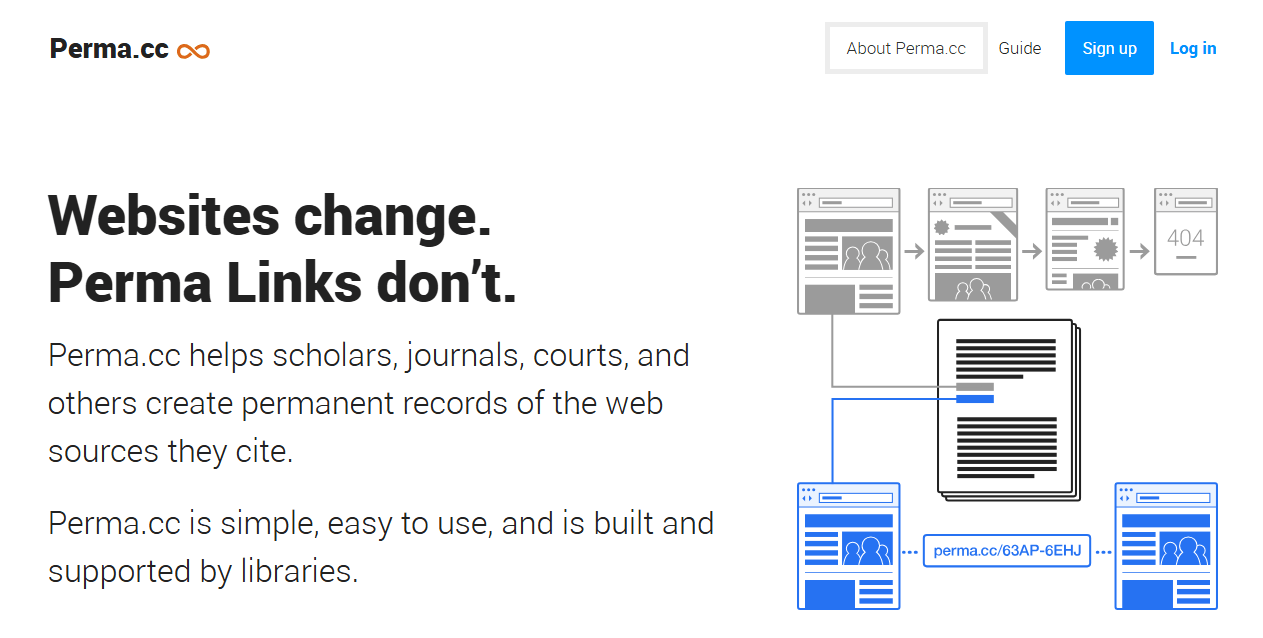
When you create a Perma.cc link, the service generates a permanent, archived snapshot of the page. This snapshot receives a unique URL that will never change, ensuring that citations remain verifiable indefinitely. Perma.cc is widely recognized by academic journals, law reviews, and courts as a trusted preservation tool.
The service is free for individual researchers with a limited number of links per month. Institutional accounts offer higher limits and collaborative features. For anyone who needs a Wayback Machine alternative specifically for preserving cited sources, Perma.cc is purpose-built and peer-recognized. It’s not a browsing tool; it’s a permanent record tool, and among websites like Wayback Machine, it serves one of the most important functions in academia.
Perma.cc Features:
- Permanent citation links that never break or change
- Recognized by academic journals, law reviews, and courts
- Institutional accounts with collaborative features
- Free tier for individual researchers
- Simple bookmarklet for one-click archiving
- Built by Harvard Library Innovation Lab
Best For: Academics preserving cited sources, legal professionals creating permanent references, and anyone needing a trusted Wayback Machine alternative for verifiable citations.
7. Visualping
Visualping monitors web pages for visual changes and sends alerts when something updates. You select a page and the specific area you want to track and then Visualping captures it at regular intervals. When a change is detected, you receive an email, Slack, or SMS notification.
This makes Visualping a practical tool similar to Wayback Machine for price tracking, restock alerts, and competitive monitoring. It’s less about historical archiving and more about real-time awareness. The service offers a free tier with limited checks per month and paid plans for higher frequency monitoring.
Unlike the Wayback Machine, Visualping doesn’t provide public access to its captures. Your monitored pages and their history are private. For users who want to know when a page changes rather than what it looked like years ago, Visualping is the most consumer-friendly wayback alternative available.
Visualping Features:
- Visual change detection on selected page areas
- Custom monitoring intervals (hourly, daily, weekly)
- Multi-channel alerts (email, Slack, SMS)
- Side-by-side change comparison
- Free tier with limited monthly checks
- Browser extension for easy setup
Best For: Price trackers, restock monitors, and casual users who want a tool similar to Wayback Machine focused on real-time change alerts.
8. ChangeTower
ChangeTower is an enterprise website monitoring platform that combines archiving, change detection, and team collaboration. It monitors pages for text, visual, and code-level changes, maintains a historical archive of all captures, and integrates with workplace tools like Slack, Teams, and Trello.
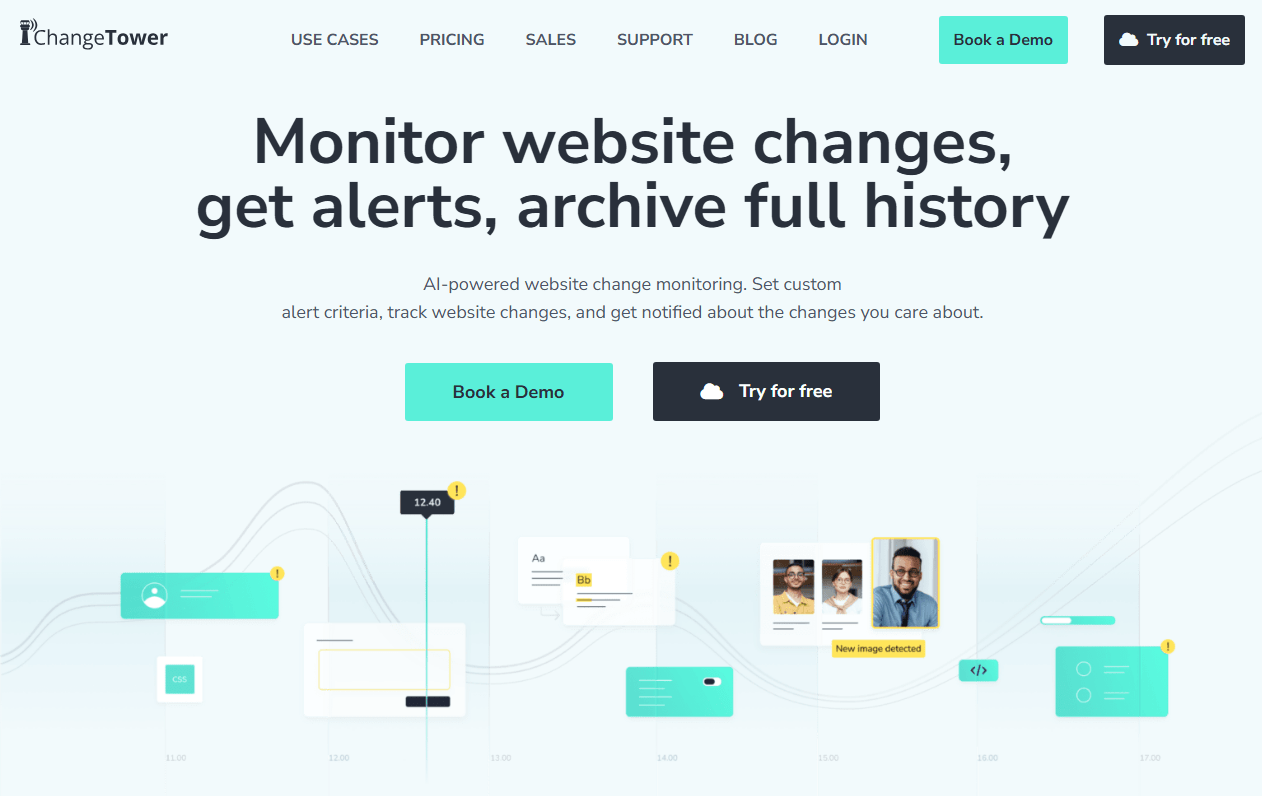
ChangeTower is designed for organizations that need to track many pages across multiple teams. Compliance officers monitor regulatory pages. Marketing teams track competitor content. IT teams watch for unauthorized changes to internal portals. The platform supports API access for custom integrations and provides detailed change reports suitable for internal auditing.
As a Wayback Machine similar site, ChangeTower goes well beyond what the Wayback Machine offers in terms of monitoring and alerting. It’s a paid enterprise service with pricing based on the number of monitored pages and check frequency. For small businesses and enterprises with structured monitoring needs, it’s among the most capable Wayback Machine alternatives.
ChangeTower Features:
- Enterprise-grade website monitoring and archiving
- Text, visual, and code-level change detection
- Historical archive of all page captures
- Team collaboration with role-based access
- API integration for custom workflows
- Detailed change reports for auditing
Best For: Large organizations needing structured monitoring, compliance teams tracking regulatory pages, and enterprises seeking Wayback Machine similar sites at scale.
9. Common Crawl
Common Crawl is fundamentally different from every other waybackmachine alternative on this list. It’s not a website you visit to browse archived pages. It’s a massive, open dataset of web crawl data — billions of pages stored as raw files that anyone can download and analyze.
Common Crawl releases new crawls several times a year, each containing petabytes of web data. Researchers, data scientists, and AI developers use this data for natural language processing, trend analysis, and training machine learning models. Accessing it requires technical skill — you need to work with large-scale data processing frameworks — but the dataset is free and unrestricted.
For the typical user looking for sites similar to Wayback Machine to browse old web pages, Common Crawl is overkill. For a data scientist building a language model or a research team analyzing web trends, it’s irreplaceable. It represents the opposite end of the accessibility spectrum from the Wayback Machine: maximum data, minimum convenience, and total flexibility.
Common Crawl Features:
- Petabyte-scale open web crawl datasets
- New crawls released multiple times per year
- Raw data access for custom analysis
- Free and unrestricted usage
- Widely used for NLP training and AI development
- Community-maintained tools and libraries
Best For: Data scientists, AI researchers, and technical users who need web-scale raw data rather than a browsable waybackmachine alternative interface.
Comparison of Wayback Machine Alternatives
Every Wayback Machine alternative on this list serves a different purpose. Some prioritize massive historical archives. Others focus on on-demand capture, monitoring, or legal compliance. The table below breaks down the key differences. After the table, we’ve categorized each platform by use case so you can jump straight to the best alternative to Wayback Machine for your specific needs.
| Platform | Free/Paid | Archive Method | Historical Browsing | Best For |
| Wayback Machine | Free | Crawler-based | Yes (calendar view) | General web history |
| Archive.today | Free | On-demand snapshot | Limited | Blocked content, quick capture |
| Memento Time Travel | Free | Multi-source aggregator | Yes | Academic research, deep investigation |
| CachedPages | Free | Cache viewer | No | Quick current-state checks |
| Pagefreezer | Paid | Enterprise capture | Yes | Legal compliance, evidence |
| Stillio | Paid | Scheduled screenshots | Yes | Brand monitoring, competitor tracking |
| Perma.cc | Freemium | On-demand snapshot | Yes | Academic citations, legal references |
| Visualping | Freemium | Change monitoring | Limited | Price tracking, page change alerts |
| ChangeTower | Paid | Change monitoring | Yes | Enterprise monitoring, team compliance |
| Common Crawl | Free | Bulk data | No | Data analysis, AI training |
Which Wayback Machine Alternative Is Right for You?
Different users need different Wayback Machine alternatives. Here is a quick guide based on what you’re trying to do.
#1. For Quick Page Recovery
Your best options are CachedPages and Archive.today. Both deliver fast results without the heavy server load of the Wayback Machine.
- CachedPages pulls from multiple cache sources simultaneously.
- Archive.today handles JavaScript-heavy pages and blocked content that the Wayback Machine misses.
These are the most practical sites like the Wayback Machine for everyday use.
#2. For Academic Citation
- Perma.cc is purpose-built for scholars and researchers. It creates permanent, legally recognized citation links that won’t break over time.
- Memento Time Travel adds the ability to search across multiple archives, which is valuable for exhaustive literature reviews.
Both are superior alternatives to the Wayback Machine for academic work.
#3. For Legal Evidence
Pagefreezer is the clear choice. Its digital signatures, chain of custody documentation, and forensically sound capture process are designed to withstand courtroom scrutiny. No free Wayback Machine alternative offers comparable legal defensibility.
#4. For Business and Brand Monitoring
Stillio and ChangeTower lead this category. Both provide private, scheduled archives that complement the public websites like Wayback Machine used for general research.
- Stillio is simpler and suited for smaller teams tracking a manageable number of pages.
- ChangeTower scales to enterprise needs with team collaboration and API access.
#5. For Free Personal Use
Archive.today and CachedPages are the best Wayback Machine alternative free options. Both work instantly, require no registration, and handle the most common use cases. Memento Time Travel is free but more technical. UK Web Archive is free but geographically limited.
#6. For Data Analysis and Research
Common Crawl provides raw, unrestricted access to web-scale data. It’s not a browsing tool; it’s a dataset. For researchers with technical skills, it’s the most powerful Wayback Machine similar site available.
Best Practices for Web Archiving
To get the most out of any alternative to Wayback Machine, follow these tips:
- Archive critical pages regularly – Do not rely solely on external crawls; take your own snapshots at key moments (e.g., after a product launch or before a regulatory change).
- Cross‑verify important content – Save the same page to at least two different services to guard against one service failing.
- Keep your own archive index – Maintain a simple spreadsheet with the URL, date, and which tool you used to archive it. This makes retrieval much easier later.
- Test dynamic content – If your page relies on JavaScript, use Webrecorder or ArchiveBox with a headless browser to ensure faithful capture.
How JOPDF Helps You Save and Manage Archived Web Pages
Finding an old web page through a Wayback Machine alternative is only half the task. The next step is preserving it. Archived pages on third-party services can disappear if the service changes its policies. Saving a local PDF copy ensures the content stays yours permanently.

JOPDF – The Best Free PDF Editor
 User Rating: 4.8
JOPDF Is a 100% free POF editor for Windows, macOS, and Linux. Edit text, add images, annotate, sign, and more. No limits, no ads, no subscriptions, Fast, simple, and powerful, take full control of your PDFs in seconds!
JOPDF is a Windows desktop PDF editor that handles everything after you’ve found the archived page you need. You can also edit, merge, and organize your saved files into a structured, searchable collection.
Step 1: Open the archived page you found and press Ctrl + P to open your browser’s print dialog.
Step 2: Select Save as PDF as the destination and save the file to your computer.
Step 3: Download and install JOPDF, and then launch it.
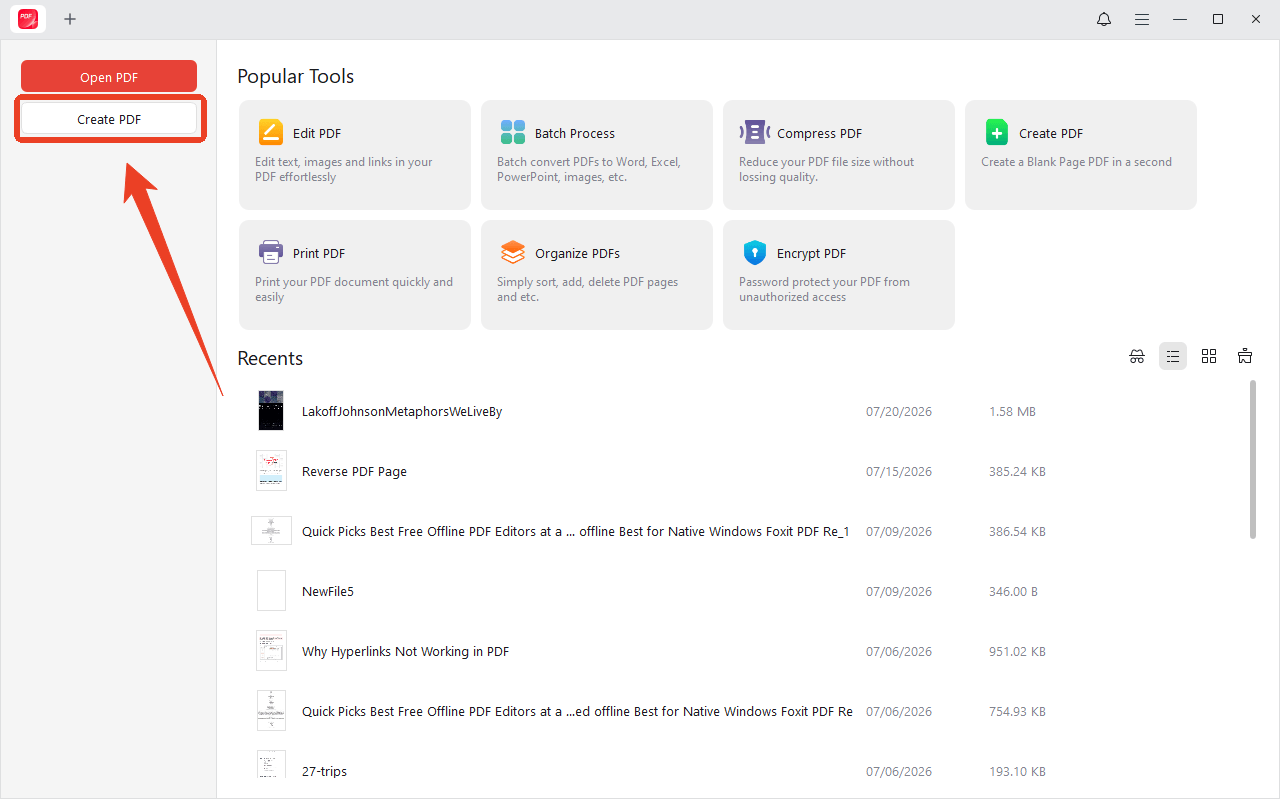
Step 4: Click Create PDF to choose the saved PDFs and import multiple saved pages into a single document.
Alternatively, you can merge separate PDFs into one organized file. This turns scattered snapshots from different sites like Wayback Machine into a cohesive research document.
Step 1: Go to Batch Process > Merge PDF.
Step 2: Drag and drop thumbnails in the sidebar to arrange pages in chronological order.
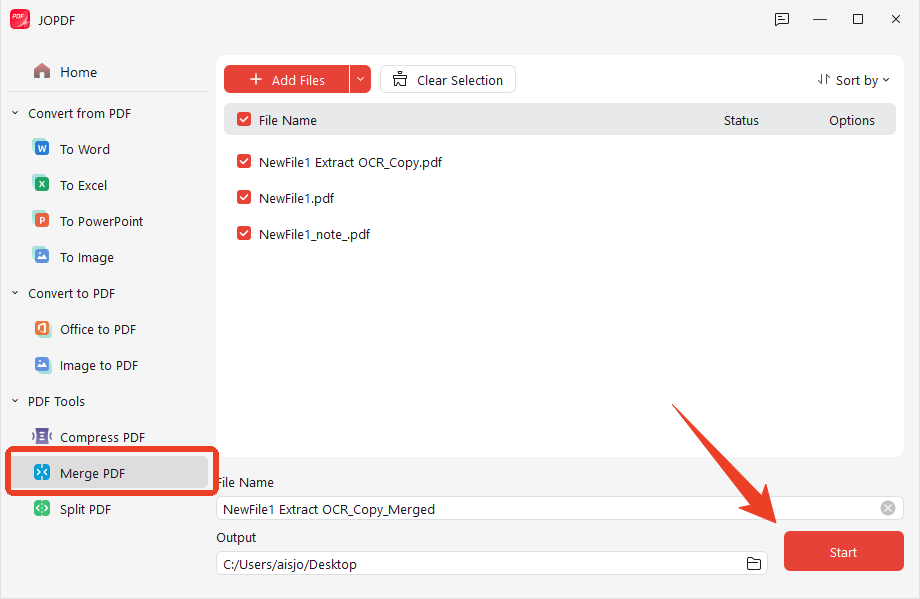
Step 3: When finished, click Start to initiate the task.
JOPDF also provides other functions to help you clean up the output, including:
- Delete blank pages, ads, or irrelevant sections that were captured alongside the content.
- Rotate any pages that saved in the wrong orientation.
- Crop margins if the browser captured excess white space.
- Use JOPDF’s Compress feature to reduce file size without visible quality loss.
Final Thoughts
The Wayback Machine remains the largest and most comprehensive web archive in existence. But “largest” doesn’t mean “best for everything.” The nine Wayback Machine alternatives in this guide each excel at something the Wayback Machine does not.
The right Wayback Machine alternative depends on what you need. Most users benefit from a combination: the Wayback Machine for broad historical browsing, Archive.today for blocked content, and JOPDF for saving everything as permanent, organized PDFs. The internet’s history is fragile. Having multiple tools to preserve it is the smartest approach.
FAQs
Archive.today, Memento Time Travel, and CachedPages are the top free Wayback Machine alternatives. For paid options, Pagefreezer and Stillio lead in their respective categories.
Archive.today is specifically designed to archive pages that block the Wayback Machine's crawler. It ignores robots.txt restrictions and captures the page as a user would see it.
In a Wayback Machine vs Archive.today comparison, the Wayback Machine wins on historical depth. Archive.today wins on speed, on-demand capture, and ability to archive blocked content.
Yes, but choose carefully. Pagefreezer is specifically designed for legal-grade web archiving with digital signatures and chain of custody documentation. Most free alternatives to the Wayback Machine lack these features.
Yes. Visualping and ChangeTower specialize in monitoring web pages for changes and sending alerts. They complement traditional websites like Wayback Machine that focus on historical archiving.
Table of Contents

Your Best Free PDF Expert in PDF editing, compressing, converting, annotating, protect, organizing, and more.
Free DownloadWindows · macOS · Linux

Anna
Editor
“Anna, Editor-in-Chief and PDF expert, delivers deep insights into PDF document technology trends. She is dedicated to helping readers optimize their digital lives. When not writing, Anna loves exploring local cafes and reading, blending her technical expertise with a love for storytelling.”