
PDF Guru is a web-based document platform that handles conversions, compression, and editing. Is it legit? Yes, the tool functions, but the billing practices catch many users off guard. In our PDF Guru reviews on JOPDF, we will examine its file safety, explain how to handle subscription changes, and introduce a secure local desktop program to process your files safely without unexpected fees.
Summary :
What Is PDF Guru?
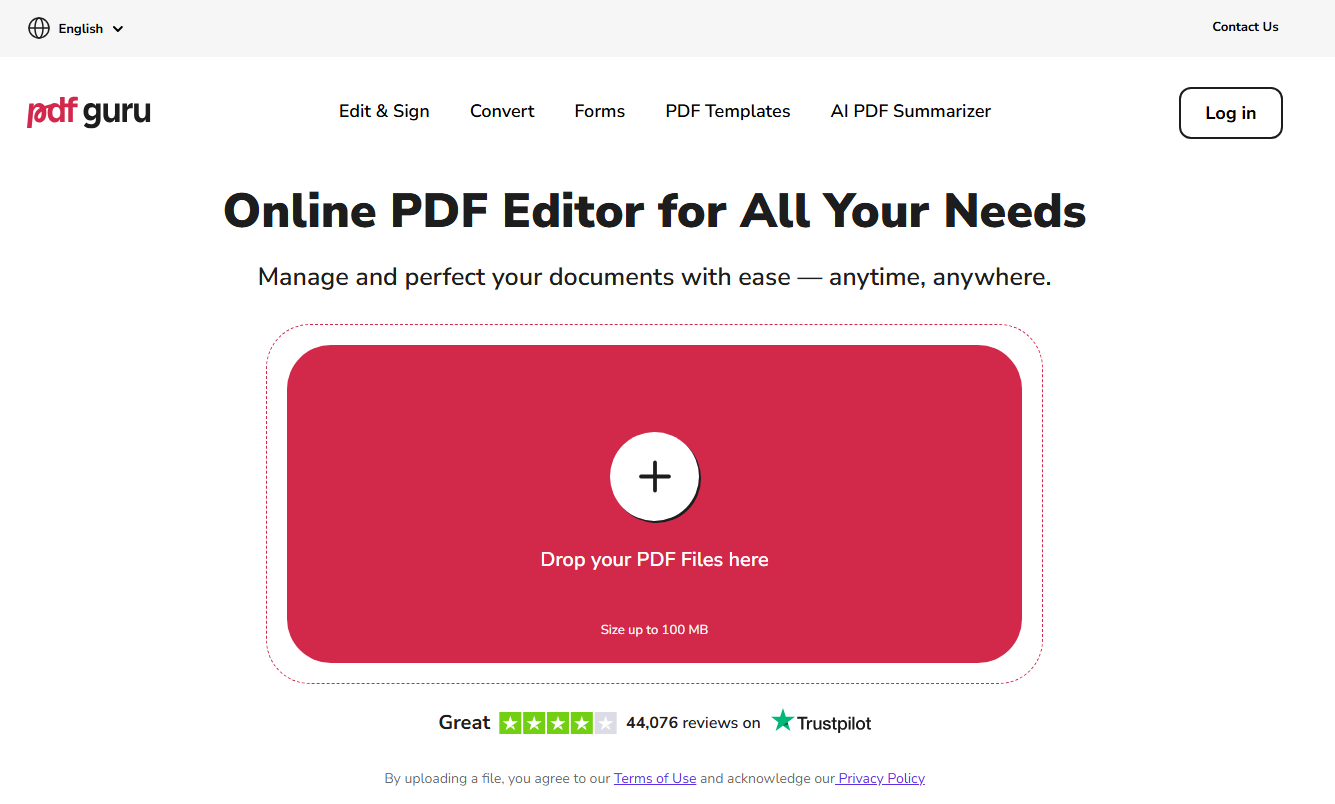
People are used to using PDF Guru managing school assignments or daily office paperwork. So, What is PDF Guru? This platform, often spelled simply as PDFGuru, is a cloud-based service designed to help you edit, merge, and split files from any device. Many users look at the site as a versatile PDF converter Guru because it allows you to transform Word documents or images into standard formats directly inside your web browser.
When you use PDF Guru, you do not need to install any heavy background program to complete your basic editing tasks. However, understanding how PDF Guru structures its access tiers will help you avoid unexpected credit card costs down the road.
Also See: Best Free Offline PDF Editor 2026: 5 Tools That Work Without the Internet
Is PDF Guru Free? PDF Guru Pricing and the Auto-Renewal
PDF Guru relies heavily on a short, low-cost introductory period to attract people who just need to complete a single, quick document edit. If you choose to use PDFGuru for a quick project, you will generally be offered a 7-day introductory tier. The real cost of this trial ranges between $0.99 and $1.99, depending on whether you pick limited or full utility options.
- 7-Day Limited Access: $0.99 for 7 days, then $49.99 every month
- 7-Day Full Access: $1.99 for 7 days, then $49.99 every month
- Annual Plan: $299 charged once per year
According to hundreds of public consumer complaints on the Better Business Bureau (BBB) and Reddit threads, the platform does not send out warning emails or notification alerts before deducting the $49.99 amount from your credit card or PayPal account. Furthermore, their official refund terms state that payments made through the web portal are strictly non-refundable.
Is PDF Guru Safe and Legit?
This is a common question. Is PDF Guru safe when you upload personal or work files? Technically, the site uses encryption. That means your files are protected during upload and download. We did not find any virus or malware risks from using the website.
But is PDF Guru safe for privacy? That depends on your comfort level. Because it is cloud-based, your PDFs go to their servers. If you handle sensitive information like contracts or personal IDs, you might want to think twice.
Also, when people ask is PDF Guru legit, the answer is mixed. The company exists and provides a service. But many users feel the billing practice is not transparent. So while the tool itself is not a virus, we understand why some people feel uneasy about using it.
PDF Guru Reviews: What Users Are Saying
Reading through customer PDF Guru reviews on Trustpilot and Reddit shows that users often feel surprised by these automatic credit card charges when they only intended to edit a single file. Most users do not complain about broken features.
Here are common things we saw in PDF Guru reviews:
- People signed up for a $0.99 trial and got charged $49.99 later
- Users could not find the PDF Guru cancel subscription button easily
- Refund requests were denied or took weeks
- Customer support was slow to respond
One Reddit user said, “I used it once and forgot to cancel. Then I saw $49.99 on my card.” Another wrote, “The tool works fine, but finding how to cancel PDF Guru subscription was a nightmare.”
That said, some PDF Guru reviews are positive. A few users said the editing tools worked well for one-time tasks. But even those people warned others to read the terms carefully before paying.
How to Cancel PDF Guru Subscription
If you already signed up, you need to know how to cancel PDF Guru subscription as soon as possible. Waiting too long means another charge. Here is a full guide to PDF Guru cancel process.
Step 1: Log into your PDFGuru account on their website and go to the account page.
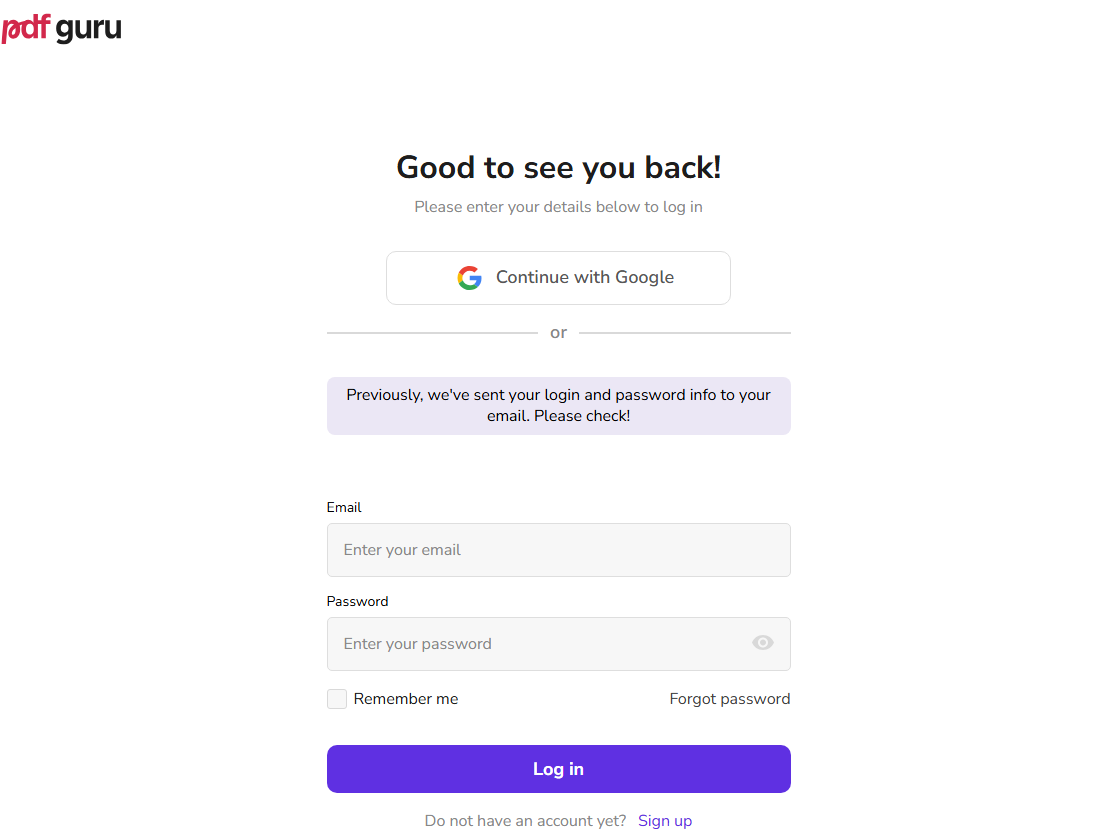
Step 2: Click on the Plan and Payment section and select the cancel option to disable the automated monthly renewal loop.
Step 3: Check your email inbox to confirm that you received a formal confirmation message.
Tips
If you cannot find it, send an email to [email protected]. Ask for the PDF Guru cancel subscription confirmation. Keep that email.
One important thing. You must cancel at least 24 hours before the trial ends. Otherwise, the system will charge you for another month.
How Do You Make a PDF Smaller on PDF Guru? We Tested It
As a PDF converter Guru is also a good choice for most users to make a PDF smaller. Here, we tested this feature ourselves. You can follow the next steps to make your PDF smaller on PDF Guru.
Step 1: Go to their online PDF compressor and upload your file.
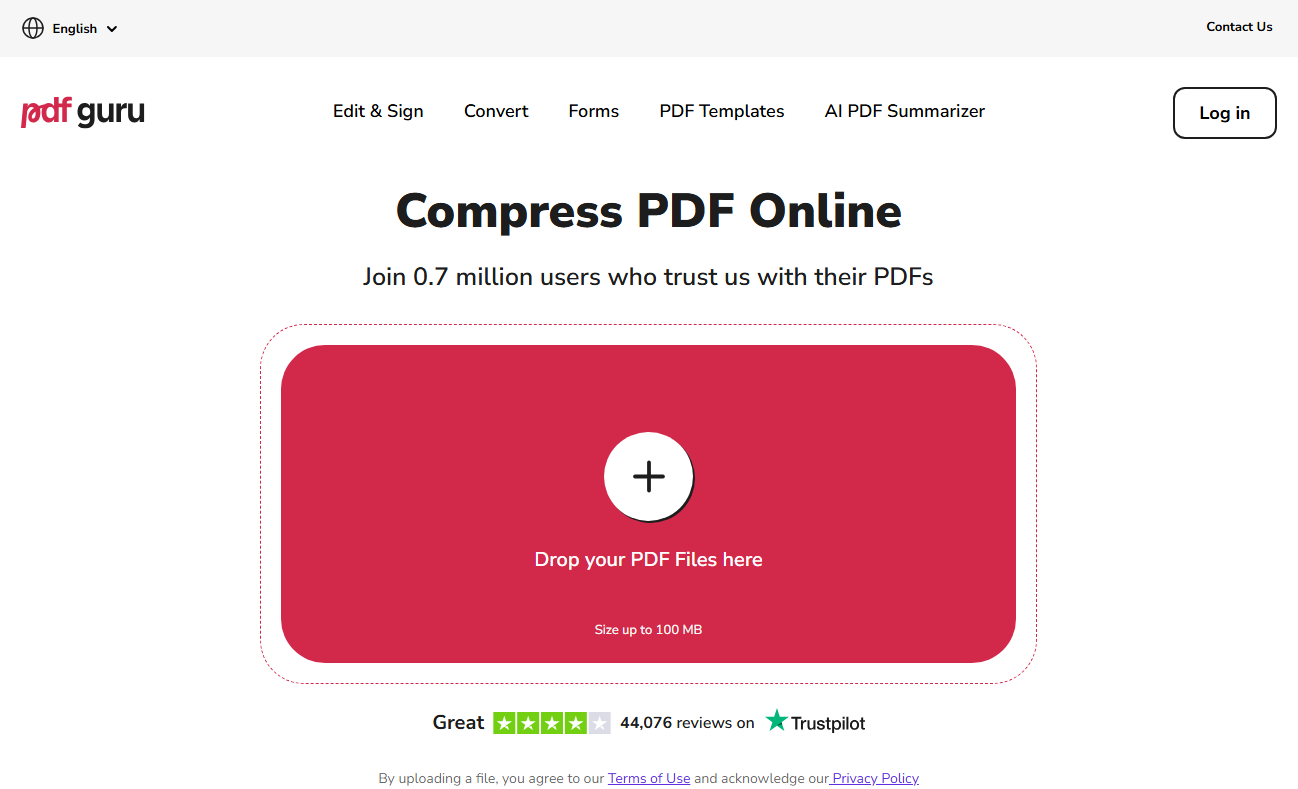
Step 2: Choose the compression level and click Compress.
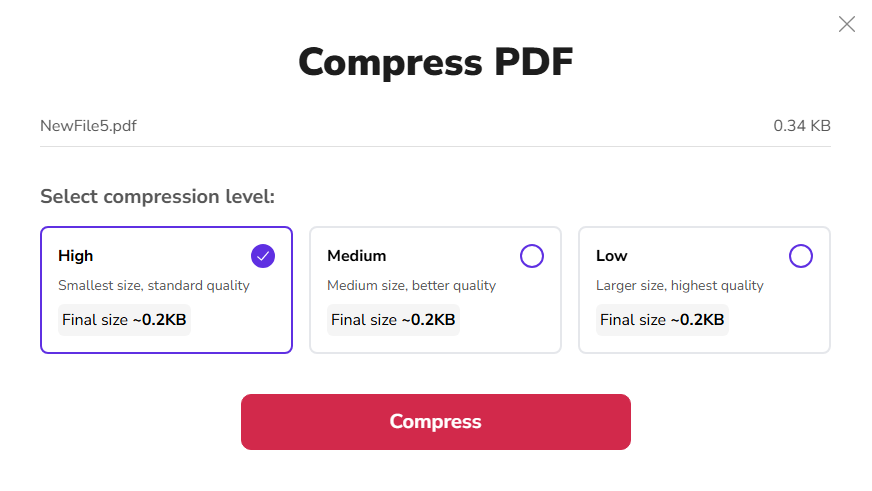
Step 3: When you finish that, it will ask you to choose a format to download the compressed version. However, because PDFGuru restricts direct downloads for non-paying users, you will eventually face a payment prompt to save the lighter file to your computer.
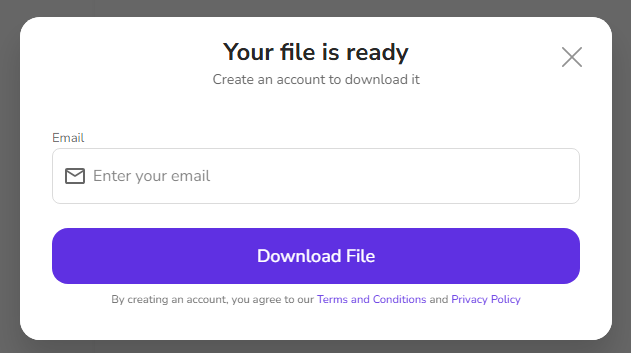
That is different from what many people expect. Most users think compression is a basic free feature. But PDF Guru treats it as a paid service.
Also See: How to Convert PDF to Word Without Formatting Errors (2026 Guide)
JOPDF: A Safe, Subscription-Free Desktop Alternative
If you want to avoid online tracking, data uploads, and complicated cancellation rules altogether, switching to a local program is an excellent choice. JOPDF is a completely free, lightweight desktop PDF editor that allows you to handle all your document tasks locally on your computer’s hard drive. Instead of worrying about “is PDF Guru safe” for sensitive medical records or financial files, you can use JOPDF to keep your personal data entirely offline.

JOPDF – The Best Free PDF Editor
 User Rating: 4.8
JOPDF Is a 100% free POF editor for Windows, macOS, and Linux. Edit text, add images, annotate, sign, and more. No limits, no ads, no subscriptions, Fast, simple, and powerful, take full control of your PDFs in seconds!
- No auto-renewal surprises. You never have to search for PDF Guru cancel again.
- Your files stay on your computer. Privacy is better because nothing goes to a cloud server.
- You can compress PDFs for free.
- No hidden terms. What you see is what you get.
Head-to-Head Comparison: PDF Guru vs. JOPDF Suite
To see why moving your paperwork to a local desktop application makes your daily workflow much easier, review this quick comparison matrix:
| Core Performance Evaluator | Online Cloud Platforms (PDF Guru) | JOPDF Local Desktop Client |
| Data Processing Privacy | Low (Files are uploaded to remote servers) | Maximum (100% Offline on your PC) |
| Billing & Subscription Plan | Low-cost trials that auto-renew into high fees | Completely Free Local Installation |
| Cancellation Hassles | Requires navigating customer support loops | None (Completely controlled by you) |
| File Compression Quality | Restricted compression rates on free tiers | Advanced multi-ratio compression |
Also See: How to Save Emails as PDFs Safely: 2026 Guide (Outlook & Gmail)
Conclusion
While web tools like PDF Guru provide a quick way to convert files in an emergency, dealing with automatic trial renewals and data privacy risks can cause unnecessary stress. You do not need to risk your financial peace of mind or share your personal billing details just to edit standard office paperwork. By shifting your document management habits to a dedicated offline client, you can complete your tasks with complete confidence. Download JOPDF for free today to enjoy a fast, reliable, and entirely private workspace where your files stay secure on your own device!
FAQs
To ensure your automatic renewal is disabled, you must complete the PDF Guru cancel subscription process inside your profile panel and confirm that you received a confirmation email. If you do not see the message, you should contact their support desk to confirm how to cancel PDF Guru subscription parameters officially.
This charge happens because the seven-day trial automatically converts into a full monthly subscription plan unless you request a PDF Guru cancel subscription before the trial period ends. Reading through community feedback shows that the billing terms are often located in small print during checkout.
Table of Contents

Your Best Free PDF Expert in PDF editing, compressing, converting, annotating, protect, organizing, and more.
Free DownloadWindows · macOS · Linux

Anna
Editor
“Anna, Editor-in-Chief and PDF expert, delivers deep insights into PDF document technology trends. She is dedicated to helping readers optimize their digital lives. When not writing, Anna loves exploring local cafes and reading, blending her technical expertise with a love for storytelling.”
![3 Proven Ways to Remove Page Numbers from PDF [Free & Paid]](https://b.jopdf.com/wp-content/uploads/2026/09/remove-page-numbers-from-pdf.png)
