Summary :
Is PDFSimpli safe to use? This reveals two distinct concerns: whether your files stay private and whether your bank account stays untouched. This PDFSimpli review examines PDFSimpli’s security claims, real user complaints, and my own testing experience, then shows you a safer PDFSimpli alternative – JOPDF.
What Is PDFSimpli?
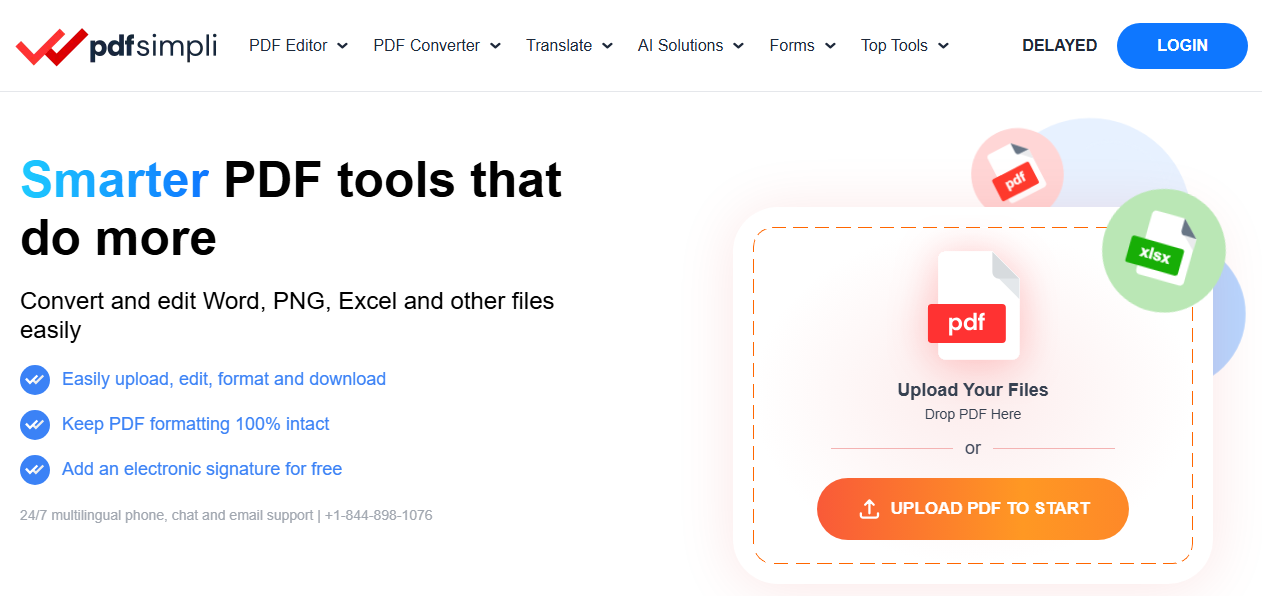
PDFSimpli is an online platform operated by WorkSimpli Software LLC, offering PDF editing, conversion, signing, and translation tools directly in your browser. Founded in 2017, it targets individuals and small businesses needing quick document fixes without installing software.
The main conflict is its pricing model. We found a BBB complaint indicating that he pays $1.95 for a 14-day trial, which automatically converts to a $49.95 monthly subscription if not cancelled before the trial ends, and this happens usually. This PDFSimpli subscription structure has generated thousands of complaints across BBB, Trustpilot, and consumer protection sites.
However, as for the subscription model, many programs carry the same issue. We can explore more details to review PDFSimpli’s security and privacy.
PDFSimpli Security Claims: What the Company Says
PDFSimpli claims to employ enterprise-grade security measures. The platform states it uses 256-bit SSL encryption for data transmission and stores files on Microsoft Azure cloud infrastructure with ISO 27001 and SOC-2 Type 2 certifications.
On paper, these PDFSimpli certification claims suggest a legitimate security posture. However, security researchers note that technical certifications don’t address the core risk of uploading sensitive documents to any third-party server. The Yahoo Tech cybersecurity report warns that online PDF tools have been caught leaking user documents, including passports and contracts.
PDFSimpli Privacy Concerns: What Happens to Your Files?
Does PDFSimpli delete files? The answer depends on trust. PDFSimpli’s privacy policy states that uploaded files are deleted from its servers after processing. The Chrome extension’s privacy disclosure reveals that it collects personally identifiable information, authentication information, personal communications, and website content.
The company claims automatic deletion, but once your document leaves your device, you have no control over its lifecycle. This fundamental PDFSimpli privacy limitation applies to every cloud-based PDF tool — and it’s the primary reason security-conscious users prefer offline PDF editor alternatives.
PDFSimpli User Reviews, Complaints & Trustworthiness
PDFSimpli’s reputation is sharply divided across platforms.
- Positive Reviews: On Trustpilot, PDFSimpli holds a 3.7/5 rating across thousands of reviews. Many users praise the platform’s speed and ease of use. One Trustpilot reviewer wrote, “I am really impressed with how fast, professional, and accurate PDFSimpli is. It transcribed an 11-minute video in just a few moments”. G2 reviewers echoed this, with one noting, “The pricing of this platform was also moderate”.
- Negative Reviews: The complaints tell a different story. A CrowdTrust analysis of 1,000 reviews found that 28% of 1-2 star reviews mention payment issues, with common phrases including “it never translated the document” and “it’s a scam”. One Trustpilot reviewer described paying £1.95 only to be charged £49.95 monthly, stating the experience cost them “over £150”.
The PDFSimpli user reviews reveal a pattern: the core functionality works, but the billing model generates significant frustration. As one BBB complainant put it: “This website is a scam” after paying for a translation that never completed.
The Billing Problem: Why Users Call PDFSimpli a Scam
The most persistent PDFSimpli scam allegations center on billing practices.
A verified PissedConsumer reviewer named Robert reported paying $1.95 for a one-time conversion, only to discover they had been enrolled in a $49.95 monthly subscription that billed them for nearly a year, totaling $499 in unauthorized charges. Another user on Sikayetvar claimed $55 was charged after they had already cancelled their subscription.
PDFSimpli’s official response is consistent: the $1.95 is a 14-day trial fee, not a one-time payment. The company states that “if the trial is not canceled before it ends, it automatically converts into a full membership”. They emphasize that this is disclosed during checkout.
Consumer protection site FranceVerif lists a complaint from a user who “paid $1.95 for a modified document” and was then charged $45.95 automatically via PayPal. The user’s warning: “DES VOLEURS ! A fuir !” (THIEVES! To be avoided!).
My Real User Experience & Review
I tested PDFSimpli’s free trial to evaluate the platform firsthand. It’s just a quick trial. The following are details about how I tested PDFSimpli.
- Testing Environment: I used a three-page test PDF containing formatted text, two embedded images, and a simple fillable form. The plan was to convert it to Word, edit the text, and test the signature tool.
- The Conversion Test: I uploaded the file and selected “PDF to Word.” The conversion was completed in about 15 seconds. When I opened the resulting document, I was genuinely impressed — the text was fully editable, the images were positioned correctly, and the font styling was mostly preserved. As one Trustpilot reviewer put it, “I am really impressed with how fast, professional, and accurate PDFSimpli is.” My experience matched that sentiment, at least initially.
- The Editing Test: I clicked into the text and modified a paragraph. The interface responded instantly, and the changes were reflected in the preview. However, when I tried to add a signature, the tool prompted me to upgrade. This was the first indication that the free trial had limits beyond what the homepage suggested.
- The Download Barrier: Here’s where my experience aligned with the negative PDFSimpli review feedback. After completing my edits, I clicked “Download.” Instead of receiving my file, I was redirected to a payment page. The message was clear: to download anything, I needed to enter payment information. The $1.95 trial fee wasn’t optional — it was the entry ticket to access my own work. One BBB complainant described this exact frustration: “This website is a scam” after paying for a translation that never completed.
- The Performance Reality: In terms of raw performance, PDFSimpli works. The PDF conversion was accurate, the editor was responsive, and the interface was clean. But the PDFSimpli review consensus across platforms — Trustpilot’s 3.7/5 alongside BBB complaints — captures the duality: the technology functions, but the business model creates friction at every step.
- The Cancellation Process: I cancelled immediately after downloading my test file. The cancellation flow required navigating through three separate screens, each offering “discounts” and “retention deals.” For users who forget to cancel the PDFSimpli free trial, the $49.95 monthly charge kicks in automatically — a PDFSimpli auto-renewal mechanism that has generated hundreds of complaints.
My Verdict: PDFSimpli is a functional tool wrapped in an aggressive subscription model. If you complete a task and cancel immediately, you avoid charges.
Is PDFSimpli Safe? A Balanced Verdict
Is PDFSimpli safe? Here is the answer from three aspects.
- Technical Security: PDFSimpli appears to have reasonable security infrastructure. The PDFSimpli security claims of SSL encryption and cloud certifications are verifiable and standard for the industry.
- Financial Safety: This is where “is PDFSimpli safe” becomes difficult to answer affirmatively. The subscription model, combined with aggressive auto-renewal and difficult cancellation, creates financial risk for users who don’t meticulously track trial deadlines.
- Privacy Safety: Files are uploaded to PDFSimpli’s servers. You must trust their deletion policies. For sensitive documents, this is an unacceptable risk.
Bottom Line: PDFSimpli is technically functional and reasonably secure for non-sensitive documents. But the billing practices make it financially unsafe for users who aren’t vigilant about cancellations.
Safer Alternative to PDFSimpli: Free, Local, No Subscription
The safest PDFSimpli alternative is a tool that processes files locally on your device. There are no uploads, no servers, no subscriptions, and no billing surprises.
JOPDF is a completely free PDF editor for Windows, Mac, and Linux. It processes all files locally, meaning your documents never leave your computer. Unlike PDFSimpli, JOPDF has no hidden costs, no trial periods, and no automatic renewals.
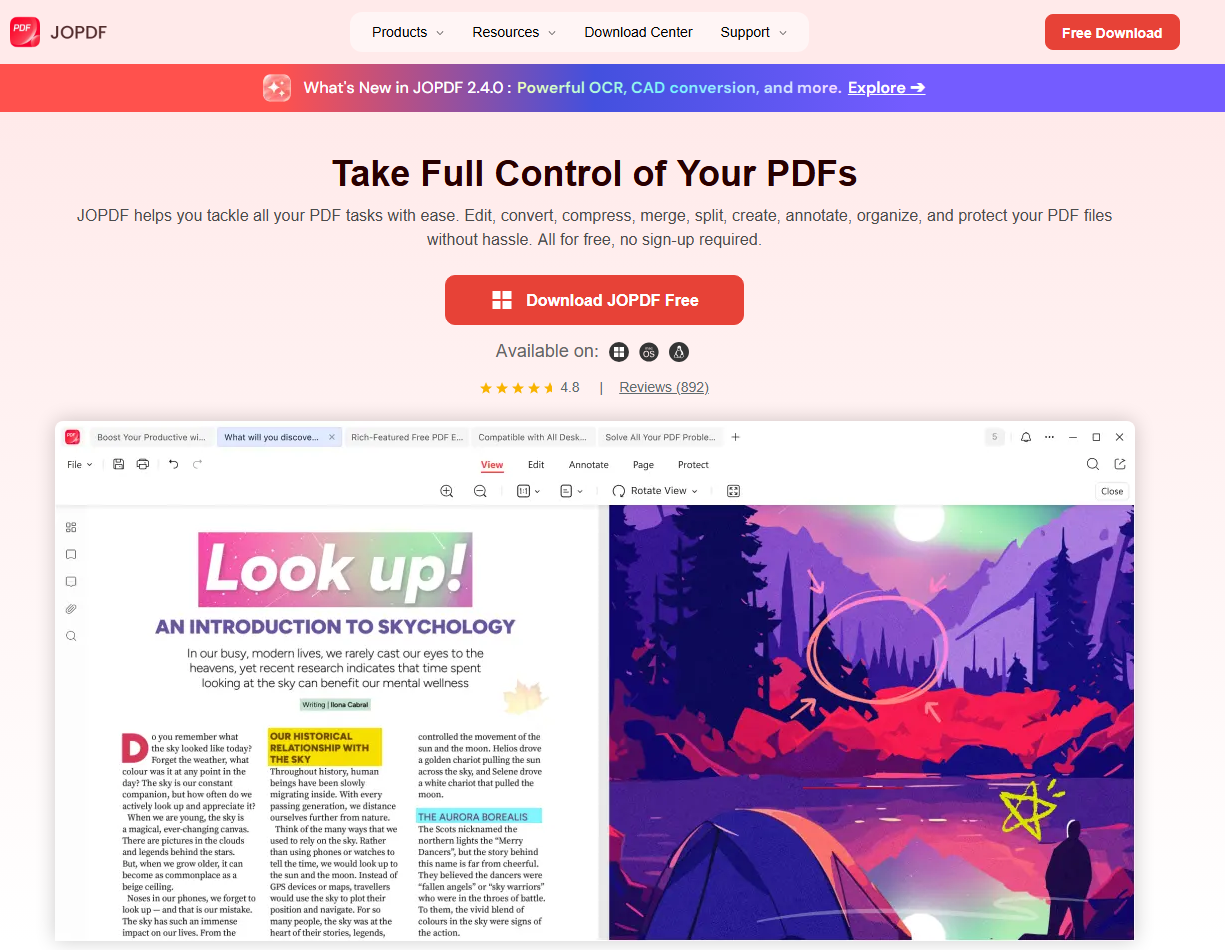
| Feature | PDFSimpli | JOPDF |
| Price | $49.95/month after trial | 100% free |
| Processing | Cloud (files uploaded) | Local (files stay on device) |
| Registration | Required | Not required |
| Watermarks | No | No |
| File Limit | Restricted on free tier | None |
| Privacy | Files leave your device | Files never leave your device |
| Platform | Web only | Windows, Mac, Linux |
Where JOPDF Outperforms PDFSimpli
The differences go beyond pricing. Here’s how JOPDF compares feature by feature:
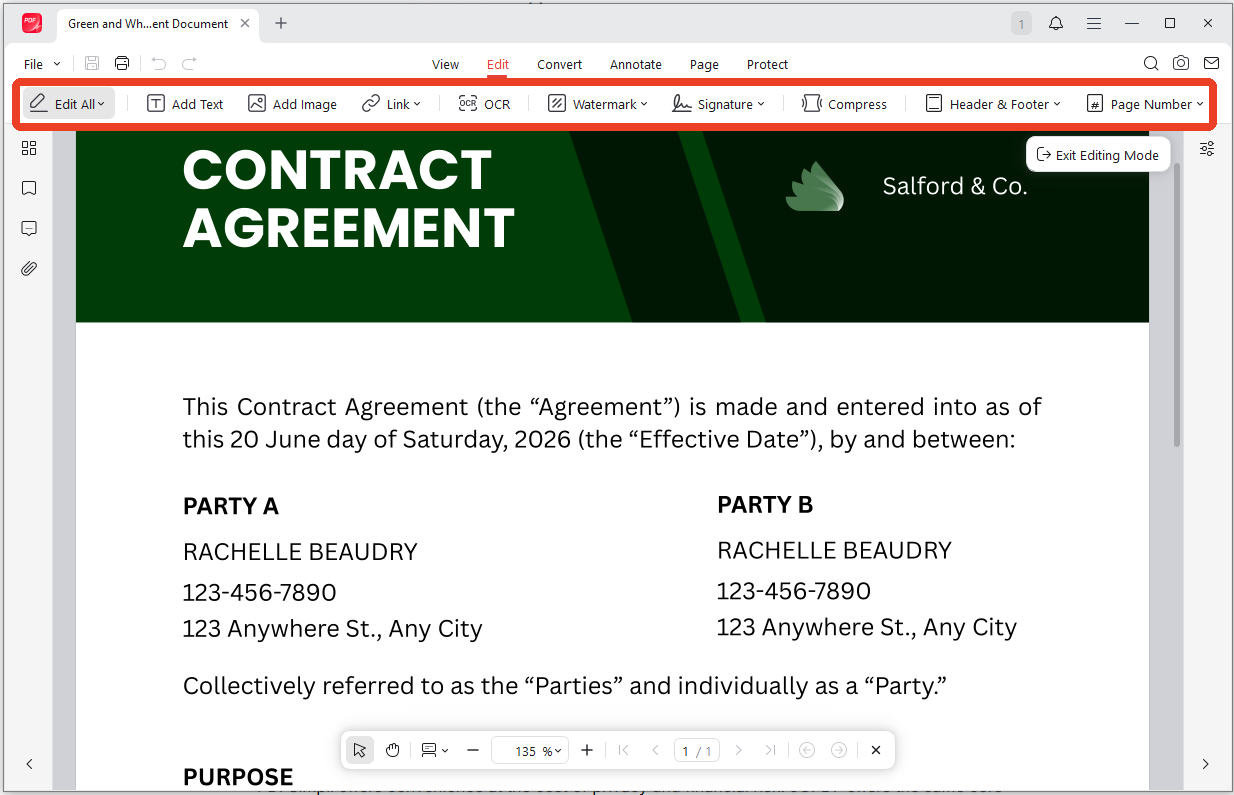
1. Editing Capabilities: PDFSimpli offers basic text and image editing in the browser. JOPDF provides full editing tools — modify text, adjust fonts and colors, insert or replace images, add hyperlinks, and crop or resize visual elements. The editing environment feels like a desktop application because it is one.
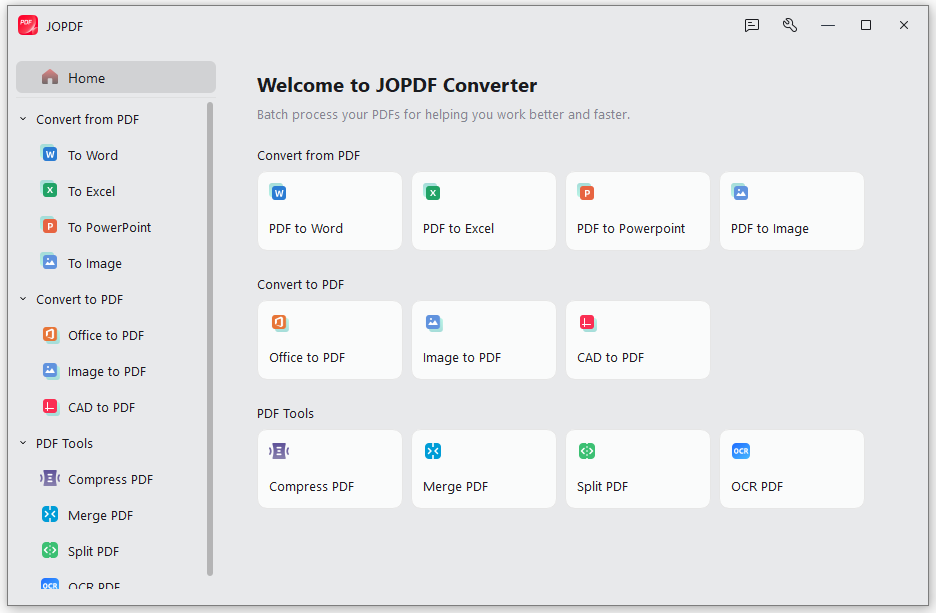
2. Batch Processing: PDFSimpli processes files one at a time. JOPDF supports batch conversion, batch compression, and batch merging — you can process dozens of PDFs in a single operation. For users who regularly handle multiple documents, this is a significant time-saver.
3. File Size Limits: PDFSimpli’s free tier restricts file size and download access. JOPDF has no file size limits and no download restrictions. You can work with documents of any size without hitting a paywall.
4. OCR and Scanned Documents: JOPDF includes OCR for scanned PDFs, making image-based text searchable and editable. PDFSimpli’s OCR capabilities are limited and often require a premium upgrade.
5. Additional Tools: Beyond editing and conversion, JOPDF includes compression, merging, splitting, annotation, page management, password protection, and printing tools. PDFSimpli covers some of these functions, but many require a paid subscription.
6. Privacy: This is the fundamental difference. When you use PDFSimpli, your files travel to their servers. When you use JOPDF, your files never leave your device. For anyone handling contracts, financial records, or personal documents, this distinction matters more than any feature comparison.
How to Protect Yourself When Using Online PDF Tools
If you still choose to use PDFSimpli or similar services, take these precautions:
1. Set a Cancellation Reminder: Immediately mark your calendar for the day before your trial ends. PDFSimpli’s 14-day trial is easy to forget.
2. Use a Virtual Credit Card: Services like Privacy.com generate single-use card numbers. If a subscription attempts to renew, the charge will fail.
3. Avoid Sensitive Documents: Never upload contracts, ID documents, medical records, or financial statements to any online PDF tool.
4. Check Bank Statements: Review transactions weekly for unfamiliar charges. Many PDFSimpli victims only discovered the subscription after months of billing.
5. Cancel Immediately: If you only need one conversion, cancel the subscription right after downloading your file. Don’t wait.
Conclusion
So, is PDFSimpli safe? The answer depends on what you’re protecting. Your documents are reasonably secure in transit — SSL encryption is standard. But your wallet is at risk if you don’t meticulously track the 14-day trial deadline.
The PDFSimpli scam complaints are not about the technology. They’re about a business model that relies on users forgetting to cancel. If you don’t want to fall into the trap, switch to another more reliable PDF tool – JOPDF, which is completely free and offline to keep you safe and private.
Download JOPDF Free and process your PDFs without uploads, subscriptions, or billing surprises.
FAQs
Table of Contents
Your Best Free PDF Expert in PDF editing, compressing, converting, annotating, protect, organizing, and more.
Free DownloadWindows · macOS · Linux

Anna
Editor
“Anna, Editor-in-Chief and PDF expert, delivers deep insights into PDF document technology trends. She is dedicated to helping readers optimize their digital lives. When not writing, Anna loves exploring local cafes and reading, blending her technical expertise with a love for storytelling.”
![Discover How to Make a Fillable PDF in Word [Detailed Guide]](https://b.jopdf.com/wp-content/uploads/2026/10/how-to-make-a-fillable-pdf-in-word.png)