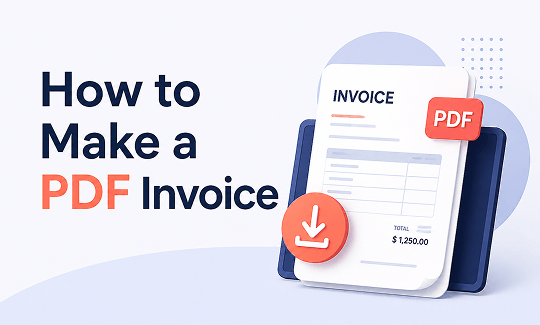
How to make a PDF invoice? We’ll list three conditions to help you resolve this question. No matter you are trying to create a PDF invoice from scratch or convert an existing invoice to PDF, this guide on JOPDF covers them all. You can easily edit and fill in a PDF invoice template and keep your PDF invoices professional.
Summary :
What Is a PDF Invoice?
Before you make your PDF invoice, you need to know what to include in a professional invoice. A PDF invoice is a digital document that outlines the details of a transaction between a buyer and a seller.
It is a formal request for payment sent from a vendor to a client after goods or services have been delivered. So, every professional PDF invoice should include these essential components:
| Element | Description |
| Header | Clearly label the document as “INVOICE” to distinguish it from a quote or receipt. |
| Your Business Details | Company name, logo, address, phone number, and email address. |
| Client Details | The client’s full name, company name, billing address, and contact information. |
| Invoice Number | A unique, sequential identifier to track payments (e.g., INV-001, INV-002). |
| Dates | Include both the Invoice Date and the Payment Due Date to establish clear payment timelines. |
| Itemized Line Items | A detailed breakdown of products or services provided, including quantities, unit prices, and totals. |
| Taxes and Fees | Clearly list any applicable taxes (VAT, GST), shipping fees, or discounts. |
| Grand Total | The final, total amount due, displayed prominently. |
| Payment Terms | Specify accepted payment methods, terms like “Net 30,” and clear payment instructions. |
Now, let’s see this step-by-step guide to create an invoice.
How to Create a PDF Invoice from Scratch
How to make a PDF invoice from scratch? There are three methods here to start with a blank canvas and let you take over the control.
Method 1: Use Free Online PDF Invoice Generators
If you want to generate invoice PDF without downloading software, online invoice generators are the perfect solution. They handle all the calculations for you, reducing errors.
Many reputable free invoice generators allow you to create, download, and send invoices directly from your browser. For example, the TransferGo invoice generator claims free, no sign-up, and instant PDF download. The Wise invoice generator also provides a simple step-by-step process to create a PDF invoice and download it. Just choose your like and follow the steps.
How to make a PDF invoice with online invoice generator?
Step 1: Go to a free online invoice generator like TransferGo or Wise.
Step 2: Fill in your business and client details.
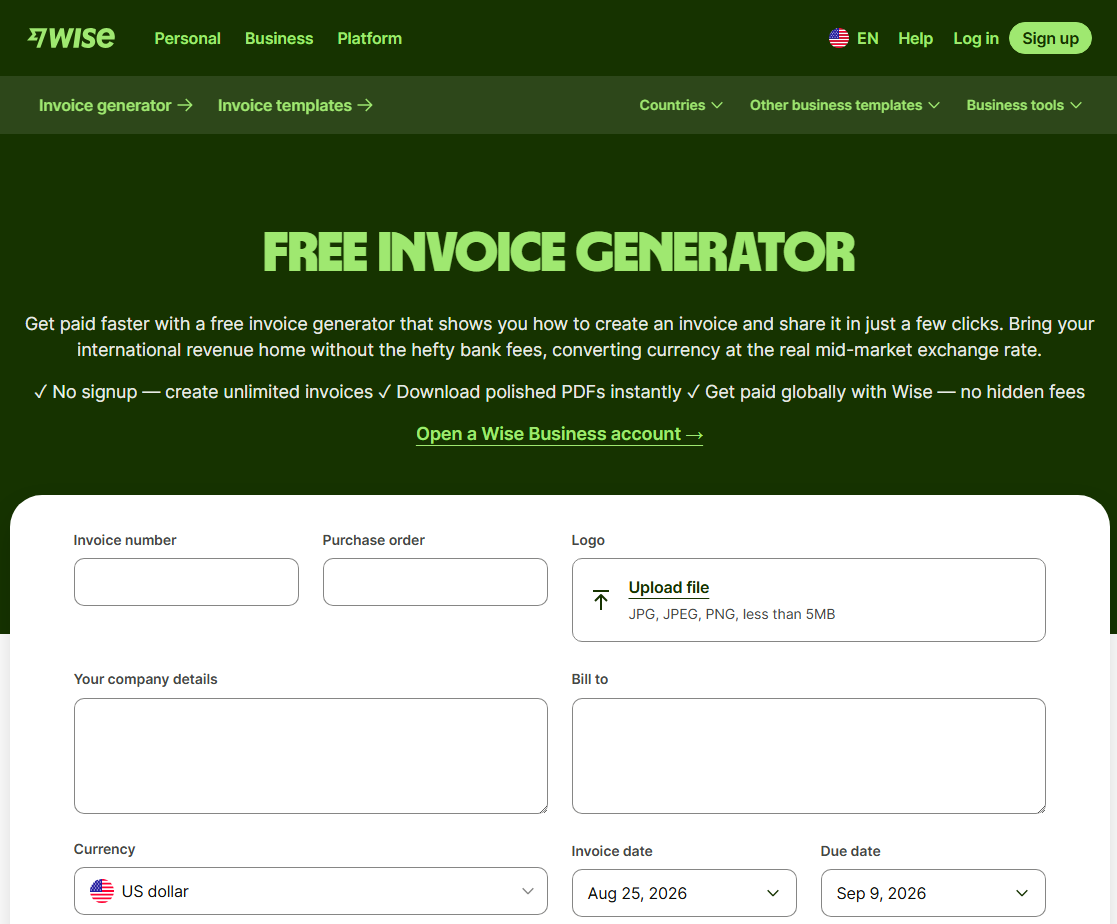
Step 3: Add your itemized line items. List each product or service with a description, quantity, and unit price.
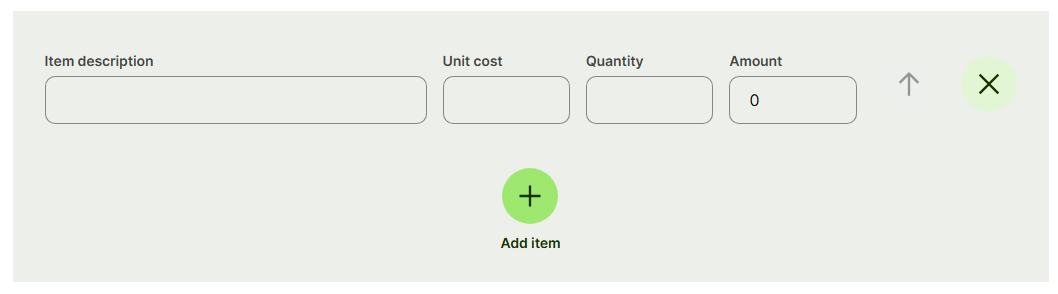
Step 4: Include taxes and calculate the total. Most generators will automatically calculate the subtotal, tax, and grand total for you.
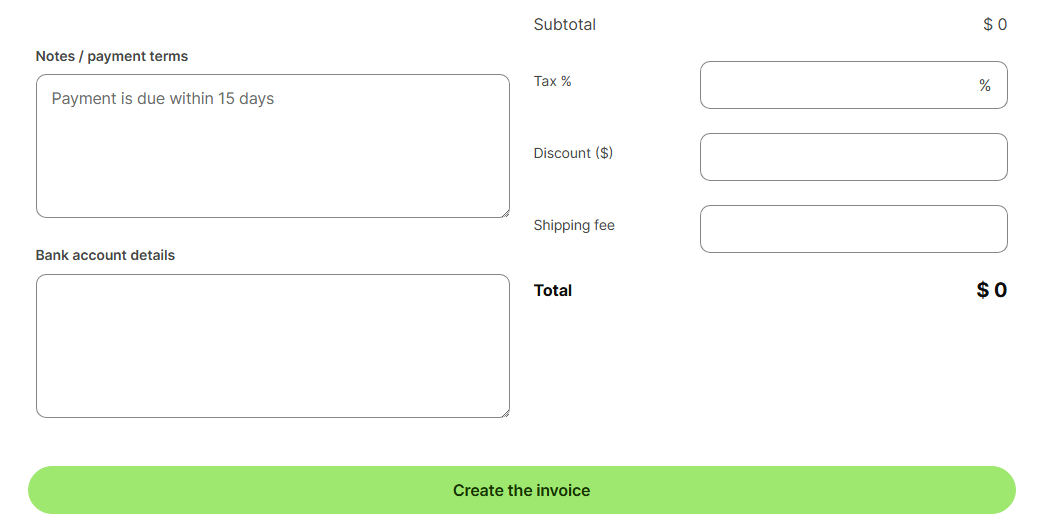
Step 5: Click Create the invoice to generate and instantly download your professional invoice.
Method 2: Use Design Tools Like Canva
Professional design tools offer maximum creative freedom. You can design a fully branded PDF invoice with custom fonts, colors, and layouts. However, the learning curve is steep, and the cost can be prohibitive for freelancers just starting out.
Step 1: Go to the Canva invoice generator and click Create an invoice to log in to your Canva account.
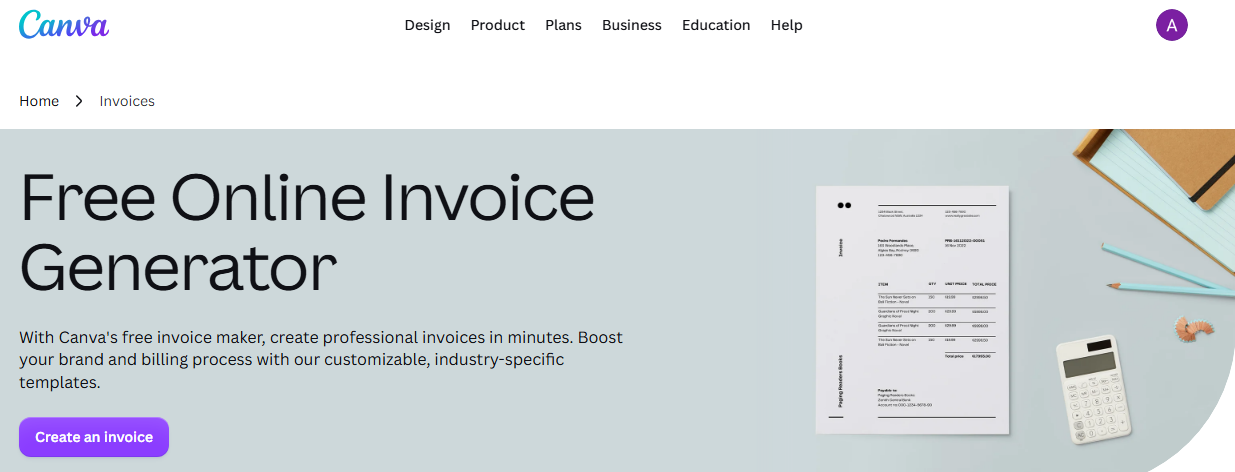
If you don’t want to make a PDF invoice from zero, you can browse through the Cnava invoice templates gallery. Alternatively, directly use and ask Canva AI to generate invoice for you.
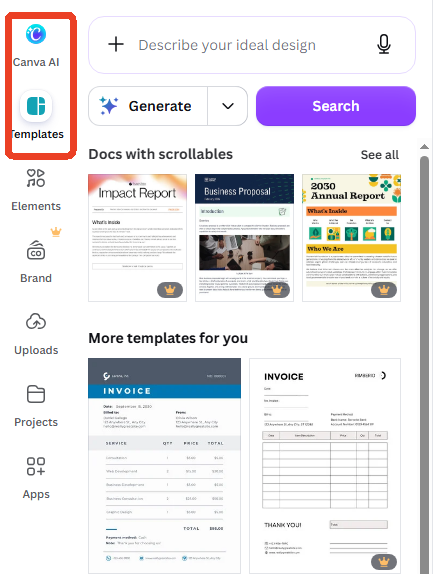
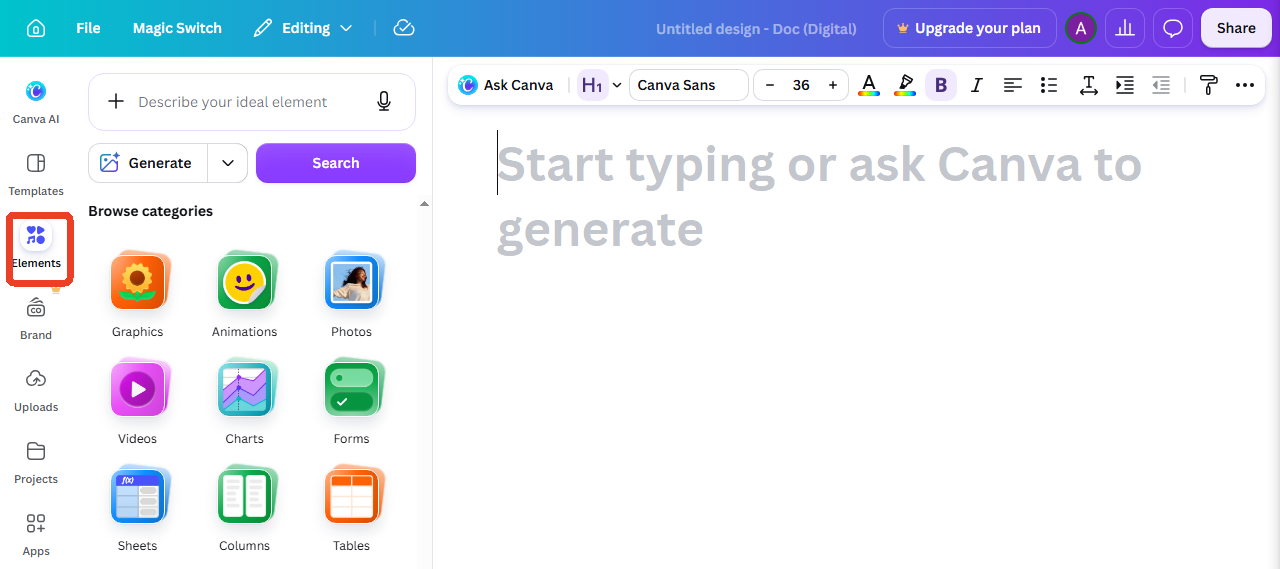
Step 2: To create a PDF invoice as you want, just type or add details with images, logos, and elements. Click Elements from the left side bar to add different medis formats.
Step 3: Add billing details and you can change your invoice with custom fonts, colors, and layouts.
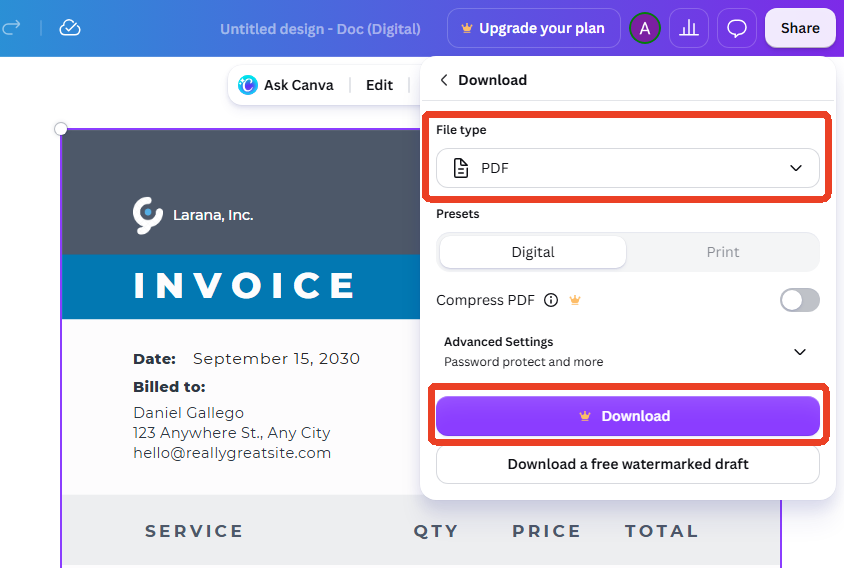
Step 4: When you finish your invoice design, click Share > Download and choose PDF as file type to download your invoice as PDF.
Method 3: Use Microsoft Word or Excel
Microsoft Word and Excel is the most common approach to resolve how to make a PDF invoice. You create your invoice in Word or Excel, then save it as a PDF.
Step 1: Open Word or Excel and create your invoice layout.
Step 2: Add your company name, logo, address, and contact details.
Step 3: Insert a table for line items: description, quantity, unit price, and total.
Step 4: Add payment terms, due date, and invoice number.
Step 5: Go to File > Save As and choose PDF as the output format.
How to Make a PDF Invoice with Template
This is the most beginner-friendly way to create a PDF invoice. If you are looking for a free option without advanced features, starting with a template is a smart move.
Templates are pre-designed documents that you fill out. You can find them in Microsoft Word, Excel, Google Docs, Google Sheets, or specialized template libraries. We’ll take Google Sheets as an example to help you make a PDF invoice with a template.
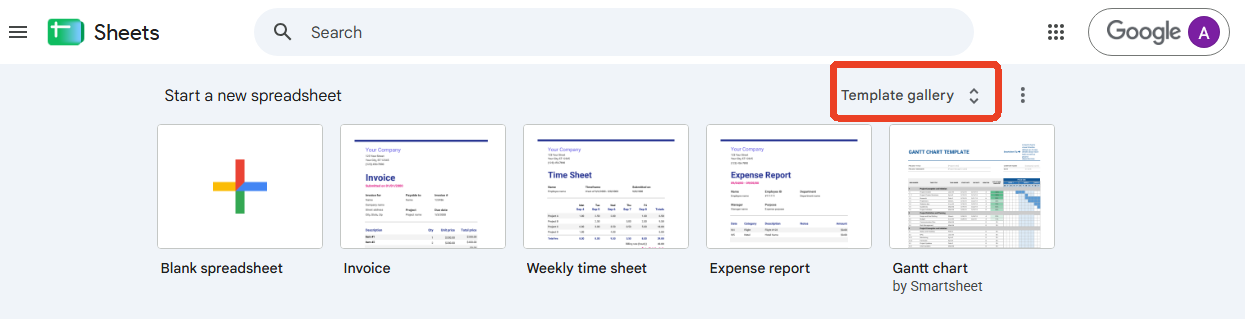
Step 1: Open Google Sheets and click Template gallery.
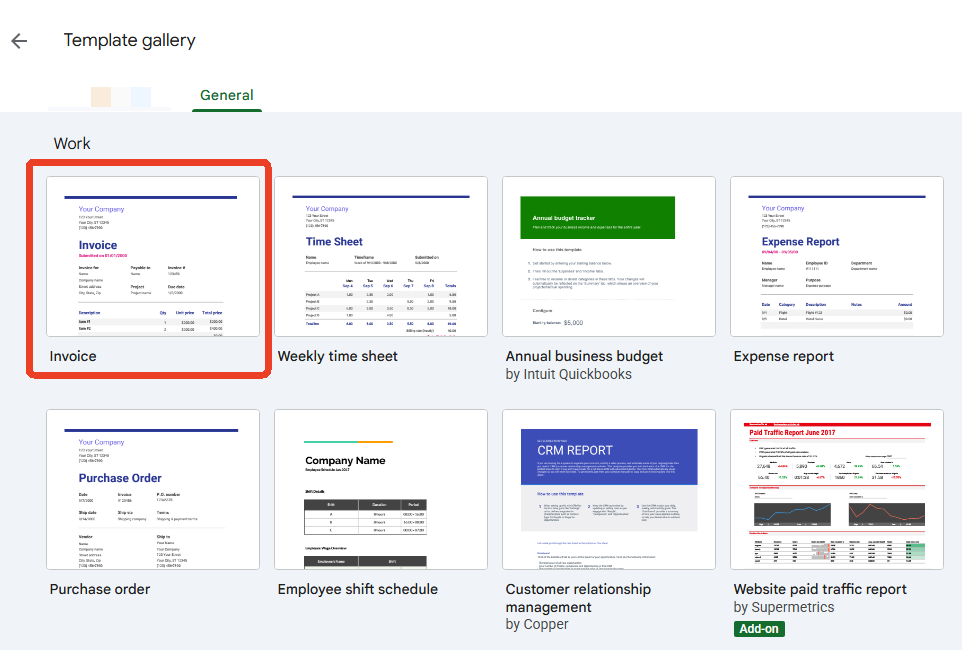
Step 2: Click Invoice under the Work section.
Step 3: Edit what you need to change in that invoice template and then click File > Download > PDF (.PDF) to save your invoice as PDF.
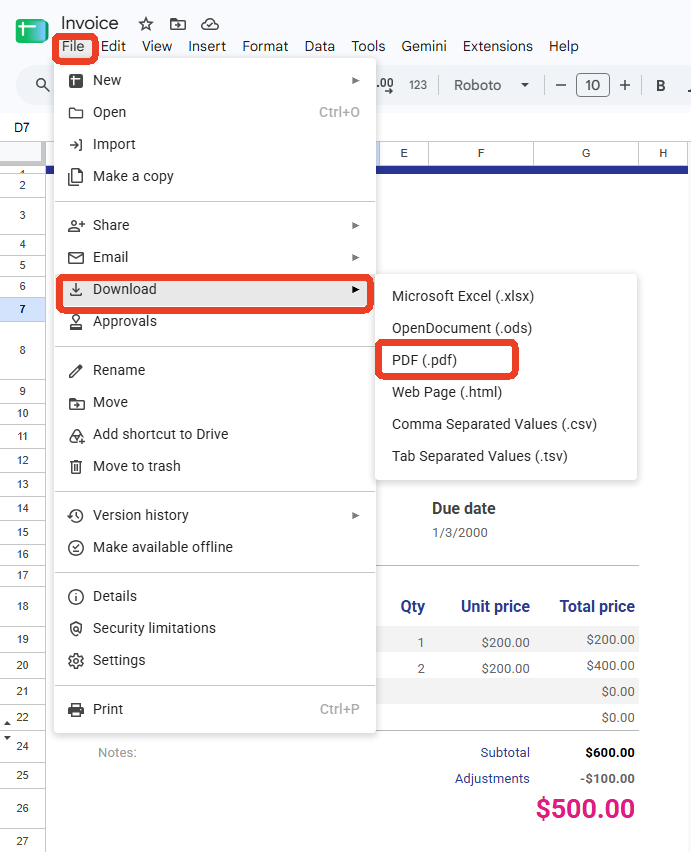
Step 4: Send the PDF invoice to your client via email or a shared drive.
Related Articles about How to Use Google Docs:
- Free PDF to Google Docs Converter – Fix Formatting Loss (2026)
- Fixed! How to Save Google Doc as PDF for Desktop, Mobile, and Chromebook
- [Fixed] How to Strikethrough on Google Docs on Windows/Mac and Phone
How to Convert an Existing Invoice to PDF
Already have an invoice in another format? Converting to a PDF invoice is fast and painless. JOPDF is a wonderfull PDF converter which allows you to process 20 invoices at once. Just drag them all in and let the tool handle the rest. That works when you need to make a PDF invoice from multiple sources a breeze.
Most importantly, this software boasts powerful PDF suites with 100% zero costs and no watermarks. You are free to use any features on it, including editing, compressing, converting, annotation, and more.
Since invoice include many confidential information, privacy and security is the first to think of. JOPDF, as an offline desktop PDF invoice maker, is definitely reliable for everyone because all resources are precessed on your device. Now, lets see how to make a PDF invoice with JOPDF.
Step 1: Download and install the JOPDF and launch it.
Step 2: Choose Btach Process and under Convert to PDF, choose the one for your need.
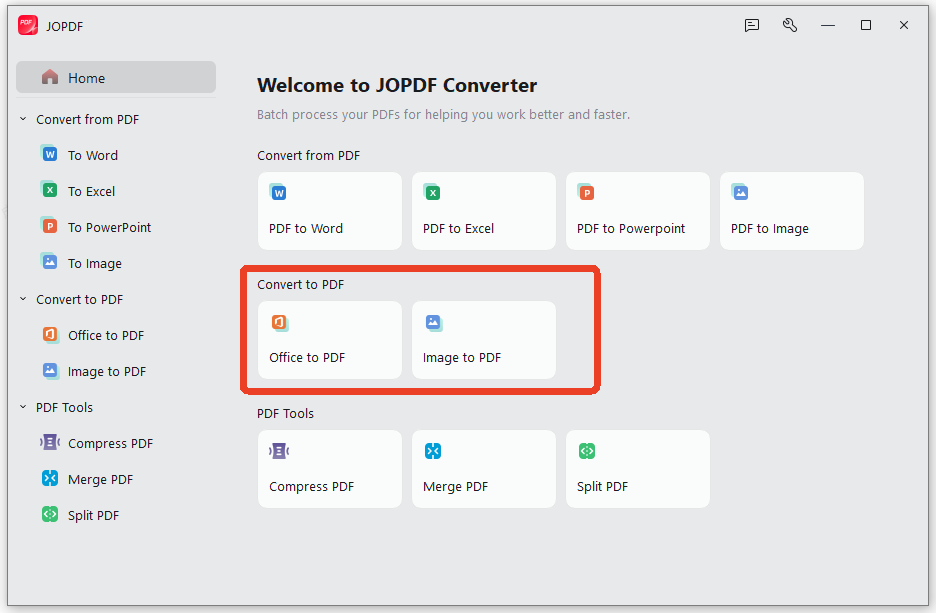
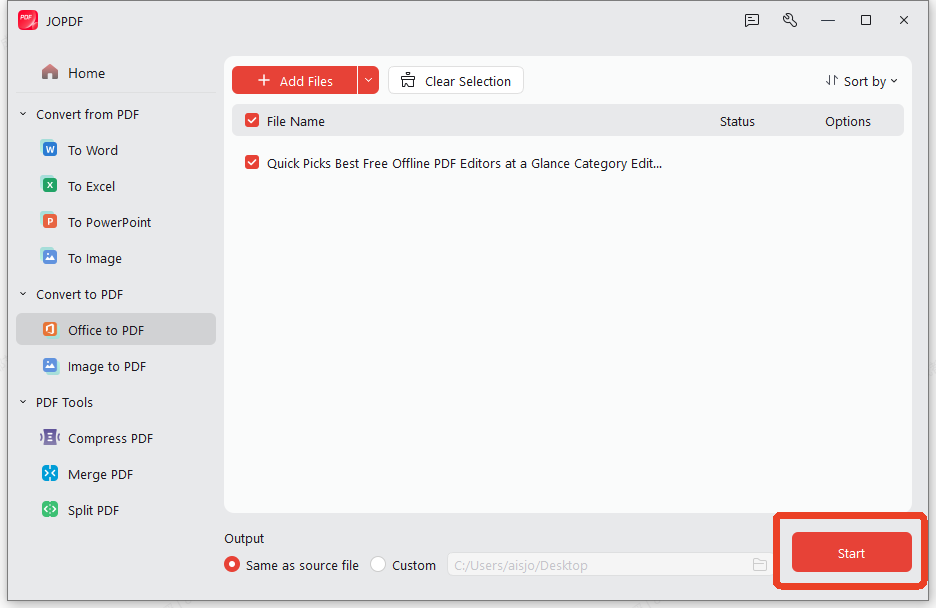
Step 3: Upload your invoice file and click Start to convert it to invoice PDF.
How to Edit and Fill in a PDF Invoice Template
Perhaps the most common scenario: a client or vendor sends you a PDF invoice template, and you need to fill it out. Or maybe you downloaded a free PDF invoice template online and need to customize it. This is where JOPDF truly shines – it can help you edit, fill in, and sign a PDF invoice.
Step 1: Open your invoice PDF file from JOPDF.
Step 2: Click on any interactive field and type directly into it.
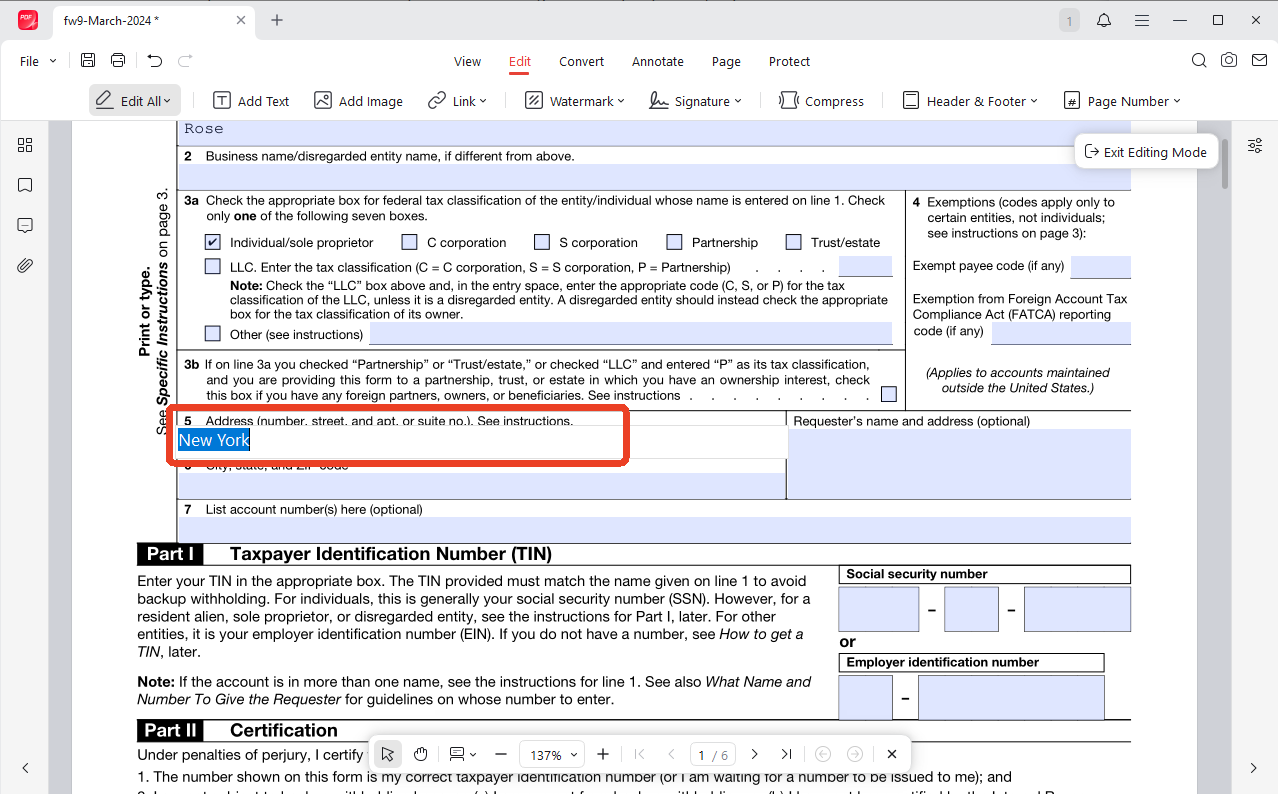
Step 3: Locate these tick box and click on it to check what you want to choose to fill out the invoice PDF.
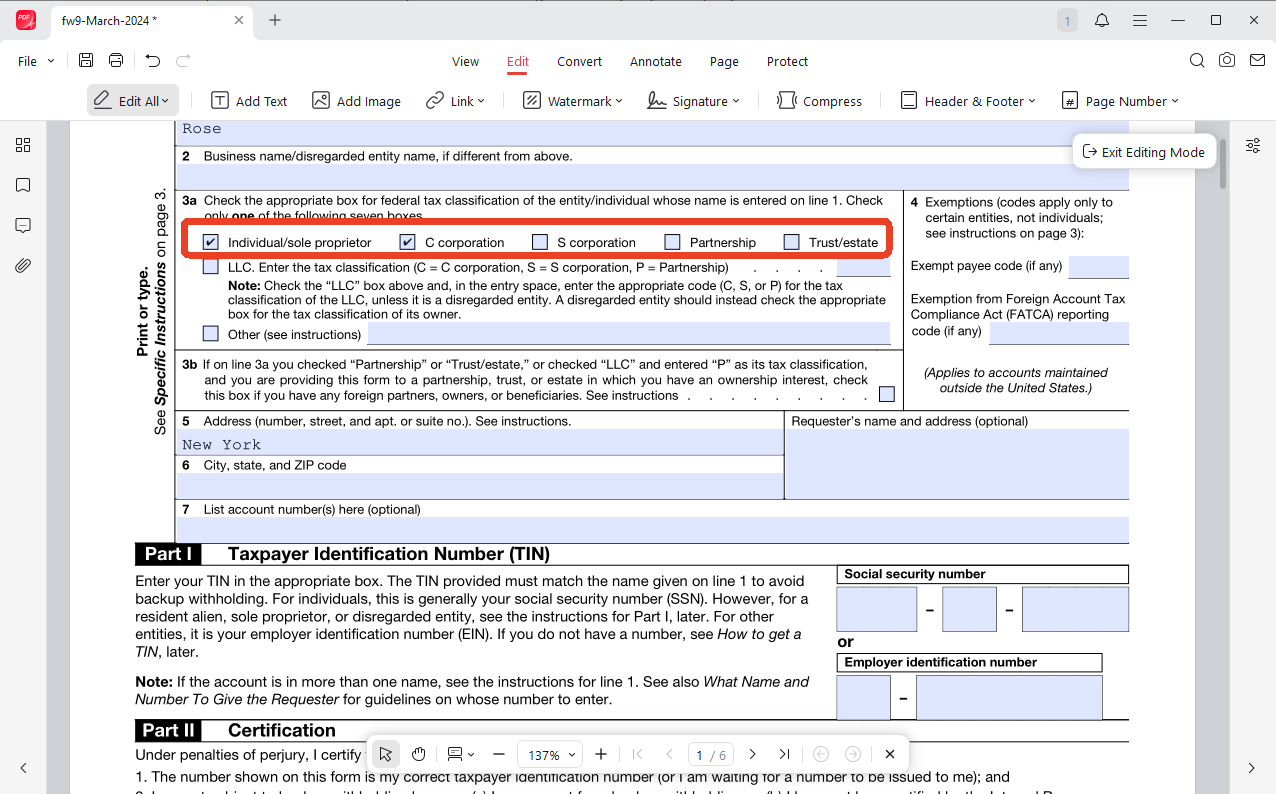
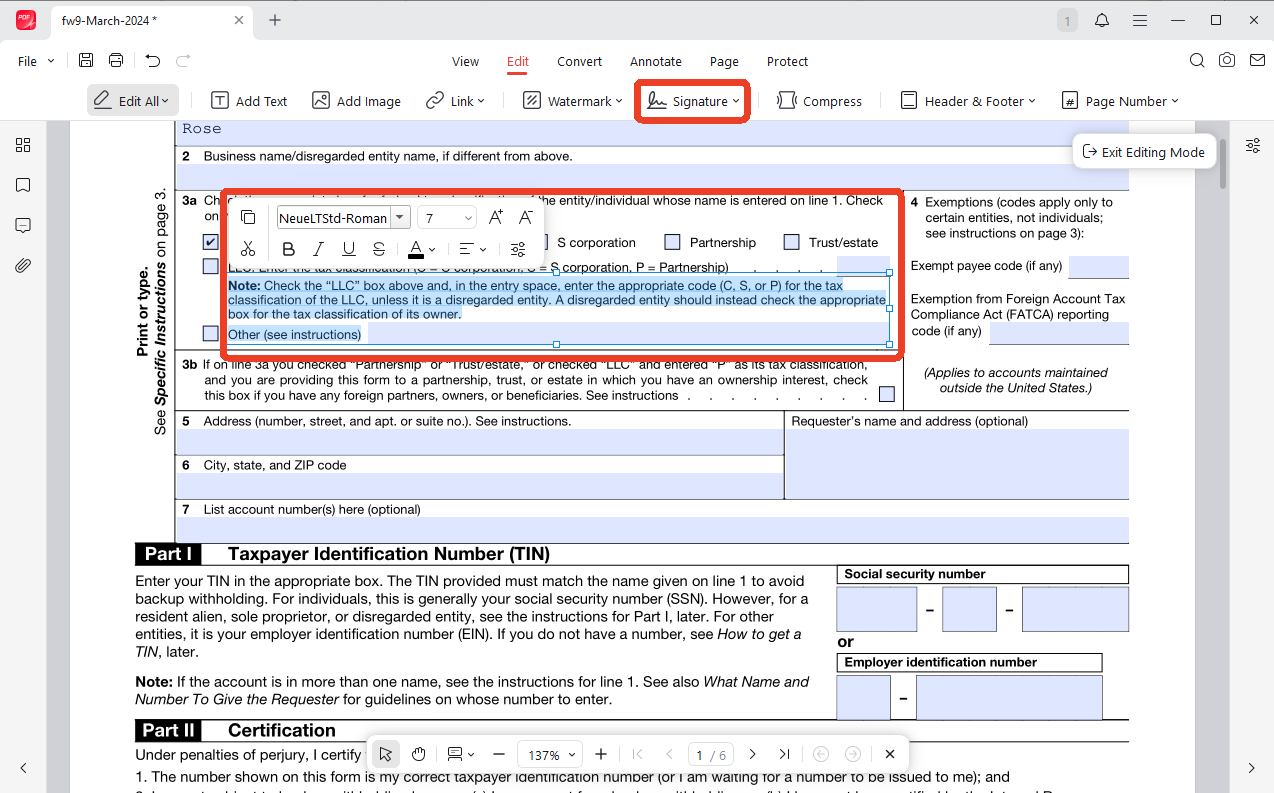
Step 4: Switch to the Edit tab and click on any text element to modify it directly. Here’s what you can do:
- Change fonts, sizes, and colors to match your branding.
- Add new text boxes where needed.
- Resize or reposition images, including your company logo.
Fully customize any PDF invoice template without recreating it from scratch. You can even create and add a signature on your PDF invoice.
Conclusion
Learning how to make a PDF invoice is no longer a complicated task reserved for tech-savvy professionals. Whether you’re creating from scratch, converting from Word or Excel, filling in a template, or adding a signature, JOPDF provides a complete, user-friendly toolkit.
Ready to create your first professional PDF invoice?
Visit JOPDF Now and start making beautiful, secure, and professional PDF invoices in minutes.
FAQs
There's no universal rule, but keep it under 1-2MB for email delivery. Use JOPDF's compression tool to shrink large files. For page dimensions, A4 (210×297mm) is standard in most countries, while Letter (8.5×11 inches) is common in the US.
If you want the recipient to fill in certain fields, use JOPDF's form tools to add interactive text fields, checkboxes, and dropdown menus. If you need to edit the content yourself, JOPDF's Edit PDF feature lets you modify text and images directly.
Table of Contents

Your Best Free PDF Expert in PDF editing, compressing, converting, annotating, protect, organizing, and more.
Free DownloadWindows · macOS · Linux

Anna
Editor
“Anna, Editor-in-Chief and PDF expert, delivers deep insights into PDF document technology trends. She is dedicated to helping readers optimize their digital lives. When not writing, Anna loves exploring local cafes and reading, blending her technical expertise with a love for storytelling.”
![Discover How to Make a Fillable PDF in Word [Detailed Guide]](https://b.jopdf.com/wp-content/uploads/2026/10/how-to-make-a-fillable-pdf-in-word.png)