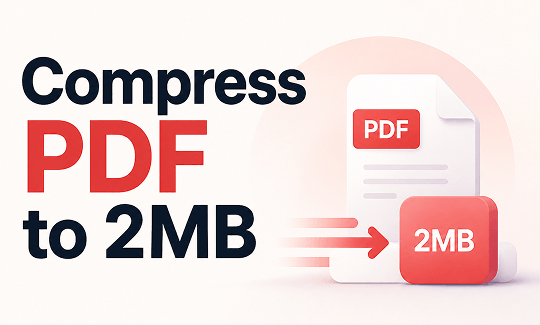
You have a PDF that needs to be under 2MB for a job application, government portal, or email attachment. We know this situation well. In this guide on JOPDF, we will show you how to compress PDF to 2MB using both online tools and desktop software. You will learn practical methods to reduce PDF to 2MB without sacrificing readability.
Summary :
Why Do You Need to Compress PDF to 2MB?
A 2MB file size limit is common across many platforms and services. Here are the most frequent scenarios where you need to compress PDF to 2MB:
- Email attachments: Gmail and other email services limit attachments to 25MB total. If your PDF is over 2MB, it may still be too large when coMBined with other files.
- Job application portals: Many career websites restrict resumes and supporting documents to under 2MB.
- Government and visa applications: Official portals often have strict file size requirements.
- Academic submissions: Universities and scholarship platforms frequently set a 2MB limit for uploaded documents.
- Document sharing: Smaller files share faster and take up less storage space.
Understanding why this limit exists helps you appreciate the need for a reliable way to compress PDF to 2MB online or offline. As one guide notes, 2MB is an ideal file size for application forms, short presentations, text-based reports, and invoices.
Also See: PDF Missing Text? Here’s Why It Happens & How to Fix It
Can Every PDF Be Compressed to 2MB?
Not every PDF can be reduced to 2MB easily. Several factors determine the final file size :
| Original File Size | Compression Needed | Likely Outcome |
| Under 3MB | Light compression | Easily reaches 2MB |
| 3-5MB | Moderate compression | Likely reaches 2MB |
| 5-10MB | Strong compression | May reach 2MB with quality trade-off |
| Over 10MB | Extreme compression + image reduction | May not reach 2MB without removing content |
Text-based PDFs (like resumes, contracts, and reports) compress more easily than scanned PDFs or image-heavy documents, because images contain more data that must be reduced.
How to Compress PDF to 2MB Online
For most users, an online tool is the fastest way to compress PDF to 2MB online. You do not need to install anything, and the process takes seconds.
1. SmallPDF PDF Compressor
SmallPDF is a popular online PDF toolkit. Its compressor allows you to reduce PDF file size to 2MB using Basic or Strong compression levels. SmallPDF is praised for its ease of use and seamless performance, with a strong free tier that covers many basic tasks.
Pros: Free, easy to use, works in browser.
Cons: Daily usage limits on free plan; some editing features require a premium plan.
Steps to compress PDF to 2MB with SmallPDF:
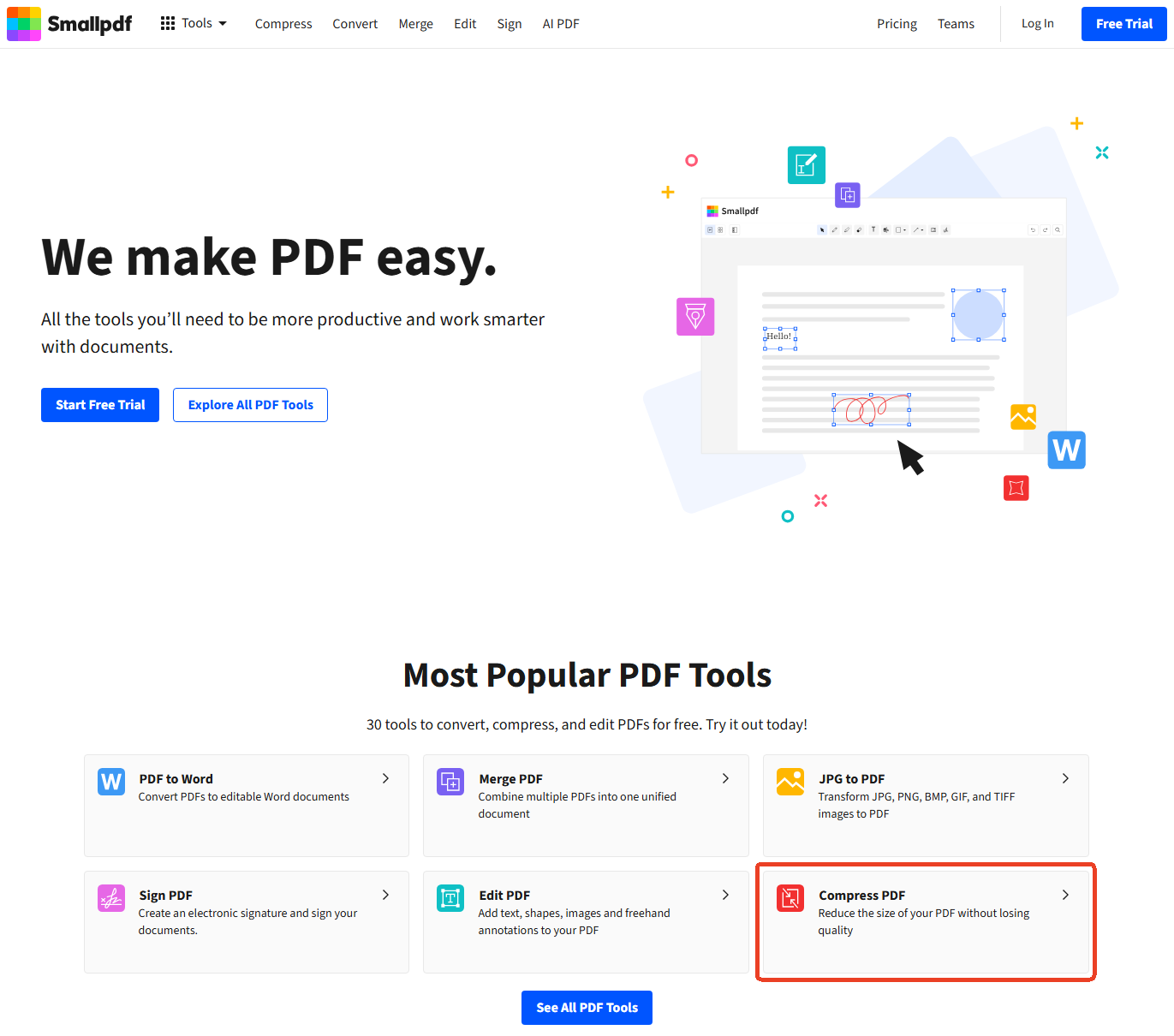
Step 1: Go to SmallPDF.com and select the Compress PDF tool.
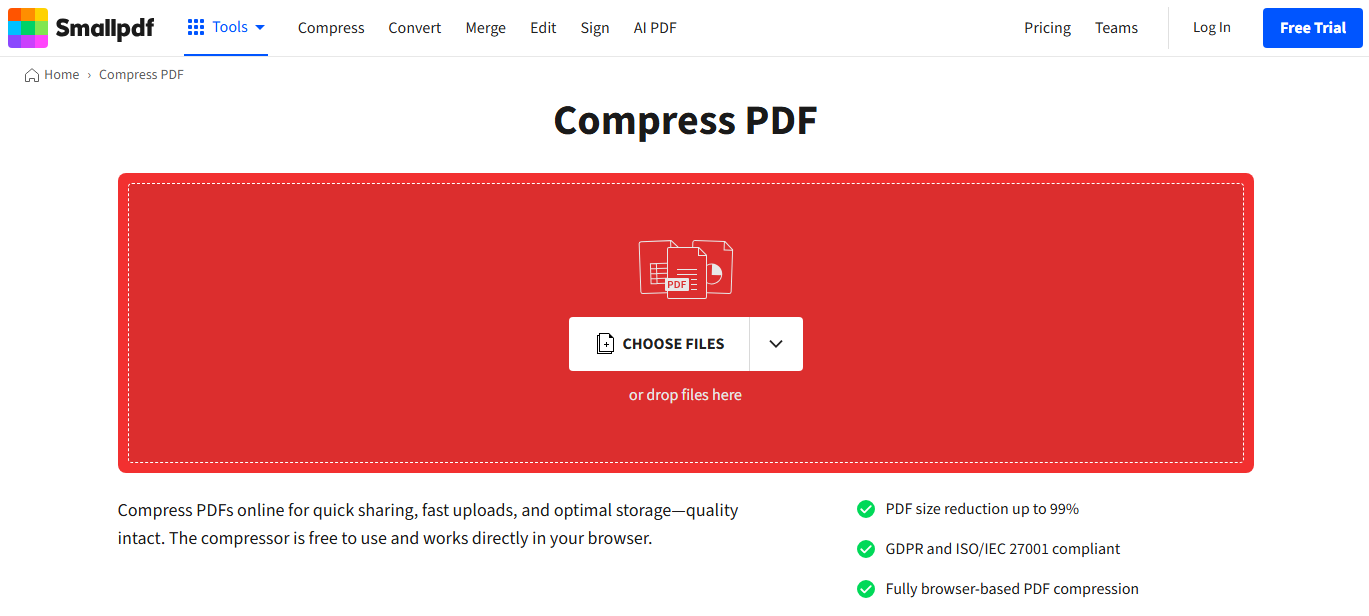
Step 2: Click “CHOOSE FILES” and upload your PDF.
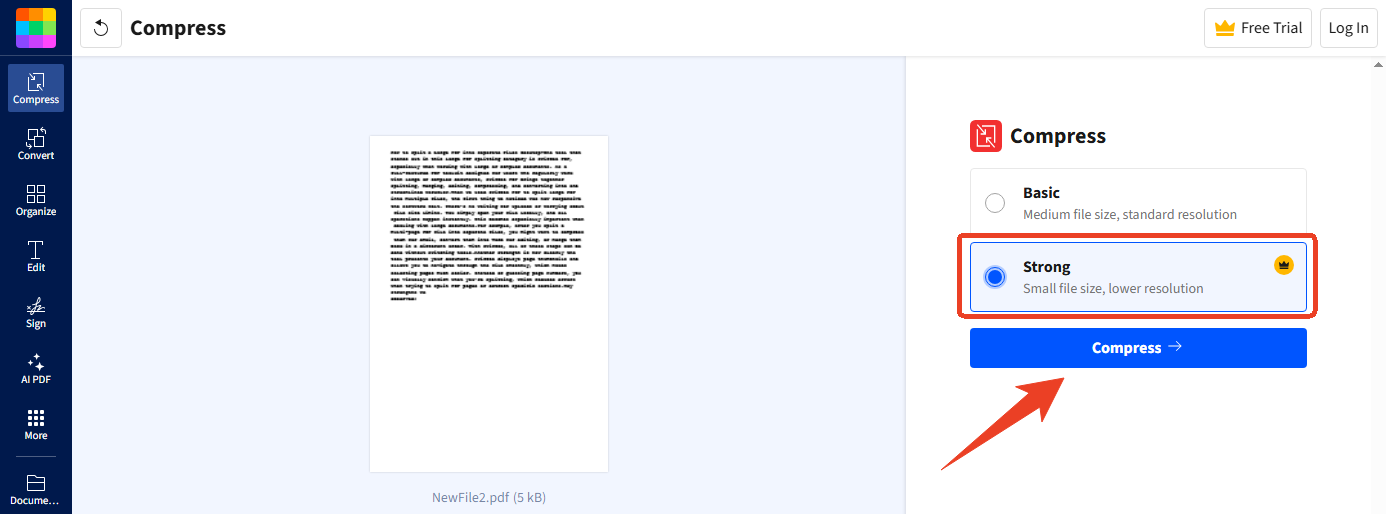
Step 3: Select Strong Compression and click Compress to compress PDF to 2MB or smaller.
Step 4: Wait for the process to finish and download your compressed file.
Also See: Free PDF to Google Docs Converter – Fix Formatting Loss (2026)
2. Adobe Acrobat Online Compressor
Adobe Acrobat Online offers a reliable PDF compressor to 2MB from a trusted brand.
Pros: Trusted brand, good quality output.
Cons: Requires sign-in; free version has limited uses.
Steps to compress PDF to 2MB with Adobe Acrobat Online:
Step 1: Go to the Adobe Acrobat Online PDF compressor.
Step 2: Upload your PDF file.
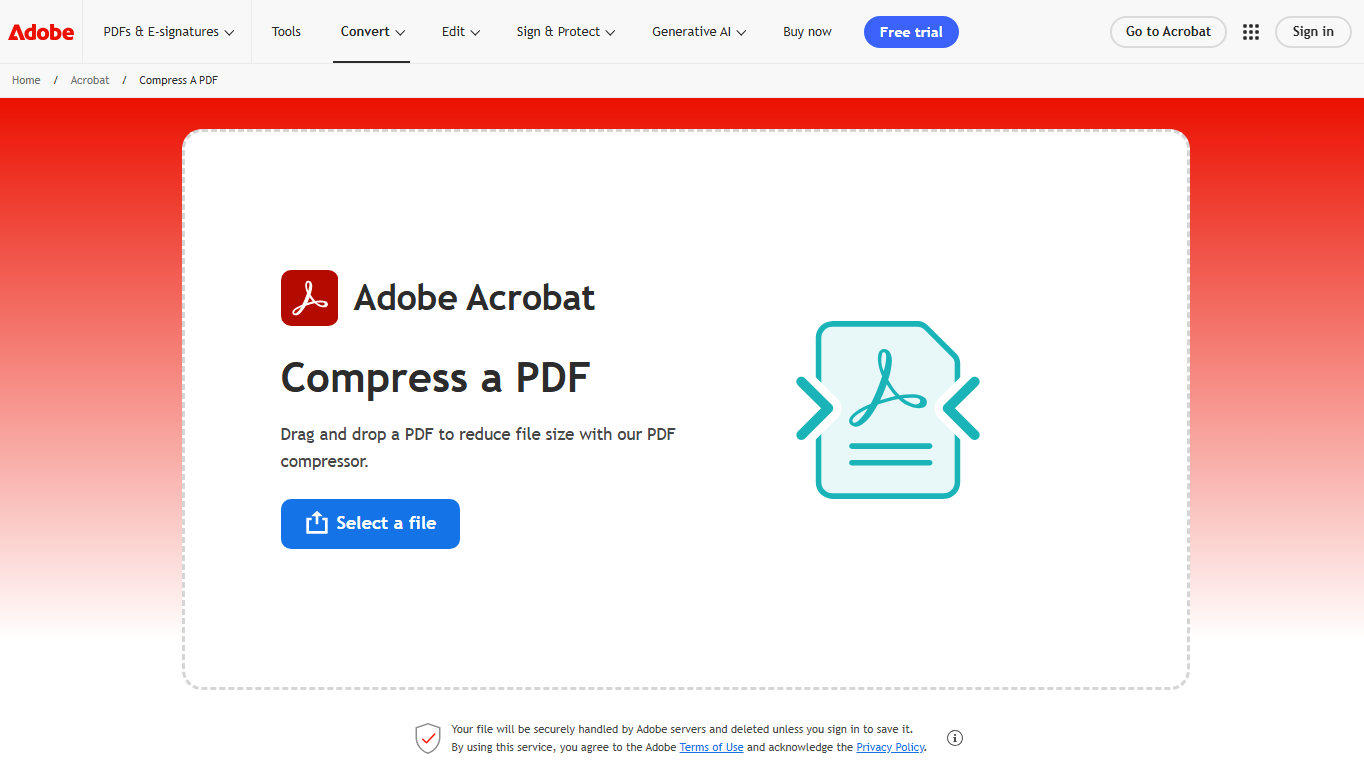
Step 3: Select your compression level – High, Medium, or Low. Click “Compress” and wait for the process to finish.
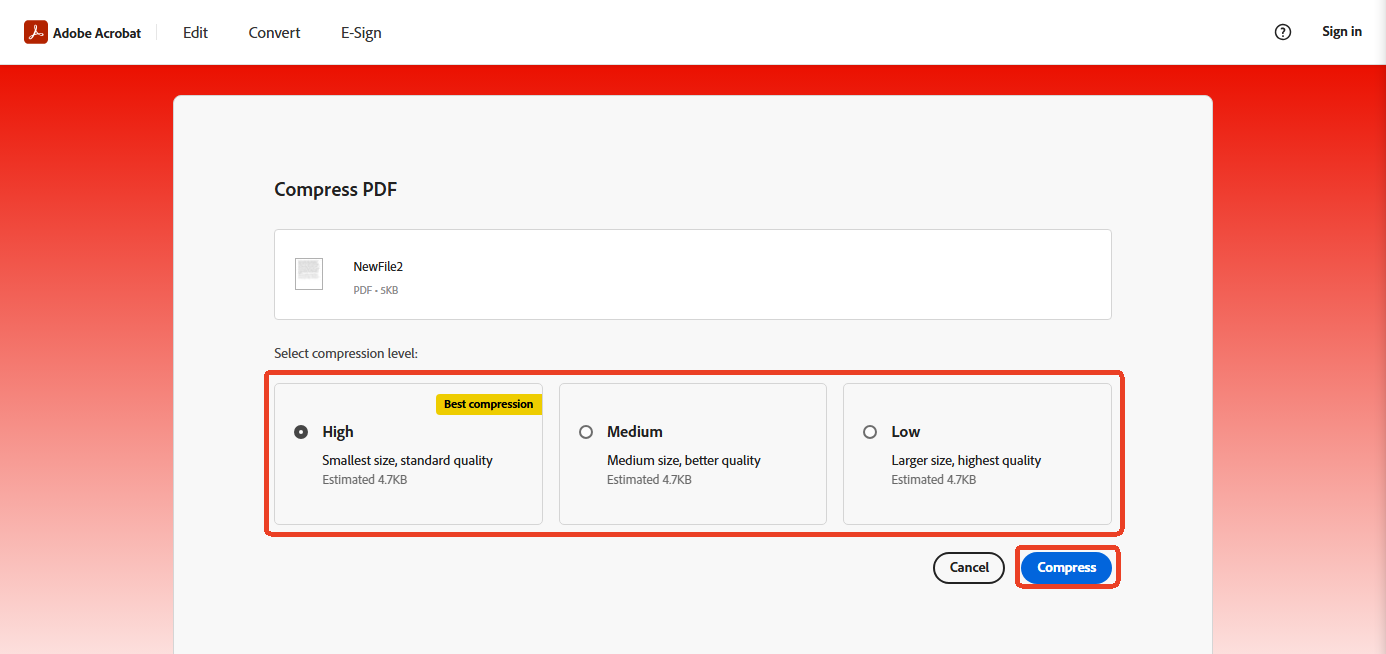
Step 4: Download your compressed PDF.
3. Wondershare PDFelement Online Compressor
PDFelement’s online compressor allows you to set a custom target size like 2MB. The tool supports exact 2MB compression, keeps layout, fonts, and structure intact, and works across all devices.
Pros: Precise size targeting, no sign-up required.
Cons: File size limit applies – if using custom size mode, files must be under 10MB.
Steps to compress PDF to 2MB with PDFelement Online:
Step 1: Go to PDFelement’s online PDF compressor.
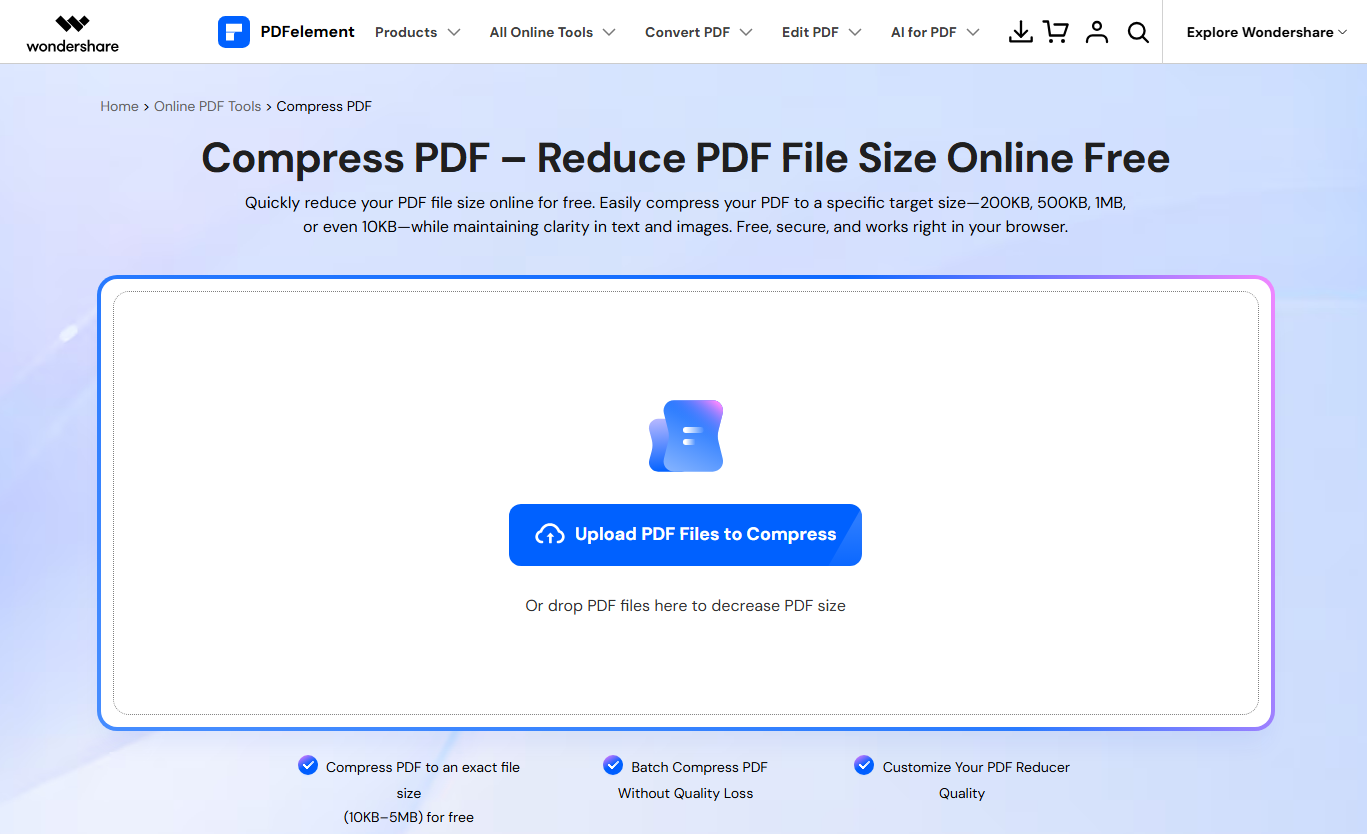
Step 2: Upload your PDF file.
Step 3: Choose “Custom Size” and set the target to 2MB.
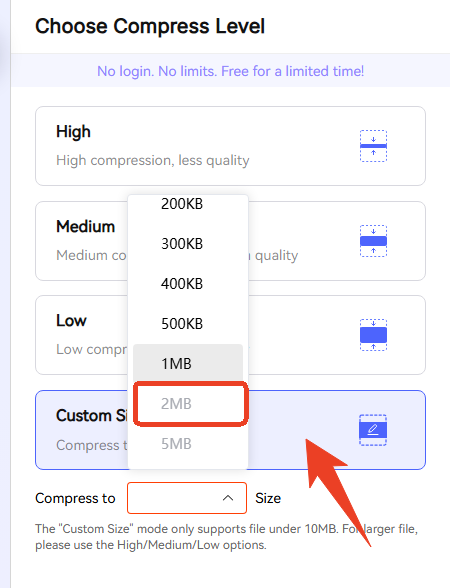
Step 4: Click “Compress” and download your compressed file.
How to Reduce PDF to 2MB Offline with Desktop Software
Online tools are convenient, but they are not for everyone. If you handle sensitive documents or need to compress PDF to 2MB regularly, desktop software offers more control and privacy.
Using JOPDF to Compress PDF to 2MB
JOPDF is a fast, lightweight, and completely free PDF toolkit designed for efficient everyday document handling. It integrates essential features such as PDF compression, merging, splitting, format conversion, annotation, page management, and form creation – all within a clean and intuitive interface. With no registration, no watermarks, and no feature limitations, JOPDF offers a truly frictionless experience.

JOPDF – The Best Free PDF Editor
 User Rating: 4.8
JOPDF Is a 100% free POF editor for Windows, macOS, and Linux. Edit text, add images, annotate, sign, and more. No limits, no ads, no subscriptions, Fast, simple, and powerful, take full control of your PDFs in seconds!
Why JOPDF is a good option to reduce PDF size to 2MB:
- Free and offline: No subscription, no uploads, no hidden charges.
- Batch compression: Compress multiple files at once.
- Multiple compression levels: High, Medium, and Low options.
- No sign-up required: Download and start using immediately.
- Cross-platform: Works on Windows and macOS.
JOPDF processes everything locally on your computer, so your documents never leave your device. A user review notes that compressing a 20MB PDF to Medium level reduced it to about 8MB with no noticeable change in text clarity. The software includes a smart compression engine that reduces file size while keeping text and images clear, ideal for email attachments and online submissions.
Steps to compress PDF to 2MB with JOPDF:
Step 1: Download and install JOPDF from the official website.
Step 2: Open the software and click the “Compress PDF” tool on the home screen.
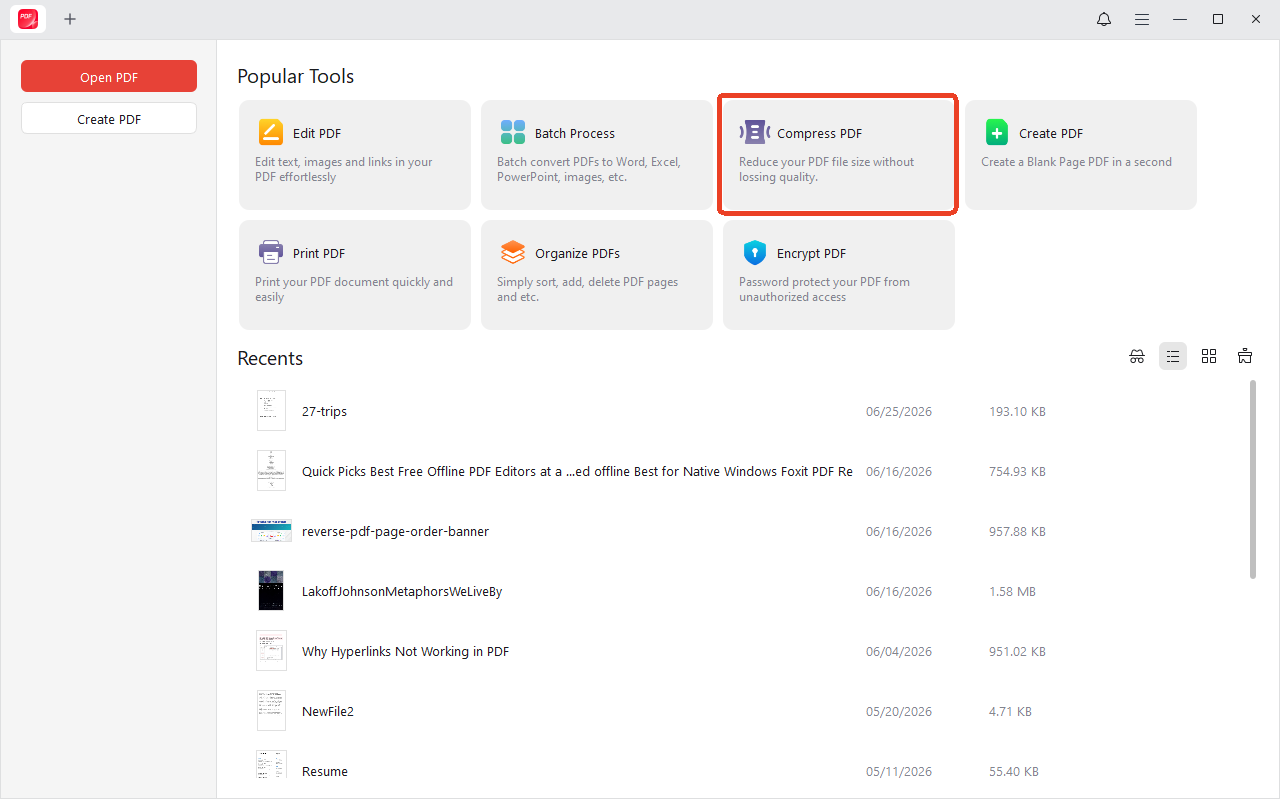
Step 3: Click “Add Files” and upload the PDF you want to compress.
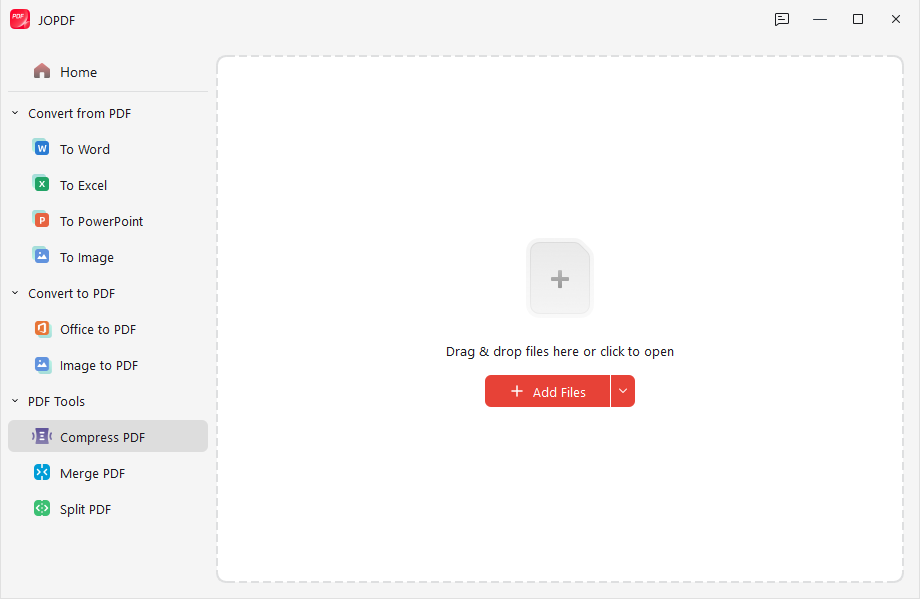
Step 4: Select a compression level (High works well for 2MB targets).
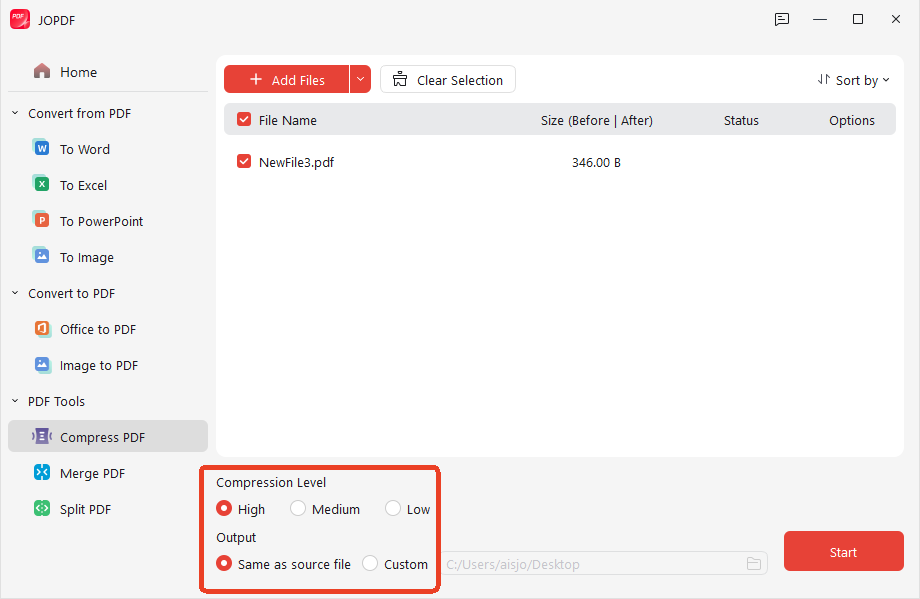
Step 5: Choose your saving path and click “Start” to compress PDF 2MB.
Additional JOPDF features that help reduce file size:
- Remove unnecessary pages (blank pages add weight)
- Crop large images in the PDF
- Convert color scans to grayscale
- Password-protect compressed files for security
Wondershare PDFelement Desktop
For professionals who need precise control, PDFelement offers offline compression with full control over DPI, image optimization, text, and objects. It works on Windows and Mac, supports batch compression, and handles files of any size.
Additional Ways to Make a PDF Smaller
If compression alone does not get you to 2MB, try these additional tricks before compressing again:
1. Remove unnecessary pages. Delete blank pages, duplicate pages, or appendices that are not essential.
2. Convert color to grayscale. Color scans are often much larger than grayscale versions. If color is not required, make the change.
3. Reduce image resolution. Lower the DPI of images. For web uploads, 150 DPI is often sufficient. For scanned documents, 100-150 DPI works well.
4. Remove or subset eMBedded fonts. Fonts can add significant weight. Some PDF tools allow you to subset fonts or remove unused ones.
5. Split the PDF. If your file is still too large, split it into smaller parts.
Troubleshooting: What If Your PDF Won’t Compress to 2MB?
Sometimes, a PDF is simply too large to reduce PDF size to 2MB without significant quality loss. Here is what to do:
1. Check if the PDF is scanned. Scanned PDFs are image-based. You may need to use OCR to convert them to text-based PDFs first, which compress more easily.
2. Use a lower DPI for scans. If you control the scanning process, scan at 100-150 DPI instead of 300 DPI.
3. Remove high-resolution images. Extract or delete large images, then compress again.
4. Accept a slightly larger size. Some portals may accept files up to 2.5MB even if they state 2MB.
5. Use a different tool. Different compressors use different algorithms. If one tool fails, another may succeed.
Final Thoughts
Learning how to compress PDF to 2MB is a valuable skill. Whether you use an online tool for quick tasks or desktop software for sensitive documents, the right tool can make your file upload-ready in seconds.
If you want a free, offline solution that works on any device, consider JOPDF. It is a comprehensive PDF editor with a built-in compressor. You can reduce PDF to 2MB without worrying about privacy or upload limits. JOPDF is free, requires no sign-up, and processes everything on your computer.
FAQs
You need a good-quality compression tool. Tools like JOPDF and PDFelement allow you to choose compression levels that balance size and quality.
Yes, for documents like application forms, short presentations, text-based reports, and invoices. For graphic-heavy files, it may be challenging.
Yes, depending on resolution and length. Scan in grayscale and use lower DPI to make it easier.
Try removing images, converting color to grayscale, or splitting the PDF into smaller files.
Table of Contents

Your Best Free PDF Expert in PDF editing, compressing, converting, annotating, protect, organizing, and more.
Free DownloadWindows · macOS · Linux

Anna
Editor
“Anna, Editor-in-Chief and PDF expert, delivers deep insights into PDF document technology trends. She is dedicated to helping readers optimize their digital lives. When not writing, Anna loves exploring local cafes and reading, blending her technical expertise with a love for storytelling.”