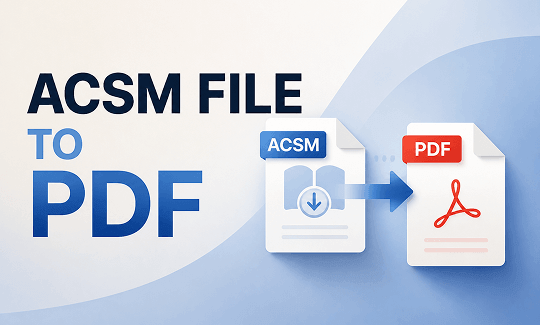
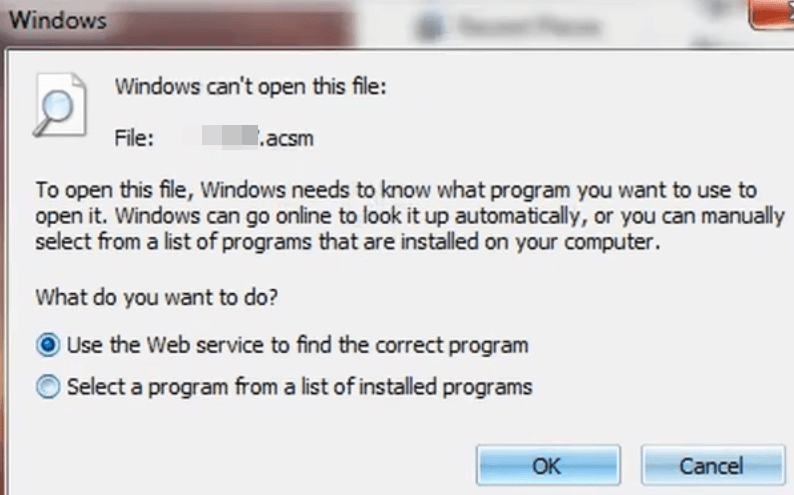
An ACSM file is not an actual eBook; it is a secure download token from Adobe. When you download an eBook from a digital library, you might receive a tiny, unopenable file instead of a normal book. We have seen this confuse many readers. In this guide on JOPDF, we will show you how to convert ACSM to PDF using reliable methods, including the official Adobe way and some quick online options.
Summary :
What Is an ACSM File? (And Why You Can’t Open It Directly)
The full name of ACSM file is Adobe Content Server Message. It is a small license file, usually just a few kilobytes, that acts as a key. When you open it with the right software, it connects to Adobe’s servers and downloads your actual eBook. This process is part of Adobe’s DRM (Digital Rights Management) system.
The ACSM file format is used by many online bookstores and libraries. It protects the publisher’s content by preventing unauthorized copying. To open your reading material on a normal screen, your device must communicate with an authorized ACSM converter to unlock the text layers. You cannot open an ACSM file directly in a standard PDF reader or on a Kindle. That is why so many people look for ways to convert ACSM to PDF.
Also See: How to Batch Convert Multiple PDFs Without Losing Quality
Method 1: Convert ACSM to PDF with Adobe Digital Editions
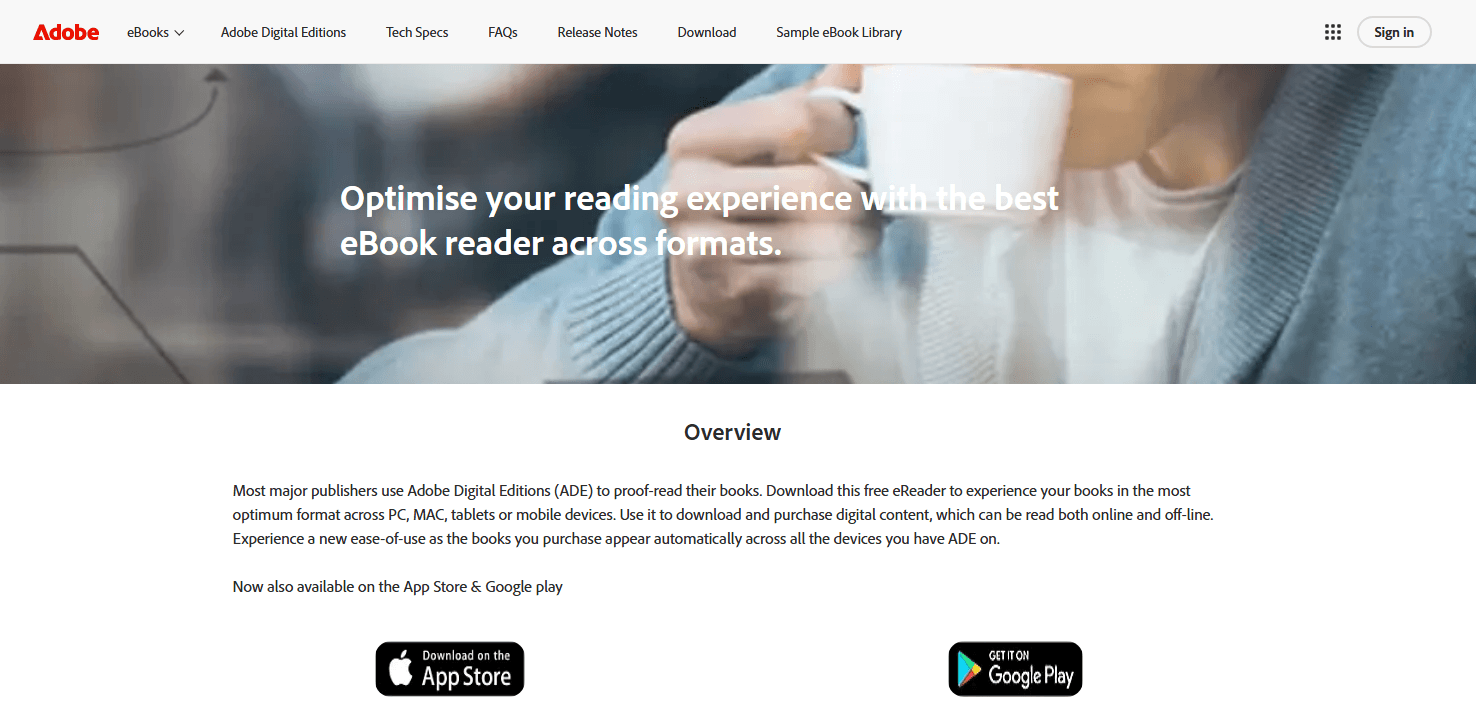
To open your book documents safely, using official application channels is always a reliable path. Adobe Digital Editions (ADE) is the official tool to handle ACSM file content and convert ACSM to PDF, especially for DRM-protected books.
How to convert ACSM to PDF using Adobe Digital Editions:
Step 1: Download Adobe Digital Editions from Adobe’s website and install it on your computer.
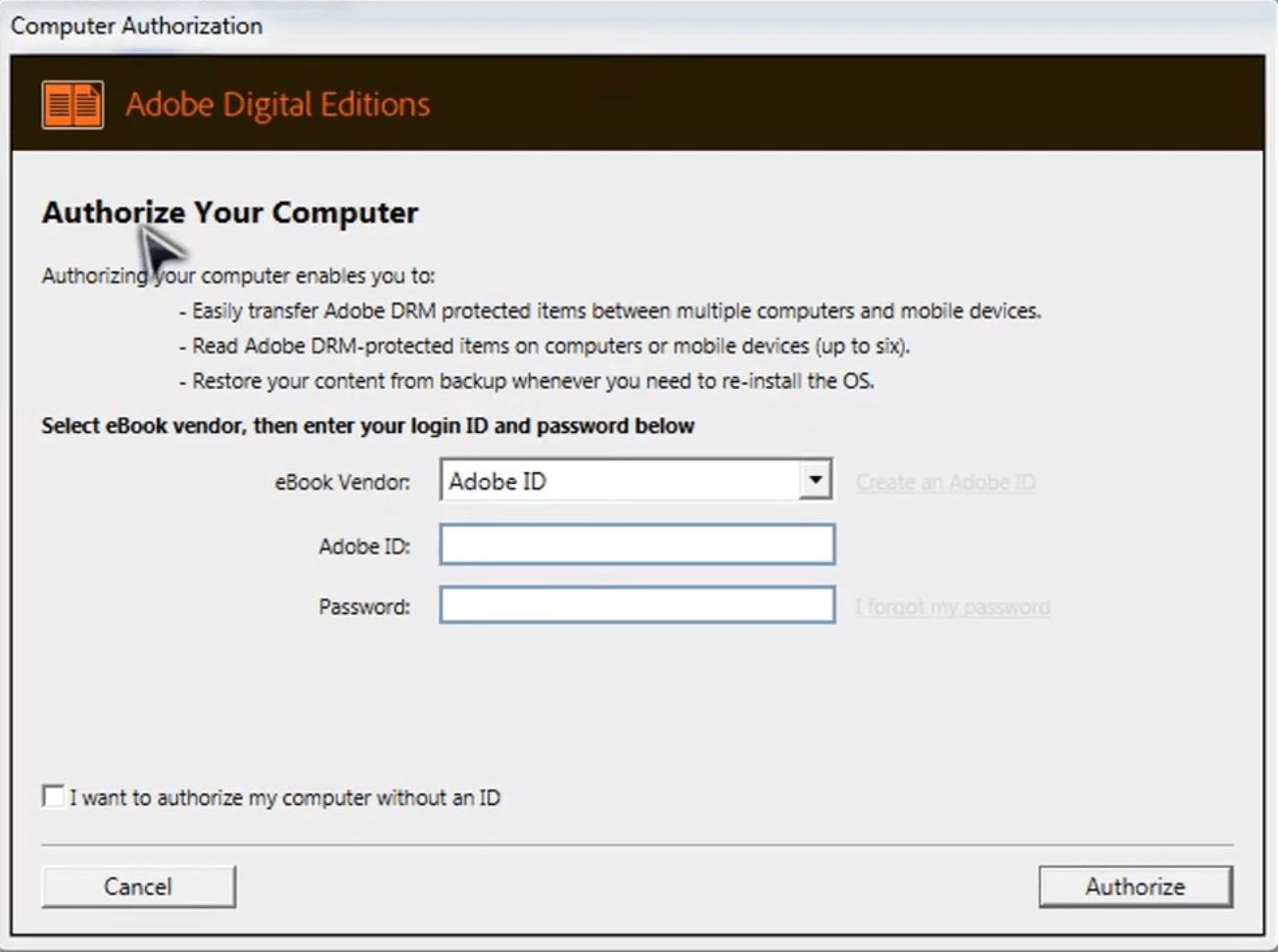
Step 2: Open the program and click Help > Authorize Computer in the top menu.
Step 3: Enter your Adobe ID and password. If you do not have one, you can create one for free.
Step 4: Locate your downloaded ACSM file inside your system file folder and drag it into the open software library workspace.
ADE will read the ACSM file and connect to Adobe’s servers. It will start downloading your actual eBook automatically. After the download finishes, the book will appear in your ADE library. It will be in either PDF or EPUB format.
Right-click on the book and choose “Show File in Explorer” (Windows) or “Show File in Finder” (Mac). This will take you to the folder where the actual ACSM to PDF or EPUB download is saved on your computer.
Also See: 7 Must-Know Adobe Acrobat Alternatives for PDF Editing in 2026
Method 2: Convert ACSM to PDF Online
If you do not want to install Adobe Digital Editions, you might wonder if you can find an ACSM to PDF online solution. Many remote platforms offer a cloud-based ACSM to PDF converter that promises to convert ACSM to PDF files inside your browser.

JOPDF – The Best Free PDF Editor
 User Rating: 4.8
JOPDF Is a 100% free POF editor for Windows, macOS, and Linux. Edit text, add images, annotate, sign, and more. No limits, no ads, no subscriptions, Fast, simple, and powerful, take full control of your PDFs in seconds!
However, a typical web-based ACSM converter often struggles with digital rights management layers, meaning it will likely fail if your book is borrowed from a public university library network.
Furthermore, uploading private purchase receipts to a third-party ACSM to PDF online system can raise data privacy concerns.
How to use an ACSM to PDF online converter?
Step 1: Open your browser and go to an ACSM to PDF online converter.
Step 2: Upload your ACSM file and choose to convert ACSM file format. Some online ACSM converter will finish the process automatically.
Step 3: When the conversion finishes, click the “Download” button to save your PDF file.
Important things to know about online ACSM to PDF converters:
- DRM is a problem. Many ACSM file eBooks are DRM-protected. Online ACSM to PDF tools usually cannot handle DRM-protected files. Your conversion may fail.
- File size limits exist. Most free online tools have a limit, often around 100MB.
- Privacy matters. Your ACSM file is uploaded to their server. For sensitive or personal eBooks, this might not be ideal.
- No registration needed. Most ACSM to PDF online tools do not require you to create an account.
How to Convert EPUB to PDF Using Calibre?
Sometimes, after you open an ACSM file in Adobe Digital Editions, the downloaded file is in EPUB format, not PDF. You can still get a PDF. You just need to convert ACSM to PDF indirectly.
You can use Calibre for this. Calibre is a free and popular eBook management tool. It is a powerful ACSM to PDF converter for EPUB files.
How to convert ACSM files to PDF using Calibre:
Step 1: Download and install Calibre from its official website.
Step 2: Open Calibre and click the Add books button at the top.
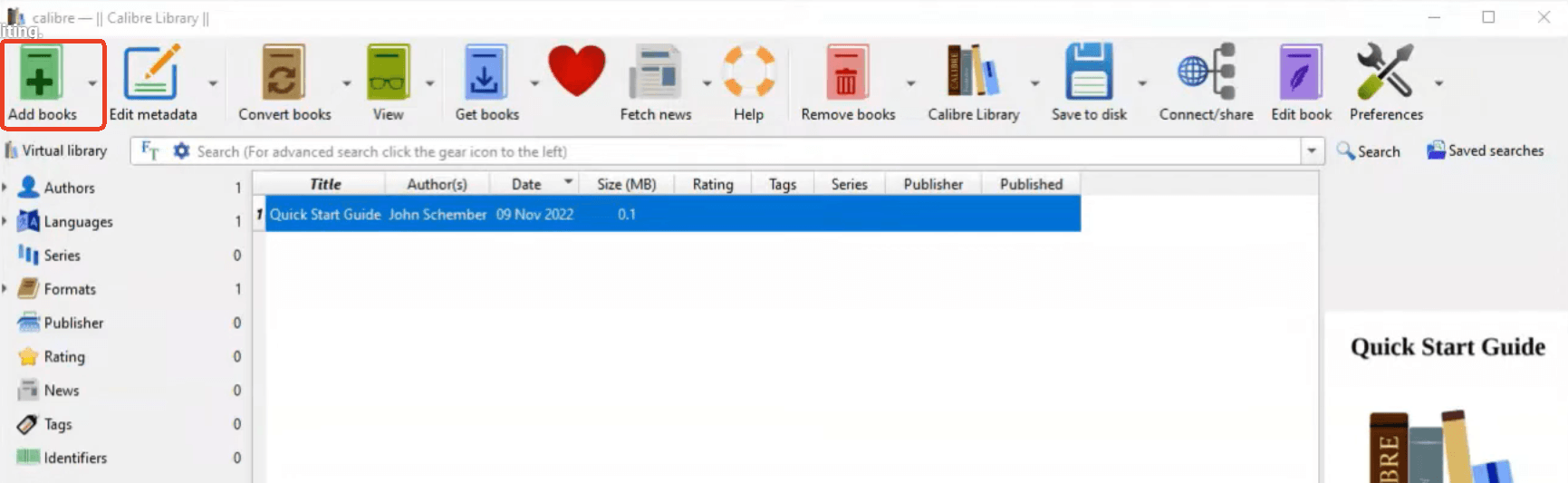
Step 3: Upload your EPUB file and select the EPUB book in the library.
Step 4: Click the Convert books button on the top toolbar and change the Output format dropdown menu to PDF on the top toolbar.
Step 5: Click the OK button at the bottom. Calibre will start converting the EPUB to PDF. The time it takes depends on the file size.
Important note about DRM: If your EPUB file from ADE is DRM-protected, Calibre may not be able to convert it directly. You may need to install additional plugins, but we will not cover that here as it can be complicated.
What to Do After You Convert ACSM to PDF
Once you have successfully completed an ACSM to PDF conversion, you will have a standard PDF file. But sometimes, the converted PDF may need some work. The layout might be off, or you might want to add notes, highlight text, or combine it with other documents.
JOPDF – The Best Free PDF Editor
User Rating: 4.8
JOPDF Is a 100% free POF editor for Windows, macOS, and Linux. Edit text, add images, annotate, sign, and more. No limits, no ads, no subscriptions, Fast, simple, and powerful, take full control of your PDFs in seconds!
To create a much better digital reading experience, we highly suggest using JOPDF to optimize your newly downloaded files.
Why JOPDF is useful after ACSM to PDF conversion:
- It is free. No trial, no watermark, no subscription fees.
- It works offline. Your converted PDF stays on your computer. No need to upload it again.
- It has editing tools. You can fix text, adjust images, or reorganize pages.
- It has annotation tools. You can highlight, underline, or add comments to your eBook.
- It merges and splits. You can combine multiple PDFs or split a large book into chapters.
How to use JOPDF after your ACSM to PDF conversion:
Step 1: Download JOPDF from the official website and install it.
Step 2: Launch JOPDF and open your PDF.
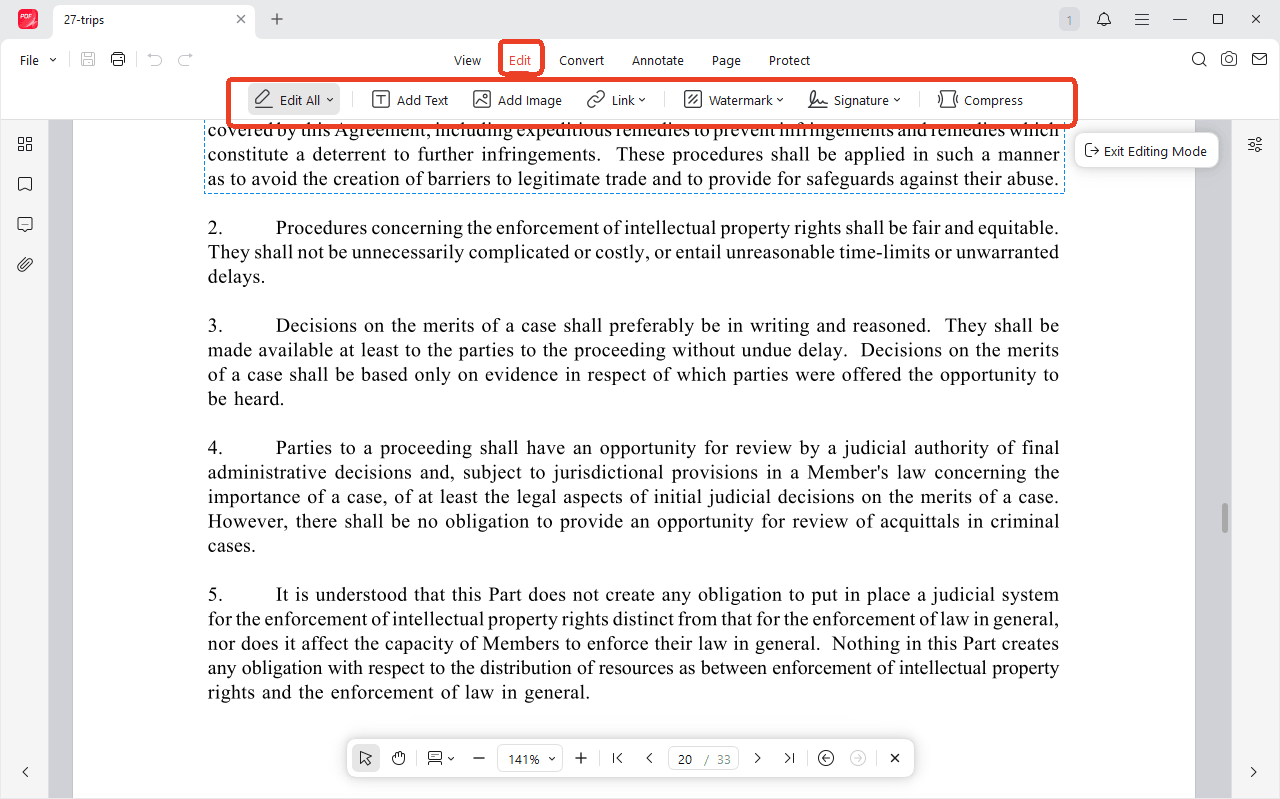
Step 3: Go to the Edit tab and you can add text, image, link, etc.
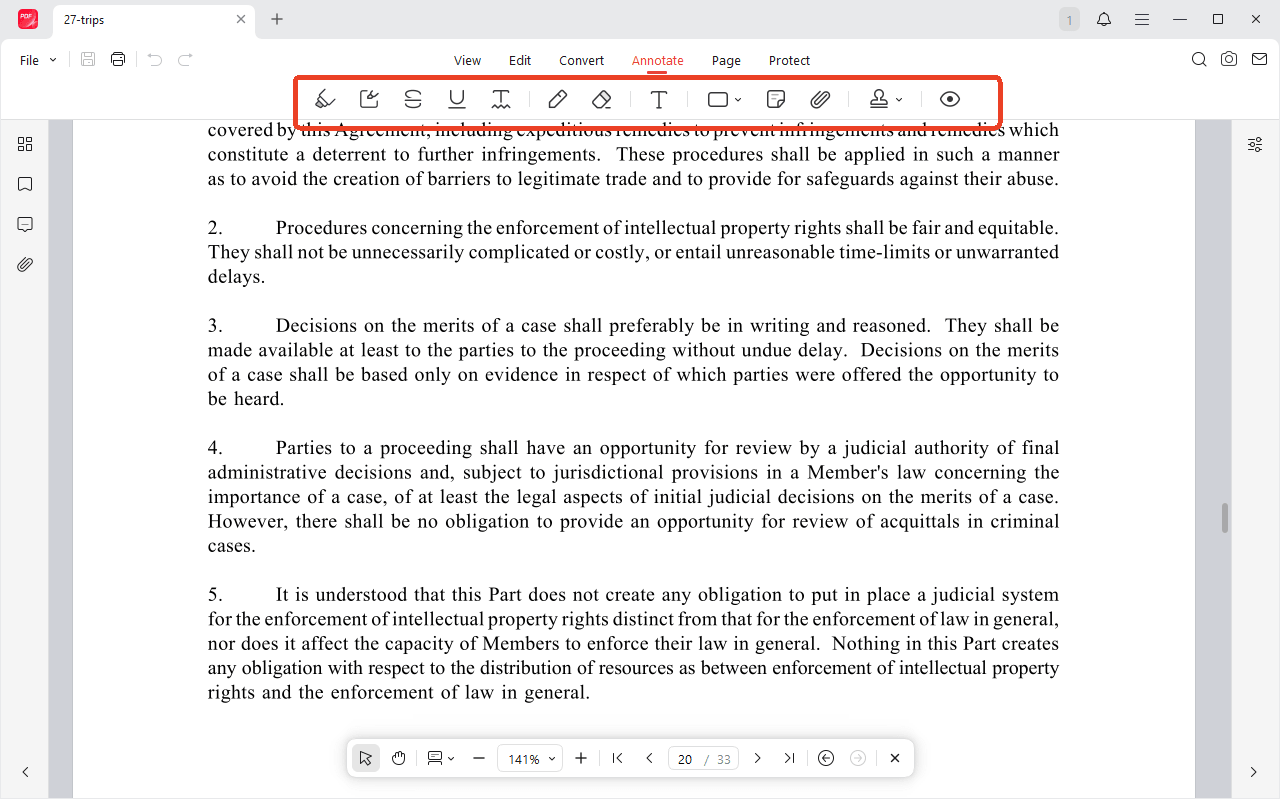
Step 4: In the Annotate tab, you can add highlights, notes, shapes, etc.
Conclusion
So, how to convert ACSM to PDF in a way that works for you? We have covered reliable paths. After you have your PDF, consider using JOPDF to edit, annotate, or organize it. It is a free, offline tool that gives you more control over your documents. Now you know how to handle an ACSM file. Pick the method that fits your situation and start reading your eBook the way you want.
FAQs
Not reliably. Adobe Digital Editions is the official tool that can read the ACSM file and download the actual eBook. Online ACSM to PDF converters often fail with DRM-protected files. You can try them, but they are not guaranteed to work.
The publisher decides the format. Adobe Digital Editions delivers the eBook in the format chosen by the publisher. Many academic and fiction books come as EPUB. You can use Calibre to convert the EPUB to PDF.
Yes. Adobe Digital Editions has apps for Android and iOS. You can install the app, authorize it with your Adobe ID, and open the ACSM file on your phone. The app will download the eBook for you to read.
Table of Contents

Your Best Free PDF Expert in PDF editing, compressing, converting, annotating, protect, organizing, and more.
Free DownloadWindows · macOS · Linux

Anna
Editor
“Anna, Editor-in-Chief and PDF expert, delivers deep insights into PDF document technology trends. She is dedicated to helping readers optimize their digital lives. When not writing, Anna loves exploring local cafes and reading, blending her technical expertise with a love for storytelling.”