A flawless PDF ensures your formatting stays intact, no matter who opens your application. From using traditional word processors to modern PDF resume tools, this article about how to create resume PDF on JOPDF covers multiple free methods. Whether you need to create a resume from scratch or simply convert your resume to PDF, you’ll find a solution that suits your technical comfort level and operating system.
Summary :
Key Elements for Creating a Resume PDF
Many job seekers jump straight into designing without gathering the right materials first. A user on a popular career forum recently shared they had to pause their application mid-process because they couldn’t remember exact employment dates, causing unnecessary stress.
Before you learn how to create a resume PDF, spend ten minutes collecting these essential elements so your workflow stays smooth.
- Accurate Employment Dates: Record the month and year you started and ended each job. Gaps longer than three months may need a brief explanation, so prepare a short note if needed.
- Quantified Achievements: Do not list generic duties. Prepare specific numbers such as revenue increases, team sizes managed, or percentage improvements. These data points are the backbone of strong PDF resumes.
- Master Skill List: Write down every software, certification, and language you know. You will prune this later based on the job description, but having a full inventory saves time.
- Professional Contact Details: Use a clean email address based on your name, not an old nickname. Also prepare a LinkedIn URL and any portfolio links.
Also See: 9 Best Free PDF Resume Editor in 2026: Edit Your Resume Easily
How to Create a Resume PDF Online Free in Google Docs
How to create resume PDF online free? Google Docs is a fantastic alternative if you lack access to premium software. It allows you to create a resume collaboratively and share it for live feedback. Let’s walk through the free process:
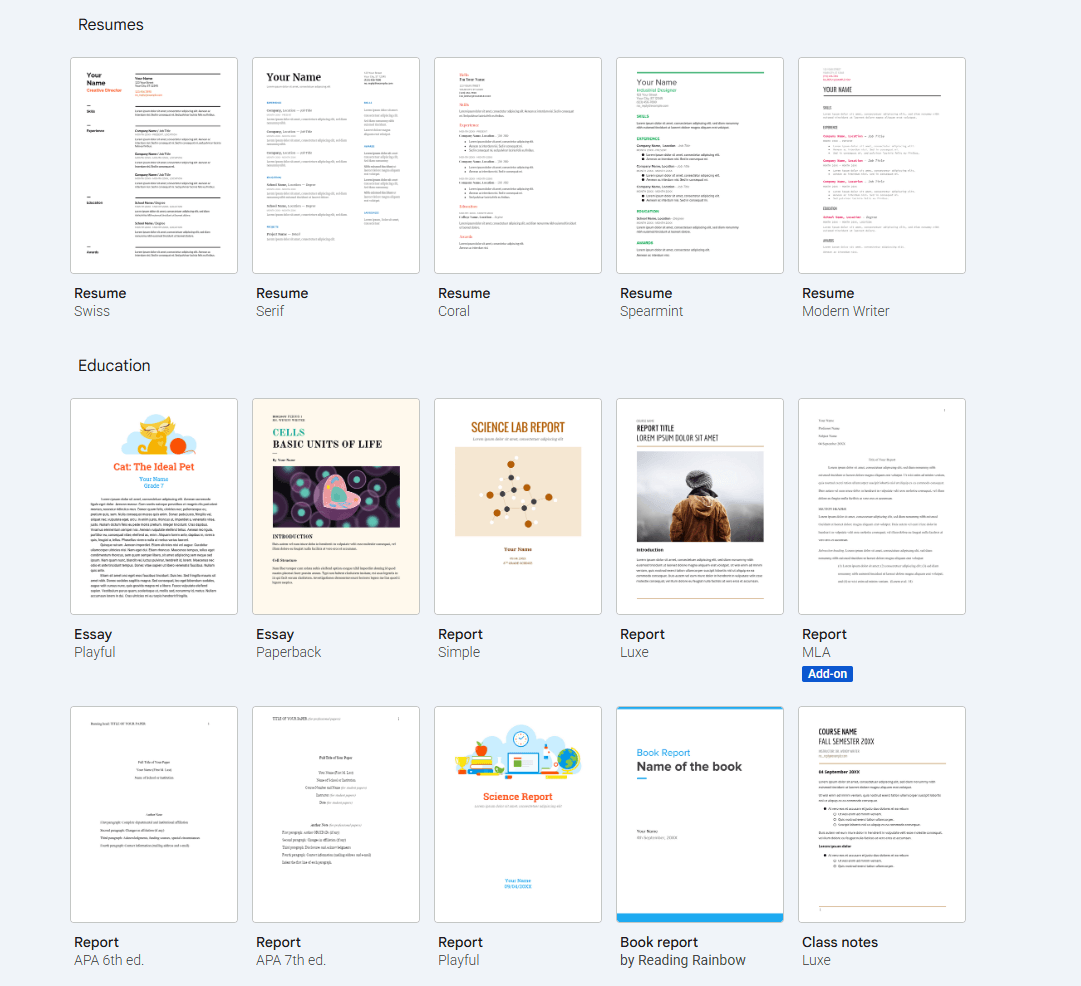
Step 1: Open you Google Drive and create a new document. Use the built-in template gallery titled Resumes, or start blank to maintain a unique look.
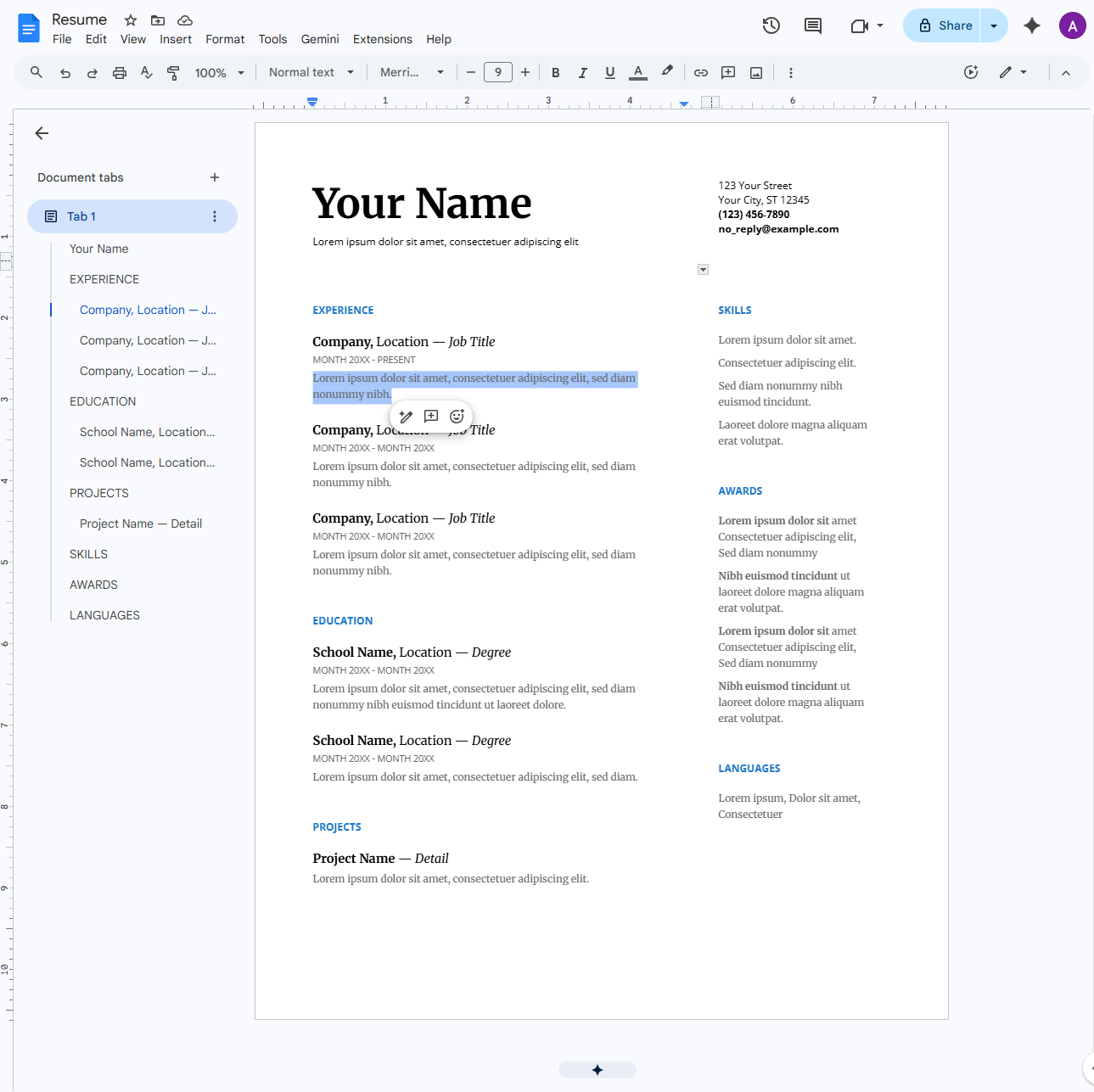
Step 2: Customize the template by replacing text with your actual experience. Highlight keywords that match the job description.
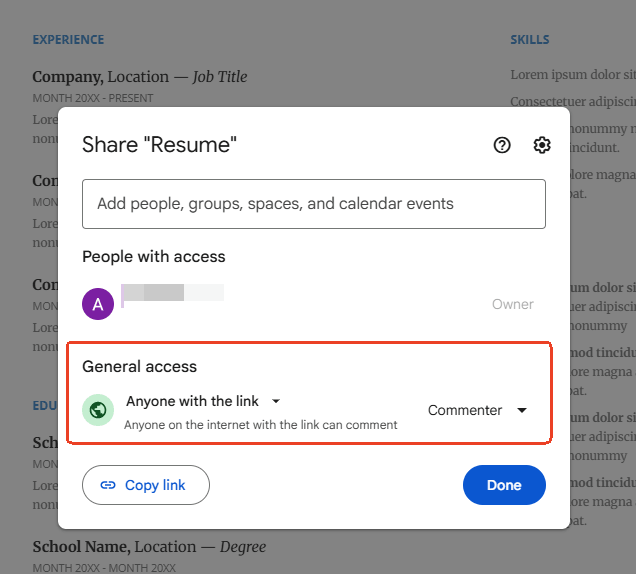
Step 3: Adjust the sharing settings to “Anyone with the link can comment” and ask a mentor to proofread it in real time.
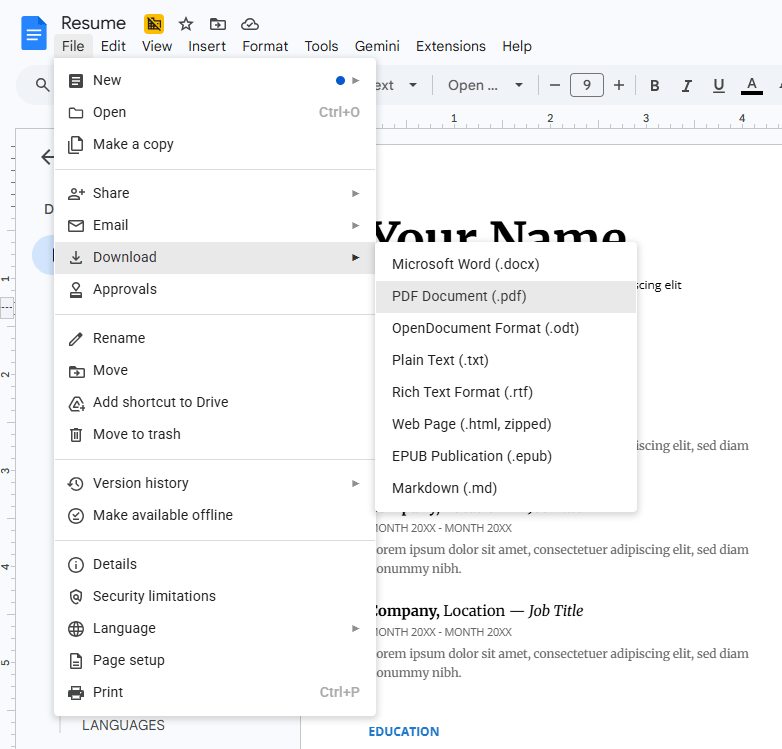
Step 4: Once finalized, go to the File menu, hover over Download, and select PDF Document (.pdf). This instantly answers how to create a resume PDF free in a cloud environment.
Tips
Always check the exported file on your computer, as Google Docs sometimes alters page breaks slightly during the conversion.
How to Create a Resume PDF in Microsoft Word
Microsoft Word remains a common starting point for building professional documents. Many people don’t realize that Word has a built-in feature that makes it simple to build a resume free of third-party software. Before diving into the steps, remember that using Word gives you total control over fonts and margins, ensuring your layout isn’t altered by a browser glitch.
Here are some key points to turn your document into a polished PDF:
- Use the Styles pane to format your section headings consistently.
- Insert your bullet points for work experience.
- Review your margins and line spacing to ensure there is adequate white space.
- Remember to save the file as PDF.
- Open the PDF to verify that your chosen fonts rendered correctly.
How to Create a Resume PDF on macOS
Apple users have a unique advantage when they want to create a resume PDF without cluttering their hard drive with extra apps. macOS has a robust print-to-PDF engine built into every text editor. If you’ve designed your resume in Pages, the export process is seamless.
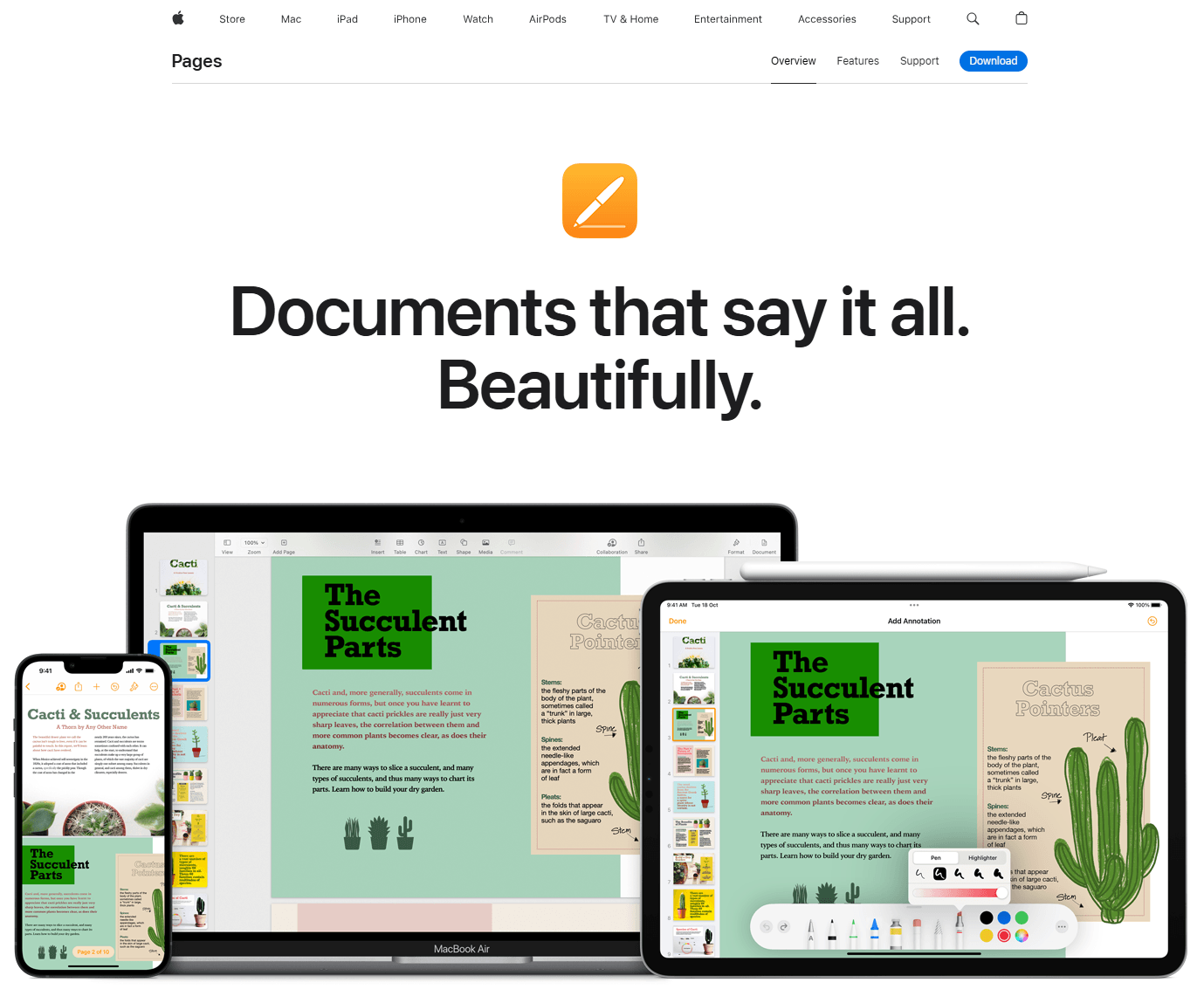
Step 1: Design your resume using Pages. The graphical tools here allow for very visual, yet clean, layouts.
Step 2: Highlight your technical skills in a sidebar, which is a popular visual trend for modern PDF resumes.
Step 3: Go to the File menu and select Print. In the print dialog box, look at the bottom-left corner for a button labeled PDF. Click it and choose Save as PDF.
How to Edit a Resume in PDF Format
Sometimes, the most frustrating moment comes after you have already finished designing your resume. You might have built the perfect layout in Word or Google Docs, but when you need to make a last-minute fix, you discover the original file is missing. Perhaps you need to quickly tailor an existing PDF resume for a specific job. This is where a dedicated PDF editor becomes essential.
JOPDF’s Key Features:
-
100% Free with No Hidden Costs (Truly Free)
-
Edit PDFs Directly Like a Word Document
-
All-in-One Functionality
-
Lightning Fast and Lightweight
-
Privacy-Focused with Strong Security Features
JOPDF offers a free solution precisely for this scenario. It is a smart PDF editing platform that lets you directly modify text and adjust content inside your existing file without ruining the formatting.
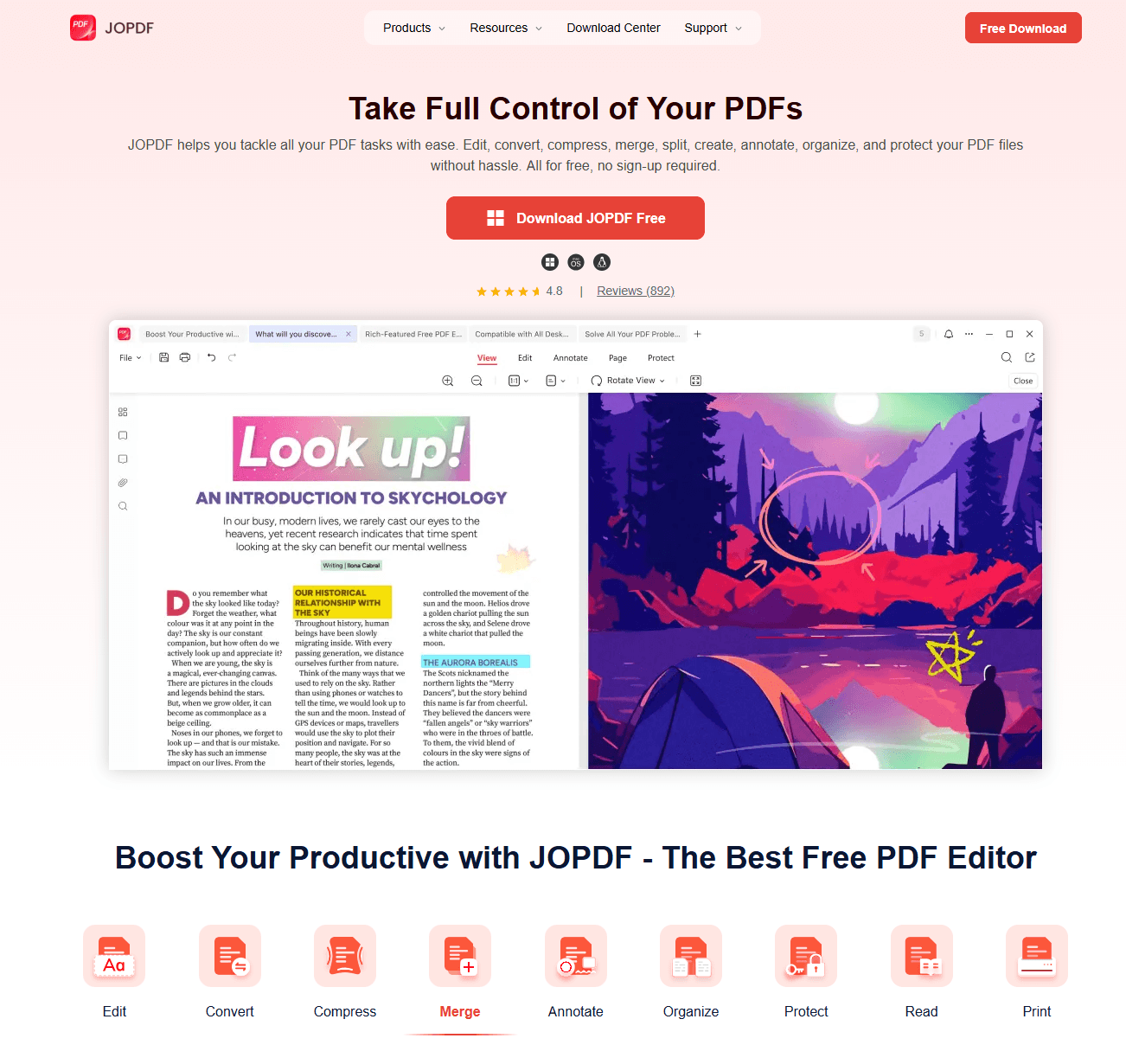
Step 1: Design your resume in whichever tool you prefer, such as Microsoft Word or Google Docs. Export a clean copy first; this is the standard way to create a resume PDF before editing.
Step 2: Go to JOPDF and upload the PDF file you just exported. The interface is straightforward, with no confusing toolbars.
Step 3: Click on any text element you want to change, such as your name, address, or a bullet point. Type your revision directly. The platform maintains font styles and spacing automatically.
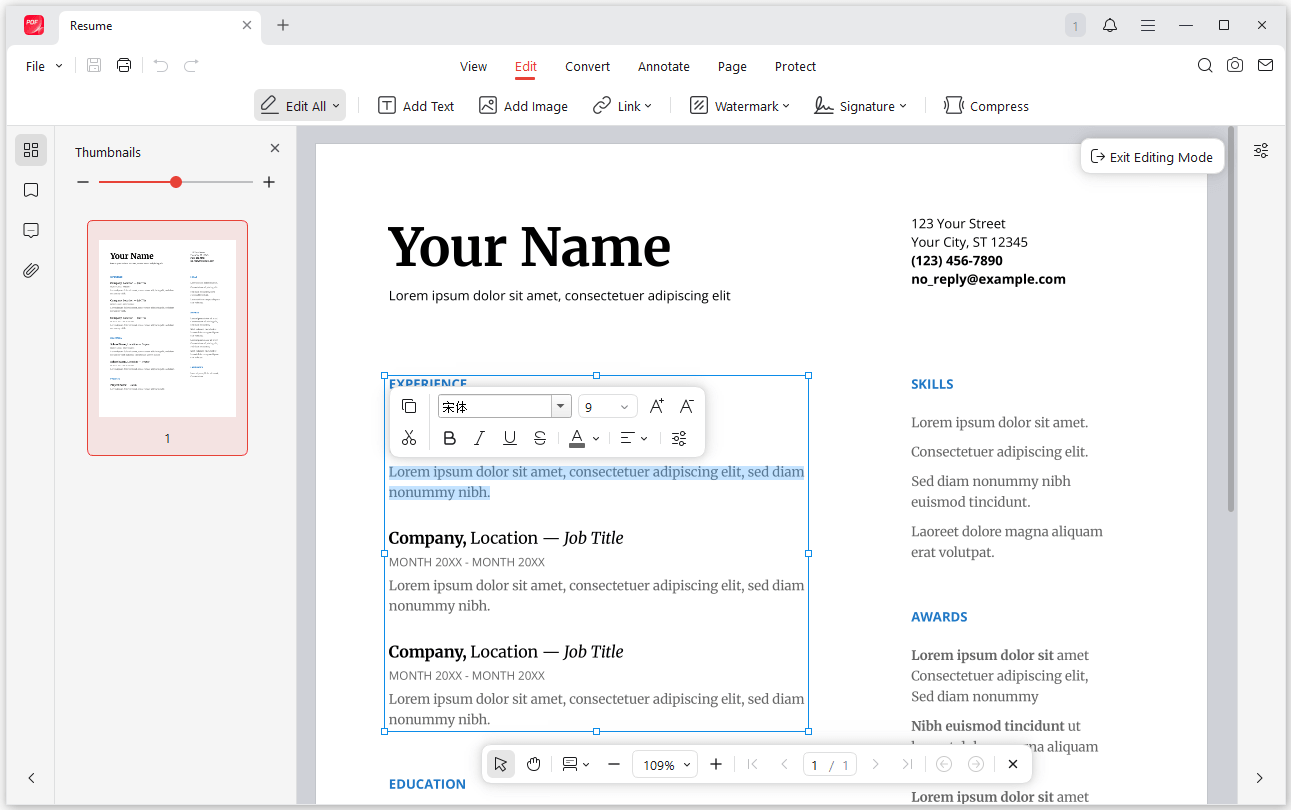
Step 4: If you need to convert your resume to PDF again after heavy edits, simply use the Convert function to save a fresh, flattened version. The output remains sharp and professional.
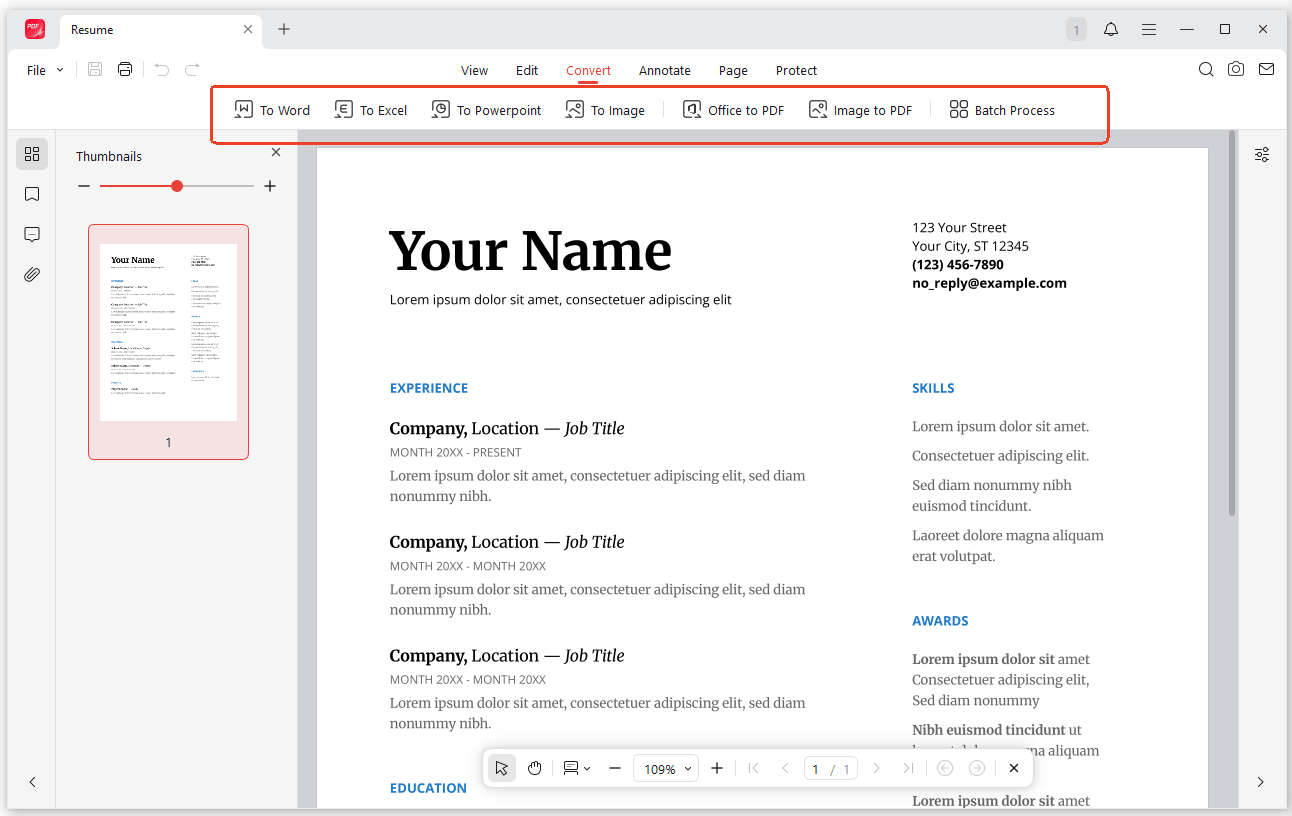
Step 5: Review the final document closely. Because JOPDF is a dedicated editor, you can confidently create a resume PDF free of errors without worrying about shifted margins or misaligned sections. This approach truly lets you build a resume free of the usual formatting headaches.
How to Write a Resume: Step-by-Step Guide
Choosing the right resume builder and editor is quite important. However, learning how to write a resume effectively is also the bridge between getting ignored and getting hired. A Redditor once noted that after months of no responses, simply removing their “Objective” statement and replacing it with a tailored “Professional Summary” doubled their callback rate.
Here is a detailed breakdown of each section, covering both format and content.

JOPDF – The Best Free PDF Editor
 User Rating: 4.8
JOPDF Is a 100% free POF editor for Windows, macOS, and Linux. Edit text, add images, annotate, sign, and more. No limits, no ads, no subscriptions, Fast, simple, and powerful, take full control of your PDFs in seconds!
Contact Information and Headline
Your name should use a font size of 20–24 points, sitting at the very top with no extra frills. Below it, place your phone number, a professional email based on your real name, and your city and state. Do not write the word “Resume” anywhere. If relevant, include a hyperlinked portfolio or LinkedIn URL on the same line as your contact details to save vertical space. Avoid adding your full street address; city and state are sufficient for privacy and modern hiring norms.
Also See: How to Add a Hyperlink to a PDF Without Acrobat: Free & Easy
The Professional Summary
This section must be no longer than three concise sentences. The format should be plain paragraph text, not bullet points. Content-wise, answer three questions:
- Who are you professionally?
- What is your top measurable achievement?
- What specific value can you bring to the target role?
Replace generic phrases like “hardworking team player” with concrete identifiers, such as “B2B SaaS sales specialist” or “certified project manager.” Tailoring this summary to each job application can significantly boost your callback rate.
Work Experience
List positions in reverse chronological order. For each entry, the job title and company name belong on the first line, with employment dates right-aligned on the same line. Below each role, include three to five bullet points, starting every bullet with a powerful action verb.
Always lead with the result or impact, followed by the method. For example, “Reduced onboarding time by 20% by creating a digital training library” is far stronger than “Was responsible for training.”
Skills and Education
Separate your skills into two clear categories: technical and language. Do not list soft skills like “communication” as standalone items; demonstrate those through your experience bullet points instead.
For education, if you graduated more than three years ago, place this block at the bottom of the page. List the degree name, institution, and graduation year on a single line. Only include your GPA if you are a recent graduate with a score above 3.5.
Conclusion
Knowing how to create a resume PDF correctly places you a step above the competition who send generic document files. Whether you use JOPDF’s smart resume builder, Microsoft Word, or Google Docs, the goal is consistency. Stick to a clean layout, proofread your grammar, and always preview the final PDF before hitting send. A perfect resume is useless if it isn’t read by the hiring manager.
FAQs
Yes, but stick to reputable ones. Always check that the site uses encryption if you are entering personal data. A tool like JOPDF focuses on processing the file locally and securely.
A Word file can show up with different fonts or missing bullet points depending on the version of Word the recipient uses. PDF resumes lock your formatting exactly as you designed it.
Absolutely. Both Google Docs and the native features in macOS allow a complete create a resume PDF free download process without any payment information or software trials.
Use the "Save As" function rather than "Print to PDF," as "Save As" generally preserves more metadata and hyperlinks, making it the superior method for how to create resume PDF in word.
Table of Contents

Your Best Free PDF Expert in PDF editing, compressing, converting, annotating, protect, organizing, and more.
Free DownloadWindows · macOS · Linux

Anna
Editor
“Anna, Editor-in-Chief and PDF expert, delivers deep insights into PDF document technology trends. She is dedicated to helping readers optimize their digital lives. When not writing, Anna loves exploring local cafes and reading, blending her technical expertise with a love for storytelling.”