Introduction :
Everand is known as a subscription-based digital reading platform. Sometimes, you may want to read and enjoy content from Everand offline. Can you download PDFs from Everand? How to save ebooks from Everand as PDF files? This JOPDF article will explain whether it is possible to download Everand to PDF and find possible and legitimate ways to read or save Everand content offline.
What Is Everand
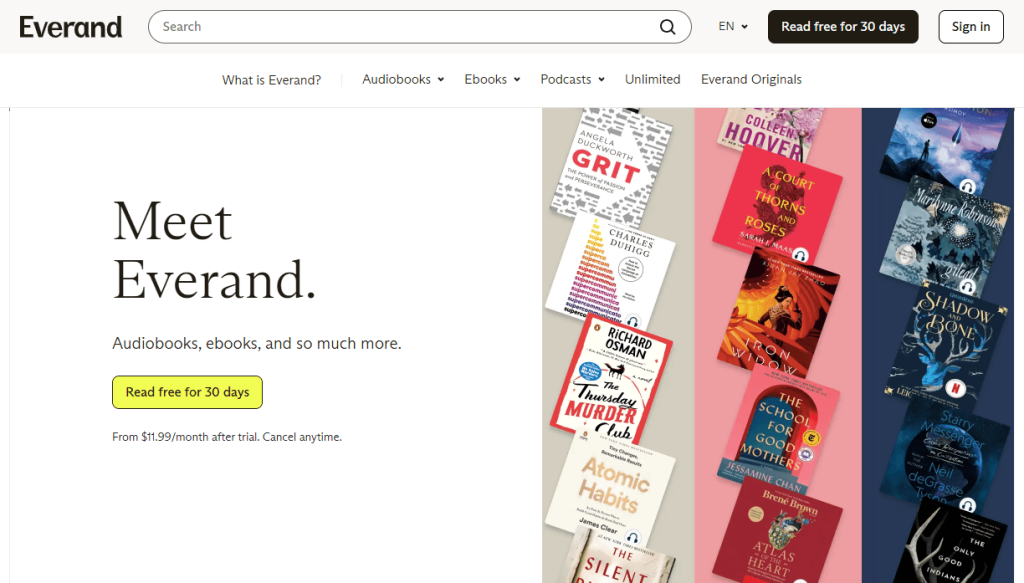
Previously, Everand was known as Scribd. Now, it is a popular digital reading subscription service that lets you access millions of ebooks, podcasts, audiobooks, and other content. Meanwhile, the original Scribd platform still exists separately for user-uploaded documents.
Instead of selling individual ebooks, Everand uses a monthly subscription model, allowing users to read content within its ecosystem.
Key characteristics of Everand:
- Content is streamed or downloaded inside the app
- Files are protected with DRM (Digital Rights Management)
- Users do not receive raw ebook files (like PDF or EPUB downloads)
Can You Download PDFs from Everand
The short answer is: No, not directly. There is no native “Download PDF” option for its ebooks in Everand. Even if you see a download button, what you are getting is:
- An encrypted offline file
- Usable only inside the Everand app
- Not transferable or viewable as a PDF outside the platform
But don’t be frustrated. There are still other third-party Everand downloaders or converters that can save Everand ebooks as PDFs. Keep reading!
Official Way to Download Books on Everand for Offline Reading
If you are using the Everand app on iOS or Android devices, you can download Everand books as PDFs for offline use. How to download books on Everand for offline reading or listening? Here is the step-by-step guide:
Step 1. Open your Everand app and make sure you are signed in with an active subscription.
Step 2. Select the book you want to download.
Step 3. Tap on the book cover to open the book’s About/Summary page.
Step 4. Tap the Download button. Once the process is complete, the downloaded Everand book will be stored on your device and will be available offline. You can find downloaded books under the Downloaded section.
❌Important Limitations:
- You do NOT get a PDF file
- Files cannot be exported
- Content disappears if the subscription ends
- Access is locked inside the Everand ecosystem
How to Download Everand Books as PDF
Although Everand does not officially support PDF export, you can try other third-party solutions. In this section, I’d like to introduce several Everand downloaders to download or convert Everand books to PDF.
🎈Warning
Before using these third-party downloaders, you should carefully consider copyright and platform rules. Meanwhile, you can only use downloaded PDFs for personal use, but not for any commercial purpose.
#DocDownloader
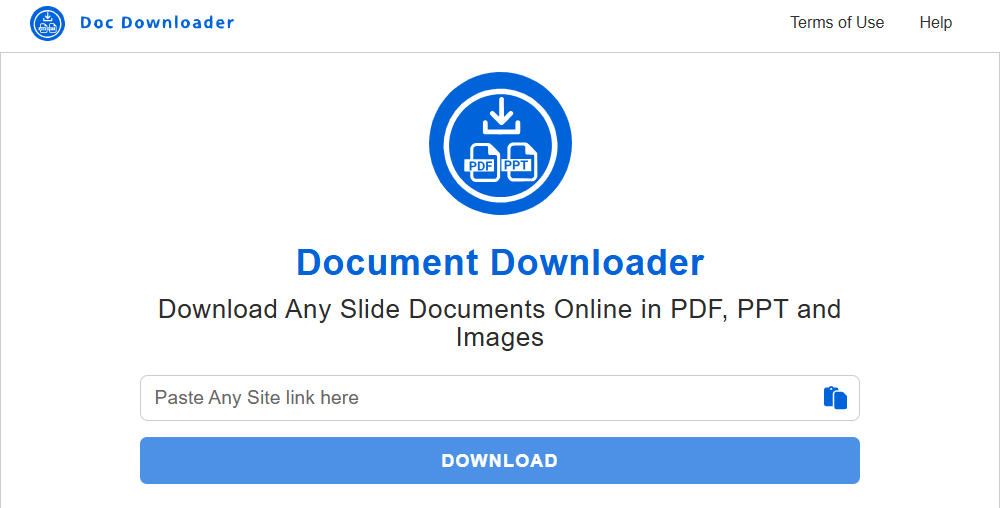
DocDownloader is a web-based tool that can download documents from various online platforms, such as Everand, Studocu, or SlideServe. It doesn’t require software installation and offers a simple interface where you can paste a document link to start the download process.
Features:
- Supports downloading from multiple document-sharing platforms.
- Browser-based with no installation required.
- Simple URL paste-and-download interface.
- Free to use for basic downloads.
Pros
- Easy to use, even for beginners.
- Works directly in a web browser.
- No account registration is typically required.
- Supports multiple document sources beyond Everand.
Cons
- Download success is inconsistent.
- May not work with newly protected or premium Everand content.
- Website availability can be unreliable.
- Potential legal and copyright concerns when downloading protected content.
#Everand.pdfdownloaders.com
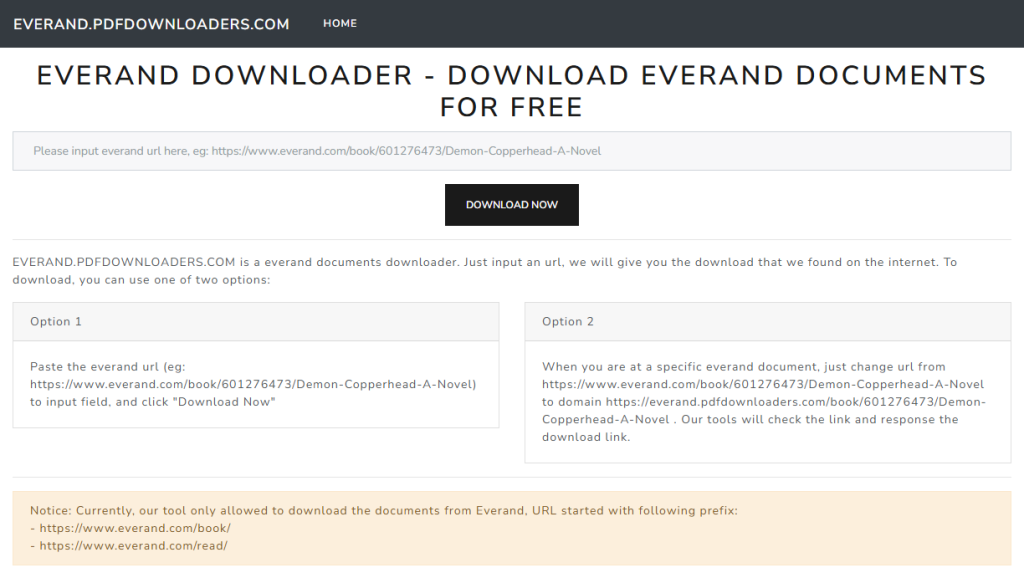
Everand.pdfdownloaders.com is an online downloader specifically designed for Everand content. You can use it to convert or download Everand books and documents into PDF format by entering the resource URL.
Features:
- Dedicated downloader for Everand links.
- Browser-based service with no software installation.
- Claims to convert Everand content into PDF.
- Straightforward URL input interface.
Advantages
- Specifically built for Everand downloads.
- Quick and easy workflow.
- Accessible from most modern browsers.
- No desktop application required.
Limitations
- Success rate varies depending on the document.
- May experience downtime or limited availability.
- Could expose users to ads or pop-ups.
- Downloading copyrighted content without authorization may violate Everand’s Terms of Service and copyright laws.
#Everand Downloader.tips
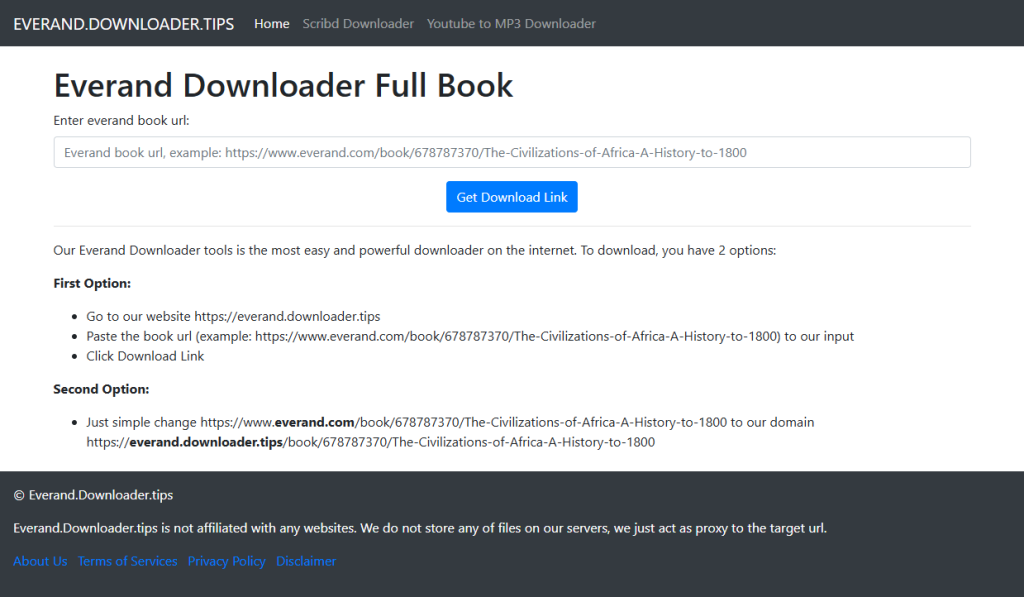
Everand Downloader.tips is another workable online service that claims to download Everand books and documents for offline access. This website offers a simple interface where users paste an Everand URL and attempt to generate a downloadable file.
Features:
- Online Everand downloader.
- No installation or registration required.
- URL-based download process.
- Designed for quick access through a web browser.
Advantages
- User-friendly interface.
- Fast setup with no software installation.
- Works on desktop and mobile browsers.
- Convenient for users seeking offline access.
Limitations
- Some downloads may fail or produce incomplete files.
- There are advertisements or redirects.
- Using unofficial downloaders for copyrighted Everand content may breach legal or contractual obligations.
Legal and Ethical Considerations
From the above content, we know how to save Everand content for offline reading in the official way and learn three third-party Everand downloaders. Importantly, we need to take legal and ethical considerations into consideration. Everand content is protected under licensing agreements with publishers. It means downloading or converting DRM-protected books into PDFs may violate the terms of service, and redistributing downloaded PDFs can lead to copyright infringement.
Legal Alternatives to Download PDF Books
If your primary goal is to download books as PDF files, you don’t necessarily need Everand. You can consider the following legal alternatives for downloading PDF books.
Project Gutenberg – Best for Public Domain Classics
Project Gutenberg is one of the oldest and most trusted digital libraries on the web. It offers more than 75,000 free ebooks, all of which are in the public domain or have been released with permission from the copyright holder.
Unlike Everand, there are no subscriptions, DRM restrictions, or download limits. You can download books in multiple formats, including PDF, EPUB, Kindle (MOBI), HTML, and plain text, then keep them permanently on your device.
Best For:
- Classic novels by authors such as Jane Austen, Mark Twain, and Charles Dickens
- Historical documents
- Philosophy and literary works
- Students studying classic literature
Internet Archive – Best for Rare and Historical Books
The Internet Archive is a nonprofit digital library dedicated to preserving books, websites, music, videos, and historical documents.
Best For:
- Academic research
- Historical collections
- Out-of-print books
- Government publications
- Older textbooks
Open Library – Best for Borrowing Digital Books
Open Library is a project of the Internet Archive that aims to create a web page for every published book. Instead of providing unlimited downloads, it functions like a traditional library, allowing users to borrow ebooks for a limited period.
Best For:
- Students
- Casual readers
- Library users
- Readers looking for modern books legally
Google Books – Best for Book Previews and Public Domain PDFs
Google Books is one of the world’s largest searchable book databases. It is especially useful when you’re researching a topic or trying to determine whether a book is worth purchasing elsewhere. Its powerful search engine also makes it easy to locate specific passages, authors, or editions.
While most copyrighted books only offer previews, many public domain works can be downloaded in full as PDF files.
Best For:
- Public domain books
- Research and reference materials
- Finding book previews
- Discovering new titles
Recommended Way to Read and Edit Downloaded Everand PDFs
Here, I’d like to recommend a reliable PDF reader and editor for you, which makes it easier to read comfortably, annotate important passages, organize pages, and even convert the file to other formats.
One tool worth considering is JOPDF, a completely free PDF editor and viewer for Windows, Mac, and Linux. It combines PDF viewing, editing, annotation, conversion, and protection features in a single application, making it an excellent companion for managing downloaded PDF books.
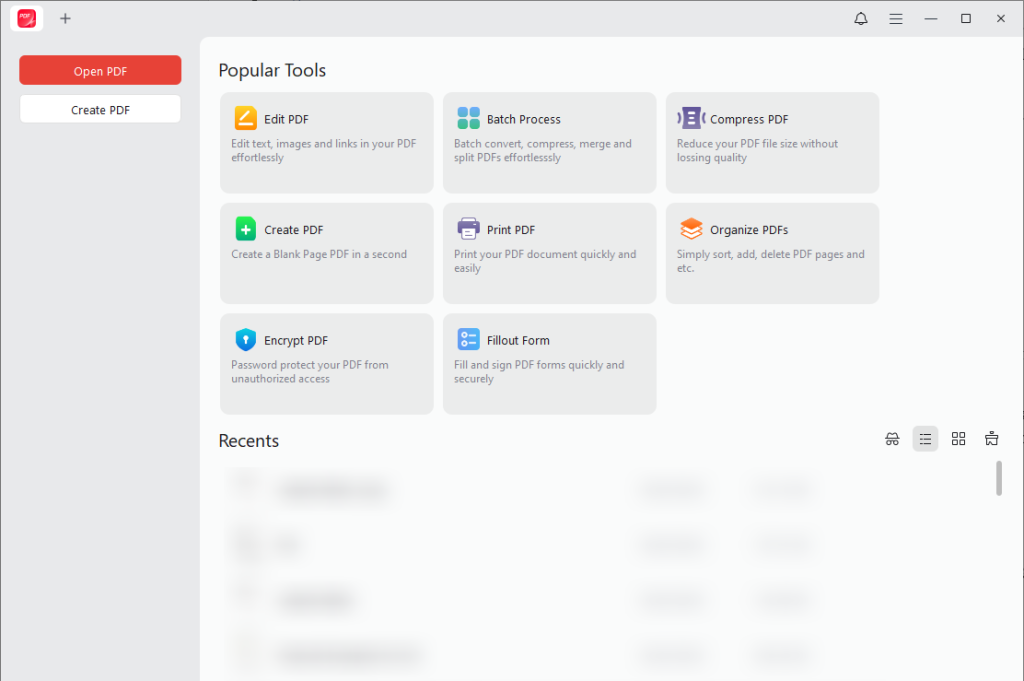
Why Do I Recommend JOPDF
To view downloaded Everand PDF books, JOPDF offers a range of features to enhance your reading experience. Here, let’s have a look.
⭐Read PDFs in Several Reading Modes and Features
JOPDF provides multiple viewing modes to make long reading sessions more enjoyable. You can:
- Switch between single-page and continuous scrolling modes
- Zoom in or out without losing clarity
- Search for a word in a PDF easily
- Jump directly to specific pages
This makes it ideal for reading lengthy ebooks, manuals, or academic papers.
⭐ Annotate and Take Notes on a PDF
You can use JOPDF to view PDFs and add annotations to important information.
With JOPDF, you can:
- Highlight important text
- Underline or strike through passages
- Add sticky notes and comments
- Draw freehand using markup tools
- Insert text boxes for additional notes
⭐Edit PDF Content
If you’re working with editable PDF files that you own or are authorized to modify, JOPDF lets you make changes without converting the document first.
You can:
- Edit existing PDF text
- Add text boxes to a PDF
- Insert or replace images
- Edit hyperlinks
This is useful for correcting documents, updating reports, or personalizing your own PDF files.
If you already have legally obtained PDF ebooks, JOPDF provides everything you need to read, annotate, edit, convert, and organize them in one place. Instead of switching between multiple applications, you can manage your documents with a single, user-friendly tool.
Final Thoughts
Can you download books on Everand as PDF? No, there is no official way. Everand only offers a native way to download Everand books for offline viewing within the app. How to download books from Everand as PDFs? You can use third-party Everand downloaders. But you need to consider legal and ethical implications. After downloading, you can use JOPDF to view and edit the downloaded Everand PDFs for free.
FAQs
Table of Contents

Your Best Free PDF Expert in PDF editing, compressing, converting, annotating, protect, organizing, and more.
Free DownloadWindows · macOS · Linux

Olivia
“Olivia is an editor at JOPDF, where she writes practical guides and insightful articles on managing PDFs—covering topics like editing, annotating, converting, and organizing files efficiently. Passionate about clear communication and digital productivity, Olivia enjoys spending her free time cooking, watching movies, and hiking to unwind and find inspiration for her writing.”
![8 Best Manga Reading Sites to Read Manga Online [Full Review]](https://b.jopdf.com/wp-content/uploads/2026/09/best-manga-reading-sites.png)