Introduction :
ResearchGate is one of the most widely used platforms for finding scholarly articles, conference papers, and scientific PDFs. Some of you are looking for ways to download ResearchGate PDFs for free, especially when the full-text button is unavailable. In this JOPDF guide, I’ll walk you through safe and legal ways to access research papers on ResearchGate, download PDFs from ResearchGate, and request full-text access from authors.
What Is ResearchGate?

ResearchGate is an academic networking platform where scientists and researchers can share publications, collaborate with peers, and discuss scientific topics. As a reader, you can access the full-text versions of the studies if the authors of the studies upload them and give permissions.
Unlike traditional journal databases, ResearchGate combines networking with academic publishing. Hence, you can follow researchers, ask questions, and request copies of papers that are not publicly downloadable.
Can you download any papers from ResearchGate? Though ResearchGate hosts millions of research papers, not every article includes a downloadable PDF. The availability of papers depends on copyright permissions, publisher policies, and author uploads. How to download a PDF from ResearchGate? Just read on!
How to Download a PDF From ResearchGate
Here, let’s explore two safe and legal methods to download ResearchGate PDFs. Below are detailed instructions for your reference.
Method 1: Download the ResearchGate Full-Text PDF Directly
How to download a PDF from ResearchGate? The easiest way is through the built-in full-text download button. However, this method does not always work for all ResearchGate papers. It works best for:
- Open-access papers
- Author-uploaded manuscripts
- Older research publications
How to download the ResearchGate full-text PDF directly? Follow the tutorial below:
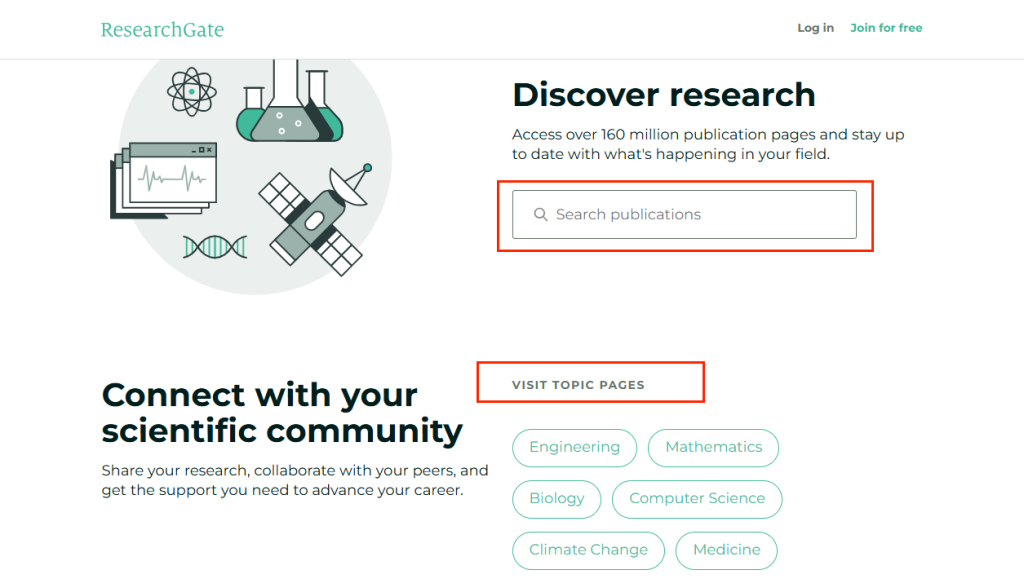
Step 1. Visit ResearchGate and use the Search bar to discover what you want to download. Or, you can select a topic that you are interested in.
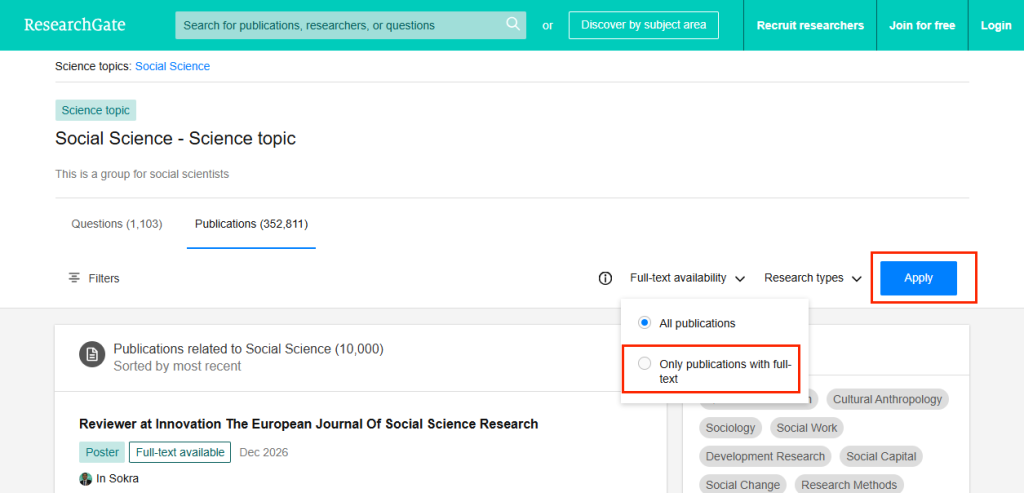
Step 2. Find and open the research paper you want to download. Here, you can select the “Only publications with full-text” option from the Filter bar. You can also filter the research type here. Then, click Appy.
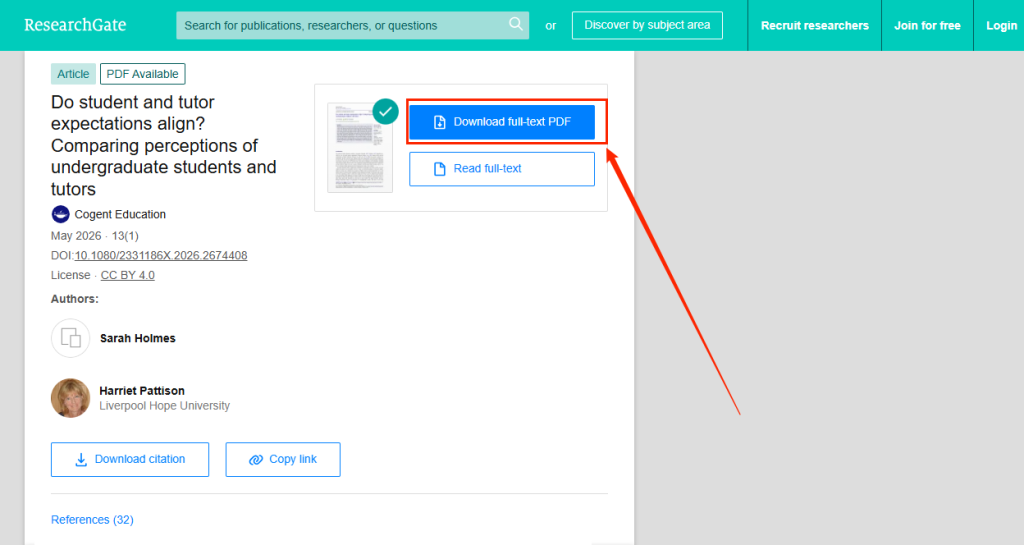
Step 3. Click the “Download full-text PDF” button. Then, the ResearchGate paper will be saved as a PDF on your device.
Method 2: Request the Full Text From the Author
If the ResearchGate paper is not publicly available, you can’t see the “Download full-text PDF” button. Instead, you can only see “Request full-text”. Hence, if the PDF is unavailable, you can often request it directly from the author through ResearchGate. How to request a full text on ResearchGate? Follow the instructions below:
Step 1. Open the paper page in ResearchGate.
Step 2. Click the “Request full-text” button.
Step 3. Then, log in to your ResearchGate account. Next, send your request.
Generally, authors respond within a few days by sharing a private copy of the paper. Instead of using ResearchGate PDF downloaders, this is one of the most legitimate ways to access research papers restricted by publishers.
Do you wonder why most authors are willing to share PDFs? They want more citations, greater visibility, academic collaboration, and wider distribution of their work. Hence, most of them are willing to provide personal-use copies.
How to Download ResearchGate PDFs Without an Account
Can you download ResearchGate PDFs without an account? Some papers are publicly accessible so that you can download them without requiring a login. How to download a ResearchGate PDF without an account? Here are the steps.
Step 1. Directly search for the paper title on Google.
Step 2. Then, open the ResearchGate result.
Step 3. Check whether the PDF download button appears. If the paper is public, download it with an account.
Tips
Though you can use this way to download a ResearchGate PDF without an account, certain features require an account, including requesting full texts, following researchers, and accessing some restricted uploads. You can choose to create a free ResearchGate account if you need frequent academic searches.
Best Alternatives to Download Research Papers for Free
In addition to using ResearchGate to find some academic papers, there are some alternative ways to download research papers for free. Additionally, if ResearchGate doesn’t provide the PDF, you can also use alternative sources to find the same paper legally. Let’s check the best alternatives to download research papers for free in 2026.
#1. Google Scholar
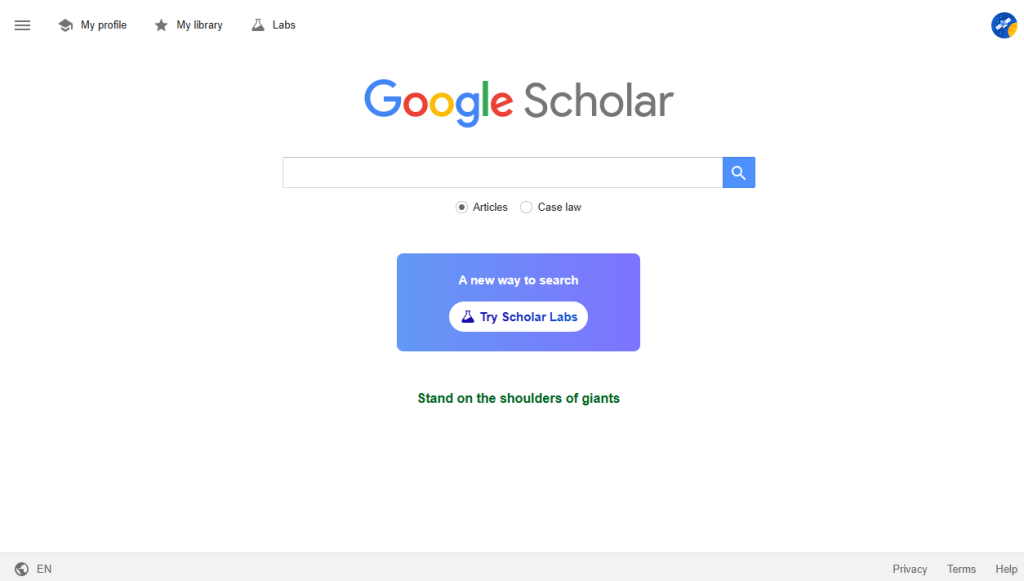
Google Scholar is one of the most powerful free tools for finding research papers. Ot indexes academic PDFs from universities, repositories, personal faculty pages, and open-access journals.
How to download full-text PDFs with Google Scholar:
- Visit the official website of Google Scholar.
- Then, search by the full paper title, DOI number, or author name.
- Next, look for the PDF link on the right side of the results. Click the paper title and check the publisher page or linked repositories if there’s no direct PDF appear.
#2. arXiv
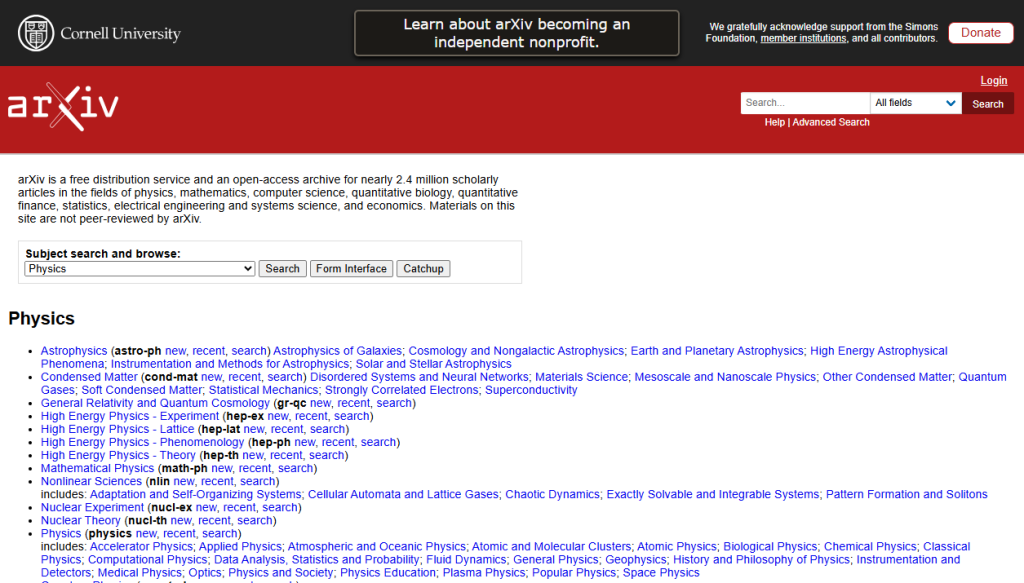
arXiv is also a free alternative to ResearchGate, which has an open-access repository for physics, mathematics, computer science, AI research, quantitative biology, statistics, electrical engineering, and economics. It is especially useful when the final published version is behind a paywall on ResearchGate.
How to use arXiv for free PDF downloads:
- Open your browser and visit arXiv.
- Search the paper you want to download by title, author, or any keywords.
- Click on the desired paper and download it as a PDF.
#3. PubMed Central
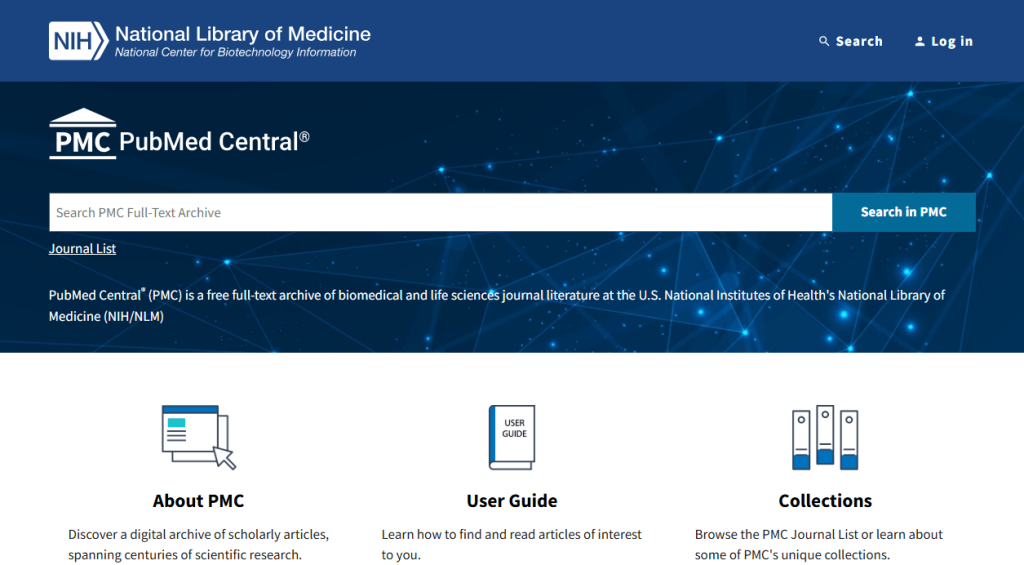
PubMed Central, a free ResearchGate alternative, is a full-text archive of biomedical and life sciences literature run by the U.S. National Institutes of Health (NIH). If your research is health-related, consider PubMed Central.
How to download papers from PubMed Central:
- Access the website of PubMed Central.
- You can search for the article title, author, or DOI/PMID/PMCID.
- Click to open the target paper and click the PDF download option.
Is Downloading ResearchGate PDFs Legal?
Is it legal to download ResearchGate PDFs? Yes, it can be legal when files are shared with proper permissions, such as open-access articles, author-uploaded manuscripts, or privately shared copies through author requests.
We don’t suggest using any unofficial ResearchGate downloaders. You always need to respect publisher licensing terms and academic copyright rules.
Quick Comparison of Research Paper Download Methods
Here’s a quick comparison table to help you download research papers. You can have a look.
| Method | Free | Legal | Requires Account |
| Direct ResearchGate PDF | Yes | Yes | Sometimes |
| Request Full Text | Yes | Yes | Yes |
| Google Scholar | Yes | Yes | No |
| arXiv | Yes | Yes | No |
| PubMed Central | Yes | Yes | No |
BONUS: View and Edit Downloaded ResearchGate PDFs with JOPDF
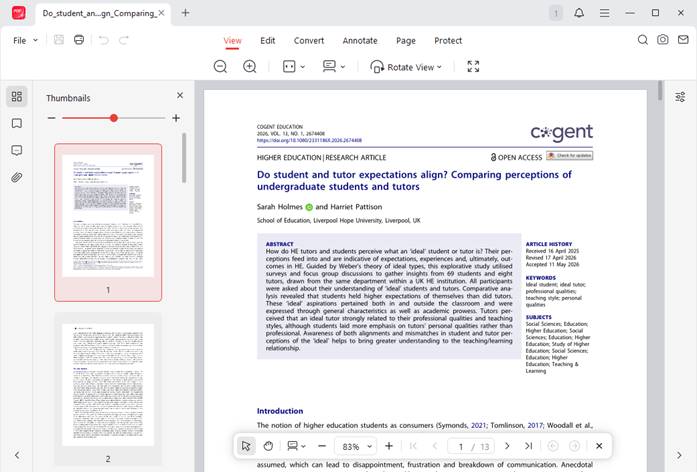
In this section, I’d like to recommend a reliable PDF viewer called JOPDF to help you read downloaded ResearchGate PDFs with an enhanced reading experience. It can work on Windows, Mac, and Linux. Moreover, working as a free PDF editor, JOPDF enables you to edit, annotate, organize, and protect your files efficiently.
Why Use JOPDF for ResearchGate PDFs?
Most research papers contain complex layouts, citations, or large file sizes. Sometimes, you need to view them and make some annotations. Serve as a dedicated PDF tool, JOPDF can make reading and annotating these documents much easier. With JOPDF, you can open downloaded ResearchGate PDFs quickly, highlight important information, add annotations, merge multiple PDFs, and make other edits.
Useful Scenarios for Researchers with JOPDF
You can use JOPDF for the following academic workflows.
- Literature review:Highlight key sentences and add notes directly inside the PDF while reviewing journal articles.
- Thesis preparation:Use its PDF merge feature to combine multiple references into one organized document for easier citation management.
- Academic collaboration: Function as a PDF annotator, JOPDF lets you add comments or annotations before sharing papers with classmates or research teams.
- PDF conversion: Convert downloaded research PDFs into Word or other editable formats so that you can extract content for study purposes.
Final Thoughts
With ResearchGate, you can access academic research papers and scholarly PDFs. How to download ResearchGate PDFs for free? The fastest method is to download publicly available full-text PDFs directly from the paper’s page. If the “Download full-text PDF” button is not available, you can request the full text from the author. You can also use its alternatives, such as Google Scholar and arXiv. By using the methods in this JOPDF guide, you can access academic papers safely, legally, and efficiently.
FAQs
Table of Contents

Your Best Free PDF Expert in PDF editing, compressing, converting, annotating, protect, organizing, and more.
Free DownloadWindows · macOS · Linux

Olivia
“Olivia is an editor at JOPDF, where she writes practical guides and insightful articles on managing PDFs—covering topics like editing, annotating, converting, and organizing files efficiently. Passionate about clear communication and digital productivity, Olivia enjoys spending her free time cooking, watching movies, and hiking to unwind and find inspiration for her writing.”