![8 Best Free PDF Annotators of 2025 [For Various Devices]](https://b.jopdf.com/wp-content/uploads/2025/12/best-pdf-annotator.png)
Summary :
PDF files remain a universal way to share information. But working with them often requires adding notes, highlights, and edits using a PDF annotator. A PDF annotator is a tool that lets you mark up documents and streamline collaboration. A PDF annotation is required to add any comment, mark, or highlight added to a PDF. Here’s where a PDF annotation app can help you boost clarity, organization, and teamwork. In this JOPDF post, we introduce the best PDF annotators that are free, feature-rich, and easy to use to help you work smarter. See what’s waiting for you below!
1. JOPDF
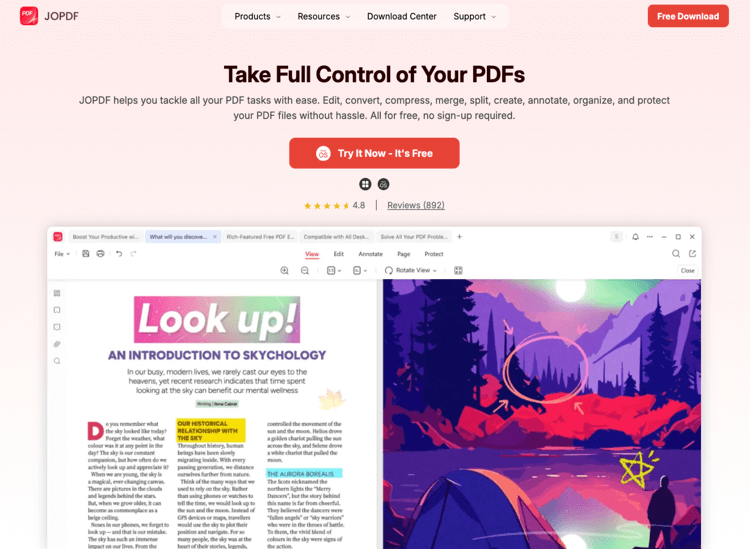
JOPDF earns its place as the best free PDF annotator for Windows and Mac for both professional and academic use. It combines user-friendly navigation with precise controls for locating, selecting, and annotating text. JOPDF also lets you add text quickly and clearly, while its friendly drawing options make sketches or margin notes simple. Additionally, JOPDF for Windows keeps installation lightweight and performance fast. As the best PDF viewer with annotation features, it remains responsive with large files.
Pros:
- The best PDF annotator with more than 10 annotation tools
- Underline, strikethrough text, draw, and highlight a PDF for free
- Edit text, images, and links as desired and convert PDFs with batch processing
- Losslessly compress and password-protect PDF documents to safeguard them from unauthorized access
Cons:
- Currently, JOPDF does not support a mobile version.
2. Adobe Acrobat Reader
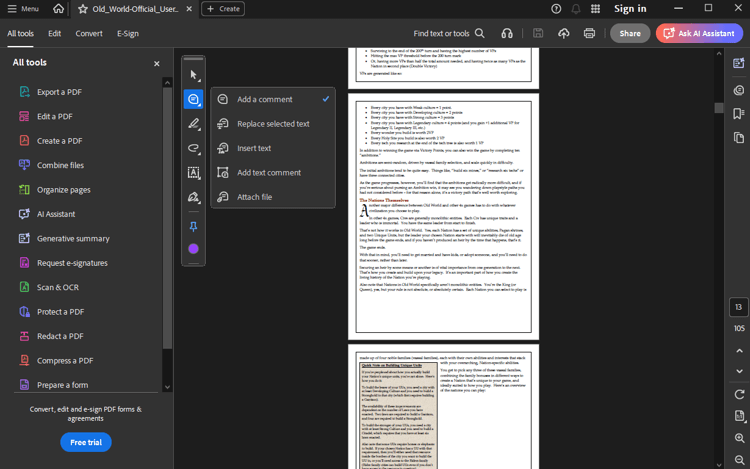
Adobe Acrobat Reader is also the best PDF annotator, letting you annotate PDF content for free. Whether you need to add comments, sign e-forms, or type text on a PDF, Adobe Acrobat Reader is a great option. Besides standing out as the best PDF reader with annotation features, you can also use it to print, collaborate on, and password-protect PDFs. However, it lacks basic editing and conversion features, as well as OCR for PDFs.
Pros:
- The best PDF annotation app with compatibility across all devices
- Free and easy-to-use annotation features with hassle-free e-signature
Cons:
- Requires upgrading to an expensive paid version to unlock advanced features
3. Drawboard PDF
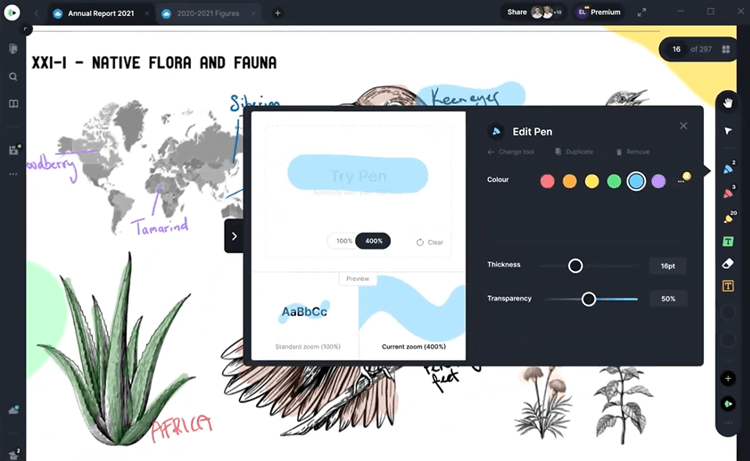
Drawboard PDF is also another best free PDF annotator for iPad/iPhone, Android, and desktop. It is the best lightweight PDF reader with annotation tools that let you add and edit markups directly in your PDF. Drawboard enables you to search for a word in a PDF and sync all annotations across devices in real time. Its intuitive and powerful text tools let you highlight, underline, squiggle, or strikethrough your PDF content.
Pros:
- A cross-platform best free PDF annotation app for Windows, Mac, iPad, Android, and iOS
- Enables the insertion of objects like rectangles, ellipses, clouds, polylines, arrows, images, callouts, audio notes, and more
Cons:
- Lacks advanced features like editing fillable forms and cropping tools, which can limit workflows
4. PDF-XChange Editor
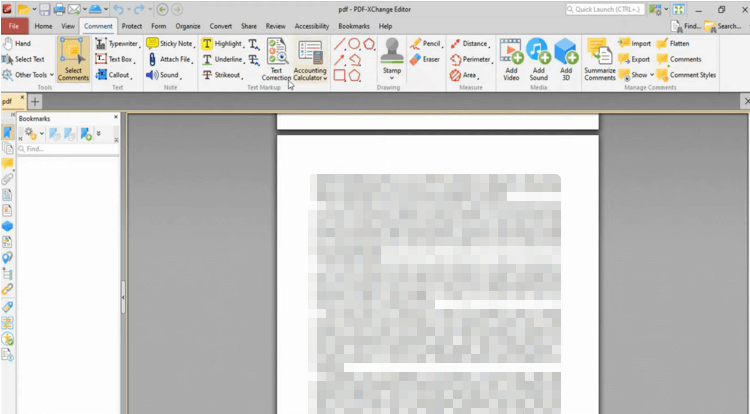
In the list of the best PDF annotators, PDF XChange Editor also emerges as an excellent solution. It is a very simple PDF editor that saves without annoying pop-ups or other distractions. It helps you edit, correct, add, or remove text effortlessly. In addition, it is the best free PDF annotation software for Windows, letting you create, modify, and highlight PDFs. You can annotate a PDF for free by selecting the Comment tools and choosing the markup option you need.
Pros:
- Supports a track change feature that allows you to track all the changes made to a PDF file
- Allows you to move, resize, or remove graphics and offers Quick text manipulation
Cons:
- The free version has several limitations, and the program works on Windows PCs only.
5. Notability
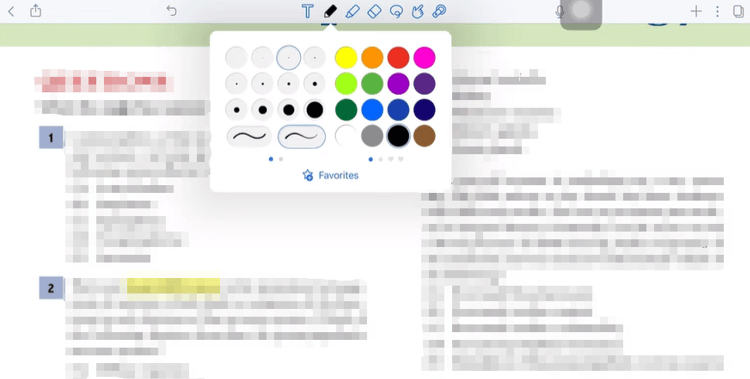
Notability is a free PDF annotator app available for free download on iPad, Mac, and iPhone. It lets you annotate through both text-based and freehand methods. This includes highlighting by long-pressing text, writing or drawing with a pen and highlighter, and adding text boxes. You can also use a variety of other tools, such as an eraser, a lasso, shapes, and a laser pointer. All in all, Notability earns its place on the list of the best free iPad/Mac/iPhone PDF annotation apps, providing an immersive user experience.
Pros:
- Gives you the ability to insert blank pages within the document or add sticky notes for quick side annotations
- Supports an intuitive, paper-like writing experience with vector-based ink and excellent handwriting recognition
Cons:
- Limited organizational tools, like subfolders, with potential stability and syncing issues
6. Kami
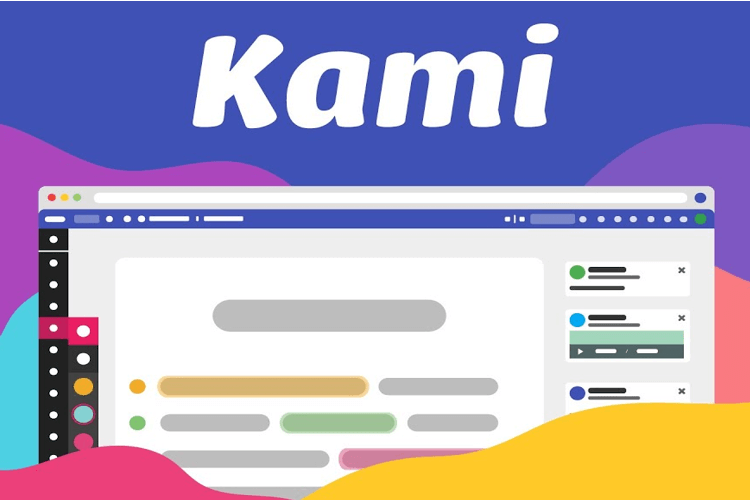
Kami is a cloud-based best PDF annotator for Windows, Linux, Mac OS X, Android, and other devices. This makes it easy to work from anywhere through your browser. You can upload large PDFs, like full textbooks, and annotate them smoothly without lag. Signing in with a personal Google account gives instant access to multiple markup tools. And it’s impressively smart-pen friendly on laptops. Although it’s a website rather than an app, this PDF reader and annotator provides an OCR tool for added flexibility.
Pros:
- Recognized as one of the best lightweight annotation apps for students’ research and teacher empowerment, supporting effective learning and teaching
- It offers a Chrome extension so you can open and mark up PDFs without downloading anything
Cons:
- Higher-end features require a subscription, and performance may dip with oversized PDFs.
7. Xodo
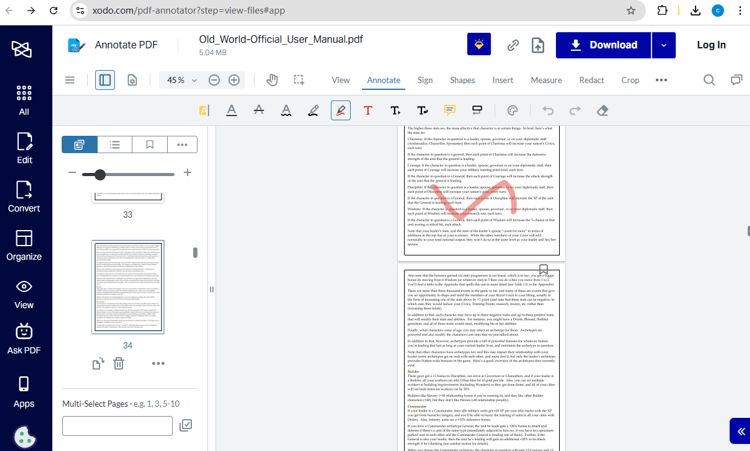
Xodo is an online, Windows, Mac, iOS, and Android PDF annotation app designed to deliver quick, responsive performance on any device. It lets you access PDFs quickly and annotate them with highlights, underlines, drawings, and notes. Its interface is clean and intuitive, making it comfortable for long study sessions or daily work. Xodo also syncs smoothly with cloud storage for seamless access. Thanks to its variety of free PDF annotation tools, it remains a reliable option for efficient document markup.
Pros:
- Emerges as the most compatible, best free annotation apps for iOS/Android tablets and phones, PC, Mac, Linux, and web
- Offers full-featured PDF annotation: underlining, strikethrough, freehand drawing, notes, text boxes & best PDF highlighter,
Cons:
- Lacks advanced editing features, such as full-scale text editing or complex layout adjustments.
8. Microsoft Edge
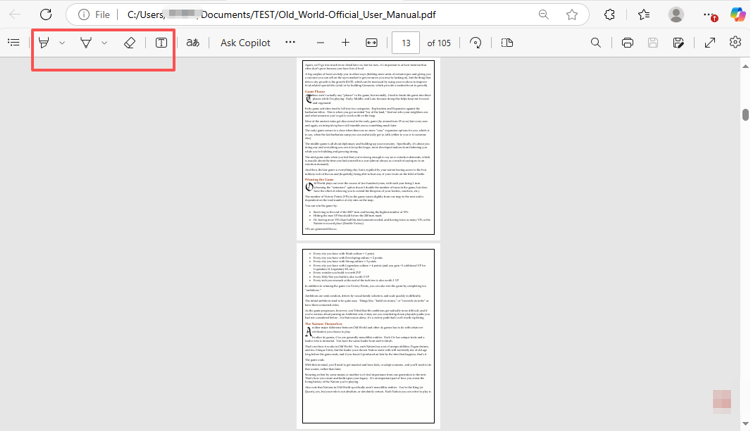
Microsoft Edge doubles as a convenient free PDF annotator software, giving users built-in tools without extra downloads. The app for annotating PDFs lets you highlight, draw, add text notes, and mark up pages smoothly. To annotate on PDFs, drop your PDFs to the Edge address bar, then access highlights, notes, and drawing tools instantly. Microsoft Edge works efficiently with PDFs of all sizes, offering a streamlined interface for quick annotations and routine edits.
Pros:
- Allows you to draw on PDFs easily with pen, touch, or mouse
- Provides highlights, text notes, and essential markup tools for fast editing
Cons:
- Does not include the advanced annotation and editing capabilities available in specialized PDF apps
Conclusion
The need for PDF annotation spans all walks of life, including education, architecture, and business. You might ask, “Which PDF annotator is best?” The 8 best tools discussed above offer various features tailored to your different needs to improve your productivity. JOPDF is a free solid solution you can’t miss. Whether you annotate in your study, class teaching, or teamwork, the free solution ensures zero pressure on your shoulders.
FAQs
Table of Contents

Your Best Free PDF Expert in PDF editing, compressing, converting, annotating, protect, organizing, and more.
Free DownloadWindows · macOS · Linux

Selena
Staff Editor
“Selena is a staff editor working for JOPDF, passionate and committed to providing how-to and round-up articles. Over 8 years of specialized skills and experience in PDF solutions, hoping to help users ease their lives and solve whatever they encounter. "Work smarter, not just harder!"”