Introduction:
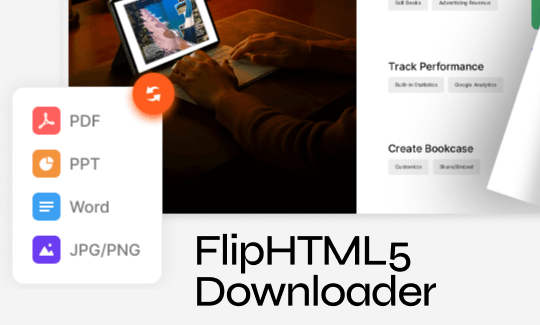
If you are looking for a reliable FlipHTML5 downloader, you are in the right place. Knowing exactly how to download document from FlipHTML5 can save you a lot of time. This guide will show you the best, easiest, and safest ways to save these books to your computer or phone.
How do you plan to read the downloaded books? If you don’t have the right tools yet, then just download JOPDF. This free, simple, and feature-rich PDF reader can meet your various needs.
Download FlipHTML5 to PDF with the Built-in Download Button
The absolute best and easiest way to get a book is directly from the FlipHTML5 website itself.
When a person creates a book on FlipHTML5, they have a choice. They can choose to let readers download the book or turn that feature off. Here is how to check.
Way 1. Use the Official Download Button
When you open a book to read on FlipHTML5, look closely at your screen.
- Look for the Download button at the very bottom of the window.
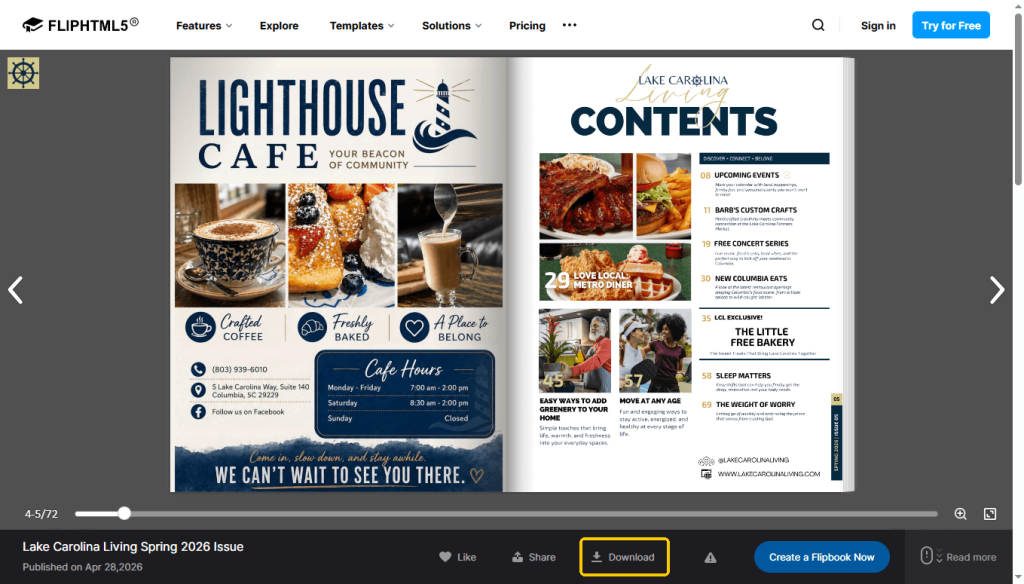
- Simply click this arrow. A small box will pop up on your screen.
- The box will ask you how you want to save the file. Choose the “PDF” option.
- The book will instantly download and save right to your computer’s “Downloads” folder.
If you look at the toolbar and you do not see this downward arrow, do not panic. It simply means the author decided to turn this feature off. You can still use the other methods we will talk about later in this guide.
Way 2. Use the Offline Reading Mode on the Android App
Do you prefer to read on your mobile phone or a tablet? If you use an Android device, you have another great option. The app has a very helpful “Offline Reading” mode. It is designed to let you save the book inside the app itself so you can read it later without an internet connection.
- Open the FlipHTML5 app on your phone
- Select a book to read offline.
- Tap the three-dots icon and choose Offline reading.
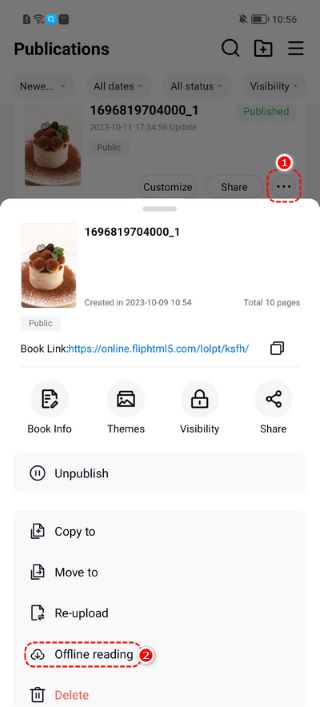
In this way, you can go to My > Offline reading to check the content.
Please note, this method keeps the book trapped inside the app. You cannot move this file to your computer or send it to a friend. But it is perfect for reading on a long car ride or a flight.
4 FlipHTML5 Downloaders to Get Books
If the author turned off the official download button, you are not out of luck. You can use a third-party tool.
They look at the web link of the book and turn the digital pages into a PDF file for you. Basically, they act as a handy FlipHTML5 to PDF converter. Here are four simple and popular tools you can try.
Tool 1. FlipHTML5 Downloader Extension
FlipHTML5 PDF Downloader is a browser “extension.” An extension is a very small program that you add directly to your web browser, such as Google Chrome or Mozilla Firefox. It is widely considered a top FlipHTML5 flipbook to PDF downloader.
🔶 Advantages:
- It is very convenient. Once you install it, it stays in your browser and is always ready to work.
- It is fast. You do not have to leave the page you are reading.
- It takes very clear, high-quality pictures of the pages.
🟡 How to use the FlipHTML5 Downloader extension:
- Open your browser’s web store (like the Chrome Web Store).
- Type “FlipHTML5 PDF Downloader” in the search box.
- Click the button that says Add to Chrome to add it to your browser.
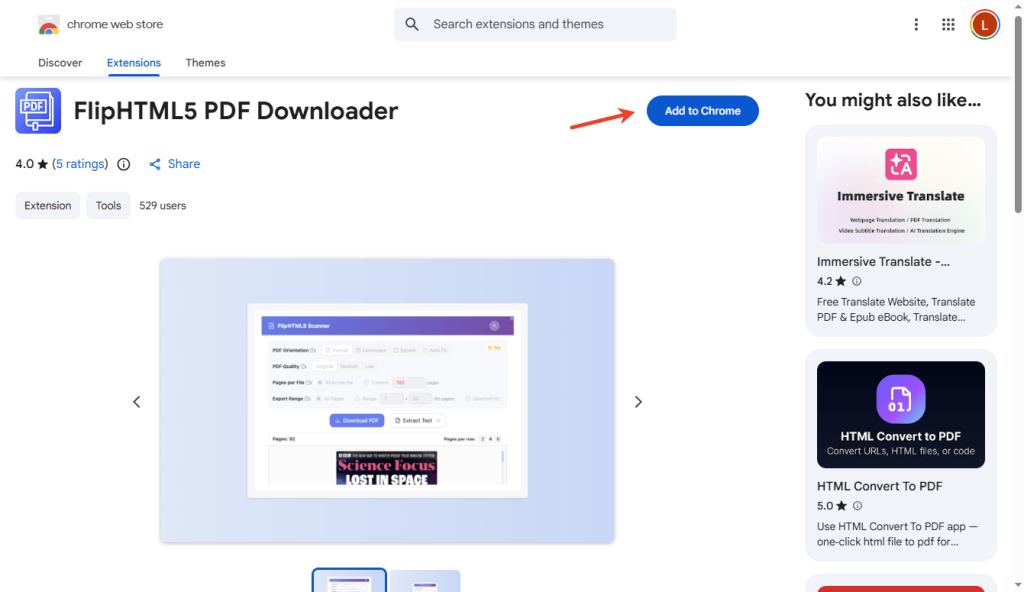
- Now, open the FlipHTML5 book you want to save.
- Look at the top right corner of your browser. Click the small puzzle piece or the new extension icon. The tool will do all the hard work and save the PDF to your computer.
Tool 2. FlipHTML5.VPDFS.com
If you do not want to install anything on your computer, this tool is perfect for you. It is a simple website that works as a free FlipHTML5 downloader.
🔶 Advantages:
- It requires absolutely zero installation.
- It is completely free to use.
- It was built specifically to handle FlipHTML5 links, so it works very smoothly.
🟡 How to use it to download from FlipHTML5:
- Open your FlipHTML5 book in your web browser.
- Click the web address bar at the very top of your screen. Copy that entire link.
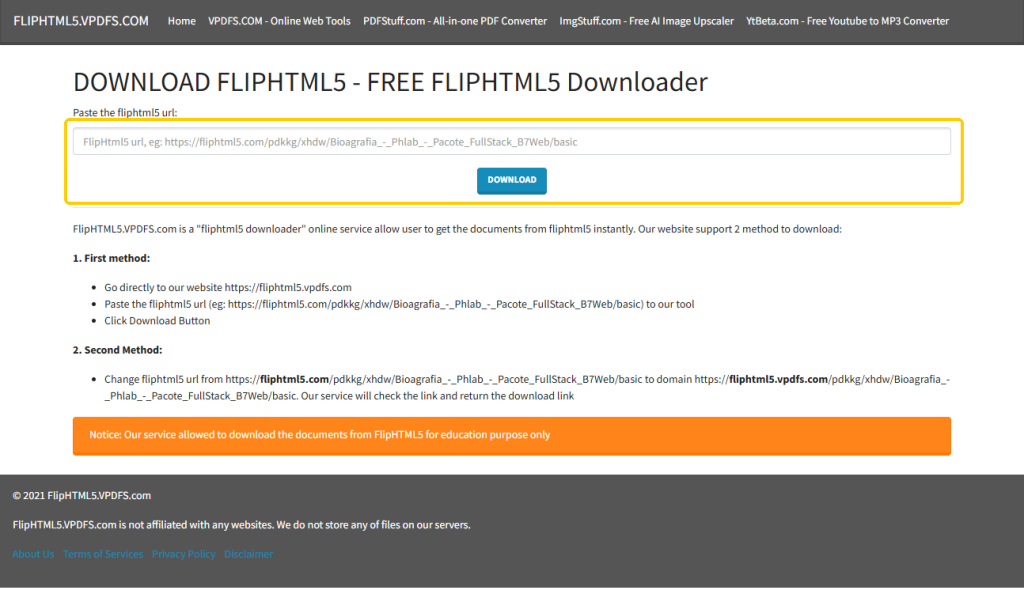
- Open a brand new tab and go to FlipHTML5.VPDFS.com website.
- You will see a big, empty white box on the screen. Paste your book link into this box.
- Click the Download button next to it. Wait a few moments, and the site will give you your PDF.
Tool 3. Downloaderr.org
This is another excellent website that helps people save digital documents. It is a very flexible tool because it works for FlipHTML5, but it also works for many other document websites. For example, it can also be the AnyFlip downloader.
🔶 Advantages:
- It has a very clean and simple design. It is not confusing at all.
- It is a fantastic backup option. If one of the other websites is busy or broken, this one usually works.
🟡 The download steps:
- Find the FlipHTML5 book you need and copy its web link.
- Go to the Downloaderr.org website.
- Copy the link of the FlipHTML5 book. Paste the book link into the empty bar.
- Click the download button and wait for a while.
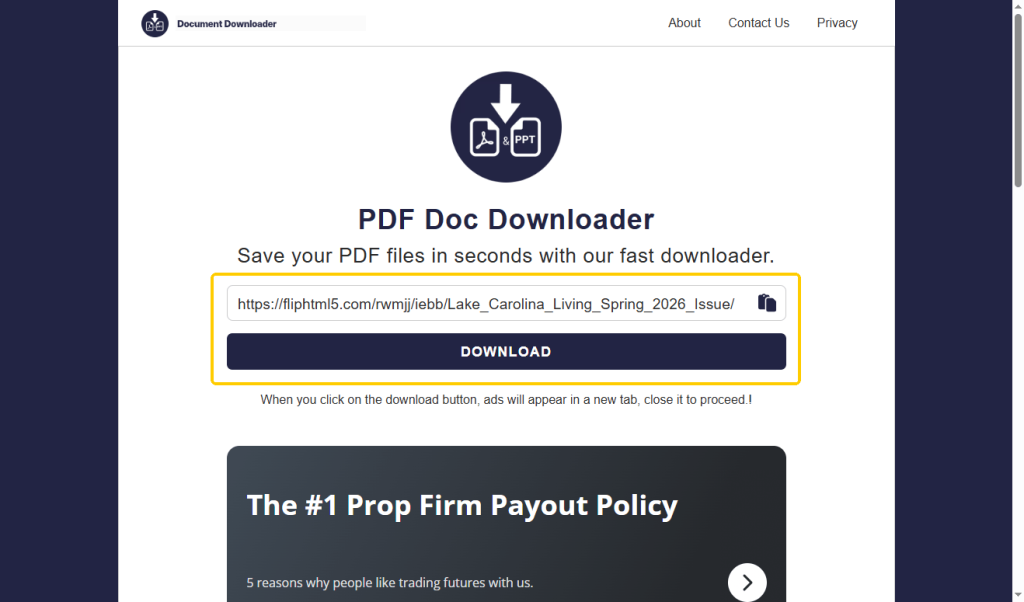
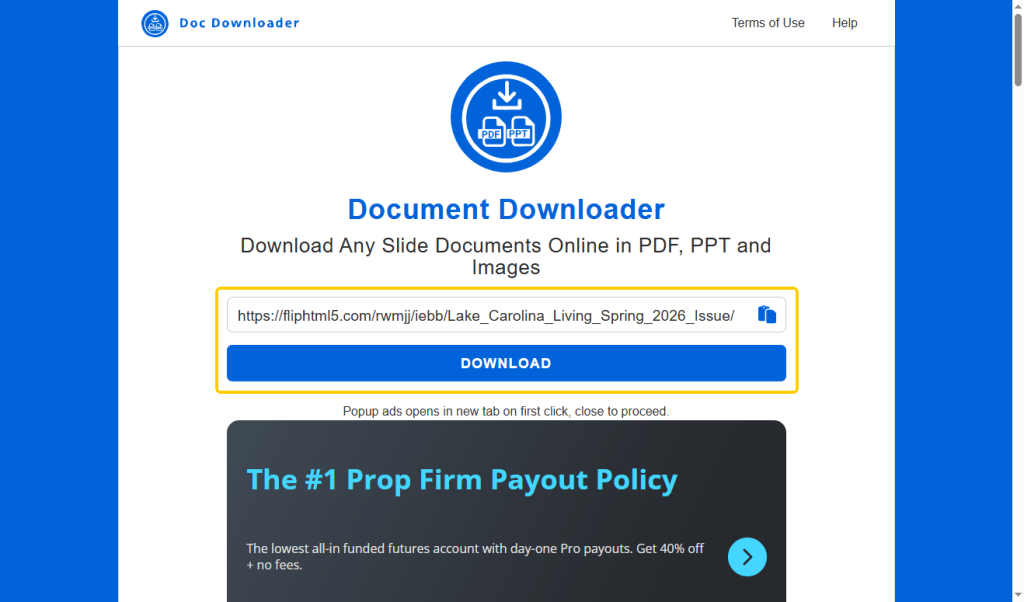
Tool 4. Mydocdownloader.com
Mydocdownloader.com is a very smart web-based tool. It helps you extract, which means to pull out, pages from digital magazines and books.
🔶 Advantages:
- Sometimes a digital book is hundreds of pages long, but you only need two or three pages for your work. This tool often lets you choose the exact pages you want to save.
- Because you can pick specific pages, the final downloaded file is much smaller. This saves a lot of storage space on your computer.
🟡 The download steps:
- Copy the web link of your FlipHTML5 book.
- Visit the Mydocdownloader.com website.
- Paste the link into the main text box and click DOWNLOAD.
- Next, choose the pages you need, or choose to download the whole book, and click the final save button.
How to Easily Read and Manage Downloaded FlipHTML5 Books
Congratulations! You have successfully downloaded your books. Now that you have these PDF files sitting on your computer, you need a good program to open them.
You might be tempted to just open them in your web browser, but that is not the best way. We highly recommend using JOPDF. It is an incredibly reliable PDF reader for Windows and Mac computers.
JOPDF is a lightweight program designed to make managing all your downloaded files wonderfully simple. Even if you consider yourself someone with zero technology skills, you will find JOPDF very easy to use. Here is how this program can help you:
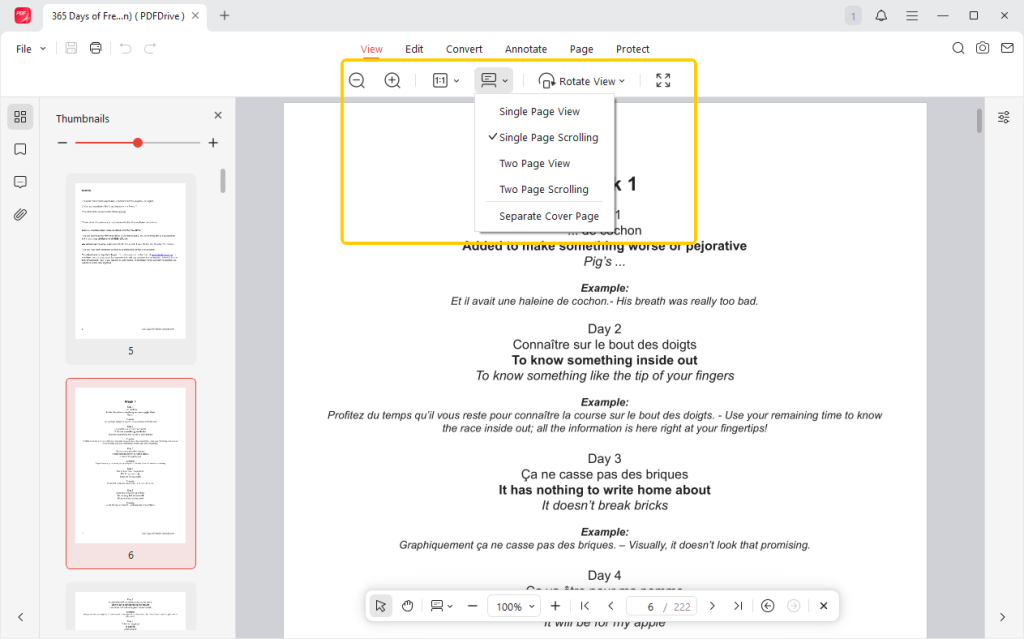
✅ Various Reading Modes
Reading a PDF should feel comfortable. JOPDF lets you view your files just like a real book with two pages side-by-side.
You can easily zoom in to make the words bigger. Most importantly, you can choose to read PDF in full screen so you can just focus on your reading.
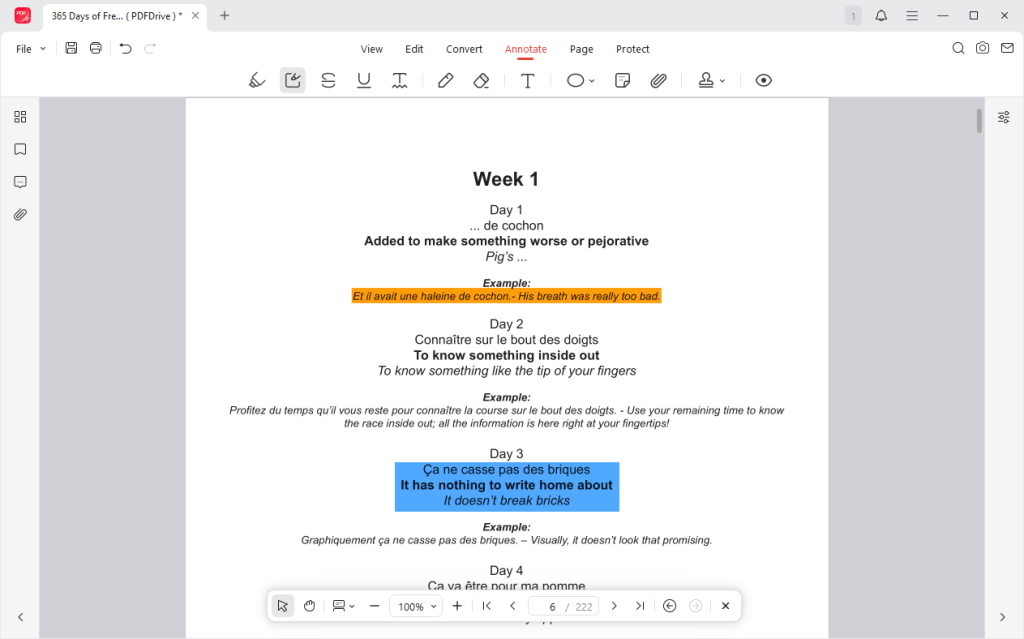
✅ Helpful Annotation Tools
With JOPDF, you can easily use your mouse to highlight important words in yellow. You can draw red circles around pictures, draw straight lines under sentences, or add digital sticky notes right onto the computer screen.
✅ Powerful Organizing and Editing
JOPDF allows you to merge multiple PDFs into a single file. If a downloaded book is too big, you can split the pages apart into smaller files. You can even convert your new PDF into a Microsoft Word document if you need to rewrite the text.
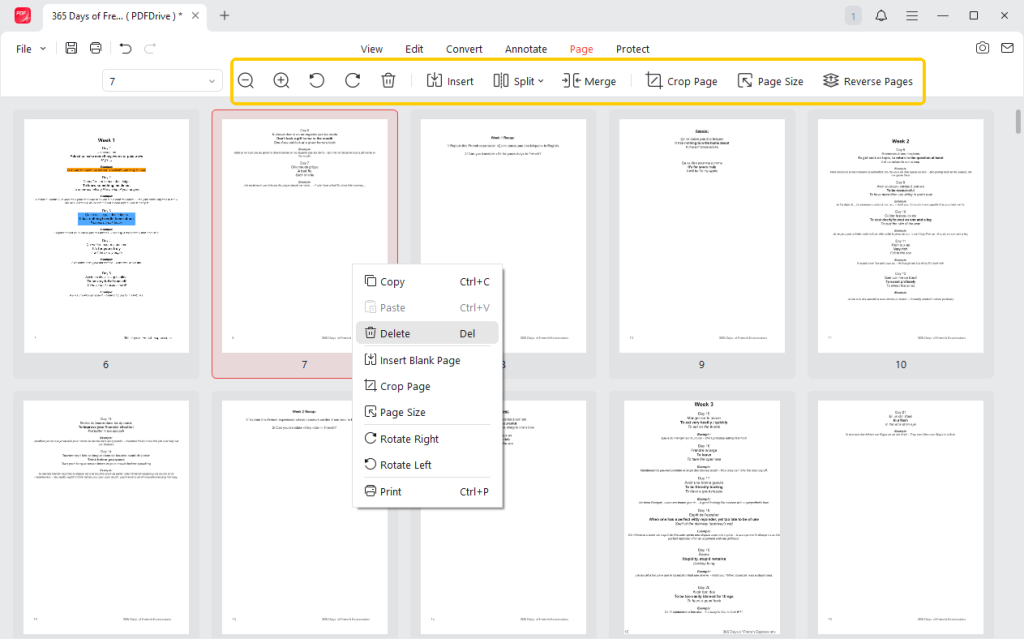
Do not struggle with confusing, heavy, or expensive PDF programs. Just try JOPDF today. It is free and will keep your offline reading life organized, easy, and fun!
Conclusion
Saving your favorite digital magazines, catalogs, and books is very simple when you know the right steps to take. Always check the official website first. Look at the bottom toolbar for the official downward arrow to save your file safely.
If the author has turned that button off, do not worry. A third-party FlipHTML5 downloader will do the trick perfectly. Finally, you can use JOPDF to read, manage, and take notes on all your new files smoothly.
FAQs
Table of Contents

Your Best Free PDF Expert in PDF editing, compressing, converting, annotating, protect, organizing, and more.
Free DownloadWindows · macOS · Linux

Queena
Editor
“As a staff editor for JOPDF, Queena excels at guiding users to the optimal tools and solutions. When she's not analyzing the latest PDF solutions, she enjoys spending her free time playing with her four cats.”