![Find Ways to Download Manga as PDF for Free [5 Proven Ways]](https://b.jopdf.com/wp-content/uploads/2026/04/download-manga-pdf.png)
Introduction :
Are you looking for ways to download manga as PDF free for offline reading? You’re in the right place! Most of us prefer PDFs for manga because they are easy to store, organize, and read on any device without needing an internet connection. However, finding safe, high-quality manga PDFs can be tricky since not all websites are legal, and many manga are not originally published in PDF format. Read this JOPDF article to learn how to download manga PDFs safely and get legal manga download sites here.
Is It Legal to Download Manga PDFs?
Before diving into manga PDF download sites and tools, it’s crucial to understand the rules. Can you download manga PDFs for free and safely? Yes, but it is limited. Legal free manga PDF downloads are limited to public-domain works, library loans, promotional free chapters, or older titles explicitly offered by publishers. Meanwhile, you can only use the downloaded manga for personal use.
Here, you need to note that it is illegal to download copyrighted manga without permission from some shady sites or file-sharing platforms. Downloading manga illegally can not only harm creators and the industry but also expose you to malware or viruses hidden in files. Hence, you’d better download manga PDFs legally. In the following, I will introduce you to legal methods for downloading manga as PDFs.
Best Sites for Legal Free Manga PDF Download
Here, I will introduce you to the 5 best sites or tools for free legal manga PDF downloads. You will get a brief introduction to them and step-by-step guidance on legally downloading manga with these tools. Now, let’s check them one by one.
#1. Internet Archive
The Internet Archive is a nonprofit digital library offering free access to millions of books, texts, and media files, including a selection of comic books available in PDF format. Additionally, this free manga PDF download site is a reliable source of comics that are legally published or in the public domain.
All in all, the Internet Archive facilitates borrowing and downloading in various formats, making it especially beneficial for readers seeking free, easily accessible manga PDFs.
How to download manga as a PDF in the Internet Archive? Check the steps below.
1. Open your browser and visit the Internet Archive website.
2. In the top search bar, type in the manga title you are looking for and press Enter to find it.
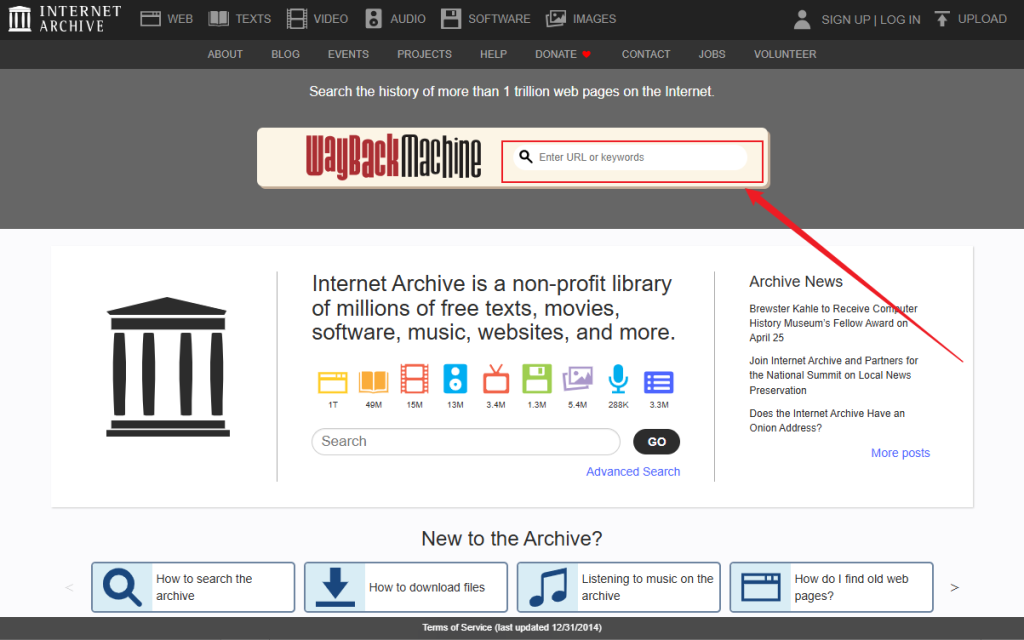
3. Click on the specific manga. Then, you’ll be taken to its detailed description page.
4. On the right side, locate the Download Option section and click SHOW ALL to see all available file formats. Here, click the PDF option to download your desired manga as a PDF.
Pros of Internet Archive
- It’s 100% free and legal to use for public domain content.
- You can download most files without an account or registration.
- It has a vast collection that includes rare and classic manga titles.
- It offers multiple download formats, such as PDF, EPUB, and CBZ.
Cons of Internet Archive
- Not all popular or recent manga are available.
- Search results may contain a lot of irrelevant information.
#2. Viz Media
Want to find and read the world’s most popular manga, straight from Japan? The Shonen Jump app from Viz Media is the best choice, providing access to hit series like One Piece and My Hero Academia. You can use it to download some free chapters and paid volumes of manga. Unlike Internet Archive, Viz Media doesn’t offer direct PDF downloads of full volumes. Here is the detailed guidance on how to download manga from Viz Media.

1. Install the Shonen Jump Manga & Comics app on your Android or iOS device.
2. Run this app and sign up for a free account. Then you can get a 7-day free trial and access the full library.
3. Type in the manga series in the search bar and tap on the specific chapter to open the reader.
4. Next, hit the download icon to save the manga to your device. The downloaded manga will be saved within the app.
Pros
- It is 100% legal and directly supports comic creators and the industry.
- The free chapters are available weekly.
- It provides high-quality and official translations.
Cons
- You can only view its downloaded manga within the app.
- It doesn’t offer a direct PDF download.
#3. Scribd
Scribd is a popular digital library subscription service with millions of documents, including magazines, audiobooks, comics, and manga PDFs. It is a good PDF manga downloader that includes a notable variety of manga and graphic novels from different publishers. If you have a paid subscription, you can read unlimited content and download books for offline access. Below are the steps to download manga as a PDF on Scribd.
1. Visit the Scribd website and sign up for a free trial.
2. Use the search function to find the manga you want to download as a PDF.
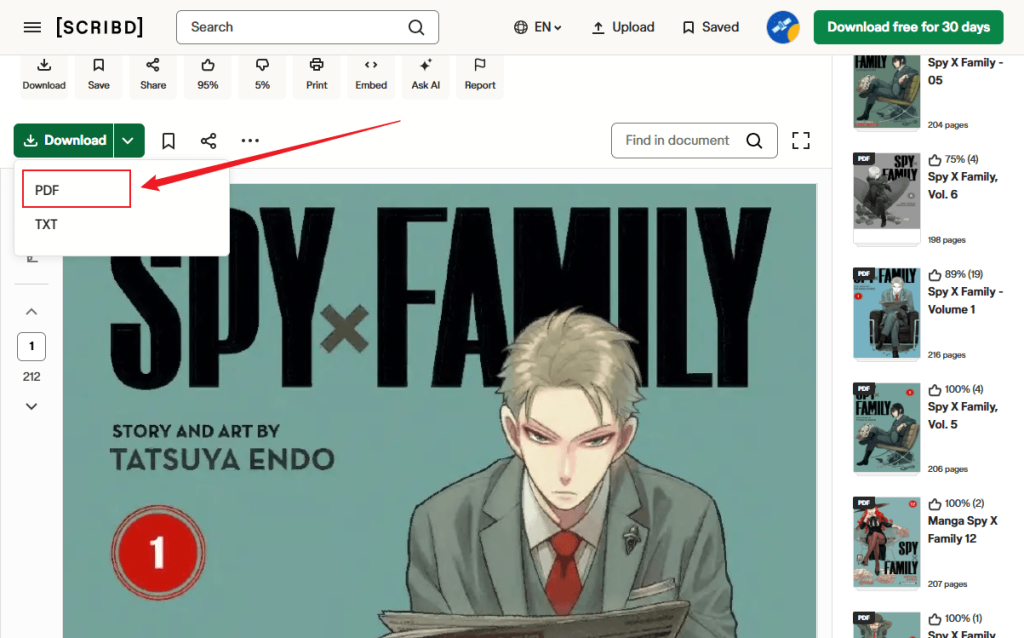
3. Then, open the manga and click the Download button if it is downloadable. Finally, select the PDF option to save the manga.
Pros
- It has a huge, varied library of manga and other content.
- It has mobile apps for Android and iOS.
- It offers a legal and safe source for content.
- You have unlimited downloads with a subscription.
Cons
- It requires a paid subscription after the trial.
- Not all manga is downloadable.
#4. Book Walker
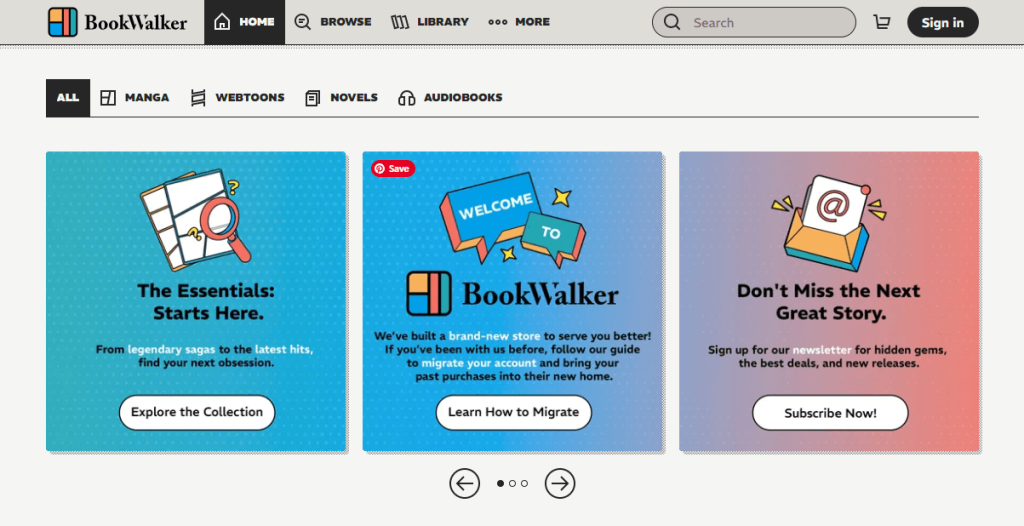
Book Walker serves as the official digital store for Kadokawa, a major publisher in Japan. It is an excellent place to buy and read manga, light novels, and various other Japanese media. Although the platform employs DRM protection to safeguard its content, you can download the books you’ve purchased for offline reading through the specialized Book Walker Windows app. If you’re looking for a universal PDF version, you can use third-party conversion tools to convert the downloaded files to PDF.
Below is how to download manga in Book Walker.
1. Go to the Book Walker official website, create an account, and search for the desired manga title to purchase the manga volume.
2. Next, download and install the Book Walker app on your Windows PC. You can also install the app on your Android or iPhone.
3. Launch this app and log in with the same email associated with your purchase. Then, go to the Library and click the Download button. Later, the manga will be saved to your computer.
Pros
- It directly supports authors and publishers via an official store.
- It has a huge library with many new Japanese and English-translated manga and light novels.
- It is ideal for discovering new Japanese manga.
Cons
- The downloaded manga is DRM-protected.
- It requires payment for most content.
#5. PDF Room
PDF Room is a free-to-use document search engine that indexes millions of PDF files, including various manga and comic books. You can use it to find publicly available PDF files on the internet. Additionally, PDF Room is simple to use and requires no sign-up. However, as it is a search engine, manga availability can be inconsistent, and you should be cautious about copyright issues before downloading any content. Here’s how to download a manga as a PDF for free in PDF Room.
1. Open your browser and navigate to the PDF Room website.
2. In the top search bar, type in the name of the manga you are looking for.
3. Scroll to review the list of search results and find the volume you need.
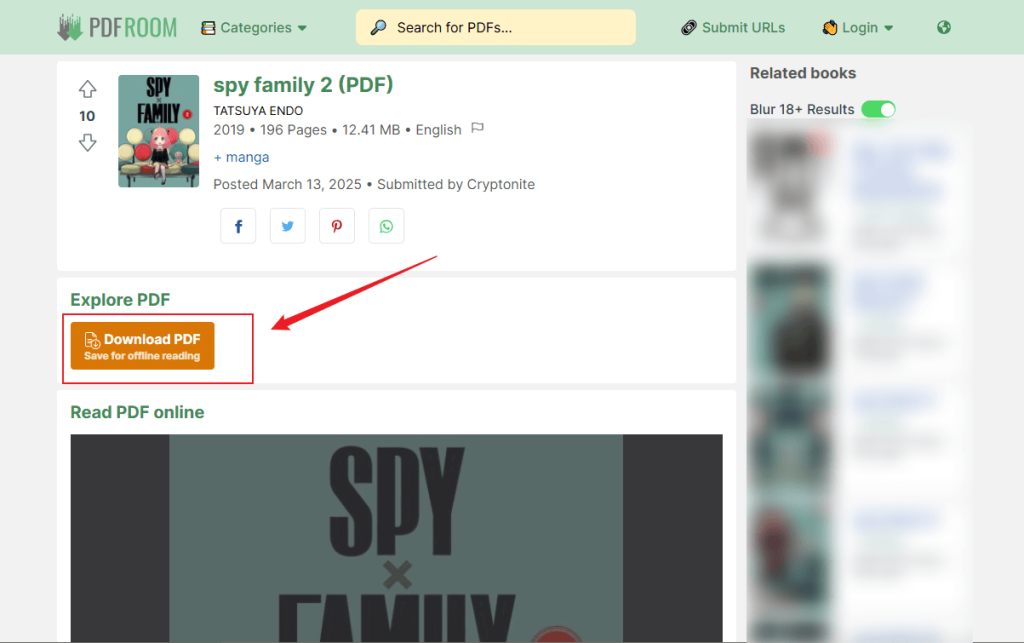
4. Click on the result and click the Download PDF button to save the manga PDF file for free.
Pros
- It is a completely free manga PDF download site with no subscription required.
- Its interface is intuitive and user-friendly.
- It indexes a wide variety of public PDF files from multiple sources.
Cons
- The file quality and completeness can be highly inconsistent.
- It has potential ads or pop-ups.
Note on legality and safety
Always prioritize official sources, such as Viz Media or Book Walker, to support creators. Downloading copyrighted manga PDFs from unofficial sites may violate copyright laws in many countries.
How to Download Manga as PDF
How to download manga as a PDF effectively? Below are the most effective and safe methods. Let’s discover them one by one.
Method 1. Direct Manga PDF Download
If the direct manga PDF download is available, it’s advised to use this method. For instance, PDF Room and the Internet Archive offer the option to download manga as PDFs. Those two websites are the best sites to download manga legally. This method is the easiest, but it is limited in availability.
Method 2. Convert Manga Images to PDF
The second way you can use is to convert manga images to PDF, which can work for almost any manga content. Importantly, you also need to respect copyright. In this way, you need to use a reliable image-to-PDF converter. Here are some reliable options:
- JOPDF (convert image to PDF for free)
- Adobe Acrobat Pro (professional-grade PDF tool)
- iLovePDF (convert JPG/PNG to PDF online)
- SwifDoo PDF (convert image to PDF with OCR)
Among them, I strongly recommend JOPDF to convert manga images to PDF.
Method 3. Use Manga Downloader and Converter Tools
Some manga downloaders, such as Book Walker, enable you to download manga for offline viewing. However, they don’t support saving manga as PDFs but only as CBZ or image formats. After you download manga as images or CBZ, use BookFab BookWalker Converter to remove DRM and convert the file to PDF.
Bonus: Best Manga PDF Reader to View Mangas
How to manage and view downloaded manga PDFs? JOPDF is a good PDF manga reader with several reading modes. You can use it to read the PDF in full screen or side by side as needed. Beyond a PDF reader, JOPDF is a free PDF editor with various editing and annotation features. With JOPDF, you can view downloaded manga PDFs with an improved viewing experience.
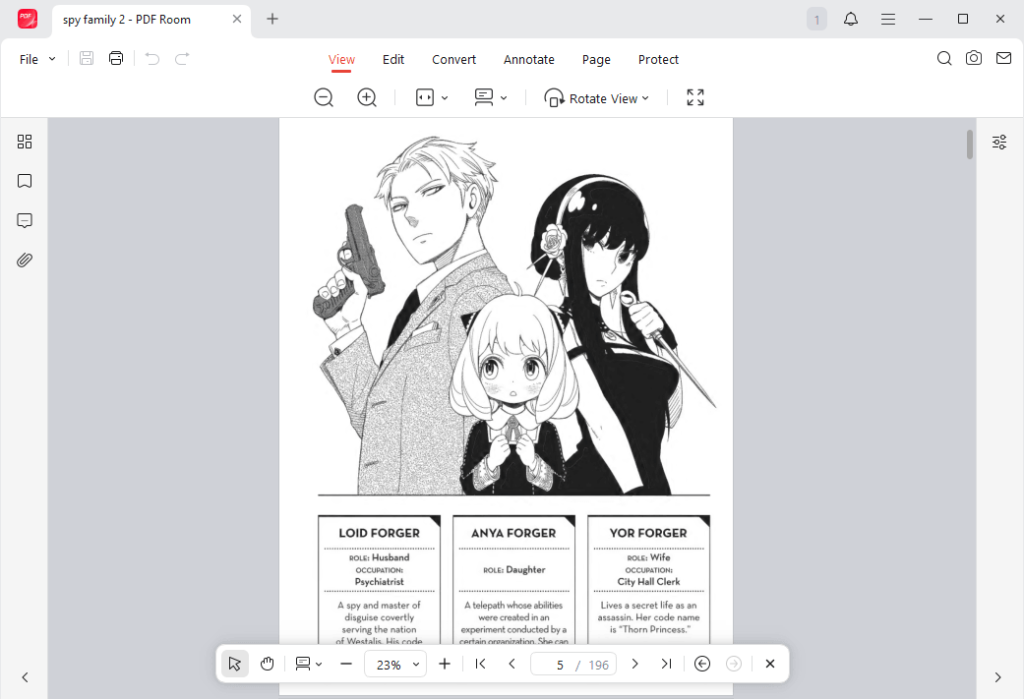
What’s more, JOPDF is one of the best free PDF converters. It enables you to convert screenshots or images to PDF. You can use it to convert manga images to PDF with ease. Moreover, its PDF organizing feature allows you to rearrange PDF pages as needed. Now, you can download and install JOPDF to enjoy a wonderful manga PDF reading experience.
Conclusion
Compared with viewing manga in apps, most of us prefer to view it offline. How to download manga as PDF for free? In this article, I introduce you to several free manga PDF download sites and provide step-by-step guidance on downloading manga as PDF files. Use the legal methods introduced in the article to download manga PDFs effectively. I hope this article can be helpful to you.
FAQs
Table of Contents

Your Best Free PDF Expert in PDF editing, compressing, converting, annotating, protect, organizing, and more.
Free DownloadWindows · macOS · Linux

Olivia
“Olivia is an editor at JOPDF, where she writes practical guides and insightful articles on managing PDFs—covering topics like editing, annotating, converting, and organizing files efficiently. Passionate about clear communication and digital productivity, Olivia enjoys spending her free time cooking, watching movies, and hiking to unwind and find inspiration for her writing.”
![5 Best Free PDF Compressors in 2026 [Desktop and Online]](https://b.jopdf.com/wp-content/uploads/2026/04/best-free-pdf-compressor.png)
![4 Best Methods on How to Edit a Signed PDF [Includes Tips]](https://b.jopdf.com/wp-content/uploads/2026/04/how-to-edit-a-signed-pdf.png)
