Summary :
If you are trying to download Course Hero to PDF without paying expensive monthly fees, you are in the right place. In this simple guide, we will show you the exact steps to unlock these documents for free, including the official method and using Course Hero to PDF downloaders.
Studying for exams is already hard work. Finding the perfect study guide, essay, or past paper online can feel like a big win. However, it is very frustrating when you click on a Course Hero document, only to find the text completely blurred out by a paywall. How to get Course Hero PDF for free?
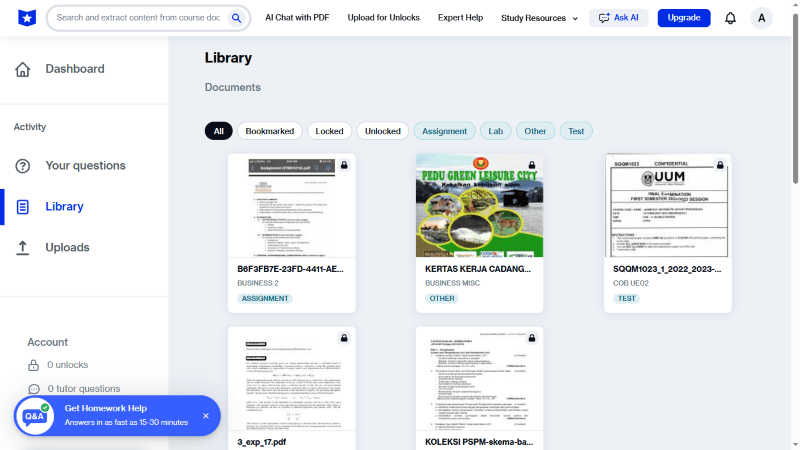
Don’t worry! This guide will help you out. First, we will show you the 100% official and safe ways. Then, we will look at three free online tools you can use when you are in a rush. Finally, we will show you the best PDF software, JOPDF, to read, highlight, and organize your new study materials so you can get the best grades possible.
Of course, you can click the download button to get JOPDF now. In this way, you can start learning efficiently as soon as you download the document.
How to Download Course Hero to PDF for Free (Official Ways)
Before you try using outside websites, you should always try Course Hero’s official reward system. These methods are completely safe, 100% legal, and guaranteed to work every single time. Here are the four best official ways to unlock a document and save it as a PDF.
Method 1: Upload Your Documents to Unlock (The Best Way)
This is the most reliable way to unlock Course Here for free and download documents. If you add books to the library, you can read other books for free. You can upload your own original study materials. This can be your old class notes, essays you wrote, or study guides you made.
💡 The Rule: For every 10 approved documents you upload, Course Hero rewards you with 5 free unlocks. And the unlocks are valid for 30 days.
Here is how to download PDF from Course Hero for free:
1. Go to the Course Hero website and log in to your account.
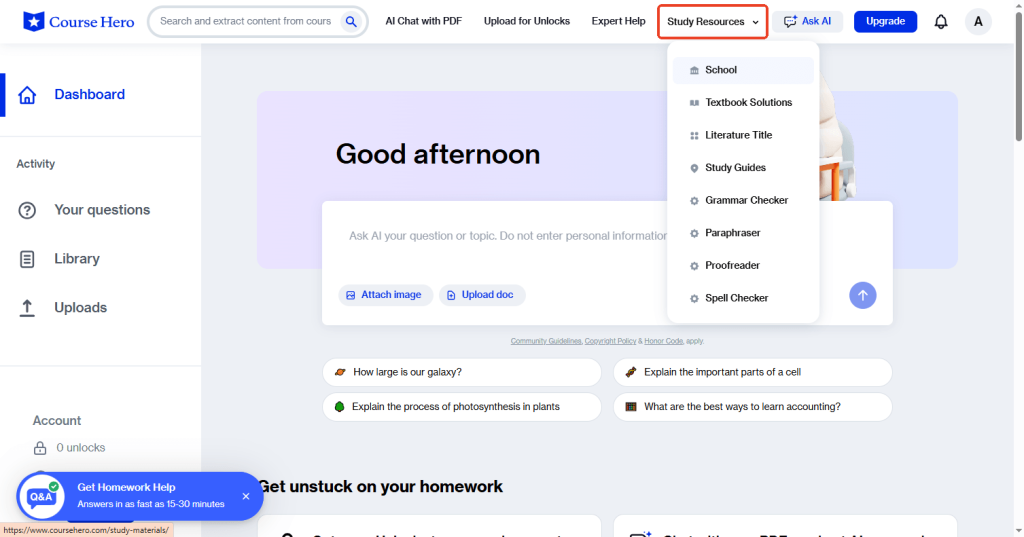
2. Search the content you need. Or you can click Study Resources, then School or other options.
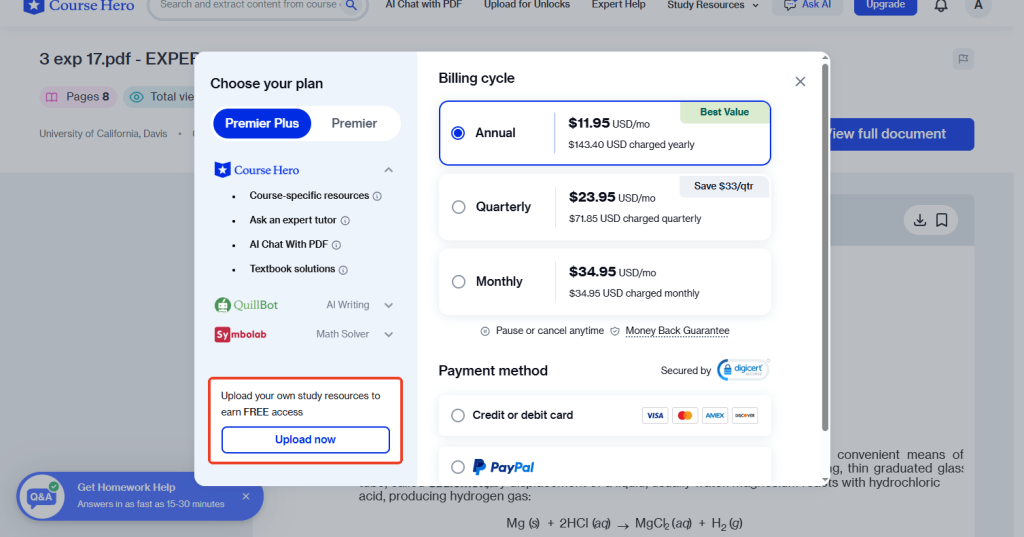
3. Find and click the document you want to download. Then click View full document or Download. Click Upload now to continue.
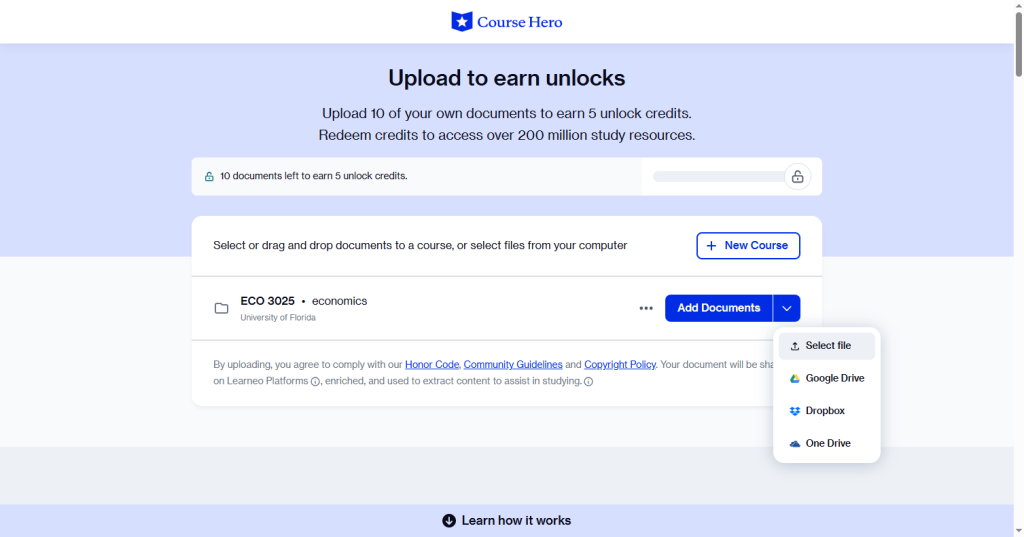
4. Select your school and add the course name. Then, click the Add Documents button to select your document.
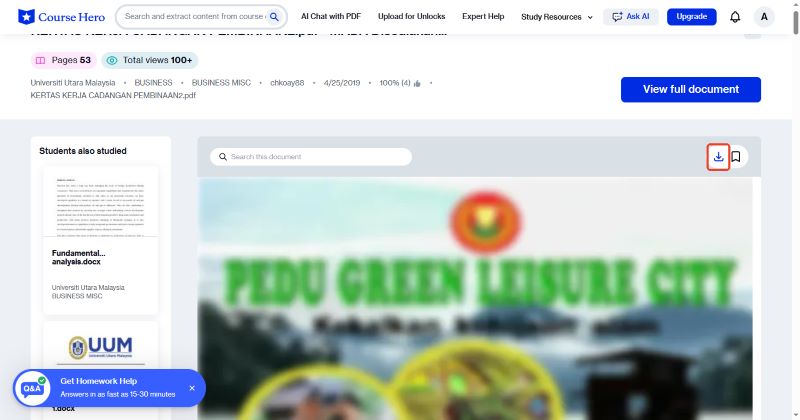
5. Once you use your free unlock, the document will unblur on your screen. Click the View full document button. Then, look for the download button and click it.
If there is no download button, you can use a quick computer trick. Press Ctrl + P (on Windows) or Cmd + P (on Mac) on your keyboard. This opens the print menu. Change the printer to Save as PDF and click Save. Now the file is on your computer forever!
To study more effectively, you might as well download JOPDF. This PDF reader for Windows/Mac offers multiple reading modes and enables you to easily mark key points.
Method 2: Rate and Review Documents
Course Hero values community feedback. Once you have unlocked a document or if you have a basic account, you can rate files.
You just give a document a “thumbs up” if it is helpful, or a “thumbs down” if it is not. You can also write a short text review. By doing this simple task, the platform will occasionally credit your account with free unlocks.
💡 The Rule: Rate 5 pieces of content on Course Hero to receive 1 free unlock.
Method 3: Refer Friends
If you have classmates who also need help studying, you can use the referral program. Go to your Course Hero account settings and find your special “Referral Link.” Copy this link and text or email it to a friend.
If your friend clicks your link and signs up for a new account, Course Hero will reward both of you. You will get free document access just for inviting someone new to the website.
Method 4: Join Discord Servers
Discord is a popular chat app. There are large, active student communities on Discord dedicated to helping each other study.
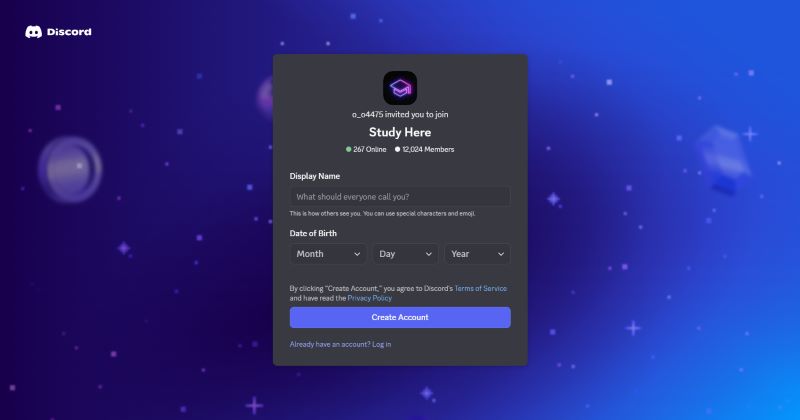
Many of these students are willing to unlock a specific document for you free of charge. You just paste the link to your blurred document in the chat, and they will download it and send you the unblurred PDF. Here’s an available serve link: https://discord.com/invite/ceK32mwSkF.
3 Best Course Hero to PDF Downloaders Online Free
If you are in a huge rush or have no old notes to upload, you can try using third-party Course Here to PDF downloaders or converters. They are free to use, but they usually have advertisements on the screen. Here are three popular options you can try.
Tool 1: DocsDownloader
DocsDownloader is one of the most popular and simple web tools on the internet. It is designed specifically to bypass document blur on educational websites. It is very fast and does not ask you to create an account.
Website: https://docsdownloader.com/coursehero-downloader
Download Steps:
- Go to Course Hero and copy the web address of the document.
- Open a new tab and go to the DocsDownloader Course Hero Downloader.
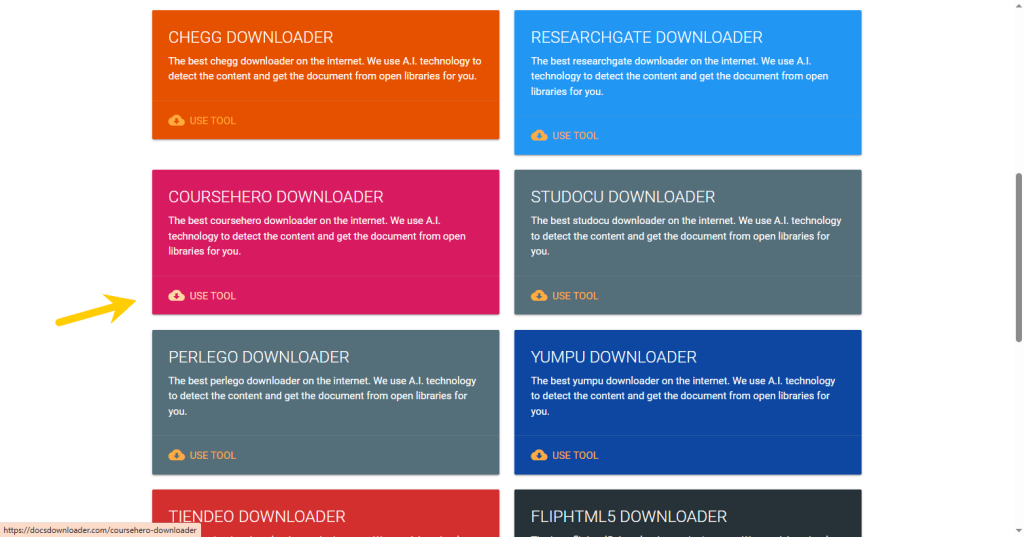
- Paste your copied link into the box. Click the button that says Get Link.
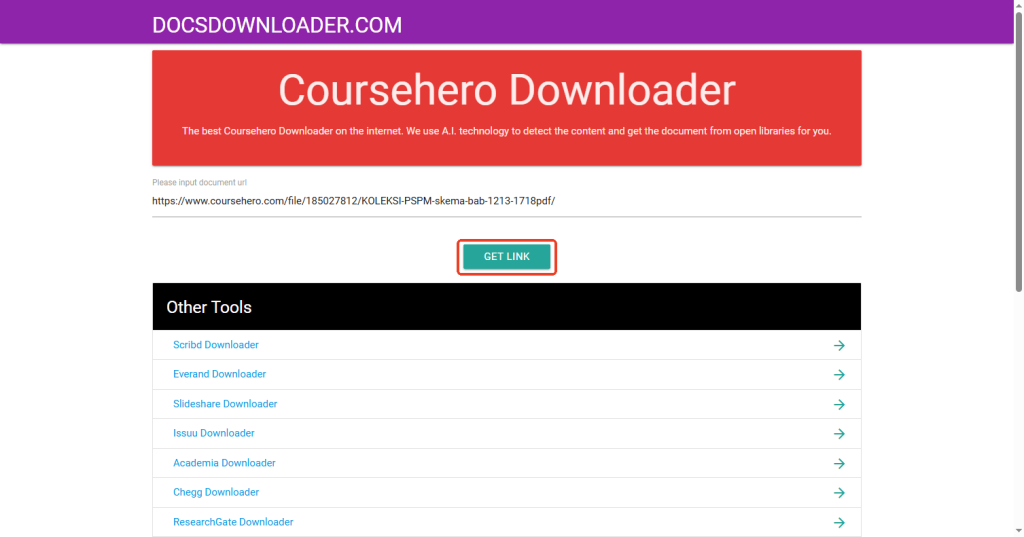
- Wait a few moments for the website system to process the file. When done, it will give you a button to download your final PDF.
Tool 2: FreePDFDownloader
FreePDFDownloader is a very versatile tool. It works not only for Course Hero but also for many other academic sharing websites. It is completely free, and you do not need to log in to use it.
Website: https://freepdfdownloader.com/
Download Steps:
- Navigate to the FreePDFDownloader website.
- Copy and paste the link of Course Hero document.
- Click the CONVERT TO PDF button.
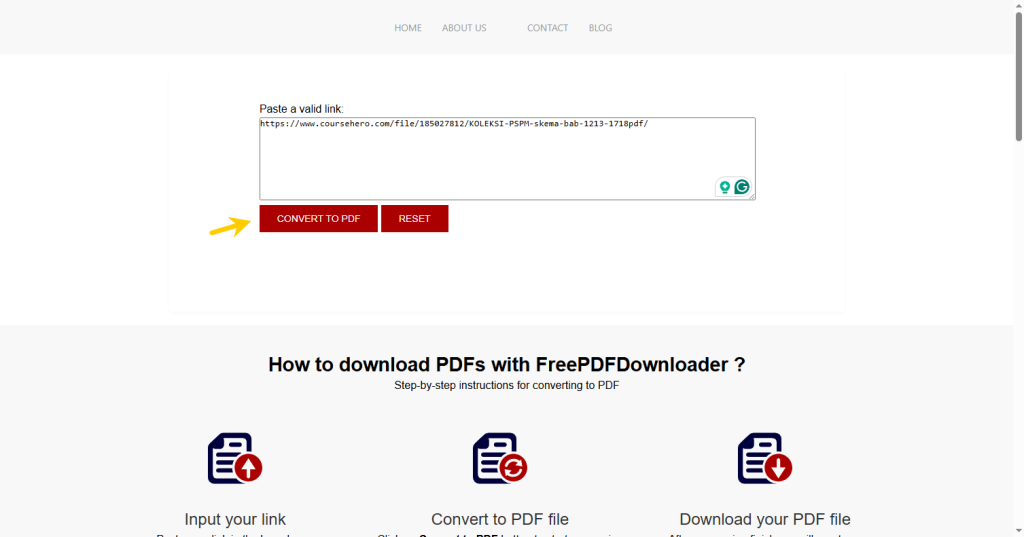
- Wait for a while and click the DOWNLOAD button.
Tool 3: OkDebrid
OkDebrid operates slightly differently from the other Course Hero to PDF downloaders. It acts as a “premium link generator.” This means the website uses its own premium, paid access to fetch locked files behind the paywall, then hands the file to you for free.
Website: https://okdebrid.com/document-downloader/coursehero
Download Steps:
- Copy your Course Hero document link.
- Open the OkDebrid website and paste your document link into the empty box.
- Click the CONVERT PDF FILE button.
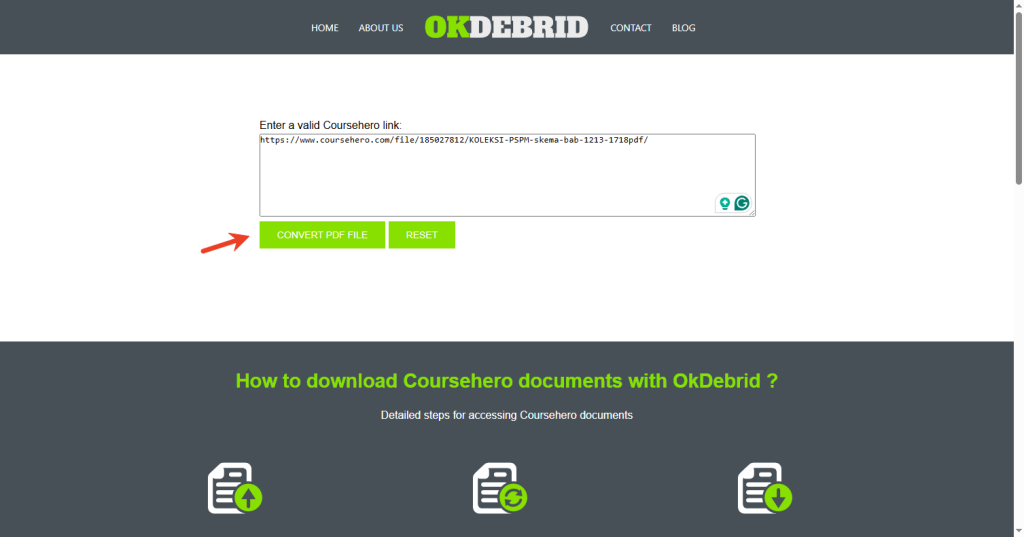
- Then, click the download button and follow the on-screen prompts. You have to wait through a short countdown timer and view some ads.
How to View Downloaded PDFs the Way You Like
Congratulations! You have successfully downloaded your study guides and practice tests. But downloading study materials is completely useless if you cannot easily read, highlight, and organize them.
Indeed, you can open the PDF document in a standard web browser. However, web browsers do not let you make notes, and if you accidentally close the tab, you lose your page.
To get the best grades, you need the right tools. We highly recommend using JOPDF. It is a powerful, lightweight PDF reader and editor that can make studying much easier.
Here is how JOPDF can enhance your reading and learning:
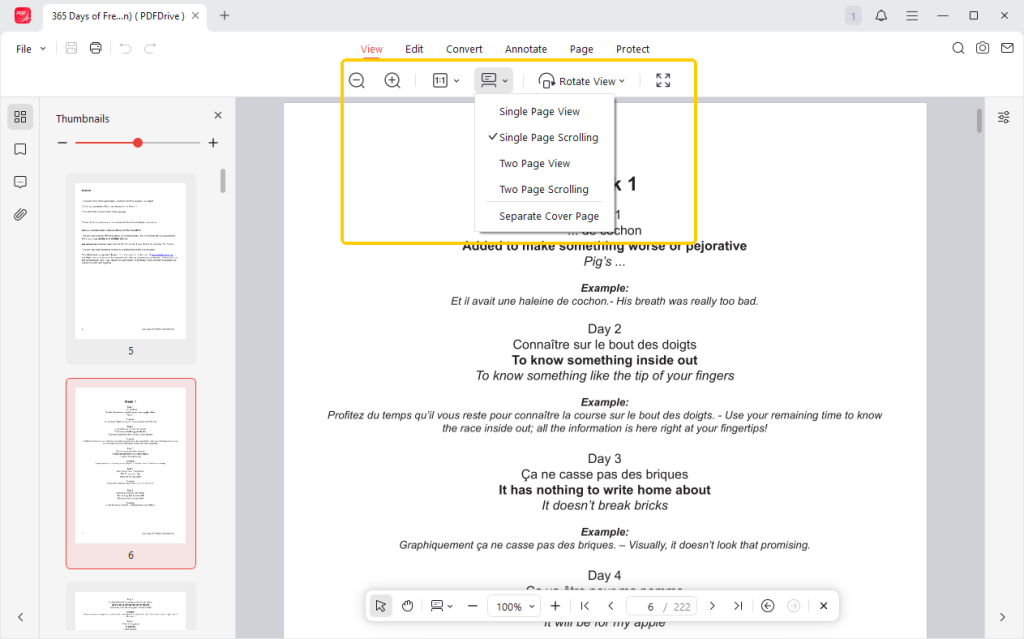
⭐ Various Reading Modes
JOPDF lets you switch between viewing modes. You can use PDF full-screen mode to hide your messy computer desktop and focus only on your notes. You can also enable eye protection or dark mode to reduce eye strain during late-night study sessions.
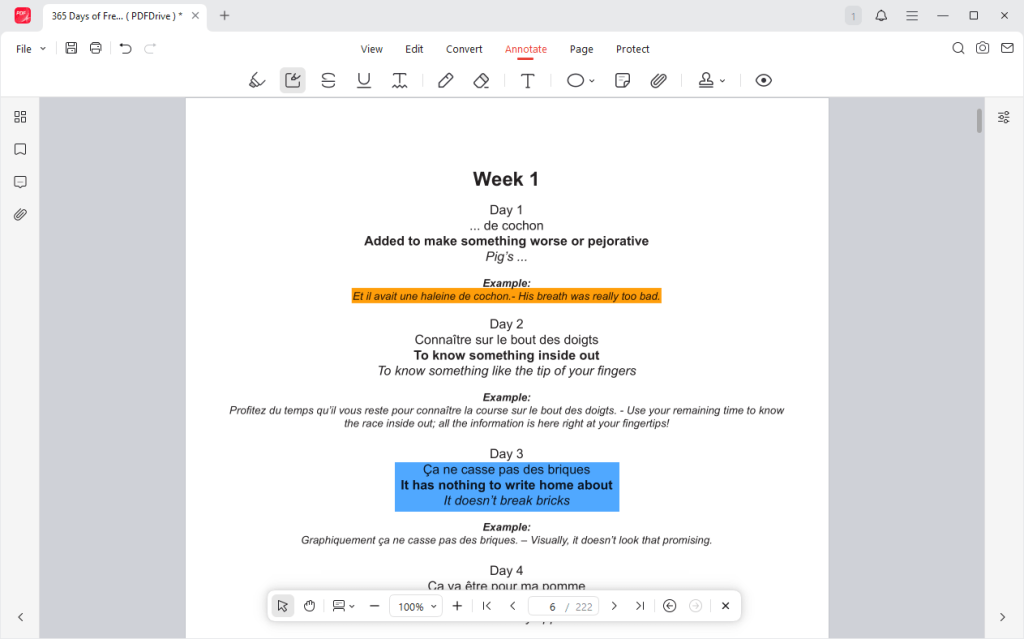
⭐ Taking Notes
JOPDF gives you a digital pencil case. You can use a bright yellow highlighter tool to mark key sentences. You can underline important math formulas in red. You can even create digital “sticky notes” and place them in the margins to write your own thoughts.
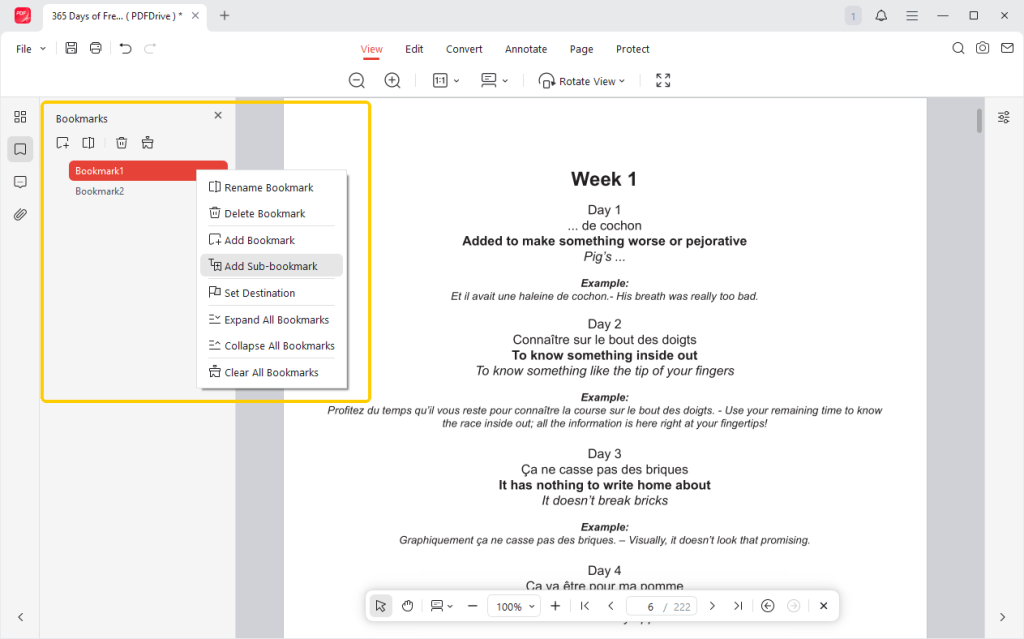
⭐ Bookmark Function
With JOPDF, you can easily drop a digital bookmark on the exact page you are reading. When you open the program the next day, you can click your bookmark and instantly jump right back to where you left off.
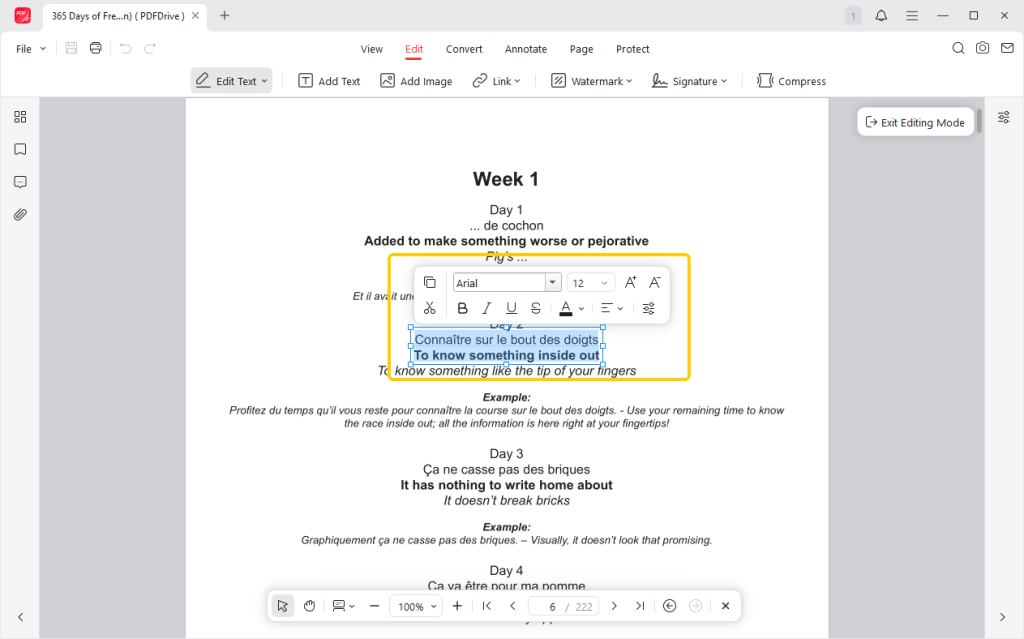
⭐ Editing
Sometimes, the notes you download from Course Hero may have errors. JOPDF is not just a reader; it is an editor. It lets you click directly in the PDF and change the text, just like you would in Microsoft Word.
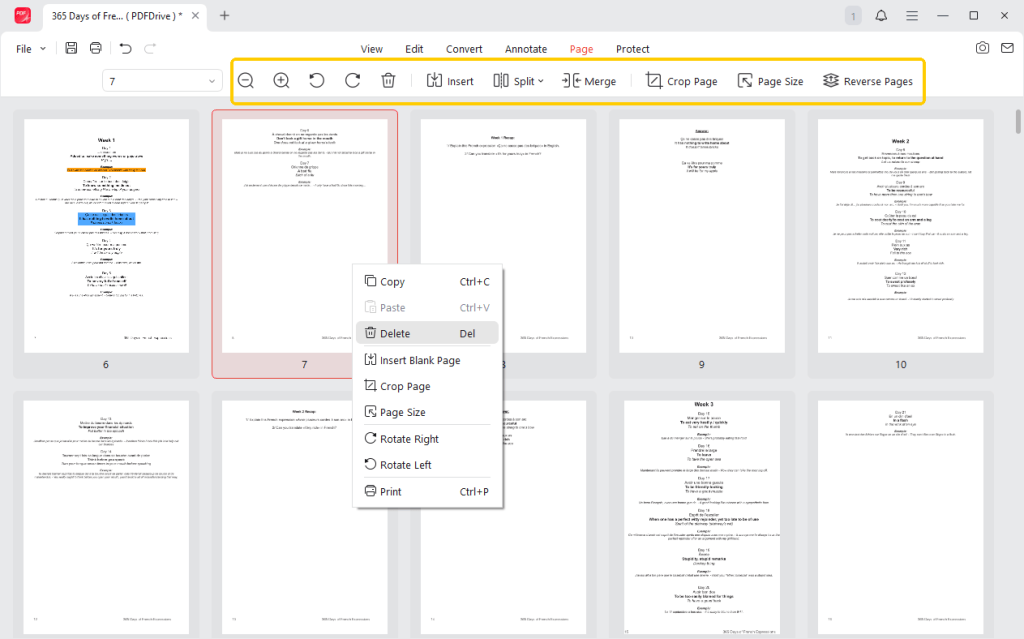
⭐ Page Organizing
JOPDF lets you easily delete unnecessary pages, keeping your file clean and short. Even better, you can merge multiple downloaded PDFs into one file. You can take five different chapter guides and combine them into one ultimate “Exam Prep” document!
Ready to study smarter? Download and try JOPDF today. It can greatly enhance your learning outcomes, help you organize your documents, and let you read them in your preferred way!
Conclusion
Now you can how to download Course Hero to PDF. Anyhow, uploading your own original documents is always the safest and most official route to earn free unlocks. However, if you are pressed for time, online Course Hero downloaders are great to use in a pinch.
After the download completes, you can open the PDF in your web browser to view it. However, if you want to study more attentively and with greater ease, and ultimately achieve better results, then a professional PDF reading and management tool is indispensable!
FAQs
Table of Contents

Your Best Free PDF Expert in PDF editing, compressing, converting, annotating, protect, organizing, and more.
Free DownloadWindows · macOS · Linux

Queena
Editor
“As a staff editor for JOPDF, Queena excels at guiding users to the optimal tools and solutions. When she's not analyzing the latest PDF solutions, she enjoys spending her free time playing with her four cats.”
![6 CSV to PDF Converters in 2026 [Top Offline and Online Finds]](https://b.jopdf.com/wp-content/uploads/2026/03/csv-to-pdf-converter.png)