Summary :
AnyFlip is a fantastic website for reading digital magazines, catalogs, and textbooks. However, if you want to read your favorite books offline, you need a reliable AnyFlip downloader. This guide will show you exactly how to save these flipbooks to your computer quickly and easily.
Before starting to explore how to download AnyFlip to PDF, you can first click the button below to obtain JODF, which is regarded as one of the best PDF readers for Windows and Mac. Thus, once the download completes, you can enjoy reading immediately!
How to Download AnyFlip Books to PDF with the Built-in Downloader
Before you look for outside websites to help you, you should always check if the author allows you to download the book directly. This is the safest and easiest way to download a PDF from AnyFlip.
In fact, when a person uploads a book to AnyFlip, they can choose whether others can save it. If they say yes, the website will provide a simple button for you to use.
Here is how to access and use the built-in AnyFlip Downloader:
- Go to the AnyFlip website on your computer. Log in to your account.
- Search for the specific flipbook, catalog, or magazine you want to read, then click it to open it.
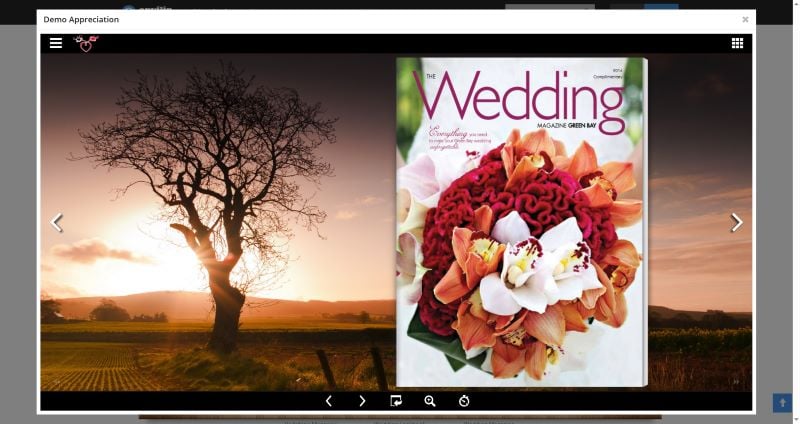
- Look closely at the bottom of the screen, where the reading tools are. If the publisher allows downloads, you will see an icon that looks like a downward-pointing arrow. This is the official download button.
- Click that downward arrow button. The book will automatically save to your computer or phone as a PDF.
️❗ The Big Problem: Publishers often turn this button off to protect their work. They want you to stay on their website to read it. If you look at the bottom of the screen and the downward arrow is missing, do not worry. You can still get your book by moving on to the next section.
3 Free Online AnyFlip Downloaders
When the official button is hidden or turned off, you need a little extra help. You can use the AnyFlip PDF downloader website.
You do not need to install any heavy software to use these. They work directly in your web browser. Here are three of the best and easiest tools you can try.
Tool 1: DocDownloader
Website: https://mydocdownloader.com/
DocDownloader is one of the most popular tools on the internet. It is very easy to use. It is a great AnyFlip to PDF download tool, and it also works with other popular document websites. It is completely free.
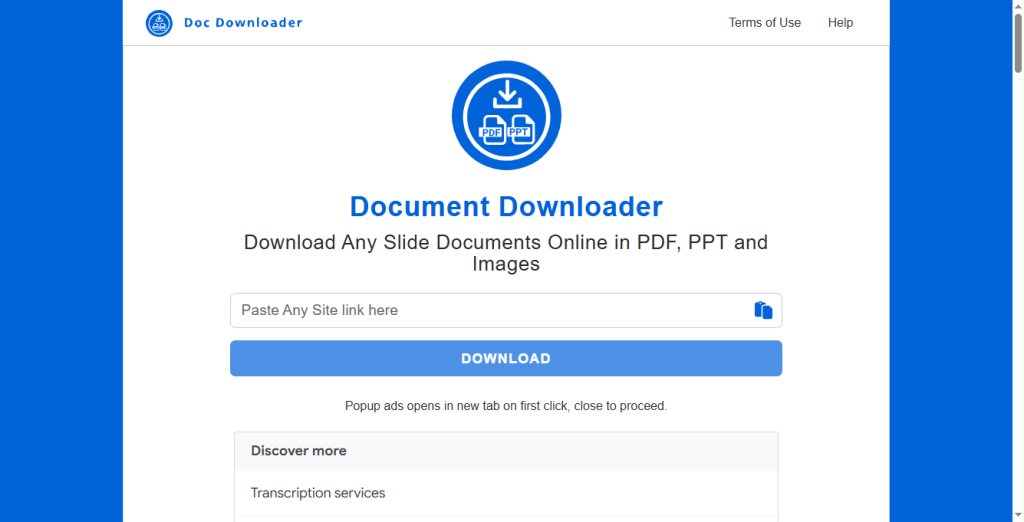
Steps to download AnyFlip books:
- Go to the AnyFlip website and copy the web address (the URL at the very top of your screen) of the book you want to save.
- Open a new internet tab and go to the DocDownloader website.
- You will see a large search box in the middle of the screen. Paste your copied link into this box.
- Click the Download button. Follow the on-screen instructions to save your new PDF file.
Tool 2: Document Downloader
Website: https://downloaderr.org/
This is another excellent AnyFlip to PDF downloader. It is very fast and requires no passwords or accounts. If you just need to download AnyFlip PDF files in a hurry without solving annoying picture puzzles (captchas), this is a wonderful choice.
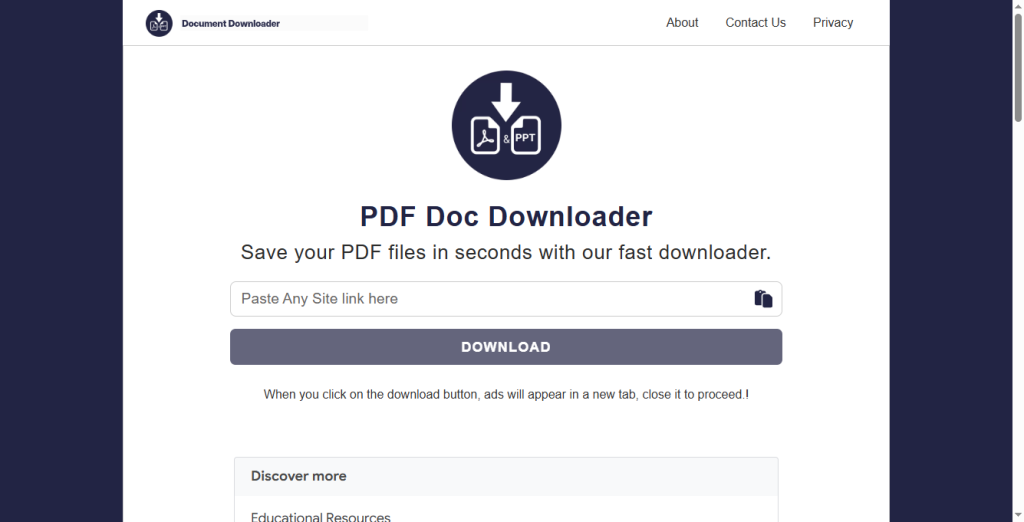
Steps to download Anyflip to PDF:
- Find the AnyFlip book you want and copy its web address link.
- Go to the downloaderr.org website.
- Look for the empty text box on their main page. Paste your AnyFlip link right there.
- Hit the Download button. The website will process the link and generate a file for you to save directly to your computer.
Tool 3: OkDebrid
Website: https://okdebrid.com/document-downloader/anyflip
OkDebrid works a little differently. It acts as a premium link generator. This means the website uses its own special access to fetch locked files. It does the hard work behind the scenes to give you free, direct access to the book.
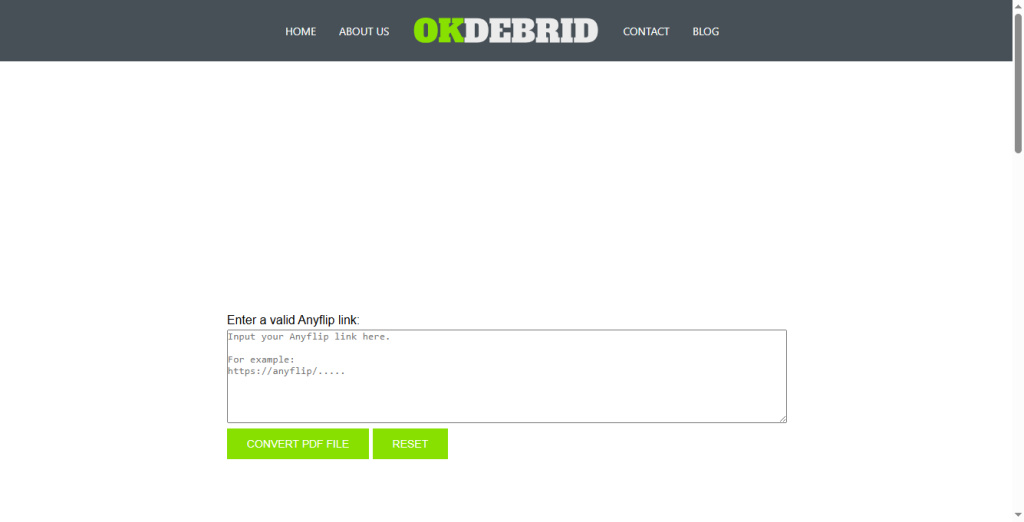
Steps to download PDF from AnyFlip:
- Copy your target AnyFlip link.
- Open the specific AnyFlip tool page on the OkDebrid website.
- Paste your copied URL into the empty field on the screen.
- Click the CONVERT PDF FILE button. Wait just a few moments, and then download the unblurred, high-quality PDF to your hard drive.
How to View, Edit, and Manage Downloaded AnyFlip PDFs
Now you have successfully downloaded your digital books and magazines. But the work is not totally done yet.
For the best reading experience, you need the right tool, and we highly recommend JOPDF. It is the ultimate desktop software for managing your new digital library. It is powerful, very lightweight, and easy to understand.
Here is how JOPDF will make your reading and learning much better:
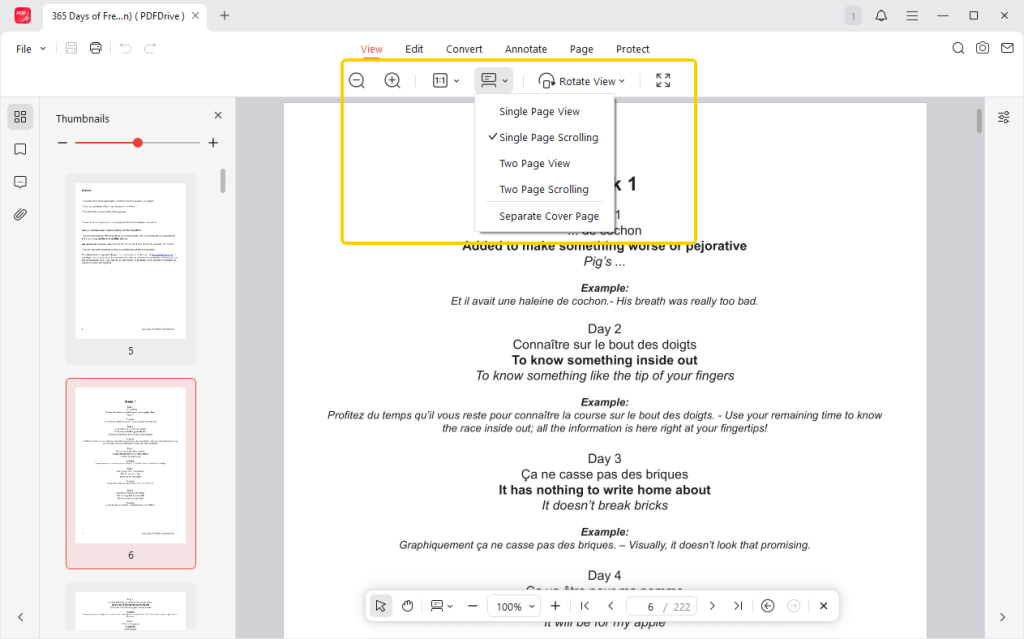
✅ Comfortable Reading Modes
You can easily switch to “PDF Full-Screen” mode to focus solely on your magazine. You can also enable dark mode to soften the background, reducing eye strain during long reading sessions.
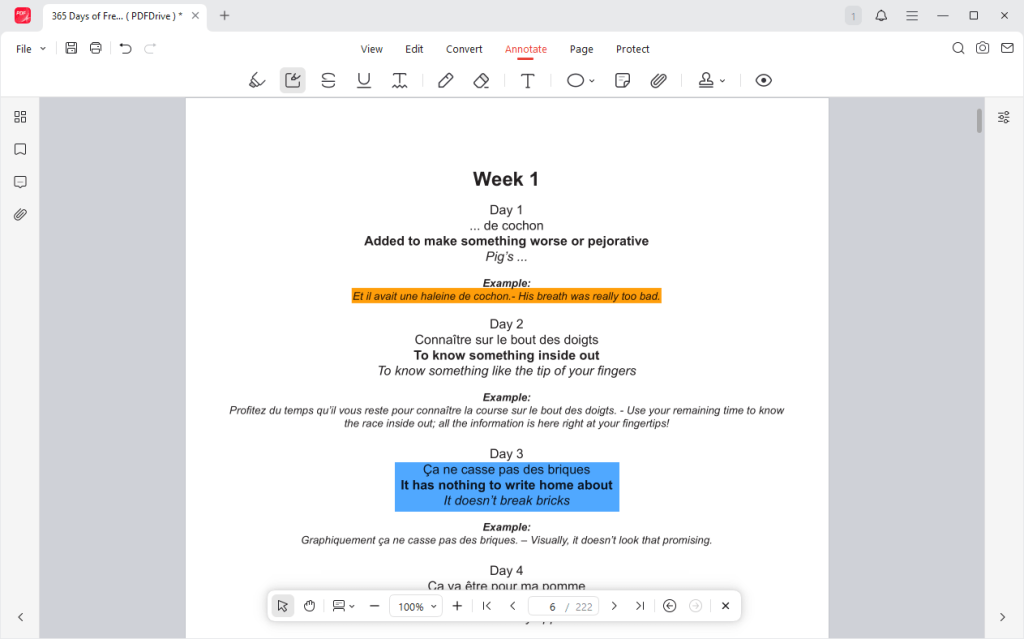
✅ Helpful Annotating Tools
If you downloaded a school textbook or a business catalog, you will probably need to take notes. JOPDF gives you a digital pencil box.
You can use a yellow highlighter tool to mark important sentences, draw red circles around important pictures, and even create digital sticky notes.
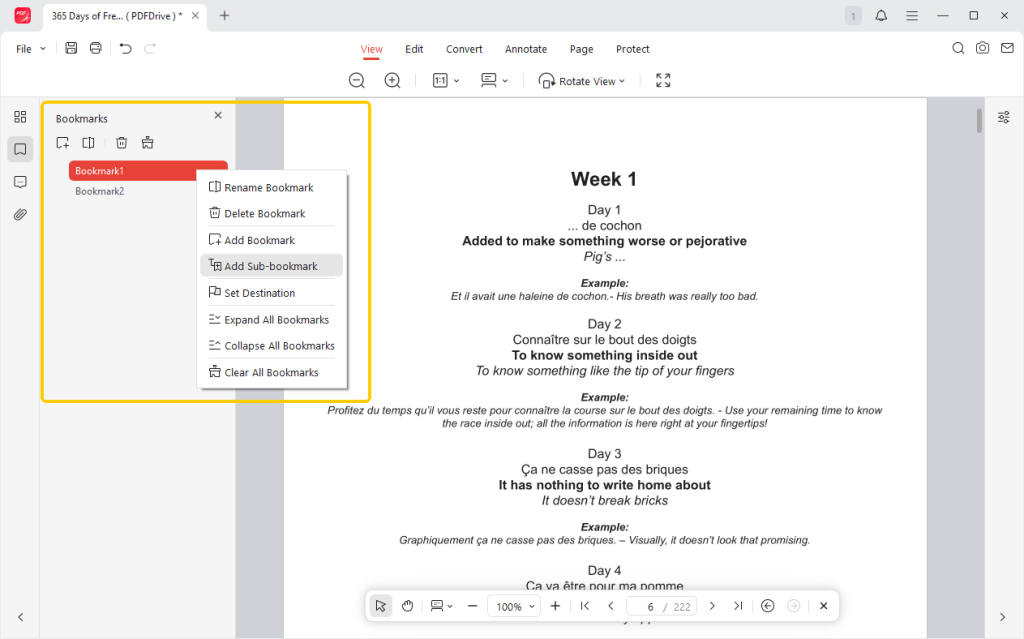
✅ The Bookmark Function
When you read a real paper book, you use a bookmark so you do not lose your place. You can do the exact same thing in JOPDF. With one click, you can drop a digital bookmark on page 150 of your novel.
✅ Delete, Split, and Merge and Split Pages
Sometimes, when you download a book from the internet, it is a little messy. JOPDF lets you fix this easily. You can delete blank pages, extract pages from a PDF, and merge two different chapters together into one perfect, clean book.
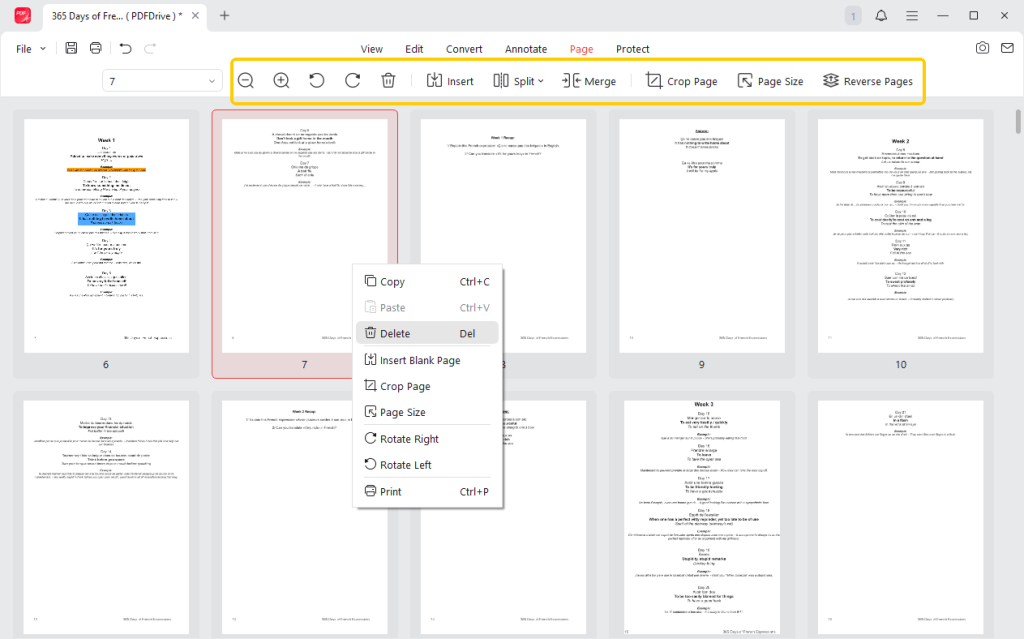
A good tool can take reading to the next level. Download JOPDF and read and manage all your downloaded files effortlessly!
Conclusion
Saving AnyFlip catalogs, magazines, and textbooks for offline reading is possible once you know the right steps.
First, always check whether the publisher has enabled the official download button. If the button is gone, do not panic. You can easily use a free AnyFlip Downloader to grab the file in seconds.
Also, don’t forget to pair your new book with a powerful reader like JOPDF!
FAQs
Table of Contents

Your Best Free PDF Expert in PDF editing, compressing, converting, annotating, protect, organizing, and more.
Free DownloadWindows · macOS · Linux

Queena
Editor
“As a staff editor for JOPDF, Queena excels at guiding users to the optimal tools and solutions. When she's not analyzing the latest PDF solutions, she enjoys spending her free time playing with her four cats.”
![6 CSV to PDF Converters in 2026 [Top Offline and Online Finds]](https://b.jopdf.com/wp-content/uploads/2026/03/csv-to-pdf-converter.png)
