Take Full Control of Your PDFs
JOPDF helps you tackle all your PDF tasks with ease. Edit, convert, compress, merge, split, create, annotate, organize, and protect your PDF files without hassle. All for free, no sign-up required.
Download JOPDF Free 4.8
4.8
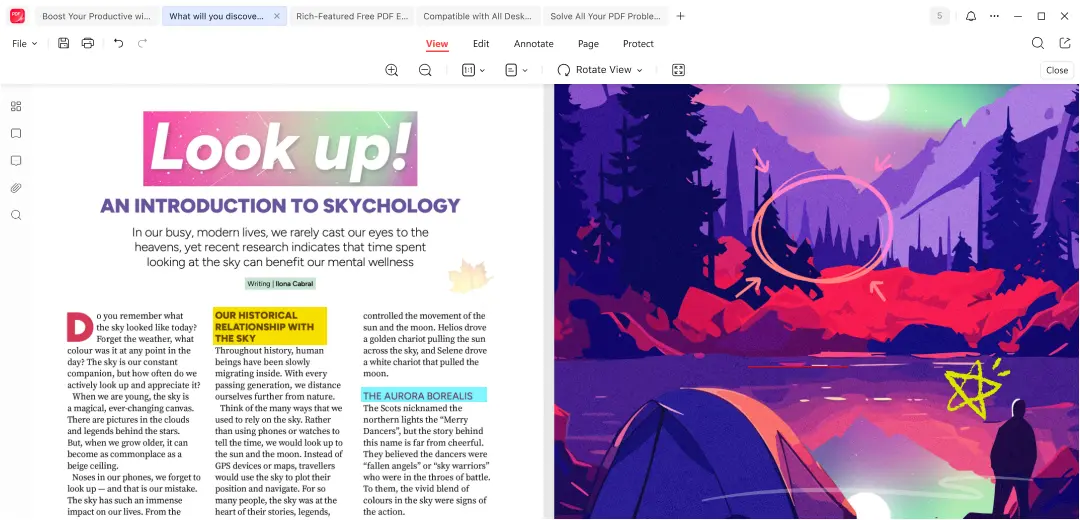
Boost Your Productive with JOPDF - The Best Free PDF Editor
-
 Edit
Edit -
 Convert
 -
 Compress
 -
 Merge
Merge -
 Annotate
 -
 Organize
 -
 Protect
 -
 Read
Read -
 Print
Print
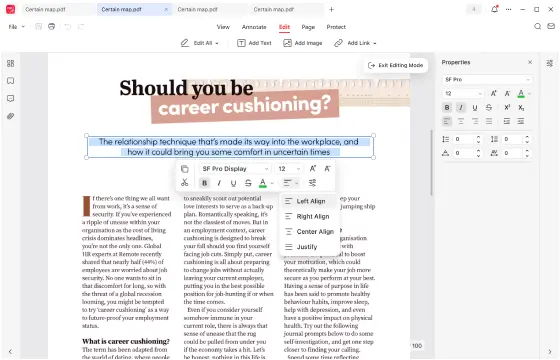
Edit PDFs Like Word
- Edit or add text, images and link to PDFs.
- Adjust the size, font, color and more of the text and link.
- Copy, paste, rotate, crop, resize, replace the images in PDFs.
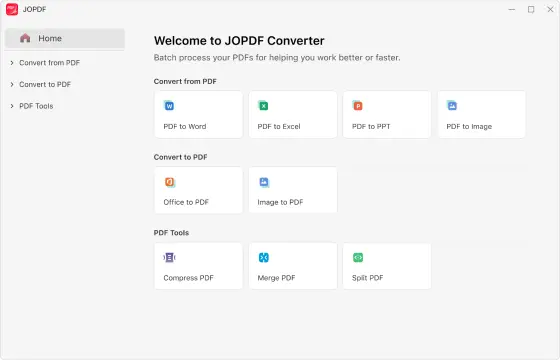
Batch PDF Converter
- Convert PDFs to Word, Excel, Powerpoint or images.
- Create high-quality PDFs from images, Word and other formats.
- Save time with fast batch conversion, no sign-ups required.
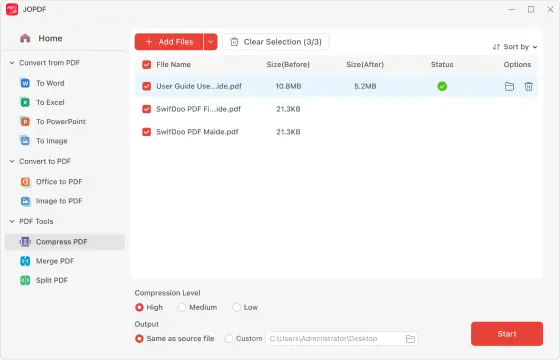
Compress PDF in High Quality
- Reduce the size of PDFs while maintaining the same quality.
- Shrink multiple PDFs quickly with batch compression.
- Compress PDFs instantly, with no login required.
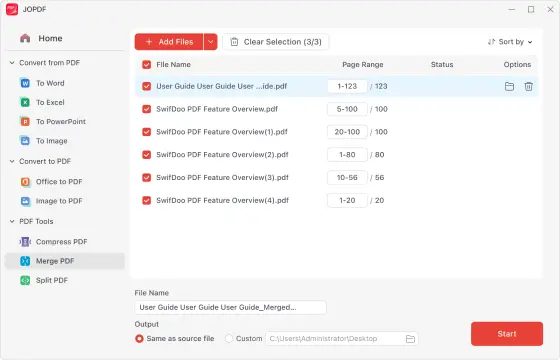
Merge PDF Files Instantly
- Combine multiple PDF files into a single document in seconds.
- Reorder files easily with drag-and-drop for a well-structured PDF.
- Merge PDFs for free — fast, safe, and secure.
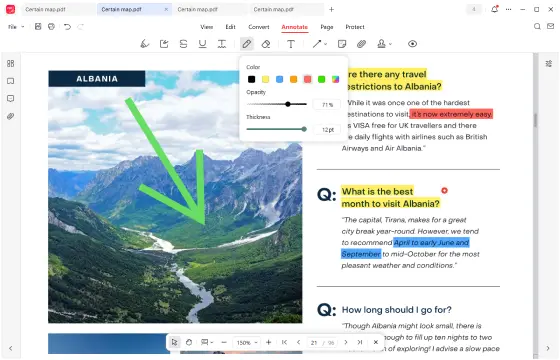
Feature-rich PDF Annotator
- Over 15 annotation tools to cover your markup needs in PDFs.
- Draw in PDF and remove the unwanted drawing smoothly.
- One-click to show or hide all annotations in PDF file.
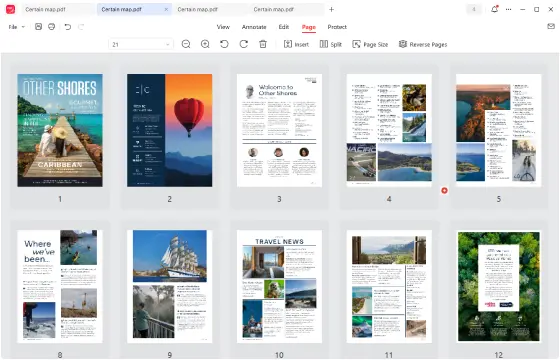
PDF Page Management Tool
- Insert, split, rotate any PDF pages, any position.
- Remove unwanted pages from your PDFs easily.
- Add new PDF page to your document at any place you preferred.
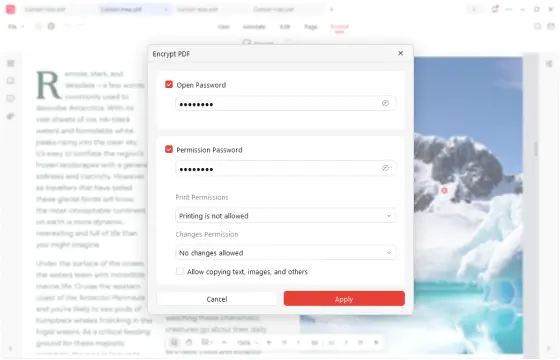
Keep Your PDFs Secure
- Encrypt your PDF with a password to safeguard sensitive information.
- Protect your PDFs from unauthorized access like copying or editing.
- Adjust permission settings easily and freely.
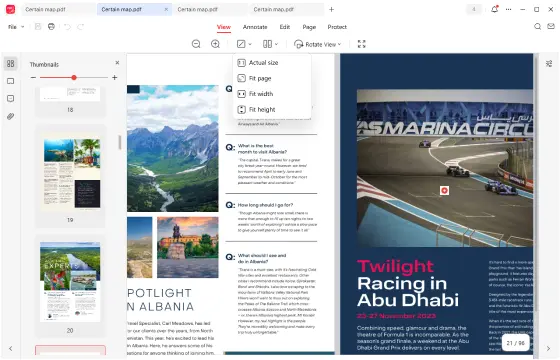
Read Large PDFs Without Lag
- Fast scrolling, zooming and page-jumping.
- Immerse in PDF reading with enhanced full-screen reading mode.
- Easily add markups while viewing PDF documents.
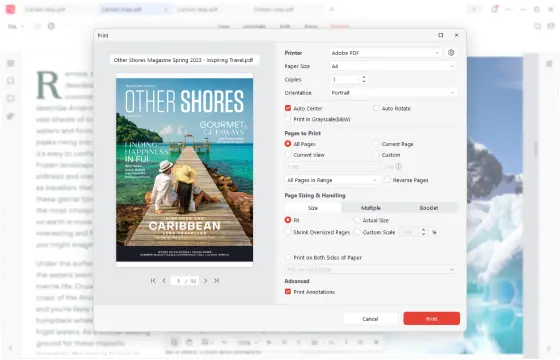
Free Print to PDF Application
- Print PDFs in grayscale, double-sided, and more.
- Print PDF documents without loosing format and quality.
- No ads, no watermark, and no sign up required.
One-stop PDF Editing Tool: 100% Free, No Registration Required
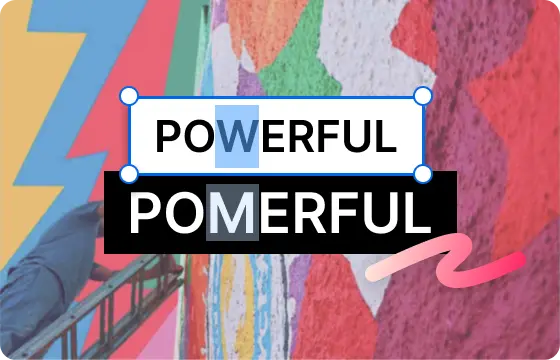
All-in-One PDF Editor
Editing PDFs has never been this simple! With JOPDF, you can edit, convert, compress, merge, split, annotate, organize, protect, and print PDF files with ease. Everything you need to manage PDFs is right at your fingertips.
Free Download
Totally Free, No Sign-Up
JOPDF is 100% free, no hidden charges, no trial restrictions, and no subscriptions. Every feature is unlocked for all users, making PDF editing simple and stress-free.
Free Download
Cross-Platform Compatibility
Whether you use Windows, macOS, or Linux, JOPDF runs smoothly on all major desktop platforms. Enjoy the same powerful features and seamless performance, no matter your system.
Free Download
Secure and Reliable
JOPDF is a clean, safe, and virus-free PDF editing tool. With no bundled software or hidden risks, you can trust it to deliver a secure and reliable PDF editing experience every time.
Free DownloadWhy Choose JOPDF Free PDF Editing Software
Software Experience
Countries and Regions
Satisfied User Global
Downloads Worldwide
See What Our Users and PDF Experts Say about JOPDF
Solve All Your PDF Problems on Any Desktop with JOPDF
JOPDF for Windows
Powerful and easy-to-use PDF editor software for Windows 11/10/8.1/8/7. Edit, convert, compress, merge, organize, create and protect PDFs without complicated steps.
JOPDF for Mac
Seamlessly edit, annotate, convert, compress, manage PDFs, and more on macOS. JOPDF works smoothly on macOS 10.13 and later, fully optimized for Apple M1, M2, M3 and M4 chips.
JOPDF for Linux
A fast and functional PDF editing tool that works well on Linux systems. It offers a complete suite of features, including PDF editing, annotation, conversion, compression, merging, and splitting.