![How to Duplicate a Page in PDF in 4 Quick Ways [2025 Latest]](https://b.jopdf.com/wp-content/uploads/2025/11/how-to-duplicate-page-in-pdf.png)
Summary :
Are you trying to figure out how to duplicate a PDF page? It may happen when you run out of room on a page of your PDF template, journal, or other document. You would like to add another page that applies the same pre-design. That is, you need a duplicate of the page within the same document. Luckily, there are free, offline, and online tools for page organization. Learn how to duplicate a page in a PDF using 4 fast methods.
Way 1: How to Duplicate a Page in a PDF with JOPDF
JOPDF is a rising-star among the best free PDF editors that lets you duplicate PDF pages for free. It is available for Windows and Mac and has no sign-up or hidden fees. All the packed features are accessible for all users without limits. You can view and edit the pages, content, and security of PDFs and export resulting files without any hassle. You can also rotate, add, delete, and reorder pages.
How to duplicate a page in a PDF with the JOPDF application:
Step 1: Click the download button to install and open the JOPDF for Windows or Mac.
Step 2: Open the PDF you need to duplicate a page in by clicking Open PDF.
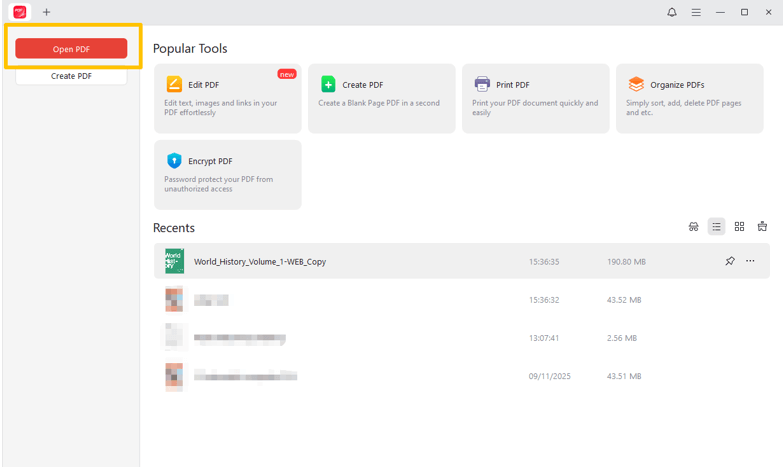
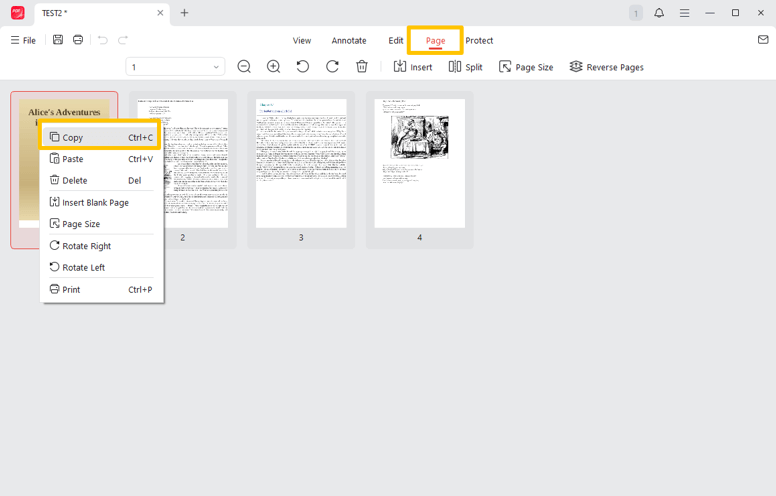
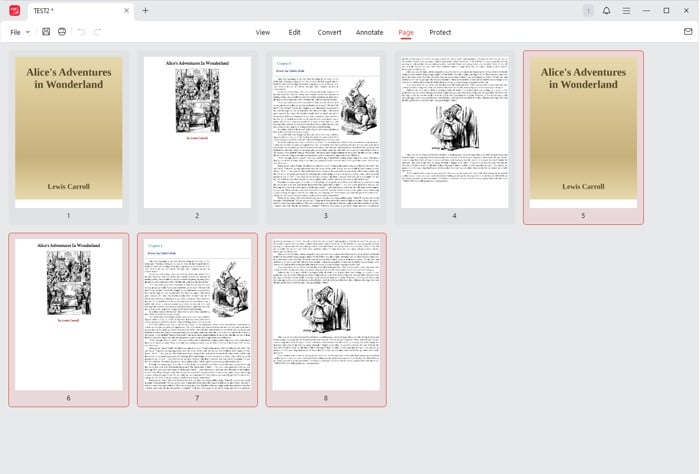
Step 3: Go to the Page tab, locate the page you need to duplicate, and press Ctrl + C (right-click to choose Copy).
Step 4: Select another page and press Ctrl + V to paste it after that page (right-click another page to choose Paste).
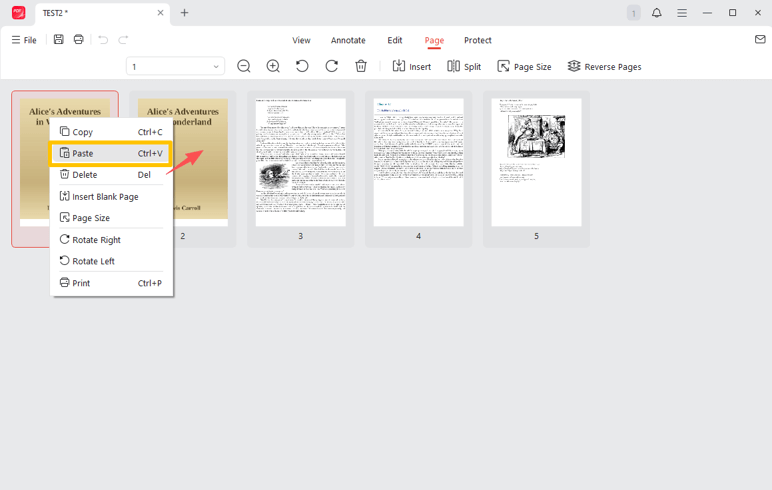
Step 5: You can duplicate a PDF page multiple times for free by pressing the paste shortcut multiple times.
Alternatively, you can duplicate a page in a PDF from the left side thumbnail pane. Once you’ve opened the PDF, please scroll to the specific page thumbnail and right-click to copy and paste it where you like.
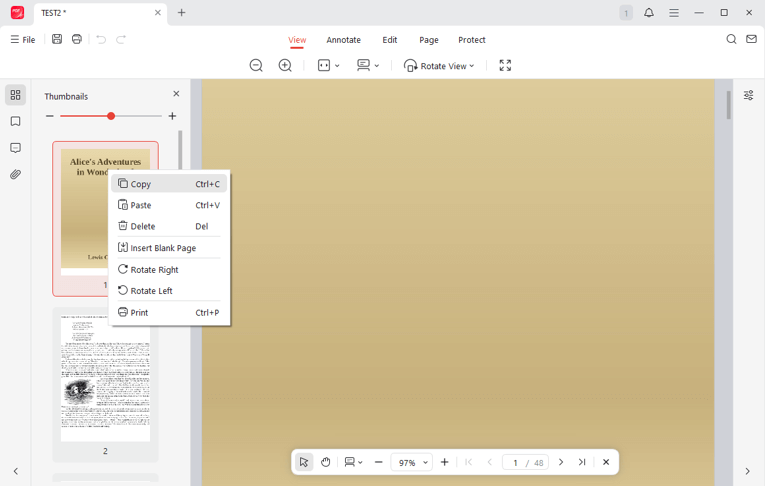
Extra step: if you want to duplicate a PDF entirely, press Ctrl + A in the page view, or select all pages by drawing a rectangle around them; then tap Ctrl + C and Ctrl + V to paste them all behind the original to duplicate all pages in the PDF.
Way 2: How to Duplicate a PDF Page in Adobe Acrobat Pro
You can duplicate a page in a PDF in Adobe Acrobat Pro, but not the free Adobe Reader version. Similar to the above method, you can open the Organize pages view or the thumbnails pane and perform copy-and-paste. The software also lets you rearrange, remove, or add pages to the PDF document. It allows you to select multiple pages.
Discover how you can duplicate a page in Adobe PDF editor.
Step 1: Launch Adobe Acrobat Pro and import the PDF you desire to duplicate pages in.
Step 2: Click the Organize pages tool in the side tools pane.

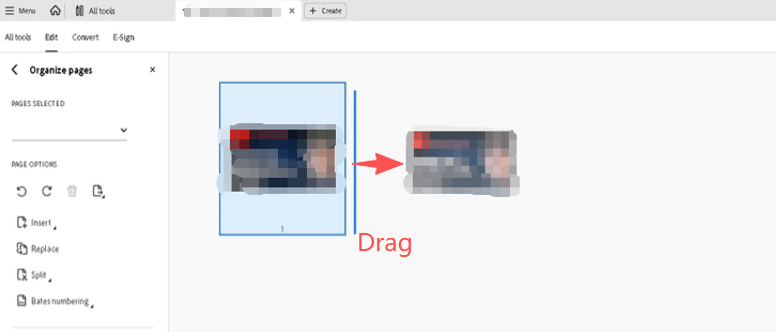
Step 3: Hold Ctrl on Windows/Command on Mac and drag the page to another location, and the Adobe PDF editor will duplicate the entire page there.
Step 4: Make edits on the pages and save the PDF with the duplicated page.
Way 3: How to Duplicate a Page in PDF in Preview
Speaking of how to duplicate a page in a PDF document on Mac, there is a native application that helps. The Preview app is always a great choice for viewing and simply editing documents. It also makes page inserting, merging, and eliminating possible. You can draw on and type on a PDF using the program.
Check out how to duplicate a PDF page in Preview on a Mac.
Step 1: Right-click the PDF and select Preview as the opening software.
Step 2: Click the button in the top left corner of the window to select Thumbnails.
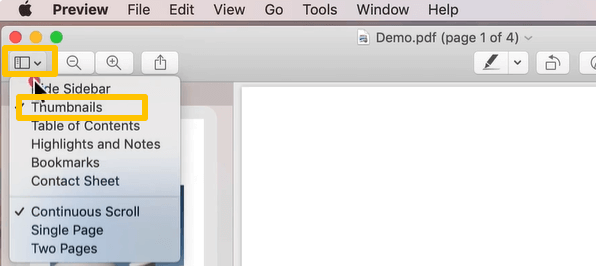
Step 3: Select the thumbnail of the page to duplicate, and hold the option key.
Step 4: Drag the thumbnail at the top of the new location to duplicate the page on the PDF.
Way 4: Duplicate Pages in PDF with the Online Visual PDF
Visual PDF lets you add or duplicate a page in a PDF online for free, so that you can use it more than once. The online platform offers a series of PDF tools for creating, modifying, and optimizing your documents. It lets you specify a range of pages to duplicate at the end or right after each corresponding page. The UI is clean and user-friendly.
Let’s see how to duplicate pages in a PDF with Visual PDF online for free.
Step 1: Open the Visual PDF Duplicate PDF pages tool in your browser.
Step 2: Click Add file to select and upload the PDF in which you wish to duplicate a page online.
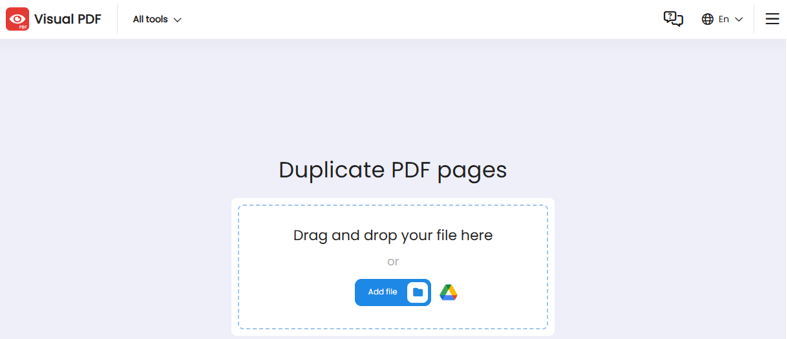
Step 3: Click the + icon on a page to duplicate it, and click the cross icon to delete the duplicate if needed.
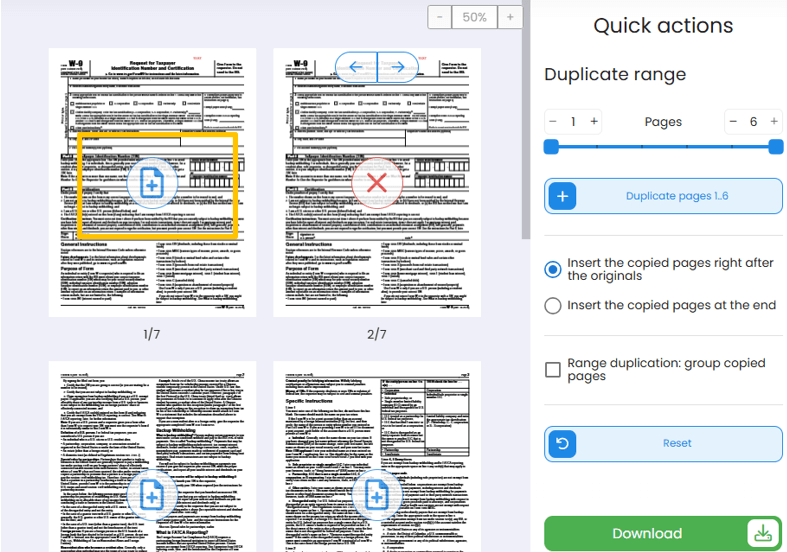
Step 4: Click the Download button, and you can download and save the file. You can’t order pages on that interface.
Final Words
It can be a frequent task for you to duplicate a page in a PDF to have different versions of the same page. You can conduct experiments on the pages to compare and pick the most targeted one. You can duplicate and insert the page right after or before a specific page. It doesn’t matter whether to duplicate a fillable or non-fillable PDF page; the four PDF editors and page organizers stand out.
This post is not to create two separate PDF files (which you can copy and paste into your file folder to achieve).
How to copy a page from a PDF to Word? Open your PDF in JOPDF, select all the text on a page, press Ctrl + C to copy it, and paste it into a Word document. Click “Edit” > “Edit All”, right-click the images on the page, click “Copy Image”, and then paste them into Word.
FAQs
Table of Contents

Your Best Free PDF Expert in PDF editing, compressing, converting, annotating, protect, organizing, and more.
Free DownloadWindows · macOS

Selena
Staff Editor
“Selena is a staff editor working for JOPDF, passionate and committed to providing how-to and round-up articles. Over 8 years of specialized skills and experience in PDF solutions, hoping to help users ease their lives and solve whatever they encounter. "Work smarter, not just harder!"”
![[2026 Newest] Expert Guide on How to Rotate a PDF in Google Drive](https://b.jopdf.com/wp-content/uploads/2026/01/how-to-rotate-a-pdf-in-google-drive-thumbnail.png)
