Best Free PDF Editor & Reader for Windows
Discover seamless PDF editing, smooth reading, fast file conversion, powerful annotation, and more with this free PDF editor for Windows. No sign-up required.
Free Download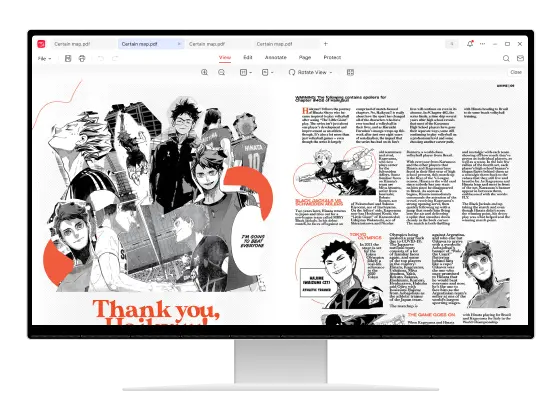
PDF Expertise
Downloads
Ratings
Security
Comprehensive Free PDF Tool to Power Up Your Productivity
A completely free Adobe Acrobat alternative for Windows, JOPDF makes editing, reading, and organizing PDFs easier than ever!
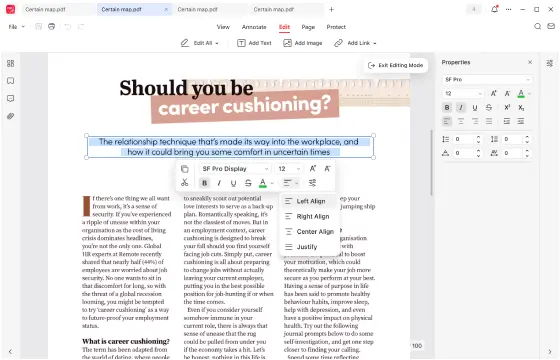
Edit Text, Images and Links
Designed for ease of use, JOPDF for Windows lets you quickly edit PDF text for free, whether adding text, images, or links to PDF files. Effortlessly rotate, crop, replace, or resize images and edit existing PDF content exactly as you need.
Free Download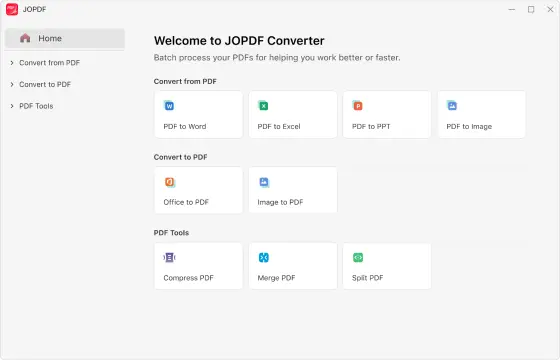
Convert PDFs with Batch Processing
Convert Microsoft Word, Excel, PowerPoint, and image files (JPG, PNG, and more) to PDF—and convert PDFs back just as easily. A fast, reliable, and batch-friendly PDF converter for Windows.
Free Download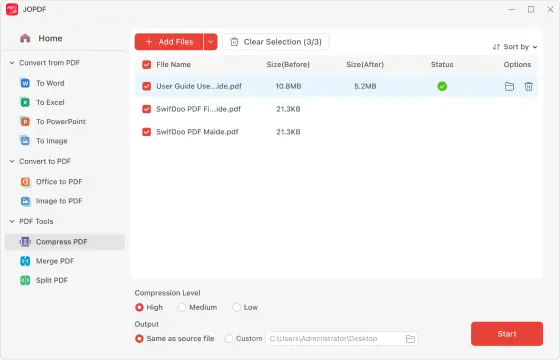
Reduce PDF Size without Losing Quality
Compress PDF documents with 3 different compression levels. With JOPDF, you can reduce the size of your PDFs on Windows in seconds while keeping the same quality. The batch processing feature helps you complete tasks faster and more easily.
Free Download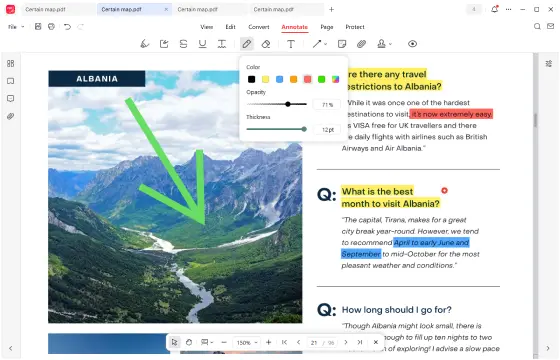
Annotate PDFs with Ease
Markup and comment on PDF files with over 10 annotation tools that let you highlight, underline, strikethrough text, and draw anywhere in your PDF documents. The best PDF annotator for Windows!
Free Download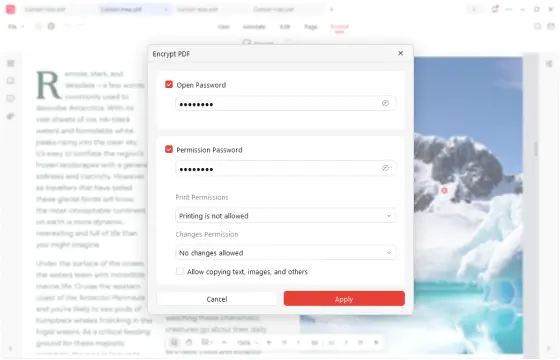
Password Protect PDF Documents
Secure your PDF files effortlessly with a password to protect sensitive information. This reliable Windows desktop PDF tool safeguards your documents from unauthorized access easily, with no registration required.
Free Download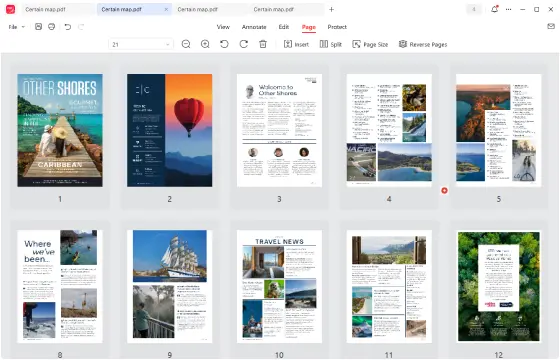
Insert, Rotate and Delete PDF Pages
With just a few clicks, you can easily sort, add, rotate, split, and delete PDF pages using JOPDF. The intuitive drag-and-drop feature lets you arrange pages exactly as you want on Windows.
Free Download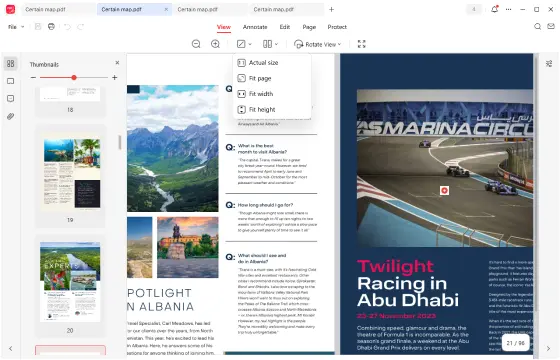
View and Share PDFs Seamlessly
JOPDF provides the best PDF viewing experience on Windows for all types of PDF files. The one-click share feature also makes it easy to share your PDFs with anyone.
Free DownloadWhat Make JOPDF for Windows Stand Out

Launch Faster & Perform Better
JOPDF is a fast, stable PDF editor and reader for Windows 11/10/8.1/8/7, letting you edit, read, convert, and manage PDFs effortlessly while boosting productivity on your PC.

One-stop PDF Solution for Windows
From viewing and editing to organizing and password-protecting PDFs, JOPDF is your reliable all-in-one tool for handling every PDF task quickly and efficiently.

Completely Free & No Limits
All features unlocked from the start! Edit, convert, compress, annotate, split, merge, organize, and protect PDF documents without any limits or subscriptions. Simple, fast, and ready whenever you need it.

Multiple Language Support
JOPDF is available in 10+ languages, including English, German, French, Italian, Japanese, Korean, Portuguese, Spanish, Polish, and Chinese. Pick your language and enjoy seamless PDF editing anywhere.
See Why Users Love JOPDF for Windows
We trusted by top-leading media and serving over 300,000 satisfied users worldwide.
Michael W.
Tax Consultant
“JOPDF helps me handle sensitive tax documents effortlessly. From editing and reviewing to protecting PDFs with passwords, it’s a reliable tool for any financial professional.”

Sarah K.
College Student
“As a college student, I love how fast and reliable JOPDF is. Editing, adding notes, and rearranging pages is a breeze. It’s my go-to PDF editor for all my coursework. Highly recommended for students!”
Robert S.
Project Coordinator
“I have to say, JOPDF streamlines my office workflow. Editing, sharing, and organizing PDFs is fast and simple, making everyday document management much easier.”